
IT Cost Reduction Strategies For Enterprises
How forward-thinking IT and sustainability teams are using intelligent power management to reduce energy waste, meet ESG targets, and lower operating costs — without disrupting end users.

Enterprise PCs are among the largest hidden energy consumers in any organisation. Left unmanaged, a fleet of several thousand workstations can consume as much electricity as a small manufacturing facility — running overnight, over weekends, and through holidays with no one at the desk. This guide explains the business case, the technology, and the practical steps for deploying a modern PC power management programme that delivers measurable financial and environmental returns.
Key Takeaways
- Unmanaged PC fleets routinely waste 40–60% of their total energy consumption through unnecessary idle and overnight running.
- Automated power policies can be deployed centrally without requiring end-user action or impacting productivity.
- Detailed reporting turns energy data into boardroom-ready ESG metrics and carbon disclosures.
- ROI is typically realised within the first year; savings compound as the fleet scales.
- Modern solutions integrate with Active Directory, SCCM, and cloud management tools for seamless rollout.
- Sustainability and IT goals align: a single platform satisfies both cost-reduction and net-zero commitments.
Article Navigation Table of Contents
- Why PC Power Management Matters Now
- Where Energy Waste Hides in a PC Fleet
- How Intelligent Power Management Works
- Building the Business Case
- ESG Reporting and Carbon Reduction
- Deployment Without Disruption
- Key Features to Evaluate
- Manual vs. Automated Policy Management
- Implementation Best Practices
- Frequently Asked Questions
Why PC Power Management Matters Now
The convergence of rising energy costs, mandatory carbon reporting, and tightening IT budgets has pushed PC power management from a nice-to-have into a strategic priority. Organisations of every size are facing pressure from multiple directions simultaneously:
Energy Costs Are at a Structural High
Commercial electricity prices across Europe and North America have risen substantially in recent years and remain volatile. For an enterprise with 5,000 PCs, even a modest reduction in per-device consumption translates directly into five- or six-figure annual savings on the electricity bill — savings that are permanent and grow with every additional device added to the managed fleet.
Regulatory and Investor Pressure on Carbon
Sustainability frameworks such as the EU Corporate Sustainability Reporting Directive (CSRD), GHG Protocol Scope 2 obligations, and investor-led ESG scorecards all require organisations to measure, report, and progressively reduce their operational carbon footprint. Scope 2 emissions from purchased electricity are directly influenced by how many hours a PC fleet is powered on. Demonstrable reductions in PC energy consumption provide clean, auditable data for these disclosures.
IT Budgets Under Compression
CIOs are expected to do more with the same or fewer resources. PC power management is one of the few areas where a software investment generates a recurring, quantifiable financial return that can be reported to the board. It also frees up budget for higher-value digital initiatives.
Where Energy Waste Hides in a PC Fleet
Before deploying a solution, it is useful to understand exactly where consumption occurs so that policies can be targeted most effectively.
After-Hours Running
The majority of wasted PC energy occurs outside core business hours. A desktop PC left powered on overnight and over a weekend can consume more electricity during that idle period than it does during the entire productive working week. For large fleets, this adds up to a significant and entirely avoidable cost.
Monitor and Display Energy
Modern monitors consume between 20 and 60 watts when active. In an open-plan office of 500 workstations, displays left on during meetings, lunch breaks, and after departures represent a meaningful fraction of the electricity bill. Power management policies that enforce display sleep within minutes of inactivity deliver rapid wins.
Inconsistent or Overridden Local Settings
End users frequently modify their own power settings — disabling sleep to prevent interruptions during file transfers or presentations, then never re-enabling them. Without centralised enforcement, these local overrides undermine any organisation-wide policy. A management platform applies settings at the domain or group level, ensuring consistency regardless of individual user preferences.
Legacy Default Settings
Many organisations deploy PCs with manufacturer defaults that prioritise performance over efficiency. These defaults often include aggressive “always-on” display settings and no automatic sleep policy. A centralised power management solution replaces these defaults at scale with a single configuration change.
How Intelligent Power Management Works
Modern enterprise PC power management platforms go far beyond a simple group policy push. They combine policy intelligence, usage awareness, and detailed analytics into a unified management layer.
Centralised Policy Engine
Administrators define power policies — sleep thresholds, shutdown schedules, wake-on-LAN rules, and display timeout durations — in a central console. These policies are distributed to every managed endpoint and enforced locally, meaning they work even when devices are off the corporate network.
Usage-Aware Scheduling
Unlike simple scheduled shutdowns, intelligent platforms monitor real-time device activity. If a user is still working at the scheduled shutdown time — running a compile, a backup, or a file transfer — the shutdown is deferred until the task completes or the device becomes genuinely idle. This prevents data loss and eliminates support tickets from interrupted workflows.
Wake-on-LAN for IT Operations
A common objection to aggressive power-down policies is that IT cannot patch or update machines that are powered off. Modern platforms solve this with scheduled wake events: devices are powered on at a defined time for patch windows, then returned to their powered-off state automatically once the maintenance task is complete.
Real-Time Monitoring and Reporting
Dashboards display current fleet power status, estimated energy consumption, projected CO₂ savings, and financial metrics in real time. Reports can be scheduled for delivery to finance, sustainability, or executive stakeholders in formats compatible with ESG disclosures and internal carbon accounting.
See What PowerPlug Can Save Your Organisation
PowerPlug’s enterprise PC power management platform delivers measurable energy savings, ESG-ready carbon reports, and seamless integration with your existing IT infrastructure — without disrupting end users.
Building the Business Case
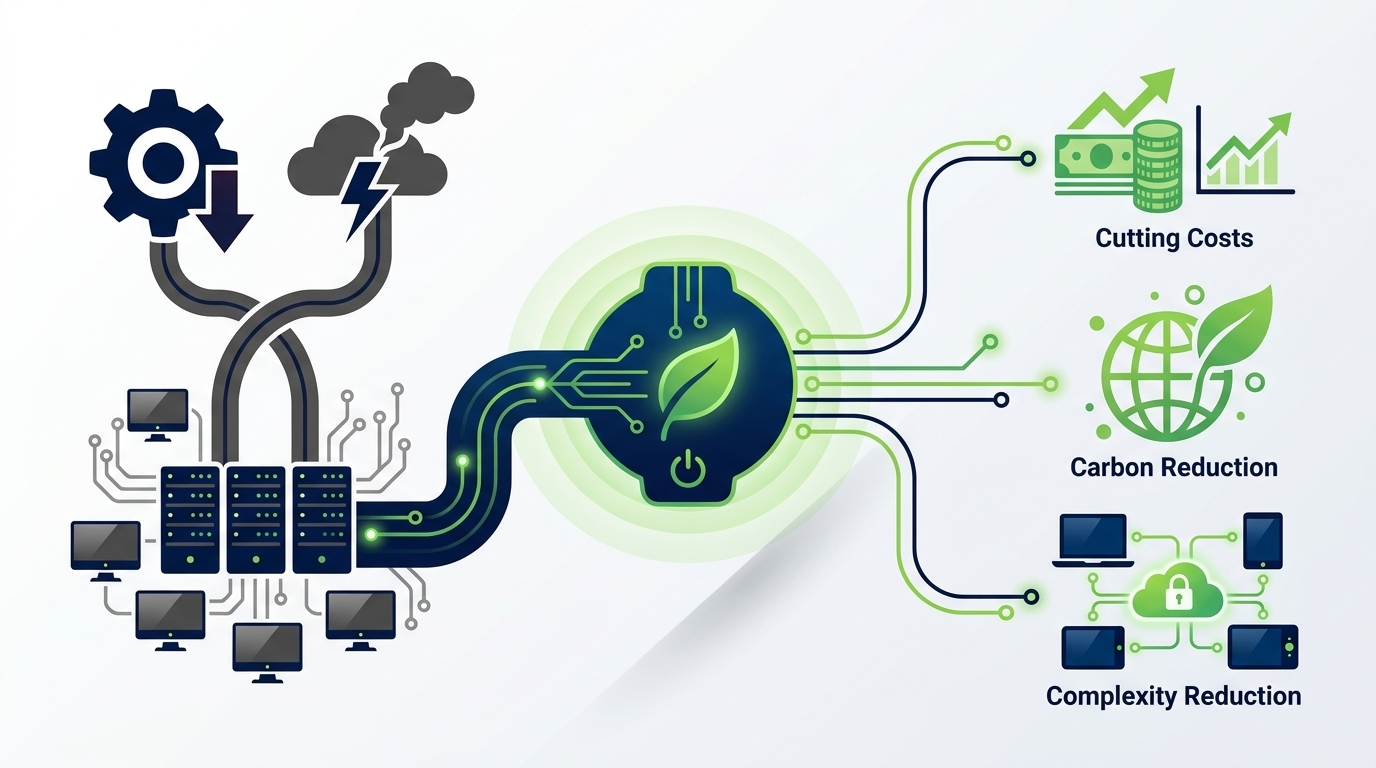
Securing internal approval for a power management programme requires a compelling, evidence-based business case. The financial model is straightforward and based on verifiable inputs.
Calculating Baseline Consumption
Start by estimating current annual energy consumption per device. A typical managed desktop PC consumes approximately 60–150 watts when active and 1–6 watts in a well-configured sleep state. If a device averages 14 hours per day in an unmanaged powered-on state (including overnight), annual consumption per device can easily exceed 300 kWh. Multiply by current electricity rates and fleet size to establish a credible baseline cost.
Projecting Savings
A well-deployed power management solution typically reduces per-device consumption by 40–60% by shortening powered-on hours and enforcing aggressive idle policies. Using conservative assumptions — say 40% reduction and a fleet of 3,000 devices — the annual saving is substantial and entirely recurring.
Total Cost of Ownership
The total cost of ownership for a PC power management platform includes software licensing, initial deployment effort, and ongoing administration. In most enterprise deployments, the energy savings in the first year alone exceed the full software cost, producing a net positive financial outcome before any carbon or ESG value is attributed.
| Fleet Size | Estimated Annual Energy Waste (Unmanaged) | Potential Annual Saving (40% Reduction) | Typical Payback Period |
|---|---|---|---|
| 500 PCs | ~150,000 kWh | ~60,000 kWh / significant £ or € saving | Under 12 months |
| 2,000 PCs | ~600,000 kWh | ~240,000 kWh / substantial recurring saving | Under 6 months |
| 10,000 PCs | ~3,000,000 kWh | ~1,200,000 kWh / enterprise-scale recurring saving | Under 3 months |
Note: Figures are illustrative estimates based on typical enterprise usage patterns. Actual savings depend on local electricity tariffs, device specifications, current usage behaviour, and the aggressiveness of deployed policies. PowerPlug provides organisation-specific savings assessments on request.
ESG Reporting and Carbon Reduction
Beyond cost savings, PC power management generates measurable, auditable data that directly supports an organisation’s sustainability strategy and external reporting obligations.
Scope 2 Emissions Reduction
Every kilowatt-hour of electricity saved translates directly into a reduction in Scope 2 greenhouse gas emissions. The conversion factor depends on the grid’s emissions intensity in the relevant geography, but the reduction is real, trackable, and defensible in carbon disclosures. Power management platforms that report energy savings in both kWh and CO₂e provide the data in a format directly usable by sustainability teams.
Supporting Net Zero Roadmaps
Organisations committed to net zero targets need a portfolio of verified reduction measures, not just offset purchases. PC power management is an operational reduction — one that can be attributed to specific devices, departments, sites, or time periods. This granularity makes it valuable both internally for accountability and externally for third-party verification.
ESG Disclosure Formats
Modern power management platforms can produce reports aligned with common ESG frameworks. Whether reporting under GRI, TCFD, CSRD, or internal sustainability dashboards, the underlying energy and carbon data from a power management platform provides clean, machine-readable input. Automated scheduled reports reduce the manual effort required from sustainability teams at reporting periods.
Demonstrating Progress Over Time
Year-on-year comparisons of fleet energy consumption, per-device consumption trends, and cumulative CO₂ savings provide the narrative evidence that stakeholders, investors, and regulators want to see: not just a point-in-time claim, but a consistent, improving trajectory.
Deployment Without Disruption
One of the most common barriers to adopting power management is concern about end-user disruption. In practice, a well-designed platform eliminates this risk through careful scheduling, transparent communication, and activity-aware enforcement.
Phased Rollout Approach
Begin with a pilot group representative of different departments and work patterns. Use the pilot to calibrate policy aggressiveness — sleep timers, shutdown schedules, display timeouts — against actual usage patterns. Refine before rolling out to the full fleet. This builds internal confidence and produces documented evidence of zero disruption to present to sceptical stakeholders.
User Communication
End users respond positively when they understand why policies are being applied. A brief, plain-language communication explaining the sustainability and cost-saving rationale — and confirming that active work will never be interrupted — reduces resistance significantly. Most users are supportive of policies they perceive as reasonable and well-communicated.
IT Operations Compatibility
Power management must coexist with IT operations, not conflict with them. Patch windows, software deployments, asset inventory scans, and remote management sessions all require devices to be reachable. A mature platform accommodates these requirements natively, using wake-on-LAN and exclusion windows to ensure IT functions are never blocked by power policies.
Active Directory and SCCM Integration
Deployment is simplified considerably when the power management platform integrates with existing directory and management infrastructure. Group-based policy assignment, automated synchronisation with AD OUs, and reporting aligned with SCCM asset data remove the need for parallel administration and reduce the ongoing management overhead to a minimum.
Key Features to Evaluate When Selecting a Platform
Not all PC power management solutions are equal. When evaluating options, the following capabilities distinguish enterprise-grade platforms from basic policy management tools.
- Activity-aware policy enforcement — Policies that detect active processes, user input, and running applications before applying sleep or shutdown actions.
- Wake-on-LAN integration — Scheduled device wake events to support patch management and IT maintenance without keeping devices on permanently.
- Granular reporting — Per-device, per-group, per-site, and fleet-level energy and carbon reports with historical trending.
- ESG-ready data exports — Output formats suitable for sustainability reporting, including CO₂e calculations aligned with recognised emissions factors.
- Active Directory and cloud directory integration — Policy assignment mapped to existing organisational structure without duplicate administration.
- Policy override management — The ability to detect, log, and remediate local user overrides to ensure policy compliance across the fleet.
- Scalable architecture — Support for fleets ranging from hundreds to tens of thousands of devices without performance degradation or management complexity increase.
- Offline policy enforcement — Policies applied locally at the endpoint continue to function when devices are disconnected from the corporate network.
Manual vs. Automated Policy Management
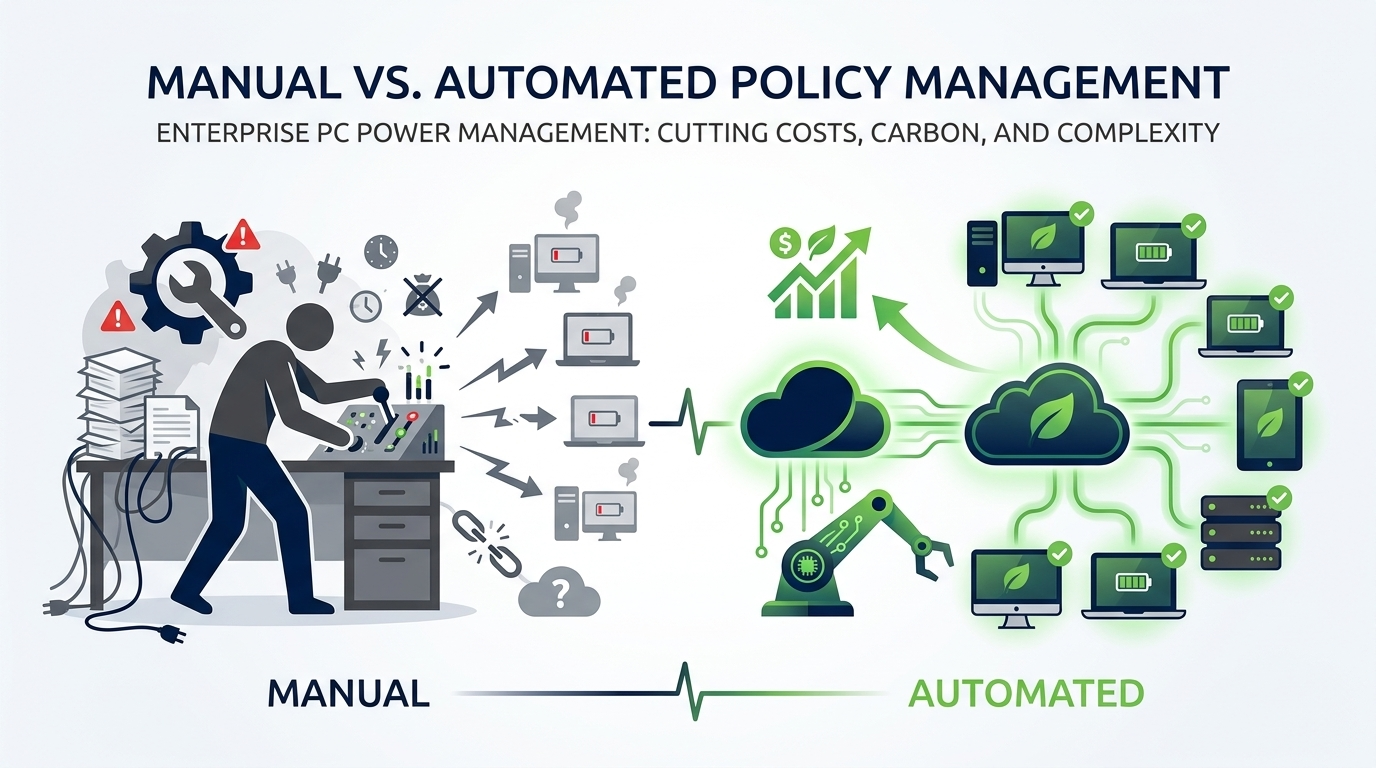
Organisations without a dedicated power management platform typically rely on manual Group Policy Objects, local IT instructions to end users, or manufacturer default settings. The limitations of this approach become apparent at scale.
| Capability | Manual / GPO Approach | Dedicated Power Management Platform |
|---|---|---|
| Policy consistency | Inconsistent; overridden by users | Centrally enforced; overrides detected and remediated |
| Activity awareness | None; fixed schedules only | Real-time activity detection prevents unintended interruption |
| Wake-on-LAN for IT | Manual or scripted; complex to maintain | Native scheduled wake events; automatic return to sleep |
| Energy reporting | None; estimated only | Measured, per-device, real-time with historical trending |
| Carbon data | Manual calculation required | Automated CO₂e calculation and ESG-ready export |
| ROI visibility | Not available | Financial savings dashboard with cost and energy metrics |
| Scalability | High administrative overhead at scale | Scales to tens of thousands of devices with minimal overhead |
Implementation Best Practices
Organisations that achieve the greatest results from PC power management share a number of common implementation disciplines.
Establish a Baseline Before You Begin
Deploy monitoring before activating any enforcement policies. A baseline measurement period of two to four weeks provides the reference data needed to accurately calculate savings once policies go live. Without a documented baseline, claimed savings cannot be verified and the ROI case is difficult to defend.
Involve Stakeholders Early
IT, finance, facilities, and sustainability teams all have an interest in the outcomes. Involving each stakeholder group at the design stage ensures that policies are practical, that reporting meets each team’s specific needs, and that the programme has the cross-functional sponsorship needed to succeed and scale.
Start Conservatively, Then Tighten
Initial policies should be set to thresholds that are clearly reasonable — for example, display sleep after 10 minutes of inactivity and PC sleep after 30 minutes. Once these are running smoothly without generating support calls, thresholds can be tightened incrementally. This approach builds confidence and avoids a backlash that would undermine the programme.
Report Regularly and Visibly
Monthly reporting to senior stakeholders sustains the programme’s profile and ensures continued support. Framing results in business terms — pounds saved, tonnes of CO₂ avoided, equivalent trees planted — makes the data accessible to non-technical audiences and strengthens the case for continued investment.
Align with Hardware Refresh Cycles
Power management should inform hardware procurement decisions. Energy consumption data from the platform enables evidence-based comparisons between device generations and supports the case for transitioning to more efficient hardware at the point of natural refresh. This creates a continuous improvement cycle rather than a one-time deployment.
Ready to Take Control of Your PC Fleet’s Energy?
PowerPlug helps enterprise IT and sustainability teams deploy intelligent PC power management at scale — delivering verified energy savings, ESG-ready carbon data, and seamless integration with your existing infrastructure from day one.
Frequently Asked Questions
Will power management policies interrupt users who are actively working?
No. Enterprise-grade platforms use real-time activity detection to identify when a user is engaged — whether typing, moving the mouse, running a process, or conducting a video call. Sleep and shutdown policies are only applied when the device has been genuinely idle for the configured threshold period. Active sessions, running applications, and ongoing file operations are all respected.
How do IT teams patch and update machines that have been powered down?
Modern power management platforms include native wake-on-LAN scheduling. IT administrators define maintenance windows — for example, 2:00 AM to 4:00 AM on Tuesday and Thursday nights — during which managed devices are automatically powered on to receive patches and updates, then returned to their powered-off state once the maintenance window closes. This ensures patch compliance without requiring devices to be left on permanently.
Can the platform produce reports suitable for ESG or sustainability disclosures?
Yes. A purpose-built enterprise platform generates reports showing energy consumption in kWh, estimated CO₂e reductions (using configurable regional emissions factors), financial savings, and fleet-level compliance metrics. These reports can be exported in standard formats and scheduled for delivery to sustainability, finance, or executive teams at defined intervals. The data is suitable for input into GRI, TCFD, CSRD, and internal carbon accounting frameworks.
How long does deployment take for a large enterprise fleet?
Deployment timelines vary by infrastructure complexity, but most enterprise rollouts follow a structured process: baseline monitoring (2–4 weeks), pilot deployment (2–4 weeks), full fleet rollout (variable by fleet size and IT resource). For a well-prepared organisation with Active Directory integration, a full fleet of several thousand devices can typically be under managed policy within 6–10 weeks of project start.
Does the solution work for remote and hybrid workers?
Yes. Policies are enforced locally at the endpoint, meaning they operate whether the device is connected to the corporate network, connected via VPN, or working entirely offline on a home network. Remote and hybrid workers are subject to the same power policies as office-based employees, ensuring consistent savings and reporting across the entire fleet regardless of work location.
What integration does the platform have with existing IT management tools?
Enterprise PC power management platforms are designed to complement, not replace, existing IT management infrastructure. Integration with Active Directory enables policy assignment to follow existing OU and group structures. Compatibility with SCCM and other endpoint management platforms ensures that reporting and asset data are consistent. Most platforms offer an API for organisations that want to incorporate power data into their own dashboards or ITSM tooling.