
Government Public Sector IT Energy Management
How large organisations can use intelligent PC power management to slash electricity bills, reduce carbon footprint, and meet sustainability commitments — without disrupting IT operations.
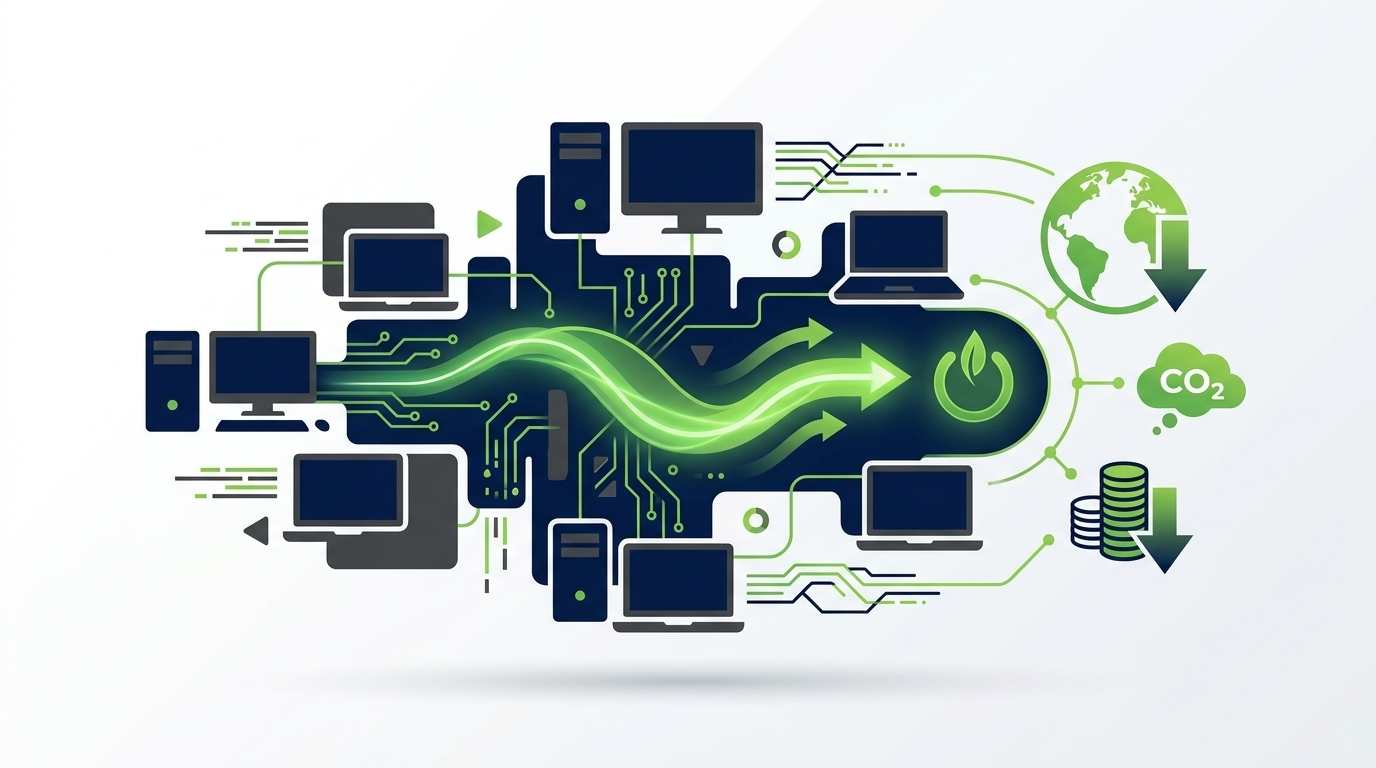
Every enterprise has thousands of PCs sitting idle overnight, consuming energy and contributing to unnecessary carbon emissions. PC power management transforms this hidden cost centre into a measurable sustainability win — automating shutdown schedules, enforcing energy-efficient settings, and delivering granular reporting that satisfies both finance and ESG teams. This guide covers everything you need to know to build and scale an effective PC power management programme.
Article Navigation Table of Contents
- What Is PC Power Management?
- Why It Matters for Enterprise
- The Scale of the Energy Waste Problem
- Core Capabilities to Look For
- Deployment & Policy Approach
- ESG Reporting & Compliance
- Overcoming Common Challenges
- Feature Comparison: What Good Looks Like
- How PowerPlug Addresses These Needs
- Frequently Asked Questions
- Idle and overnight PCs are one of the largest avoidable energy costs in any enterprise IT estate.
- Effective power management requires policy automation, not just manual settings — human behaviour is too inconsistent at scale.
- The right platform provides real-time visibility into energy consumption and carbon output at device, department, and site level.
- ESG and sustainability reporting requirements make measurable, auditable data essential — not just a nice-to-have.
- Modern solutions integrate with existing endpoint management tools (SCCM, Intune, Active Directory) with minimal disruption.
- PowerPlug’s platform is purpose-built for enterprise PC power management, delivering proven energy and cost reduction.
What Is PC Power Management?
PC power management is the practice of controlling when and how desktop computers, laptops, and workstations consume electricity. At its most basic, it involves configuring sleep, hibernate, and shutdown timers. At enterprise scale, it becomes a sophisticated discipline combining policy automation, real-time monitoring, remote enforcement, and ESG-grade reporting.
Unlike consumer power settings — which rely on individual users choosing energy-efficient options — enterprise PC power management removes that dependency entirely. Policies are pushed centrally, enforced consistently, and monitored continuously. Users may not even notice the system is operating in the background.
Power States Explained
Modern PCs support multiple power states, each with different energy implications:
| Power State | Typical Wattage | Recovery Time | Enterprise Suitability |
|---|---|---|---|
| Active (full use) | 60–300 W | Instant | Normal working hours |
| Monitor off / Display sleep | 40–200 W | Instant | Short idle periods |
| Sleep (S3) | 1–5 W | 2–5 seconds | Mid-day breaks, short absences |
| Hibernate (S4) | ~0 W | 15–40 seconds | Longer absences, end of shift |
| Shutdown | 0–1 W (standby) | 60–90 seconds | Overnight, weekends |
The gap between an active PC left on overnight and a properly shut-down PC represents wasted electricity that adds up — fast — across thousands of endpoints.
Why PC Power Management Matters for Enterprise
For a 1,000-seat organisation, a single watt of unnecessary consumption per PC, running 24/7, adds up to 8,760 kWh per year. Real idle PC consumption is far higher — often 60–150 W per machine during overnight and weekend hours. The financial and environmental case for active power management is therefore substantial.
The Financial Argument
Electricity prices for commercial users across Europe and North America have risen sharply in recent years. Every kilowatt-hour saved flows directly to the bottom line. Organisations with large PC estates — education, financial services, healthcare, local government, manufacturing — routinely find that PC power management delivers a return on investment within months, not years.
Beyond direct electricity savings, there are secondary benefits: reduced HVAC load (fewer hot machines means less cooling required), extended hardware lifespan through less thermal cycling, and simplified compliance with energy efficiency mandates.
The Sustainability Argument
With Scope 2 emissions now subject to regulatory disclosure in many jurisdictions, and stakeholders increasingly scrutinising corporate ESG performance, reducing PC electricity consumption is one of the fastest, most creditable actions an IT or sustainability team can take. Unlike infrastructure overhauls or renewable energy procurement — which take years and significant capital — PC power management delivers measurable carbon reduction in weeks.
The Scale of the Enterprise Energy Waste Problem
Research consistently shows that a significant proportion of enterprise PCs are left powered on — or in a high-draw idle state — outside of business hours. Common contributing factors include:
- IT departments needing PCs awake overnight for patch deployments and software updates.
- Users forgetting to shut down, or believing their PC will handle this automatically.
- Default Windows power settings configured for convenience rather than energy efficiency.
- Inconsistent group policy application across different sites and device types.
- Lack of visibility: no one knows how many machines are actually on at 2am.
The Patch Window Dilemma
A common objection to aggressive overnight shutdown policies is the need for maintenance windows. IT teams legitimately need PCs accessible for patch deployment, security updates, and software rollouts — often scheduled overnight to avoid user disruption. Poorly designed power management systems create a binary choice: keep everything on, or risk missing patch deadlines.
Sophisticated enterprise power management platforms resolve this by supporting scheduled wake events. Machines can be powered down by default, then woken via Wake-on-LAN or scheduled task for defined maintenance windows, before being shut down again automatically once the window closes. This preserves patch compliance without sacrificing energy savings.
See How Much Your Organisation Could Save
PowerPlug’s platform provides real-time visibility into PC energy consumption across your entire estate — with granular reporting by device, department, and site. Book a personalised demo to see the potential savings for your organisation.
Core Capabilities to Look For in an Enterprise Solution
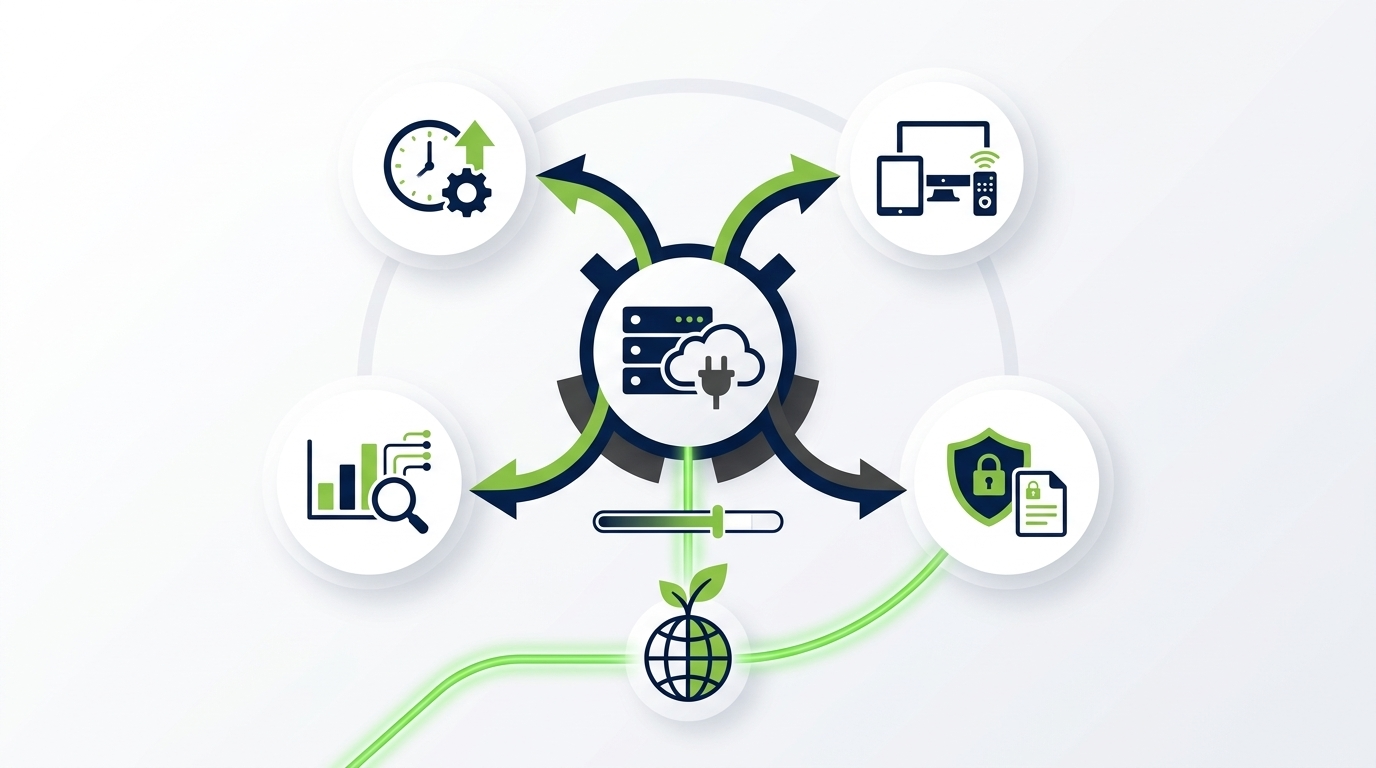
Not all power management tools are created equal. A consumer-grade or basic group policy approach will not deliver the control, visibility, or flexibility that enterprise environments require. When evaluating solutions, look for the following capabilities:
1. Centralised Policy Management
All power policies should be definable, deployable, and enforceable from a single management console. Policies should support granular targeting — by OU, department, site, device type, or individual machine — and should be enforced even when users have local administrator rights or attempt to override settings.
2. Scheduled Wake and Sleep Events
Enterprise operations are not uniform. Manufacturing shift patterns differ from office environments. Call centres have different overnight requirements than headquarters. A capable platform allows time-based power schedules tailored to each group, including support for Wake-on-LAN to bring machines up for patch windows without leaving them fully on all night.
3. Real-Time Monitoring and Dashboards
You cannot manage what you cannot measure. Enterprise power management platforms should provide live visibility into the power state of every managed device — showing how many machines are on, sleeping, or off at any given moment, with historical trend data for reporting and benchmarking.
4. Energy and Carbon Reporting
For ESG compliance and internal sustainability reporting, the platform must convert device-level power state data into meaningful energy consumption figures (kWh) and carbon emission equivalents (CO₂e). Reports should be exportable, schedulable, and auditable.
5. Integration with Existing Endpoint Management
Enterprise IT environments are complex. Any power management solution must integrate cleanly with existing tools — Microsoft Endpoint Configuration Manager (SCCM/MECM), Microsoft Intune, Active Directory, and major ITSM platforms — without requiring a separate agent infrastructure or conflicting with existing policies.
6. User Experience Preservation
Power policies must not disrupt user productivity. Aggressive sleep timers that trigger during presentations, or shutdown schedules that fire during late working sessions, create helpdesk tickets and erode trust. Good platforms include user-deferral options, grace periods, and intelligent activity detection to avoid interrupting active work.
Deployment and Policy Approach: From Pilot to Enterprise Rollout
Successful enterprise PC power management deployments follow a structured approach. Attempting to enforce aggressive policies across an entire estate on day one is a recipe for helpdesk overload and user friction. A phased approach delivers better outcomes.
Phase 1: Baseline Assessment
Before configuring any policies, establish a baseline. Deploy the monitoring component to understand current power state patterns: what proportion of machines are on overnight? What is the current energy consumption profile? This baseline serves as the benchmark against which savings will be measured — and as the business case for broader rollout.
Phase 2: Pilot Group
Select a representative pilot group — typically 100–500 machines across a mix of departments and sites. Apply moderate power policies: display sleep after 10 minutes of inactivity, system sleep after 30 minutes, scheduled shutdown at 9pm with a 15-minute user warning. Monitor for helpdesk impact, user feedback, and energy savings over 4–8 weeks.
Phase 3: Policy Refinement
Use pilot data to refine policies before broader rollout. Common adjustments include extending sleep timers for user groups who need longer sessions, adding exceptions for always-on kiosk or lab machines, and tuning the patch window wake schedule based on actual patch deployment timings.
Phase 4: Estate-Wide Deployment
Roll out refined policies to the full estate in controlled waves. Use existing endpoint management infrastructure for agent deployment and policy distribution. Maintain a monitoring dashboard throughout to catch any unexpected issues early.
Phase 5: Ongoing Optimisation
Power management is not a one-time project. Organisational change, new hardware introductions, seasonal variations in working patterns, and evolving sustainability targets all require periodic policy review. A mature power management programme includes a regular review cycle and a governance process for policy changes.
ESG Reporting and Compliance: Making the Data Work for You
The regulatory environment for corporate sustainability disclosure is tightening. In the UK, large companies and listed entities face mandatory climate-related financial disclosure requirements. In the EU, the Corporate Sustainability Reporting Directive (CSRD) significantly expands the scope and detail of required ESG reporting. In the US, the SEC has introduced climate disclosure rules for public companies.
Against this backdrop, PC energy consumption — historically invisible in corporate sustainability accounts — is becoming both a reportable metric and an area of genuine stakeholder interest. PC power management platforms that produce auditable, methodology-documented energy and carbon data are therefore not just operationally useful; they are increasingly essential for compliance.
What Good ESG Reporting Looks Like
- Energy consumption reported in kWh, broken down by device, department, site, and time period.
- Carbon emission equivalents (CO₂e) calculated using recognised emission factor sources (e.g., national grid emission factors).
- Comparison against baseline to demonstrate year-on-year progress.
- Exportable reports in standard formats (CSV, PDF, Excel) for integration with corporate sustainability reporting tools.
- Clear audit trail showing which policies were active, when they were changed, and by whom.
Overcoming Common Challenges in Enterprise PC Power Management
Challenge: IT Resistance to Restrictive Policies
IT operations teams often resist aggressive power policies because they rely on machines being available overnight for patch deployments. The solution is not to choose between power saving and patching — it is to use a platform that supports scheduled wake events so both requirements can be met simultaneously.
Challenge: User Pushback
Users whose work is disrupted by unexpected shutdowns or sleep events become vocal opponents of any power management initiative. Address this by configuring appropriate grace periods, providing users with a simple deferral option for genuine late working, and communicating clearly about why the programme exists and what it achieves for the organisation.
Challenge: Heterogeneous Environments
Large enterprises rarely have a uniform PC estate. Desktops, laptops, thin clients, kiosk machines, lab workstations, and virtual desktops all have different power management requirements. A capable platform supports differentiated policies by device type, ensuring that one-size-fits-all settings do not create operational problems.
Challenge: Measuring Actual Savings
Without robust baseline data and ongoing monitoring, it is difficult to demonstrate the ROI of a power management programme. Invest in the measurement infrastructure from day one — not as an afterthought — and use the data proactively to communicate savings to finance, sustainability, and executive stakeholders.
Challenge: Sustaining the Programme Over Time
Power management initiatives often start strong and then drift as initial enthusiasm fades, staff change, and policies go unreviewed. Build governance into the programme from the outset: assign ownership, schedule quarterly policy reviews, and integrate energy reporting into existing sustainability governance processes.
Feature Comparison: What Good Enterprise PC Power Management Looks Like
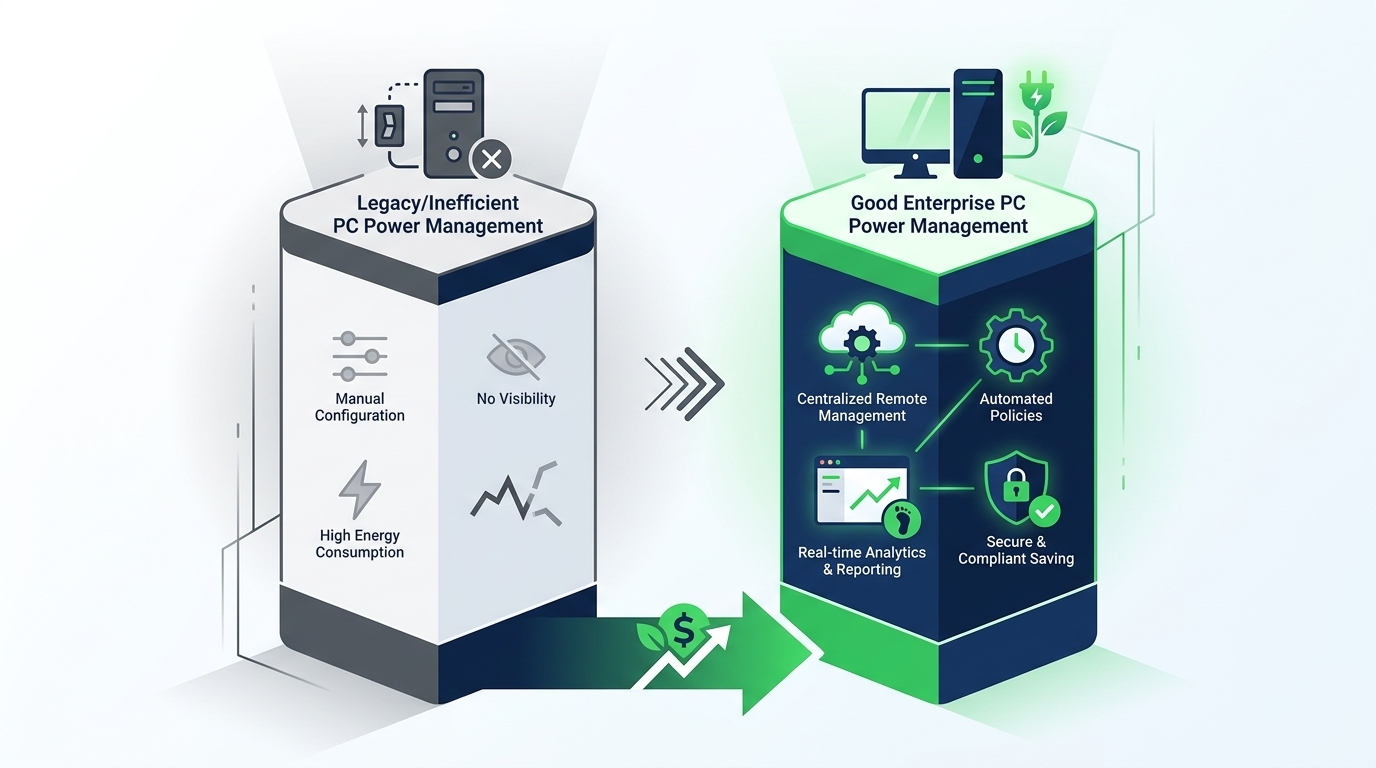
The table below summarises the capabilities that distinguish a basic power management approach from a purpose-built enterprise solution.
| Capability | Basic Group Policy / OS Settings | Purpose-Built Enterprise Platform |
|---|---|---|
| Centralised policy management | Limited; requires AD expertise | Full GUI-based console, granular targeting |
| Scheduled wake events | Manual / scripted only | Native Wake-on-LAN scheduling, integrated with patch windows |
| Real-time device monitoring | Not available | Live dashboard, historical trending |
| Energy consumption reporting | Not available | kWh and CO₂e reporting, exportable |
| Integration with SCCM / Intune | Manual configuration | Native integration, co-existence assured |
| User deferral / grace periods | Not available | Configurable deferral options per policy |
| ESG-grade audit trail | Not available | Full policy change history, auditable reports |
| Heterogeneous device support | Inconsistent across device types | Differentiated policies by device class |
How PowerPlug Addresses Enterprise PC Power Management Needs
PowerPlug is a purpose-built enterprise PC power management platform, designed for the complexity and scale of large organisations. The platform integrates with existing endpoint management infrastructure and delivers the policy control, real-time monitoring, and ESG-grade reporting that modern enterprises require.
Intelligent Policy Automation
PowerPlug’s policy engine supports granular targeting across any combination of organisational units, departments, sites, and device types. Policies are enforced centrally and consistently, regardless of local user settings. Scheduled wake and sleep events — including native Wake-on-LAN support — mean IT operations and energy efficiency goals are not in conflict.
Real-Time Energy Visibility
The PowerPlug dashboard provides live visibility into the power state of every managed device, with historical data for trend analysis, departmental benchmarking, and progress reporting. Energy consumption is calculated at device level and aggregated to any organisational dimension required.
ESG-Ready Carbon Reporting
PowerPlug converts device-level energy data into CO₂ equivalent figures using recognised emission factors, producing the kind of auditable, methodology-documented reports that sustainability teams need for regulatory disclosure and stakeholder communication. Reports are schedulable and exportable in standard formats.
Seamless Integration
PowerPlug integrates with Microsoft Endpoint Configuration Manager, Microsoft Intune, and Active Directory, leveraging existing infrastructure for agent deployment and policy distribution. The platform is designed to co-exist cleanly with existing endpoint management tooling without conflict.
Start Reducing PC Energy Waste Across Your Estate
PowerPlug helps enterprise organisations automate PC power policies, monitor energy consumption in real time, and produce the ESG-grade carbon reporting that modern sustainability programmes demand. Talk to the team to find out what’s possible for your organisation.
Frequently Asked Questions
How much energy can enterprise PC power management typically save?
The savings depend on the starting point — specifically, how many machines are currently left on outside of business hours and at what wattage. Organisations with poor baseline power management practices commonly achieve reductions of 30–50% in PC-related electricity consumption. The key variable is the gap between current behaviour and what optimised policies can deliver.
Will power management policies disrupt overnight patch deployments?
Not if the platform supports scheduled wake events. Purpose-built enterprise platforms like PowerPlug allow you to define maintenance windows during which machines are woken via Wake-on-LAN, receive patches, and are then shut down automatically once the window closes. This means energy savings and patch compliance are complementary, not competing, objectives.
How do we handle users who regularly work late?
Effective enterprise platforms include configurable user deferral options and grace periods. A user who needs to continue working can defer a scheduled shutdown for a defined period — typically 30–60 minutes — without requiring IT intervention. This preserves user productivity while maintaining the default energy-saving behaviour for the majority of machines.
Does PC power management work with laptops as well as desktops?
Yes. Modern enterprise power management platforms support differentiated policies for desktops, laptops, and other device types. Laptops have their own power considerations — including battery management and lid-close behaviour — which a capable platform handles with dedicated policy options distinct from desktop settings.
How do we demonstrate the ROI of a power management programme to senior stakeholders?
The most effective approach combines a clear baseline measurement (energy consumption before the programme), ongoing monitoring data (energy consumption after policy deployment), and a cost calculation based on actual electricity tariffs. Purpose-built platforms produce this data automatically, enabling straightforward ROI reporting. Carbon reduction data is increasingly valuable for ESG and sustainability reporting purposes as well.
How long does it take to deploy PowerPlug across an enterprise estate?
Deployment timelines vary by estate size and existing endpoint management infrastructure. PowerPlug leverages existing tools (SCCM, Intune, AD) for agent deployment, which significantly accelerates rollout. Initial baseline monitoring can typically begin within days of deployment starting; full policy enforcement across a large estate is commonly achieved within weeks. Contact the PowerPlug team for a timeline estimate specific to your environment.