
Reducing Electricity Bills in Large Organizations: Reduce Electricity Bills Large Organizations
A practical guide for IT and sustainability leaders looking to reduce idle power waste across their desktop fleets — with measurable ROI and zero disruption to users.
Key Takeaways
- Idle PCs are one of the largest sources of avoidable energy waste in corporate environments.
- Policy-based power management can cut PC energy use by 40–60% without touching user working hours.
- Modern solutions integrate with Active Directory, SCCM, and other enterprise infrastructure.
- Detailed reporting supports ESG disclosures, sustainability targets, and carbon accounting.
- Fast deployment and short payback periods make the business case straightforward to build.
Article Navigation Table of Contents
The Hidden Cost of Idle PCs
In most offices, PCs are switched on at the start of the workday and left running until the end — and often overnight or across weekends. Studies consistently show that the average corporate desktop is actively in use for only a fraction of its powered-on time. The rest of that time, it consumes electricity for no productive output.
A typical desktop PC draws between 60 and 250 watts depending on hardware generation and configuration. Monitors add another 20 to 80 watts. Multiply that by thousands of seats across multiple sites, factor in nights, weekends, and public holidays, and the scale of the problem becomes clear.
Why This Problem Persists
Most organisations have historically lacked the tooling to enforce consistent power policies across a distributed fleet. Operating system sleep settings are frequently disabled by users or overridden by IT helpdesk teams to prevent issues with remote management tools. Without centralised visibility, IT departments have little insight into how many machines are on, for how long, and what they are consuming.
The result is an energy bill that is consistently larger than it needs to be, and a carbon footprint that goes unreported in sustainability disclosures. PC power management software addresses exactly this gap.
How PC Power Management Works
Enterprise PC power management software operates by applying centrally defined power policies to individual endpoints via an agent deployed on each machine. Policies define when a PC should enter a low-power state — such as sleep or hibernate — based on detected idle time, scheduled hours, user activity signals, and other configurable triggers.
Policy Engine and Agent Architecture
The software agent runs on each endpoint and communicates with a central management console. Administrators define power policies through the console and push them to machines by group, department, site, or individual. Policies can be as simple as “sleep after 15 minutes of inactivity” or as sophisticated as conditional rules that account for time of day, calendar events, whether a user is in a call, or whether a specific process is running.
Wake-on-LAN and Remote Management Compatibility
A common concern is whether power management will interfere with overnight patch cycles, remote desktop access, or backup jobs. Modern solutions handle this through Wake-on-LAN scheduling, which allows the management system to wake a machine from sleep before a maintenance window, complete the task, and return it to sleep automatically. Users arrive in the morning to a fully patched, properly sleeping machine.
Real-Time Monitoring and Reporting
Beyond policy enforcement, the platform provides continuous visibility into the power state of every managed endpoint. Dashboards show which machines are on, sleeping, or off at any given moment. Reports capture actual energy consumption over time, translated into kilowatt-hours, cost, and CO₂ equivalent — giving finance, IT, and sustainability teams the data they need in the format they need it.
See What PowerPlug Can Save Your Organisation
PowerPlug Pro delivers centrally managed PC power policies, detailed energy reporting, and full compatibility with enterprise IT infrastructure — with a proven track record across global deployments.
Key Features to Look For
Not all PC power management tools are created equal. Enterprise-grade solutions must handle the complexity of large, distributed, heterogeneous fleets while integrating cleanly with existing IT infrastructure. The following capabilities separate effective platforms from basic sleep schedulers.
Granular Policy Controls
Look for a solution that lets you define different policies for different user groups. Finance teams running overnight batch jobs have different requirements to knowledge workers who leave at 5pm. A robust policy engine allows you to account for these differences without creating management overhead.
Active Directory and SCCM Integration
Policies should be assignable to existing AD groups and OUs, so you do not need to recreate your organisational structure inside a new tool. Integration with SCCM or other endpoint management platforms ensures that power management coexists cleanly with patching, imaging, and remote management workflows.
Savings Verification and Auditability
The platform should provide independently verifiable savings data — not just estimates. Look for actual measurement of power state transitions correlated with endpoint energy consumption, expressed in kWh and cost. This data should be exportable for use in ESG reports, board presentations, and utility rebate applications.
User Experience Protection
Policies must be configurable to respect active sessions, ongoing calls, running processes, and user-initiated overrides. A solution that sleeps a machine mid-presentation or during a video call will quickly lose user trust and generate helpdesk tickets. The best platforms balance energy savings with user autonomy through intelligent activity detection.
Multi-Site and Multi-Time-Zone Support
Global organisations need policies that respect local time zones, local working hours, and local electricity tariffs. Enterprise solutions should handle this natively rather than requiring workarounds.
Building the Business Case
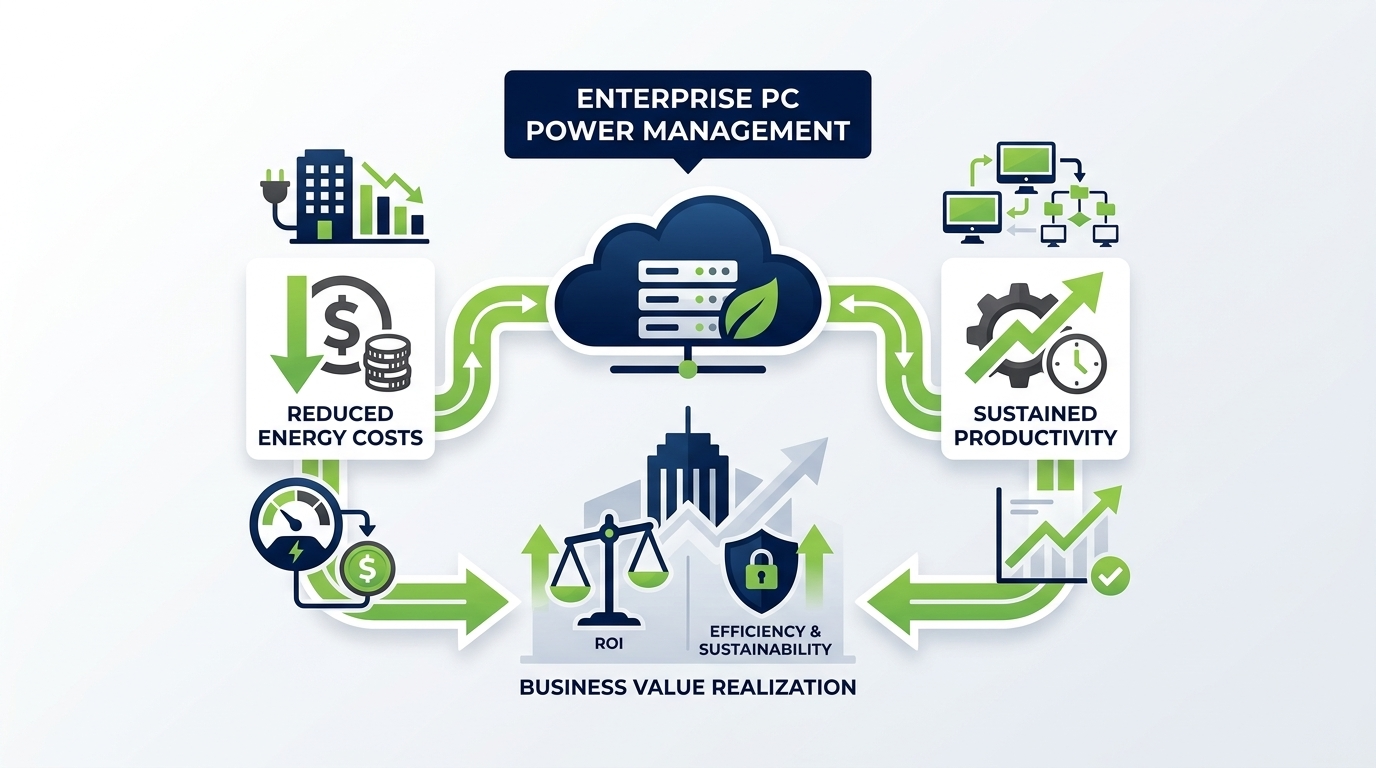
PC power management is one of the clearest ROI calculations in enterprise IT. The inputs are straightforward: number of managed endpoints, average power draw, hours of managed idle time, and local electricity tariff. The savings are direct, measurable, and realised quickly.
A Simplified ROI Framework
| Input Variable | Example Value | Notes |
|---|---|---|
| Managed endpoints | 5,000 | Desktops and monitors |
| Average idle power draw | 120 W per PC + monitor | Varies by hardware |
| Daily unmanaged idle hours | 14 hours | Overnight, lunch, meetings |
| Electricity tariff | $0.15 per kWh | Regional average; varies widely |
| Estimated annual saving | Significant six-figure sum | Calculated per actual deployment |
| Typical payback period | Months, not years | Dependent on fleet size and tariff |
Beyond Direct Energy Savings
The financial case extends beyond the electricity bill. Organisations in sectors with carbon pricing or emissions trading obligations benefit from the reduction in Scope 2 emissions. Some jurisdictions and utilities offer rebates or incentives for measurable energy efficiency programmes. And the reputational value of verified sustainability action — for recruitment, customer relationships, and investor relations — is increasingly significant.
Supporting ESG and Sustainability Goals
As corporate sustainability reporting becomes more formalised — driven by frameworks such as GRI, CDP, TCFD, and emerging mandatory disclosure requirements — the ability to report verified, quantified reductions in energy consumption and carbon emissions is becoming a material business need, not just a nice-to-have.
Scope 2 Emissions Reduction
PC energy consumption falls under Scope 2 of the GHG Protocol — indirect emissions from purchased electricity. A PC power management programme that measurably reduces electricity consumption across the corporate estate directly reduces an organisation’s Scope 2 footprint. With accurate reporting from a platform like PowerPlug Pro, this reduction can be quantified, attributed to a specific programme, and reported with confidence.
Alignment with Net Zero Commitments
Organisations with net zero commitments — whether self-declared or aligned to SBTi — need to demonstrate progress across their operations. Endpoint power management is one of the few operational levers that delivers immediate, measurable, and reversible emissions reductions without capital expenditure on new hardware or infrastructure.
Audit-Ready Reporting
PowerPlug Pro’s reporting suite is designed to support internal and external audit requirements. Reports can be generated at the level of individual machines, departments, sites, or the whole enterprise, and can be filtered by time period to support annual reporting cycles. Data exports are available in standard formats compatible with common ESG reporting platforms.
Deployment Without Disruption
One of the most common objections to PC power management programmes is the fear that they will generate helpdesk calls, annoy users, and create conflict between IT and the rest of the business. In practice, when a solution is configured carefully and rolled out with proper change management, user-visible disruption is minimal.
Phased Rollout Approach
A recommended deployment approach starts with a monitoring-only phase, where the agent is deployed to measure current power behaviour without enforcing any policies. This baseline phase provides the data needed to configure appropriate policies and build the pre-deployment side of the ROI calculation. It also allows IT to identify any machines with special requirements — such as those used as always-on servers or kiosks — that should be excluded from standard policies.
Policy Configuration and Testing
Policies are then configured and tested in a subset of the fleet before broad rollout. User communications explain what the change means in practice — typically, a shorter idle timeout before the screen locks and the PC sleeps — and provide clear guidance on how to resume work. In most cases, users adapt quickly and the change becomes invisible within days.
Ongoing Management and Optimisation
After full deployment, the platform provides ongoing reporting and alerting. Policies can be adjusted as working patterns change — for example, to accommodate a return to office programme, seasonal shifts, or organisational restructuring. The management console provides a single pane of glass for ongoing oversight without requiring significant IT resource.
Comparison: Managed vs. Unmanaged Fleets
The following table illustrates the typical difference in power behaviour and outcomes between an unmanaged fleet relying on default OS settings and a fleet managed with a dedicated enterprise power management platform.
| Attribute | Unmanaged Fleet | Managed with PowerPlug Pro |
|---|---|---|
| Policy enforcement | User-controlled or default OS settings | Centralised, policy-driven, role-based |
| Overnight behaviour | Majority of machines remain fully on | Machines sleep or hibernate on schedule |
| Energy visibility | None at endpoint level | Real-time dashboards, historical reports |
| Patch cycle compatibility | Often requires machines left on | Wake-on-LAN scheduling for maintenance windows |
| ESG reporting support | Estimates only | Verified kWh and CO₂ savings data |
| User impact | No change (no management) | Minimal when configured correctly |
| Annual energy saving | Baseline | Typically 40–60% reduction in PC energy |
Ready to Reduce Your PC Energy Costs?
PowerPlug Pro is purpose-built for enterprise IT teams who need proven, policy-driven PC power management with full ESG reporting, seamless infrastructure integration, and fast time-to-value. Join the growing number of organisations that have made PC power waste a solved problem.
Frequently Asked Questions
Will PC power management interrupt users during working hours?
When configured correctly, no. Enterprise PC power management policies are designed to respect active sessions, running processes, and user activity. Idle timers only activate when the system detects genuine inactivity — no mouse movement, no keyboard input, no active foreground process. Users can also be given the ability to defer sleep temporarily when they need continuous operation.
Can managed PCs still receive patches and updates overnight?
Yes. Modern enterprise power management platforms include Wake-on-LAN scheduling. IT administrators can configure maintenance windows that automatically wake machines from sleep at a scheduled time, allow patches or backup jobs to complete, and then return machines to sleep. This means overnight power savings and fully patched endpoints are not mutually exclusive.
How long does it take to deploy across a large fleet?
Deployment timelines vary by organisation, existing infrastructure, and fleet size, but many enterprises achieve full deployment within weeks. The agent is typically distributed via existing endpoint management tools such as SCCM or Intune. A phased rollout starting with a monitoring-only period is recommended to baseline current consumption and configure appropriate policies before enforcement begins.
What reporting is available for ESG and sustainability disclosures?
PowerPlug Pro provides detailed energy consumption reports expressed in kWh, monetary cost, and CO₂ equivalent. Reports can be generated by individual machine, department, site, or enterprise-wide, and filtered by any time period. This data supports Scope 2 emissions reporting under the GHG Protocol and can be used to substantiate claims in CDP submissions, sustainability reports, and board-level disclosures.
Does the solution work with laptops as well as desktops?
PC power management platforms primarily target desktops and monitors, which represent the largest share of idle energy waste in corporate environments. Laptops typically have their own battery management that encourages more conservative power behaviour. That said, some solutions offer policy controls for laptops as well — speak to a PowerPlug specialist about the specific requirements of your fleet.
How is energy saving actually measured and verified?
Savings are measured by comparing actual power state data — recorded by the agent on each endpoint — against a baseline of consumption without managed policies. The platform tracks time spent in each power state, applies known power draw figures for those states, and calculates the difference. This produces a verified, endpoint-level savings figure rather than a theoretical estimate based on assumptions.