
Total Cost of Ownership For Enterprise Pcs
Discover how leading organizations are using intelligent PC power management to slash energy bills, meet sustainability targets, and free up IT resources — without disrupting employee productivity.
Every night, thousands of enterprise PCs sit idle — monitors glowing, processors ticking, energy meters spinning — while no one is in the office. Across a 1,000-seat organization, that silent waste can cost hundreds of thousands of dollars per year. PC power management changes that equation entirely: turning unused endpoints from budget liabilities into measurable sustainability assets, all managed centrally by IT.
- Enterprise PCs account for a significant share of organizational electricity costs, much of it wasted during idle and out-of-hours periods.
- Intelligent power management software can reduce PC energy use by up to 60% with no negative impact on user productivity.
- Centralized policy enforcement, real-time reporting, and seamless patch-window compatibility make modern solutions enterprise-ready.
- Sustainability and ESG reporting requirements make PC power data an increasingly critical board-level metric.
- ROI is typically realized within months, not years, and scales linearly with fleet size.
- PowerPlug’s platform delivers all of this — and integrates with existing IT infrastructure — without agents or hardware changes.
Article Navigation Table of Contents
What Is PC Power Management?
PC power management is the practice of controlling when and how endpoint devices — desktops, laptops, and workstations — consume electrical power. At the individual device level, this has existed for decades in the form of Windows power plans, screen timeouts, and sleep settings. But at enterprise scale, the challenge becomes far more complex.
Individual user preferences, IT patch schedules, help-desk remote access needs, and department-specific workflows all create exceptions that make blanket power policies difficult to enforce. Enterprise PC power management software addresses this by centralizing policy control, monitoring actual consumption across the fleet, and automatically adapting to real-world usage patterns.
Beyond Windows Power Plans
Default Windows power settings are designed for individual users — not for IT administrators managing thousands of machines across multiple sites. They offer no centralized reporting, no exception handling, and no integration with patch management or remote access tools. Enterprise solutions fill these gaps, providing:
- Centralized policy creation and enforcement across all endpoints
- Real-time energy consumption monitoring and historical reporting
- Automated wake, sleep, and shutdown scheduling
- Integration with SCCM, Intune, and remote management platforms
- Role-based access and audit trails for compliance
The True Cost of Idle Enterprise PCs
The financial and environmental cost of unmanaged PC fleets is substantial — and frequently underestimated. A typical enterprise desktop left on overnight and over weekends consumes power for roughly 6,000–7,000 hours per year while being actively used for only 2,000 hours. The gap between runtime and productive use represents pure waste.
| Scenario | Annual kWh per PC | Annual Cost per PC* | Cost: 1,000 PCs* |
|---|---|---|---|
| Always-on, no power management | ~700 kWh | ~$105 | ~$105,000 |
| Basic Windows sleep policies | ~450 kWh | ~$68 | ~$68,000 |
| Enterprise power management (optimized) | ~280 kWh | ~$42 | ~$42,000 |
| Potential savings vs. always-on | ~420 kWh | ~$63 | ~$63,000+ |
*Illustrative estimates based on an electricity rate of approximately $0.15/kWh. Actual savings vary by geography, hardware mix, and usage patterns.
Hidden Costs Beyond Electricity
Energy bills are only part of the story. Continuously powered PCs also generate excess heat, increasing HVAC load in server rooms and open-plan offices. Hardware that runs longer wears faster, shortening refresh cycles. And organizations facing carbon pricing or emissions reporting bear additional indirect costs for every unnecessary kilowatt-hour consumed.
The Scale Multiplier
Power management savings scale directly with fleet size. An organization with 5,000 endpoints can realistically expect to save hundreds of thousands of dollars annually — and the larger the fleet, the more compelling the business case. For global enterprises with tens of thousands of endpoints, the numbers become transformative.
How Modern Enterprise Power Management Works
Modern enterprise power management platforms operate across three interconnected layers: policy management, real-time monitoring, and intelligent scheduling. Together these layers allow IT teams to enforce consistent energy behavior without requiring manual intervention at the device level.
Policy Management
Administrators define power policies — specifying when devices should sleep, hibernate, or shut down — and deploy those policies centrally to all endpoints or targeted device groups. Policies can be tailored by department, location, user role, or device type, ensuring that the creative team’s workstations behave differently from shared kiosk machines, for example.
Real-Time Monitoring & Analytics
A live dashboard gives IT visibility into current power states across the entire fleet: how many machines are on, asleep, or off; which devices are non-compliant with policy; and what the real-time and cumulative energy consumption looks like. This data is the foundation for both operational decisions and sustainability reporting.
Intelligent Scheduling
The most sophisticated platforms go beyond simple sleep timers. They integrate with patch management calendars to ensure machines wake up for update windows, sync with remote access tools so help-desk staff can always reach endpoints that need attention, and use usage-pattern learning to minimize disruption during flexible or shift-based working hours.
See PowerPlug in Action
PowerPlug’s enterprise platform gives IT teams complete visibility and control over PC energy consumption — with measurable savings from day one. Request a personalized demo to see exactly how much your organization could save.
Key Features to Look For in an Enterprise Solution
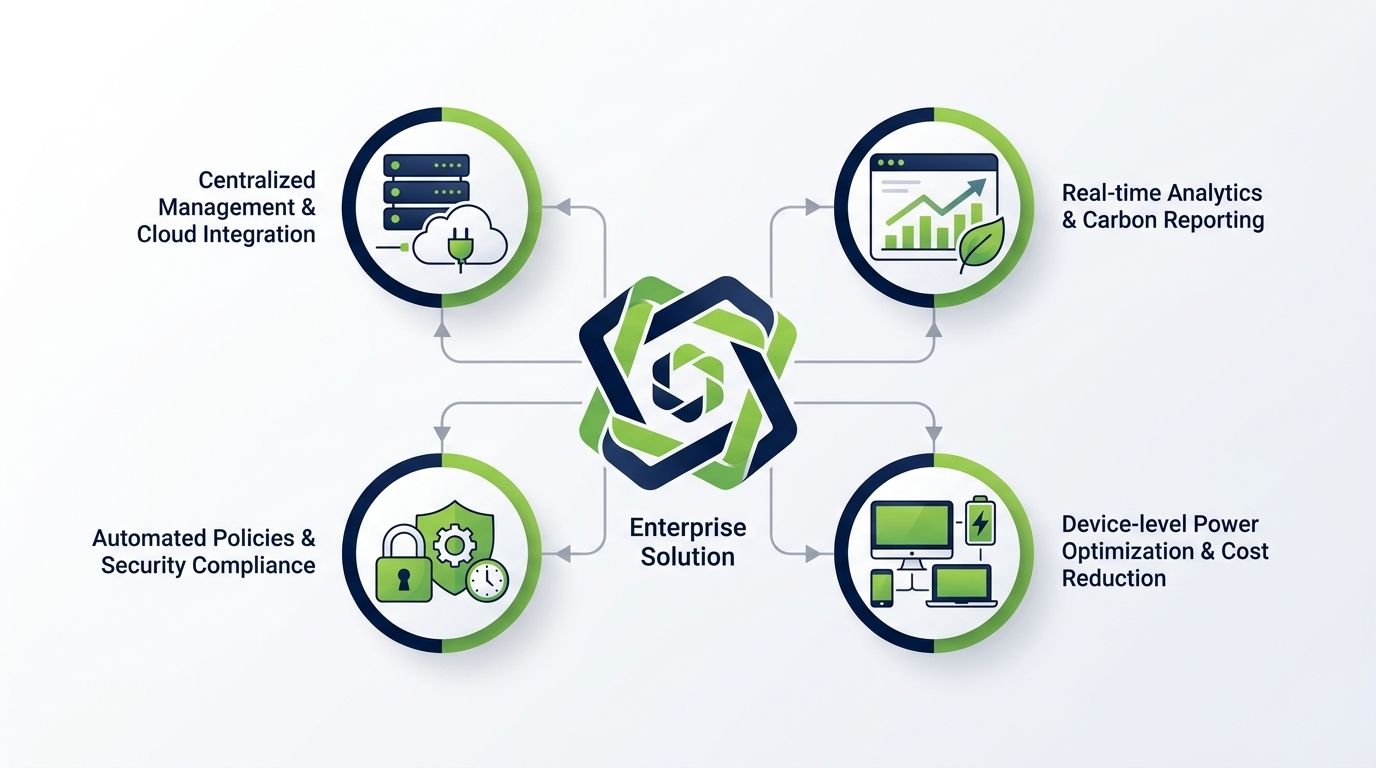
Not all PC power management tools are created equal. When evaluating platforms for enterprise deployment, these are the capabilities that separate robust solutions from superficial ones.
Centralized Policy Engine
The ability to define, deploy, and enforce power policies across thousands of endpoints from a single console is non-negotiable. Look for granular policy targeting — by Active Directory group, device type, geography, or schedule — and a clear override process for exceptional use cases.
Patch & Maintenance Window Compatibility
Power management that interferes with patching creates serious security risk. The platform must allow IT to define maintenance windows during which power-off policies are suspended, and to wake devices automatically for update deployment. Integration with Microsoft SCCM, Intune, or third-party patch tools is essential.
Energy Reporting & Carbon Accounting
Modern enterprise buyers need more than cost reports. They need CO₂ equivalent data, historical trend analysis, and export-ready reports for sustainability disclosures. Look for built-in carbon calculation using recognized factors, and the ability to filter data by site, department, or time period.
Remote Access Compatibility
Help-desk and IT support teams must be able to reach any endpoint at any time. Enterprise power management must integrate with remote access tools — or provide a secure wake-on-LAN mechanism — so that sleeping or powered-off devices can be woken on demand without breaking support workflows.
Compliance & Audit Trail
In regulated industries, demonstrating that power policies are being enforced consistently is as important as the savings themselves. Look for immutable audit logs, role-based access control, and reporting formats compatible with internal compliance frameworks.
| Feature | Basic Tools | Enterprise Platform (e.g. PowerPlug) |
|---|---|---|
| Centralized policy management | Limited / manual | Full, role-based, automated |
| Real-time energy monitoring | None / estimated | Device-level, live dashboard |
| Patch window integration | Manual workarounds | Native SCCM/Intune integration |
| Carbon/CO₂ reporting | Not available | Built-in, exportable |
| Remote wake capability | None | Secure, on-demand |
| Audit trail & compliance | None | Full audit log, RBAC |
Power Management & Employee Productivity: Addressing the Concern
The most common objection raised by IT and business stakeholders when evaluating power management is: “Won’t it disrupt employees?” It is a legitimate concern, and it deserves a direct answer.
Poorly configured power policies — arbitrary shutdown times, overly aggressive sleep timeouts, no override capability — can genuinely frustrate users. But modern enterprise platforms are designed to eliminate these friction points entirely.
Configurable Per-Role Policies
Power policies can be tailored to individual roles, departments, or even named users. A developer running overnight builds will have a different power profile from a call-center agent working fixed shifts. The platform respects these differences programmatically, without requiring IT to manage exceptions manually.
User Override Controls
Employees can be given the ability to temporarily override scheduled shutdown or sleep settings — for example, when working late on a deadline — within limits defined by IT. This keeps productivity intact while maintaining overall fleet compliance with energy targets.
Activity Detection
Leading platforms detect active user sessions — including background processes, active network connections, or ongoing downloads — and defer power-state changes until the device is genuinely idle. Machines are never shut down mid-task.
Sustainability, ESG Reporting, and the Role of PC Power Data
Environmental, Social, and Governance (ESG) reporting is no longer a voluntary exercise for large enterprises. Regulatory frameworks in the EU, UK, and increasingly in the US are mandating disclosure of Scope 2 emissions — which include electricity consumed by office equipment. PC power management data is increasingly central to these disclosures.
Scope 2 Emissions and Endpoint Devices
Scope 2 emissions cover indirect greenhouse gas emissions from purchased electricity. In a large office environment, endpoint devices — PCs, monitors, and associated peripherals — can represent a meaningful share of total electricity consumption, and therefore of Scope 2 emissions. Reducing and accurately reporting this consumption is both a compliance obligation and an ESG differentiator.
What Good Reporting Looks Like
An enterprise power management platform should be able to produce reports showing: total kWh consumed by the PC fleet over any selected period; CO₂ equivalent calculated using recognized regional grid factors; savings achieved versus a defined baseline; and trend data demonstrating year-on-year improvement. These outputs feed directly into sustainability reports, board presentations, and regulatory filings.
ESG as a Business Imperative
Beyond compliance, ESG performance increasingly affects access to capital, supplier qualification, and customer procurement decisions. Organizations that can demonstrate verified, quantified reductions in operational emissions — including from their PC fleets — are better positioned across all of these dimensions.
- Verified energy savings data suitable for ESG and sustainability reports
- CO₂ equivalent calculations using recognized regional emission factors
- Historical trend reporting for year-on-year comparison
- Site- and department-level breakdowns for granular accountability
- Export formats compatible with leading ESG reporting frameworks
Deployment & IT Integration: What Enterprise IT Teams Need to Know
For IT teams already managing complex infrastructure, adding a new software layer must be justified by operational simplicity, not additional burden. Modern enterprise power management platforms are designed with this constraint in mind.
Agentless or Lightweight Agent Deployment
Leading platforms can be deployed without installing heavyweight agents on every endpoint — using existing Windows management frameworks or lightweight, centrally managed components that do not introduce security or performance risk. Deployment at scale is typically completed within days, not weeks.
Active Directory & Group Policy Integration
Enterprise power management should integrate natively with Active Directory, allowing policies to be assigned based on existing organizational units, security groups, and device attributes. This eliminates the need to rebuild organizational structures within the power management platform itself.
SCCM, Intune, and Patch Management
Integration with Microsoft System Center Configuration Manager (SCCM) and Microsoft Intune is critical for organizations that rely on these tools for endpoint management and software deployment. Power management policies must respect and work alongside existing patch schedules, update rings, and compliance baselines.
Multi-Site & Multi-Tenant Support
Enterprise organizations with multiple offices, campuses, or countries need a platform that can manage and report on all sites from a single console, while allowing site-level administrators to manage local policies within centrally defined parameters.
Calculating Your ROI: A Practical Framework
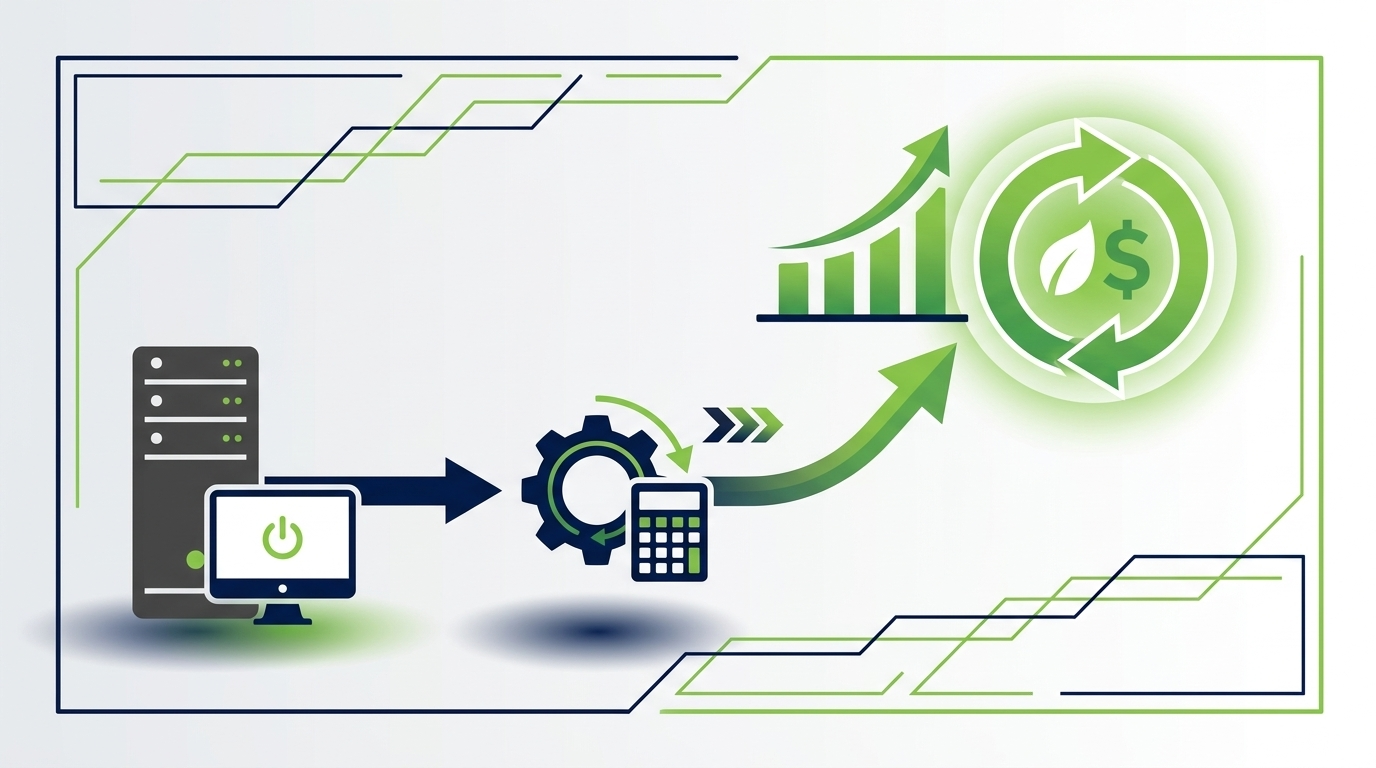
Justifying the investment in enterprise power management requires a clear financial model. The calculation is more straightforward than most IT investments — because the savings are direct, measurable, and predictable.
Step 1: Establish a Baseline
Measure or estimate current average PC power consumption per device, accounting for device mix (desktops, laptops, workstations) and current power state behavior. Most platforms can provide this data from day one of deployment, even before optimization.
Step 2: Model the Optimized State
Based on planned policy settings and the platform’s projected savings data, calculate expected post-optimization consumption. A reduction of 40–60% versus an unmanaged baseline is a realistic target for most enterprise environments.
Step 3: Apply Your Energy Rate
Multiply the projected kWh savings by your organization’s blended electricity cost per kWh. Remember to account for geographic variation if you operate across multiple regions with different tariffs.
Step 4: Account for Carbon Value
For organizations subject to carbon pricing, or those with internal carbon budgets, calculate the CO₂ equivalent of projected energy savings and apply the relevant carbon price or shadow price.
Step 5: Compare Against Platform Cost
Compare total projected annual savings against the annual platform license cost. For most enterprise deployments, payback is achieved within the first year, and the solution delivers positive ROI from the first full quarter of operation.
| Fleet Size | Estimated Annual Savings* | Typical Payback Period |
|---|---|---|
| 500 PCs | $25,000–$50,000 | Under 12 months |
| 1,000 PCs | $50,000–$100,000 | Under 9 months |
| 5,000 PCs | $250,000–$500,000 | Under 6 months |
| 10,000+ PCs | $500,000+ | Under 4 months |
*Illustrative estimates. Actual savings depend on device mix, geography, current power behavior, and electricity tariffs. Contact PowerPlug for a tailored savings assessment.
PowerPlug: The Enterprise PC Power Management Platform
PowerPlug is purpose-built for enterprise IT environments that need measurable energy savings, robust policy control, and verifiable sustainability data — without adding operational complexity.
What Makes PowerPlug Different
- Real savings, not estimates: PowerPlug measures actual device-level energy consumption, giving organizations verified data — not approximations based on theoretical power profiles.
- Patch-safe by design: Native integration with SCCM and Intune ensures power policies never interfere with update deployment or maintenance windows.
- Sustainability-ready reporting: Built-in CO₂ reporting, exportable in formats suitable for ESG disclosures and sustainability frameworks.
- Rapid deployment: Enterprise-grade deployment without heavy agents or extended rollout timelines — measurable savings typically begin within days.
- Scalable from hundreds to tens of thousands of endpoints: The platform architecture scales linearly, with no degradation in visibility or control as fleet size grows.
- Dedicated enterprise support: PowerPlug works alongside IT teams to configure policies, interpret data, and maximize savings throughout the engagement.
Who Uses PowerPlug
PowerPlug serves organizations across financial services, healthcare, manufacturing, retail, public sector, and professional services — anywhere that large PC fleets represent a meaningful and manageable cost. Customers typically range from 500 to 50,000+ endpoints across single or multiple sites.
Start Saving — and Reporting — From Day One
PowerPlug gives enterprise IT and sustainability teams the tools to reduce PC energy costs, meet ESG reporting obligations, and demonstrate measurable environmental progress. Talk to our team to get a tailored savings estimate for your fleet.
Does PC power management affect employee productivity?
When configured correctly, enterprise power management has negligible impact on productivity. Modern platforms use activity detection to avoid interrupting active sessions, allow user overrides within IT-defined limits, and tailor policies to role-specific working patterns. Organizations that communicate the initiative clearly and configure policies thoughtfully consistently report minimal user friction.
How does power management interact with patch management and SCCM?
Enterprise platforms like PowerPlug integrate natively with SCCM and Microsoft Intune. IT teams can define maintenance windows during which power-off policies are suspended, and the platform can automatically wake devices ahead of scheduled patch deployments. This ensures that patch compliance is never compromised by energy-saving policies.
What kind of savings can we realistically expect?
Savings depend on your current power behavior, device mix, geography, and electricity tariffs. For organizations with large, unmanaged fleets, reductions of 40–60% in PC energy consumption are achievable. In financial terms, this typically translates to $50–$100+ per PC per year. PowerPlug can provide a tailored savings estimate based on your specific fleet characteristics.
How long does deployment take?
PowerPlug is designed for rapid enterprise deployment. Using existing Windows management frameworks and lightweight components, most organizations achieve fleet-wide deployment within days. Measurable savings typically begin immediately upon policy activation, with full reporting data available from the first week.
Can PowerPlug support organizations with multiple sites or countries?
Yes. PowerPlug supports multi-site and multi-country deployments from a single management console. Site-level administrators can manage local policies within centrally defined parameters, and reporting can be filtered and aggregated at any organizational level — by site, country, department, or the entire fleet.
How does PowerPlug help with ESG and sustainability reporting?
PowerPlug provides built-in CO₂ equivalent reporting calculated using recognized regional grid emission factors. Reports can be exported in formats suitable for ESG disclosures, sustainability frameworks, and board-level presentations. Historical data enables year-on-year trend analysis, supporting continuous improvement narratives in sustainability reports.
Is there a minimum fleet size requirement?
PowerPlug is purpose-built for enterprise environments and is typically most impactful for organizations with 500 or more endpoints. Contact the PowerPlug team to discuss your specific requirements and receive a tailored assessment.