
In-House vs Software Power Management Comparison — Comparing Software-Based Options
A practical, criterion-by-criterion look at what changes when enterprise IT moves from manual, in-house power policies to an automated, software-based platform.
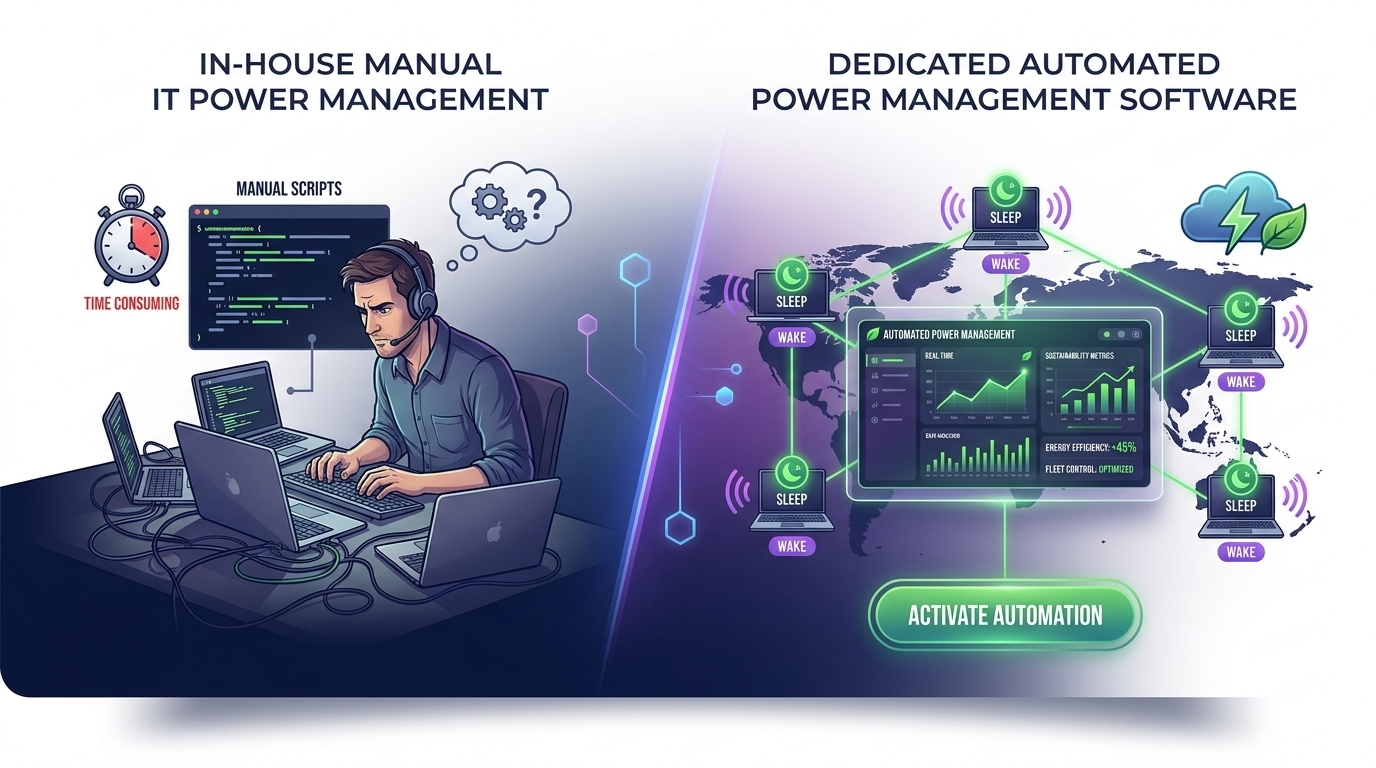
For enterprise IT teams weighing manual scripts and group policy objects against a dedicated platform, an in-house vs software power management comparison usually comes down to four questions: how much ongoing labor is required, how reliably machines wake up on schedule, how the numbers pencil out over time, and whether tightening energy policy will get in the way of employee productivity. This article walks through each question so IT and finance stakeholders can evaluate options on shared ground.
Article NavigationTable of Contents
- In-house power management depends on scripts, GPOs, and manual follow-up that scale poorly across large or mixed fleets.
- Software-based platforms centralize scheduling, reporting, and exceptions in a single console.
- ROI should be modeled against labor hours reclaimed and energy waste avoided, not license cost alone.
- Reliable wake-up capability is often the practical line between “policy on paper” and “policy that runs.”
- Stronger energy policy does not have to mean slower machines or frustrated employees when exceptions are handled well.
Criterion-by-Criterion: Manual vs Automated Power Management
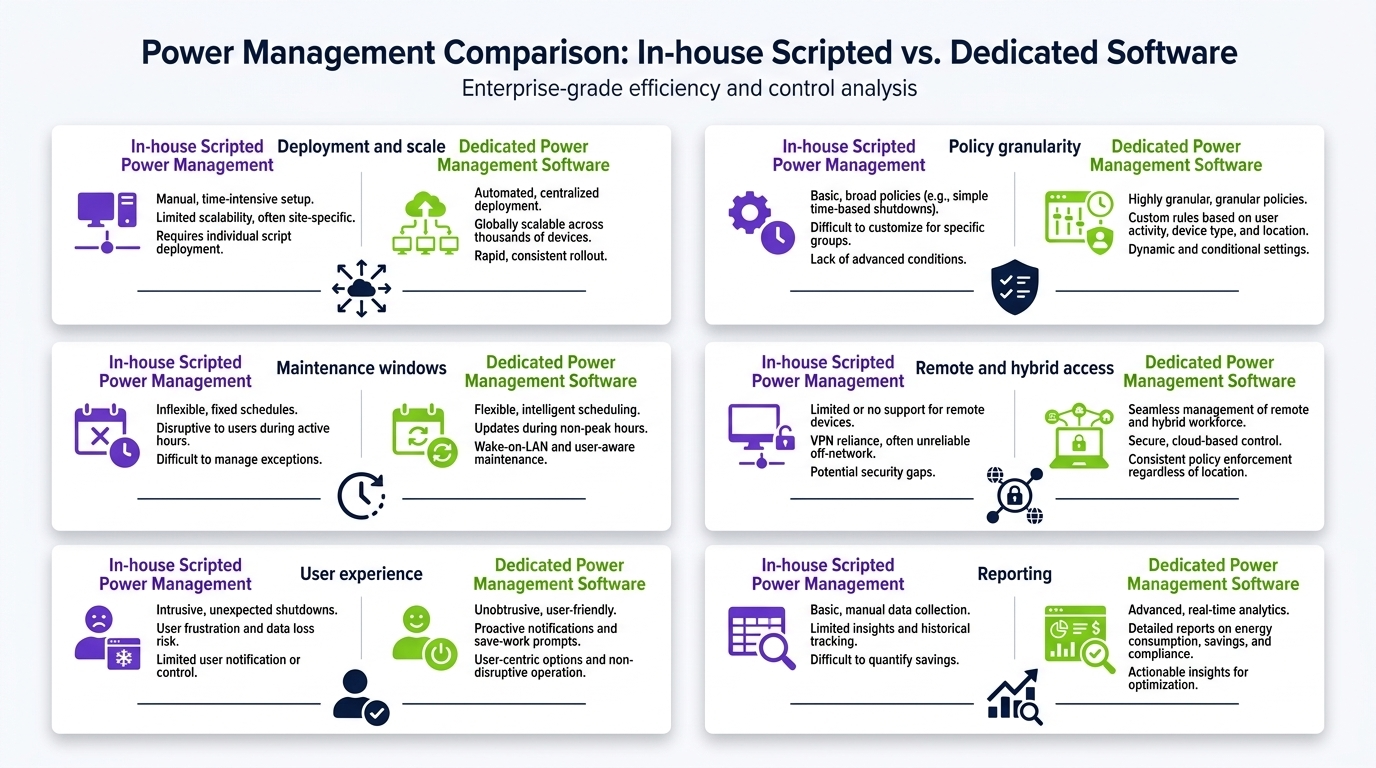
Most in-house approaches to power management rely on a combination of Group Policy Objects, login/logoff scripts, and manual configuration on individual machines. This works reasonably well for a small, uniform fleet, but it starts to strain as device counts grow, hardware ages unevenly, and remote or hybrid work patterns multiply the number of network states a policy has to account for.
A software-based platform approaches the same problem from a different angle: a central policy engine pushes settings, schedules, and exceptions to every managed endpoint, and reports back on compliance in near real time. The underlying goal — reduce idle energy consumption without disrupting work — is identical. What changes is who (or what) is responsible for keeping the policy accurate as the environment evolves.
Where manual, in-house management tends to hold up
Small, static environments with few device types and a stable user base can often run manual power policies successfully for a long time, especially where IT has the bandwidth to review settings periodically.
Where manual approaches start to break down
Growth, device diversity, remote work, and staff turnover all add complexity that manual scripts were not designed to absorb. Settings drift, exceptions get forgotten, and visibility into actual compliance becomes difficult without a dedicated reporting layer.
How Should You Model ROI Before Signing Anything?
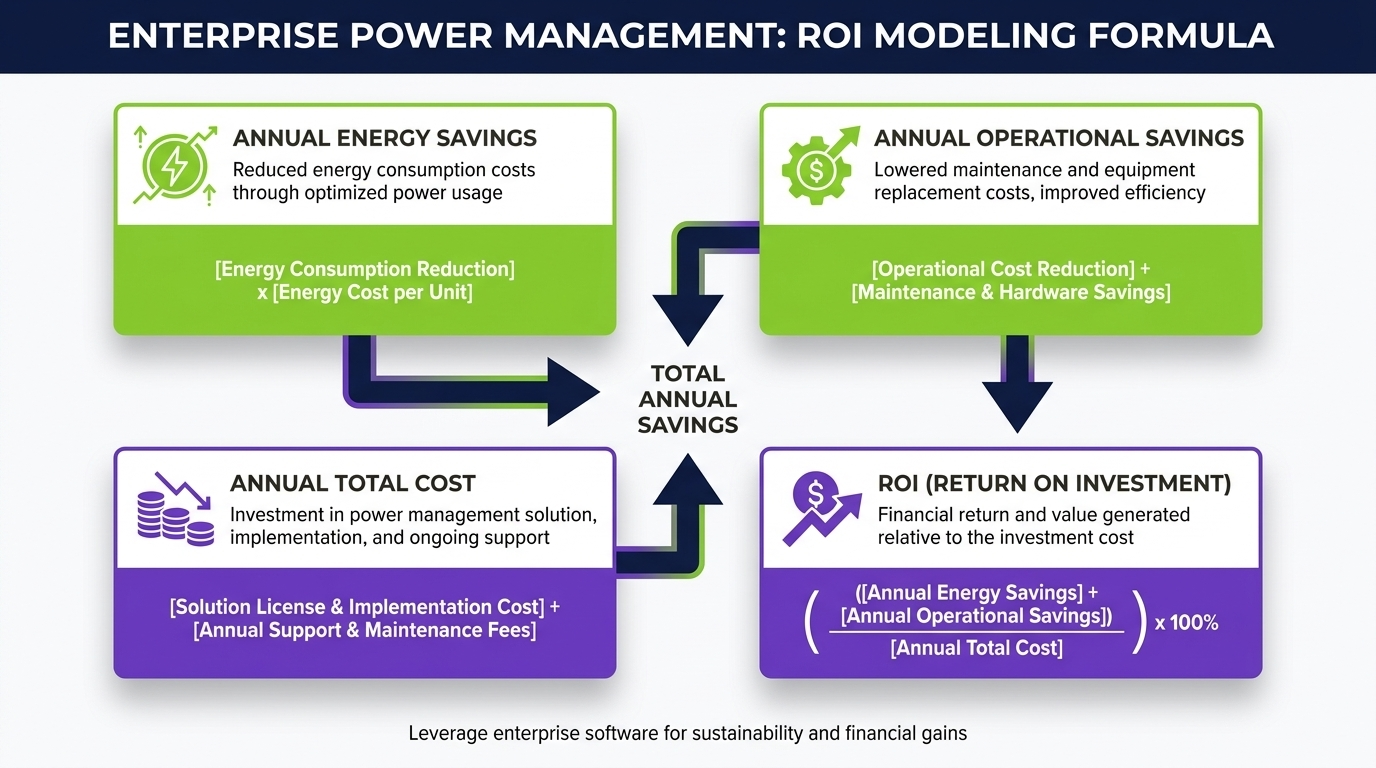
Before committing to either approach, it helps to model the full cost picture rather than comparing sticker price alone. In-house management appears “free” because there is no license fee, but it carries ongoing labor cost: writing and maintaining scripts, troubleshooting exceptions, and manually auditing compliance across the fleet. Software-based platforms carry a subscription or license cost, but shift much of that labor into the platform itself.
| Cost Factor | In-House / Manual | Software-Based Platform |
|---|---|---|
| Initial setup | Low direct cost, higher internal time investment | Structured onboarding, defined implementation effort |
| Ongoing maintenance | Recurring IT hours for scripts and exceptions | Centralized console reduces per-device manual work |
| Visibility & reporting | Manual audits, limited real-time insight | Dashboards and reporting built into the platform |
| Scaling to new devices | Each addition needs manual configuration | New endpoints inherit existing policy automatically |
A useful ROI model weighs the labor hours reclaimed and energy waste reduced against the platform’s ongoing cost — not just the license fee against “free” scripts.
See What Automated Power Management Looks Like in Practice
Compare your current in-house approach against a centrally managed, software-based policy built for enterprise fleets.
View the PlatformWake-Up Capability Is the Real Dividing Line
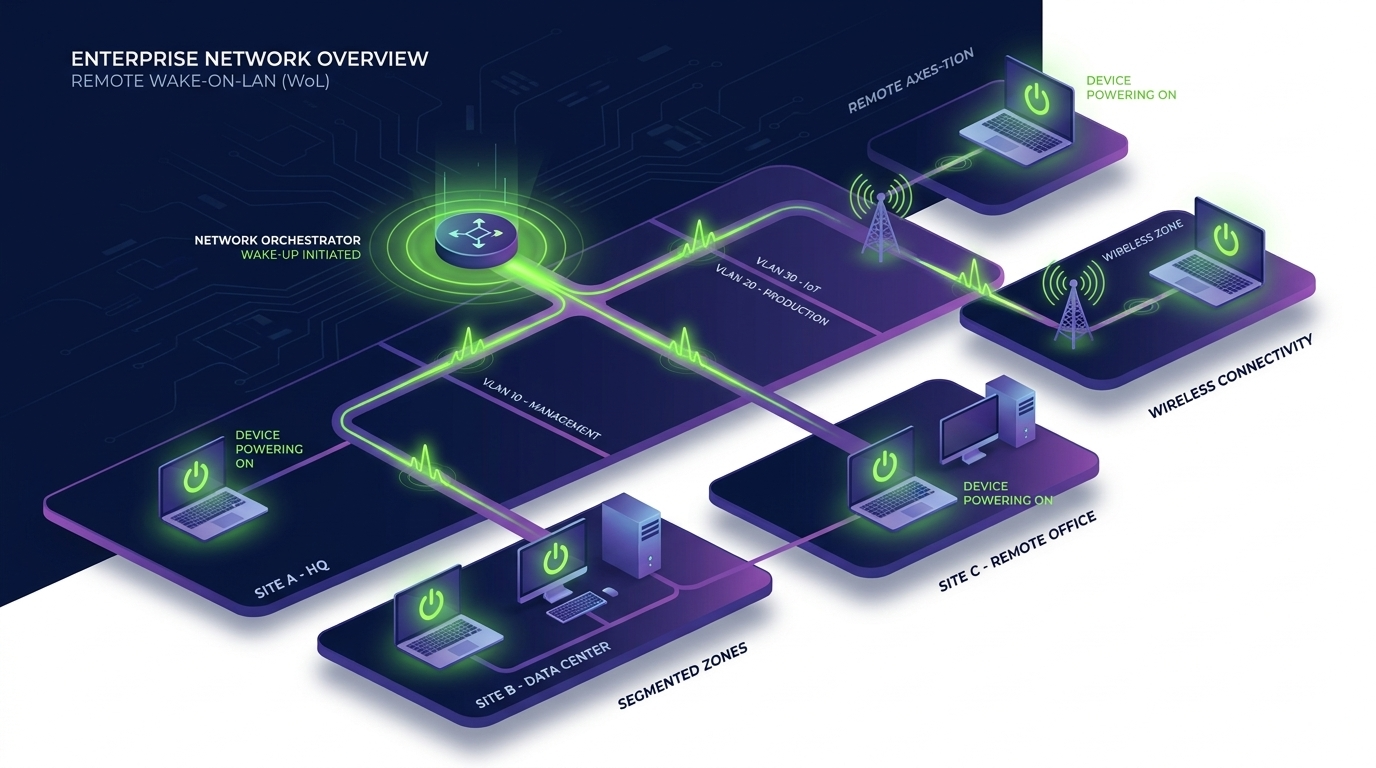
Shutting machines down to save energy is only half of the equation. The harder, and more revealing, part of any in-house vs software power management comparison is whether devices reliably wake up again for patching, maintenance windows, or the start of the workday — without IT intervention.
Manual, script-based wake configurations (such as Wake-on-LAN settings applied device by device) are notoriously fragile: network topology changes, firmware updates, or a single misconfigured switch can silently break wake reliability for a subset of the fleet. A software-based platform typically centralizes wake scheduling and gives IT a single place to confirm which machines responded and which did not, turning a hidden failure point into a visible, manageable one.
- Centralized wake scheduling reduces the number of places a policy can silently fail.
- Fleet-wide reporting shows exactly which devices missed a scheduled wake event.
- Consistent wake behavior is a prerequisite for reliable overnight patching and maintenance windows.
Protecting Productivity Without Weakening the Policy
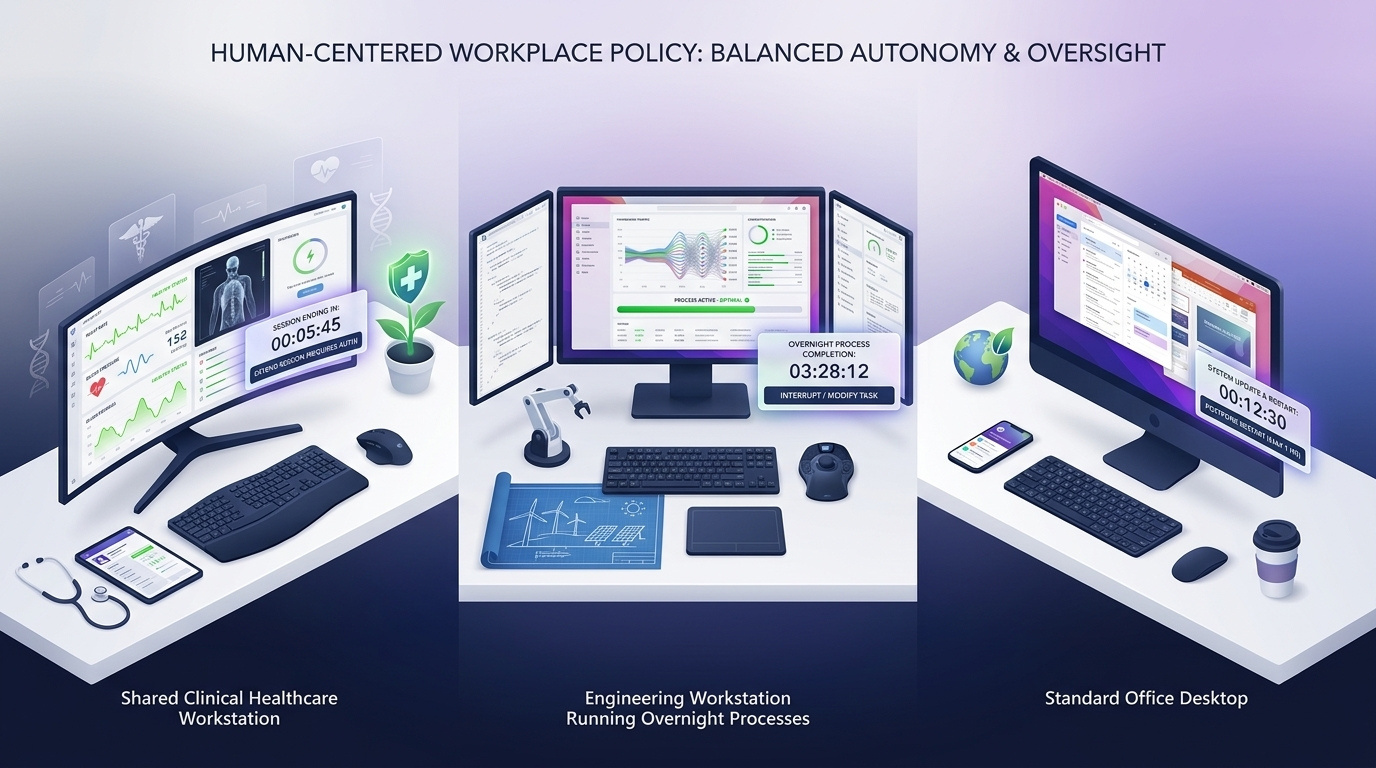
One common concern with tightening power policy is that stricter rules will frustrate employees — machines sleeping mid-task, losing unsaved work, or waking slowly when someone needs to jump back in. This is where the design of the management approach matters as much as the policy itself.
In-house scripts often apply blanket rules because building nuanced, per-user or per-role exceptions manually is time-consuming. Software-based platforms are generally built to support exceptions at a more granular level — recognizing active work, allowing user-initiated overrides within limits, and applying different schedules to different teams — so energy savings do not come at the direct expense of the people using the machines.
The goal of any well-run in-house vs software power management comparison is not simply to pick the option that saves the most energy on paper. It is to find the approach that sustains a consistent, auditable policy while keeping day-to-day work friction-free.
| Dimension | In-House / Manual Management | Software-Based Platform |
|---|---|---|
| Policy consistency | Varies by script, device, and IT staff turnover | Enforced centrally across the managed fleet |
| Wake-up reliability | Prone to silent failures at scale | Centrally scheduled with fleet-wide reporting |
| Employee exceptions | Limited, often blanket rules | Granular, role- or user-based exceptions |
| Reporting & audit | Manual, periodic review | Ongoing dashboards and compliance visibility |
| IT labor over time | Grows with fleet size and complexity | Largely absorbed by the platform |
Is manual, in-house power management ever the right choice?
For small, stable environments with limited device diversity and available IT bandwidth, manual approaches can work for a period of time. The tradeoffs typically become more visible as the fleet grows or as remote and hybrid work increase.
What is the biggest practical difference between the two approaches?
Reliable wake-up behavior and centralized visibility are usually the most noticeable differences — software-based platforms make it possible to see, in one place, whether the policy is actually running as intended across the fleet.
How should IT and finance teams think about ROI?
Compare the ongoing labor required to maintain manual scripts and audits against the labor a platform absorbs, alongside the energy waste each approach is likely to reduce, rather than comparing license cost to “free” in isolation.
Will stricter power policy slow down employees?
Not necessarily. Platforms designed with granular exceptions and user-initiated overrides can maintain strong policy while reducing the friction that blanket, manually configured rules tend to create.
Ready to Move Beyond Manual Scripts?
Talk to PowerPlug about how a software-based platform can centralize your enterprise power policy, from scheduling to wake reliability to reporting.
Contact PowerPlugPC Power Management for Enterprise IT Operations
PowerPlug builds software-based PC power management for enterprise operations, giving IT teams centralized control over scheduling, wake-up reliability, and reporting across managed device fleets — designed to reduce energy waste without disrupting the way employees work.