
Sleep vs Hibernate vs Shutdown – The Right Power Policy for Enterprise PCs
By Nimrod Yedaya, VP Customer Experience
Most enterprises treat sleep, hibernate, and shutdown as personal Windows preferences, and pay for it in after-hours energy waste and patching gaps. This article compares the three power states at fleet scale, explains which state belongs in which part of the day, and lays out a starter policy you can standardize this quarter, complete with the wake, restart, and exception logic that makes it hold up in production.
Reading time: 4 minutes
The PC power question is a policy decision, not a preference
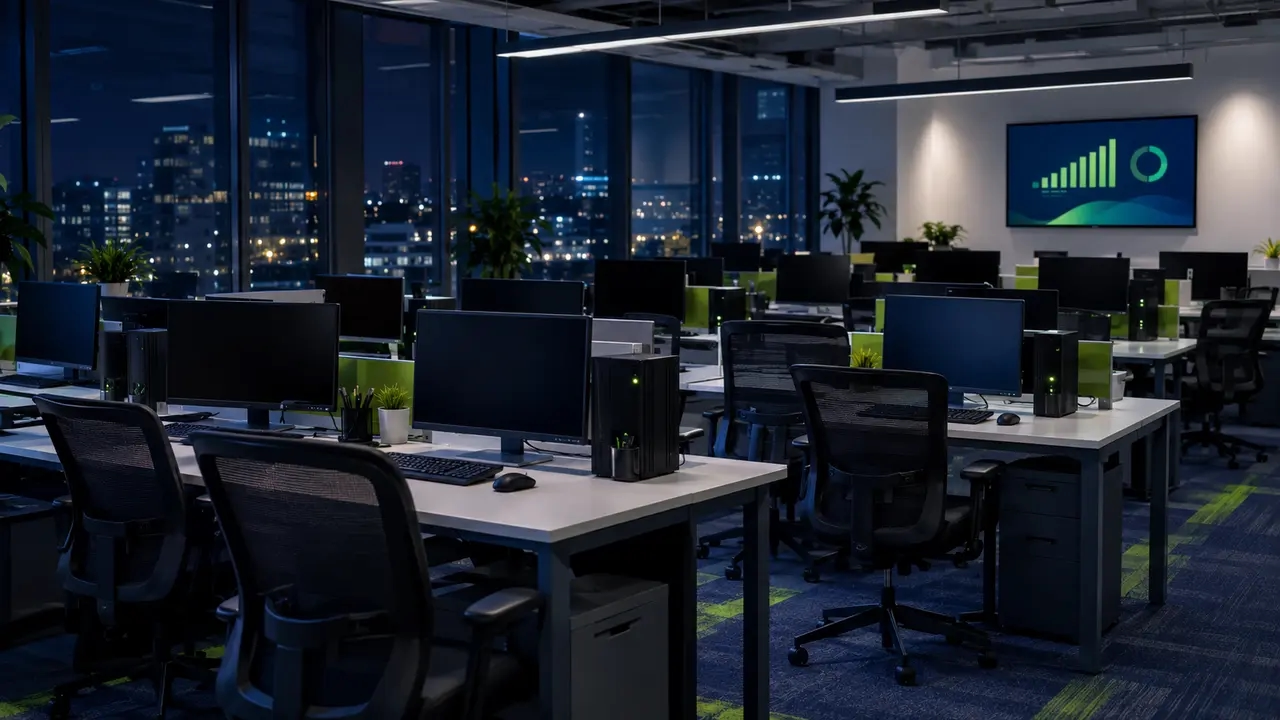
Walk through any office at 11 p.m. and count the glowing power lights. Most organizations leave this savings on the table because they treat sleep, hibernate, and shutdown as personal Windows preferences, something each user sets for themselves. The result is a fleet with thousands of individually configured power plans, no after-hours savings, and a patching strategy that depends on machines staying on all night “just in case.”
The debate around sleep vs hibernate vs shutdown enterprise PCs only matters when someone in IT owns the answer. That answer exists, and it is less complicated than the tribal knowledge suggests: a managed lifecycle of short idle sleep, overnight hibernate, scheduled wake for maintenance, and a controlled restart cadence. Full shutdown becomes the exception, not the nightly default.
What each power state actually does to your fleet
Windows defines its power states formally, from S0 (running) through S3 (sleep), S4 (hibernate), and S5 (shutdown), and Microsoft documents these transitions in its system power states reference. The important part for IT is what each state costs you in power, resume time, and patch reliability. This computer power modes comparison shows the trade-offs side by side.
| Power mode | What it does | Resume time | Power use | Best for | Enterprise risks |
|---|---|---|---|---|---|
| Sleep (S3) | Session stays in RAM, machine in low-power standby | Seconds | Low but nonzero | Short daytime idle: meetings, lunch, hot-desking | Wake failures on bad drivers, random wakes from peripherals |
| Hibernate (S4) | Session written to disk, machine nearly fully off | Longer, generally acceptable | Near zero | Overnight, weekends, laptops in bags | Slower resume, rare compatibility quirks |
| Shutdown (S5) | Session fully closed, clean boot on start | Full boot cycle | Very low / standby draw may remain | Troubleshooting, hardware changes, high-security exceptions | User friction, session loss, no inherent patch benefit |
| Restart | Full OS reinitialization | Full boot cycle | Zero during off state | Update completion, clearing long uptime | Should be scheduled, not user-initiated |
Notice what is missing from that table: any row where a user’s personal preference is the deciding factor. The right state depends on device type, patching needs, and reliability requirements. Nothing else.
Sleep is a daytime tool, and only a daytime tool
Sleep is a low-power state suited to short breaks where fast return matters more than maximum savings. For plugged-in office desktops during working hours, it is a reasonable default for idle periods, provided your fleet has strong wake reliability. A short idle timeout policy, measured in minutes rather than hours, is the correct configuration. A machine that sleeps after 20 minutes of inactivity during the day is well managed. A machine that sleeps after 20 minutes and then sits in that state until 8 a.m. is not.
Sleep still draws power. It is also sensitive to wake timers, peripheral activity, and driver stability, which is why an endpoint power policy built on sleep alone will disappoint you at fleet scale.
Hibernate is the overnight default most IT teams never set
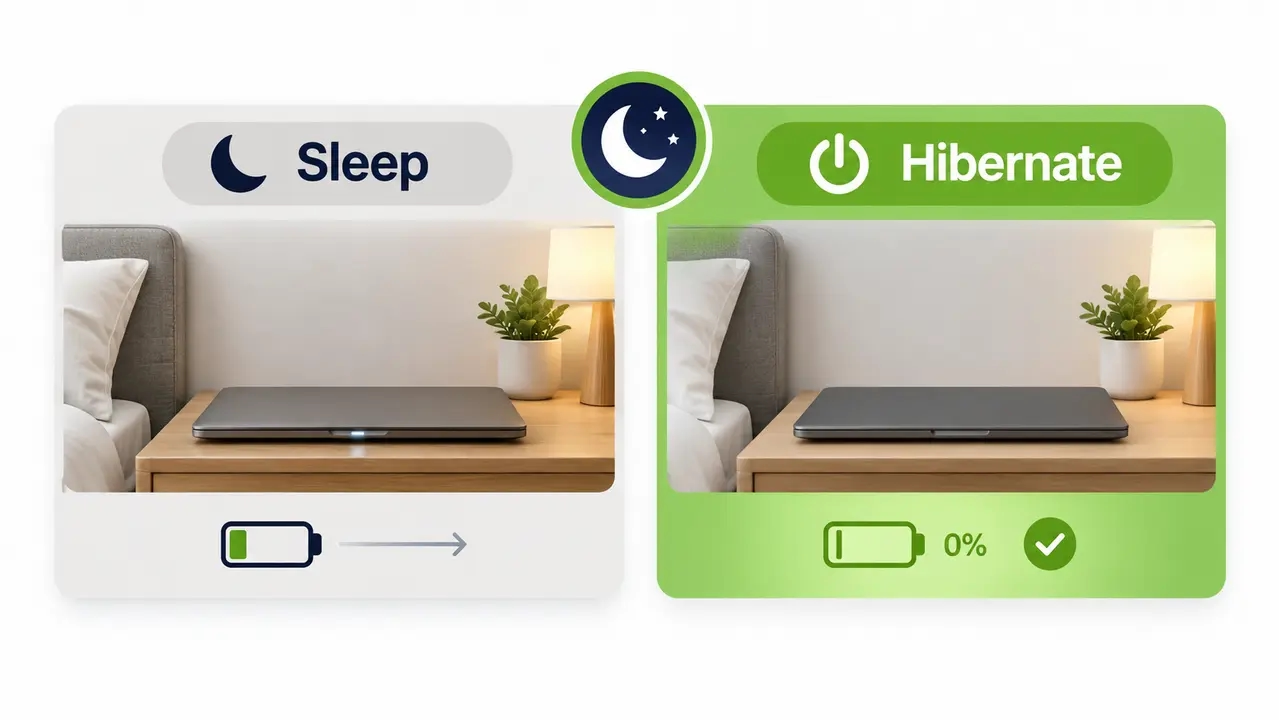
Hibernate writes the session to storage and powers the device down almost completely. For devices that sit unused for hours, it is the correct end-of-day state. Consider the remote-worker scenario: a laptop gets its lid closed at 6 p.m., commutes home in a bag, and sits there overnight. In sleep, that machine keeps drawing battery and generating heat. In hibernate, it is effectively off, and the user reopens the same session in the morning.
The enterprise value is concrete: fewer helpdesk tickets from drained batteries and overheated chassis, and near-zero after-hours power draw. Resume is slower than sleep, but for an overnight gap nobody notices. A sleep-to-hibernate threshold, where a machine sleeps initially and hibernates after a defined period, gives you both fast daytime resume and deep overnight savings.
A blanket nightly shutdown policy creates problems it pretends to solve
Here is the mistake. Many organizations conclude that since idle PCs waste energy, the fix is mandating “shut down every night.” As an optimal PC shutdown strategy, this fails on three fronts.
First, the productivity cost is real: users reopen applications, reconnect VPN sessions, and re-authenticate every morning. Second, “shutdown every night” is not the same as “energy managed” if users forget, disable the setting, or work around it, which they will. Third, shutdown does not automatically improve update compliance unless it is paired with a scheduled wake and patch strategy. A shut-down machine misses the maintenance window just as effectively as an unplugged one.
Reserve full shutdown as a controlled exception for specific device classes, such as high-security workstations or machines being re-imaged. It is a tool in the policy, not the policy.
The overnight answer: sleep for short idle, hibernate for end of day, restart on patch cadence
For the question of the best power state enterprise fleets should standardize on, the practical default is straightforward. For overnight periods, the appropriate low-power state depends on device type, hardware capabilities, wake reliability, maintenance requirements, and user workflow. Many fleets use hibernate or shutdown overnight, while sleep remains useful for shorter idle periods. The key is to manage each state centrally and ensure devices can reliably return when needed. The quotable version, worth repeating in your policy document: sleep for short idle, hibernate for end of day, restart on patch cadence.
Consistency across the fleet beats mixed individual user behavior, every time. A thousand machines hibernating on schedule saves more than a thousand machines with mixed, user-chosen settings where half stay fully powered. And your 24/7 teams, call centers, and engineering workstations running overnight builds get documented exceptions rather than silent ones. For a fleet of any size, after-hours power savings come from enforcement, not intention.
Sleep mode still uses electricity, and at fleet scale it matters
Yes, sleep draws power. A small amount per machine, multiplied by hundreds or thousands of endpoints and thousands of overnight hours, stops being a rounding error. This is the essence of plug load: the energy consumed by devices plugged in but not actively used. If 1,000 PCs avoid staying fully powered for 12 hours a night, the annual kWh and cost impact is substantial, and it shows up directly in facilities billing and sustainability reporting.
Before you change anything, measure your baseline after-hours uptime. How many machines are fully powered at 2 a.m.? That number is the foundation of your business case, and it is the number most IT teams have never calculated. Organizations with 1,000 PCs routinely find that measured reduction in idle-on hours translates to tens of thousands of dollars a year in avoided energy cost.
Modern Standby is why laptops drain overnight and get hot in bags
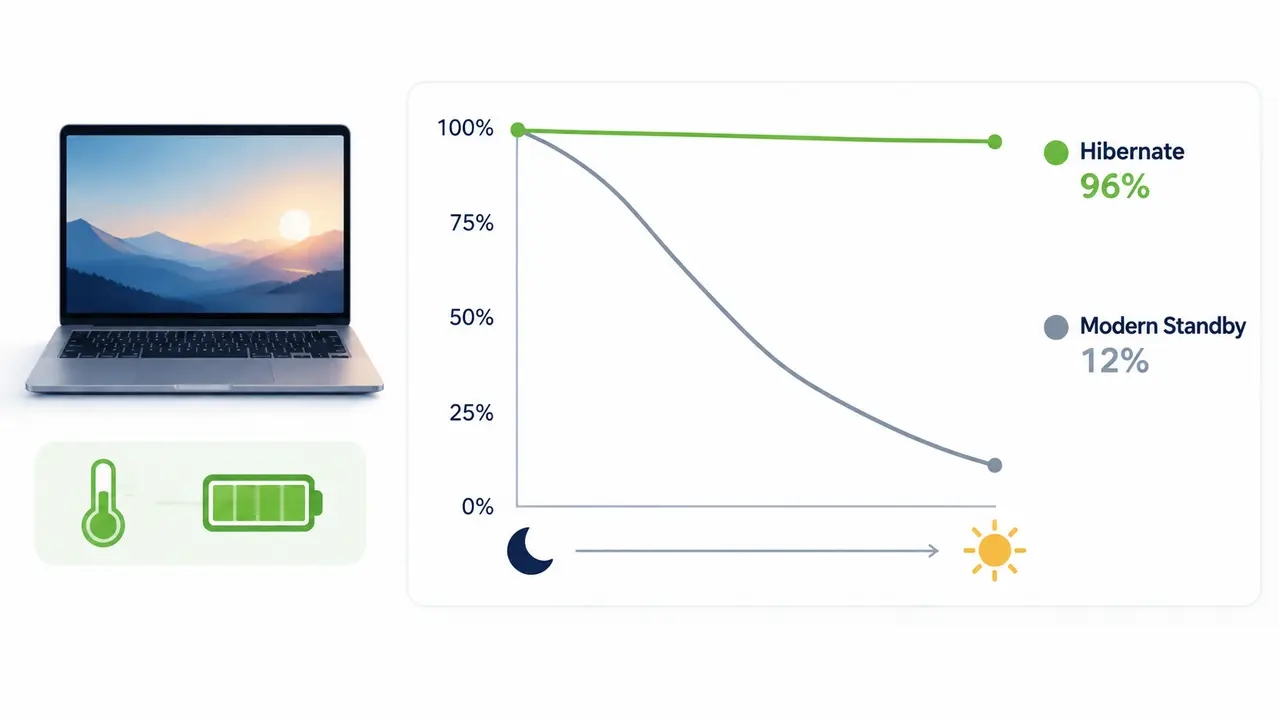
Many modern laptops no longer use classic S3 sleep. They use Modern Standby, sometimes called connected standby, which keeps parts of the system active so the device can wake instantly, stay connected to the network, and receive notifications, much like a smartphone. That convenience has a cost. Background network activity can drain the battery and generate heat, which is how you get the classic helpdesk symptoms: warm chassis, overnight battery drop, and a device that woke randomly at 3 a.m. Microsoft publishes guidance on wake sources and on optimizing Modern Standby behavior, and both are worth reading before you blame the hardware team.
The policy response is guardrails, not panic. Shorter sleep timers on battery, a hibernate threshold so extended standby converts to S4, and tight control over which wake sources are permitted. For mobile users, hibernate-on-lid-close can significantly reduce the risk of overnight battery drain and warm-bag incidents.
Restart and shutdown are not the same thing, and Fast Startup is why
A restart fully reinitializes the operating system. A shutdown, on many default configurations, does not. Fast Startup, enabled by default in Windows, makes shutdown behave like a hybrid state that speeds up the next boot but leaves some system state persisted. Users assume a full shutdown occurred. Sometimes it did not.
The operational consequences are two. If troubleshooting requires a truly clean boot, use restart or manage Fast Startup through policy. And for update compliance, scheduled restarts are the reliable way to complete certain update workflows and clear long uptime, which is why mature IT teams mandate weekly restart windows separate from the daily power state. The simple rule: hibernate and sleep for daily convenience, restart for health and patch completion. Fleet-wide restart cadence also quietly reduces the “mysterious slowness” ticket category, because it clears the accumulated state that makes long-uptime machines sluggish.
Sleeping machines do not patch themselves
Devices need to wake at some point to install and finalize updates. The common failure mode is familiar to every endpoint engineer: a laptop asleep overnight misses the maintenance window entirely and stays unpatched for weeks, dragging down update compliance numbers through no fault of the patching team.
The fix is scheduling, not user behavior. Allow controlled wake timers for maintenance on desktops, define fixed update hours, and return devices to a low-power state afterward. This is a system, not a setting: wake, update, restart, sleep. Wake-on-LAN (WoL), the standard mechanism for waking a machine over the network, works from sleep and hibernate states, but raw WoL alone is unreliable across subnets and depends on driver and firmware behavior behaving consistently across your fleet. A managed approach pairs scheduled or on-demand wake with the power policy so maintenance windows succeed predictably.
Match the power state to the device, not the fleet average
One-size-fits-all policy is where rollouts stall, because it generates exceptions and helpdesk tickets faster than it generates savings. Walk the device types instead. A remote laptop prioritizes battery safety, so it hibernates. A finance desktop prioritizes predictable after-hours savings, so it hibernates overnight with scheduled maintenance wake. A call center machine may need availability windows aligned to shift schedules. A conference room PC should sleep aggressively between meetings. A lab PC running overnight computations gets a documented always-on exception.
The decision logic is simple enough to put on one page: start with device type, ask whether it travels, ask whether it needs overnight availability, ask whether it needs overnight updates, and land on sleep for short idle, hibernate overnight, scheduled wake plus restart for patching, or a controlled exception.
The starter policy you can standardize this quarter
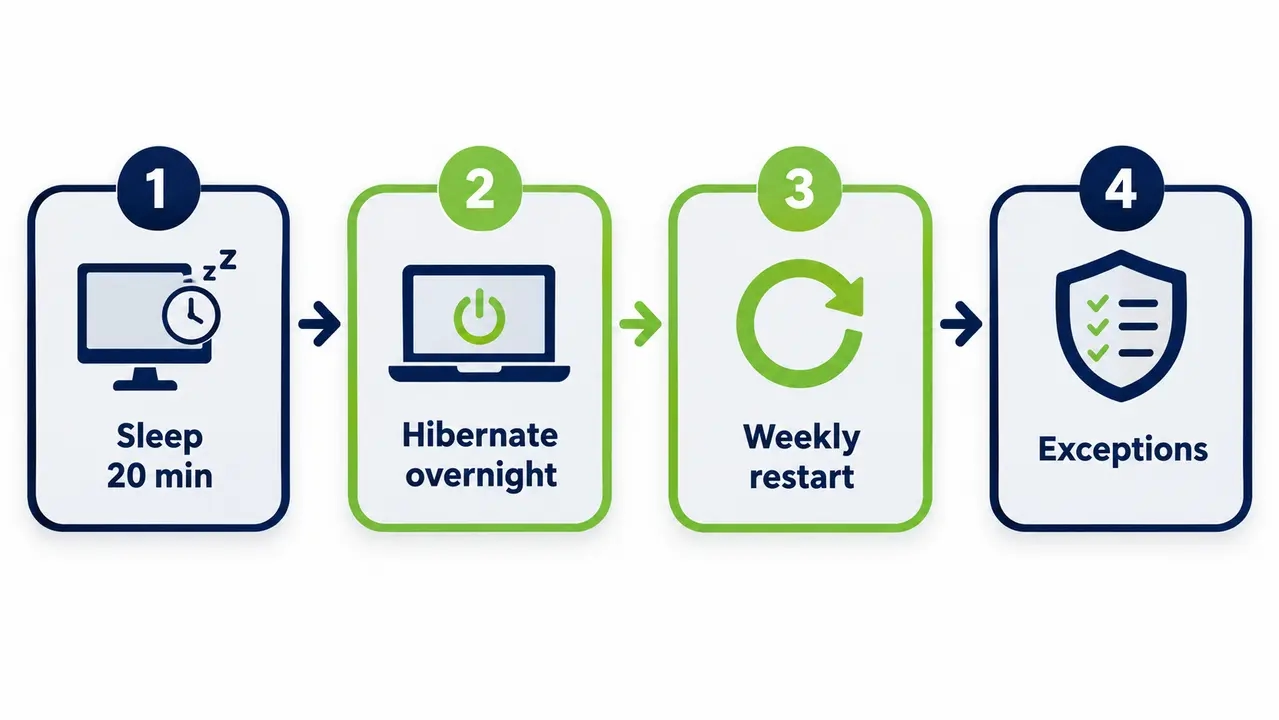
Here is a standard you can adopt almost verbatim. Sleep after 15 to 30 minutes idle. Hibernate after 60 to 180 minutes of continued idle, so overnight becomes S4 automatically. Use a validated overnight low-power state, typically hibernate or shutdown depending on device class and wake requirements. Restart weekly or post-patch as a scheduled event. Differentiate timeouts for AC versus battery power, and for remote versus on-premises devices. Define the lid-close action for laptops as hibernate. Document allowed wake sources, and disable everything else. Publish an exception request checklist and pilot success metrics before you expand beyond the pilot group.
Standardization works when it is phased: pilot group first, measure wake failures, tune timeouts, then expand. A centralized power management platform makes it possible to enforce these standards fleet-wide without relying on individual users to configure settings correctly, and solutions such as PowerPlug Pro deploy in hours, integrate with Active Directory and Microsoft Configuration Manager, and impose near-zero maintenance overhead on the IT team running them.
Fix the wake problems before the policy gets blamed for them
Wake issues are what kill credibility for a power management program. Users forgive a policy they understand. They do not forgive a monitor that will not turn on at 8 a.m.
The “wakes randomly” culprits are usually mouse and keyboard sensitivity, network activity, and scheduled tasks. The “won’t wake” culprits are usually graphics or network drivers, inconsistent firmware, and USB selective suspend edge cases. The prevention is a known-good baseline image with documented, allowed wake sources, typically keyboard plus approved management wake, with everything else disabled by policy. For scheduled maintenance specifically, reliable wake-up technology ensures endpoints wake consistently for maintenance windows without depending on inconsistent driver or BIOS behavior across hardware generations.
And to close out a common objection: hibernate does not meaningfully wear out SSDs. Modern enterprise SSDs are endurance-rated for far heavier daily write loads than periodic hibernate events. The real hibernate risks are compatibility edge cases, legacy devices, and the occasional encryption quirk, all of which belong on an exceptions list rather than in a blanket fleet decision.
Calculate the savings from measurement, not wattage folklore
The most credible energy number is a measured reduction in idle-on hours, not a theoretical model built on assumed wattage. The method takes five steps: inventory your endpoints, measure actual after-hours uptime as your baseline, define the target state schedule, run a pilot, then scale and re-measure. What comes out the other end is what your stakeholders actually want: cost avoidance, kWh reduction, carbon estimates, and a compliance rate, all before-and-after rather than projected.
This approach also feeds ESG and carbon reporting with defensible data, which matters as sustainability reporting obligations tighten. For a working example, a university IT deployment that measured real fleet-wide energy savings shows how baseline measurement translates into verified cost and carbon reductions at scale. Across our customers, PowerPlug deployments have collectively saved over $50 million in energy costs and eliminated more than 200,000 tons of CO2, with ROI in as little as four months and up to 60% PC energy savings where after-hours waste was the baseline problem.
| Approach | Overnight state | Realized savings | Patching impact | User friction |
|---|---|---|---|---|
| Leave PCs on | Fully powered | None, negative cost | Windows always reachable | None, but energy cost and security exposure persist |
| Manual “please shut down” policy | Depends on compliance | Partial, inconsistent | Machines unavailable when users comply | High morning friction |
| Default sleep timers | Sleep (S3) | Moderate, sleep still draws power | Wake timers sometimes work | Low |
| Managed policy with scheduled wake | Hibernate (S4) | Up to 60% PC energy savings | Predictable maintenance windows via managed wake | Low, with documented exceptions |
What to put in front of your stakeholders
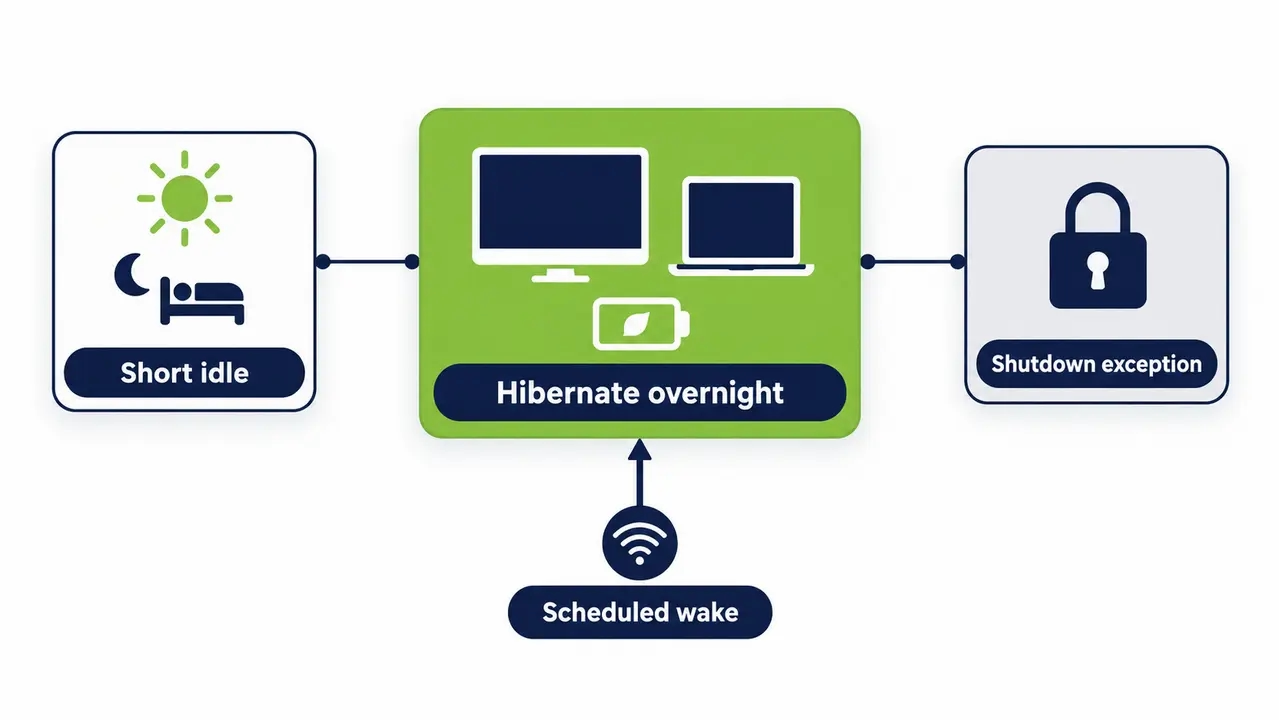
The policy you implement this quarter is the starter standard above: sleep for short idle, hibernate for end of day, scheduled restarts for updates, exceptions by request. Get sign-off from IT operations, security, and facilities, because each of them owns a piece of the outcome: fewer always-on endpoints overnight, fewer drained-laptop tickets, predictable maintenance windows, and an energy line item that finally moves.
Platforms like PowerPlug Pro exist to enforce and report on exactly this kind of policy at fleet scale, and if you would rather design the rollout with someone who has done it across hundreds of thousands of endpoints, you can start that conversation here. The savings are already sitting in your after-hours uptime data. The only question is who owns the policy.
See how much you could save
Tell us your fleet size and after-hours uptime, and we will walk you through the measured savings, wake reliability, and rollout plan for your environment.
Frequently asked questions
What is the best power mode for enterprise PCs overnight?
Hibernate is the general overnight default for both desktops and laptops, because it drops power draw to near zero while preserving the user session. Sleep is reserved for short idle periods during the day, and full shutdown stays an exception for troubleshooting or specific security requirements. This is the sleep vs hibernate vs shutdown enterprise PCs decision in one line, and it belongs in policy, not in individual preference.
Can Windows install updates while a PC is sleeping or hibernating?
Generally no. Devices need to wake to install and finalize updates, which is why machines that sleep through the maintenance window fall behind on update compliance. The fix is scheduled wake for a defined patching maintenance window, followed by a restart and a return to a low-power state. Relying on users to leave machines on is not a patching strategy.
Why does my laptop battery drain in sleep mode, and why does it get hot in a bag?
Most modern laptops use Modern Standby rather than classic S3 sleep, and it can allow background network activity to continue, draining battery and generating heat. Symptoms to watch for are a warm chassis, an overnight battery drop, and a device that wakes randomly. For anything longer than a short break, or whenever the laptop will travel, hibernate is the safer policy.
What is the difference between restart and shutdown in Windows?
Restart fully reinitializes the operating system, while shutdown on default configurations can behave like a hybrid state because Fast Startup persists some system state to speed the next boot. For patch completion and troubleshooting, restart is the reliable choice. That restart vs shutdown difference is why scheduled restart windows, separate from the daily power state, are standard practice in mature fleets.
How do we wake machines across sites and subnets for maintenance, or for users who need remote access?
Raw Wake-on-LAN packets often do not traverse subnets, so distributed sites need a managed wake capability rather than broadcast magic packets from a single server. A managed Wake-Up Portal also solves the user side of the problem, letting employees wake their own office PC from home on demand instead of leaving it powered all night. The result is both a successful maintenance window and an endpoint that stays in hibernate until someone actually needs it.
The core of a sound enterprise power policy is simple. Sleep covers short daytime idle, hibernate covers overnight and travel, scheduled wake keeps maintenance windows predictable, weekly restarts keep machines healthy and patched, and full shutdown stays a documented exception. Measure your after-hours baseline first, pilot the timeouts, then scale with enforcement, and the savings show up in both your energy bill and your sustainability reporting.

About the author
Nimrod Yedaya
VP Customer Experience
Over 15 years of experience in customer service, technical support, and customer relationships. Nimrod joined PowerPlug in 2012 as Customer Support Manager and was promoted to VP in 2016. He holds an MBA from BIU and a BSc in Communication Systems Engineering from BGU.