
Enterprise Workstation GPU Power Management
By Nimrod Yedaya, VP Customer Experience
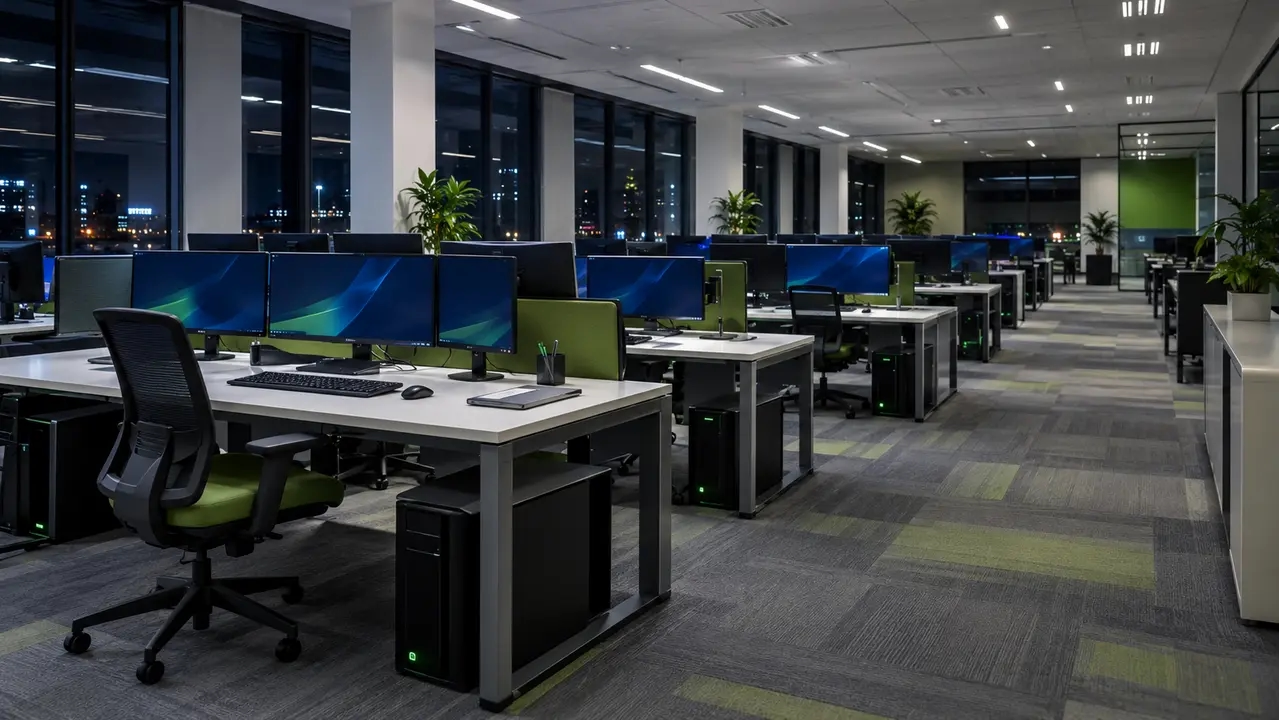
Walk through a financial trading floor or an engineering studio at 2:00 AM on a Tuesday. The desks are empty, yet hundreds of workstation towers glow across the floor while their fans spin at steady speeds. Walk through a financial trading floor or an engineering studio at 2:00 AM on a Tuesday. The desks are empty, yet hundreds of workstation towers remain powered on. Even an additional 50 watts of unnecessary consumption per workstation, sustained for 16 hours a day across 250 workdays, adds up to 400,000 kWh annually across a fleet of 2,000 systems. The actual energy waste depends on the workstation hardware, background workloads, and operating schedules.
Enterprise IT teams often accept this baseline waste because they fear disrupting overnight compute pipelines or breaking endpoint manageability. Desktop engineering leaders worry that automated power schemes will abort simulation queues or block vulnerability remediation. These operational concerns are legitimate, but keeping graphics hardware running unrestricted around the clock is an expensive way to solve them.
Modern enterprise power governance eliminates that trade-off by combining hardware-aware performance states with centralized network orchestration.
Getting this wrong produces either user revolt from interrupted engineering jobs or tens of thousands of dollars in wasted operational expenditure. This guide establishes how IT leaders audit, configure, and automate workstation graphics power without degrading engineering productivity.
Reading time: 5 minutes
Workstation GPU power management in enterprise environments
Strategic GPU power management on enterprise workstations is critical for organizations that operate high-performance compute fleets. Enterprise graphics management differs fundamentally from enthusiast undervolting or manual clock adjustments. Desktop engineers cannot rely on manual utilities across thousands of distributed machines. True enterprise governance requires directory-level policies alongside driver stability controls and automated power orchestration.
Modern workstation graphics cards present an entirely different power footprint from standard office laptops with integrated GPUs. Dedicated professional cards feature thermal design power profiles ranging from 75 to over 450 watts per board. While active rendering or machine learning inference demands high wattage, baseline idle consumption during off-hours represents pure financial overhead. Default operating system sleep settings fail because background tasks and collaboration software continuously reset standard idle timers.
Pursuing disciplined graphics card power savings yields a dual benefit for modern enterprises. Organizations reduce operating expenses while meeting verifiable Scope 2 carbon targets under corporate environmental audits. According to the ENERGY STAR workstation energy requirements, operational efficiency across both idle and active modes is a baseline requirement for enterprise compliance. Effective workstation GPU management turns uncontrolled endpoint power draw into predictable energy performance.
Root causes of high GPU idle power on inactive systems
A static screen is never proof of an idle processor.
Modern graphics processing units operate across distinct performance tiers, moving dynamically between full load states and power-saving idle levels. When an endpoint sits untouched overnight, its graphics board should step down into a minimal operating tier. In practice, background services and display handles frequently trap the hardware in intermediate or maximum power profiles.
Several common software elements prevent hardware downclocking. Web browsers running hardware acceleration and remote access agents constantly poll the graphics pipeline. High-resolution multi-monitor configurations demand persistent memory bus bandwidth that prevents the controllers from dropping into low-frequency modes. In an enterprise environment with 1,000 workstations, an unmitigated 40-watt idle draw per unit wastes tens of thousands of kilowatt-hours annually. The official NVIDIA NVAPI performance state documentation details how driver architectures transition between high compute levels and low-power standby modes based on active hardware locks.
Practical mechanics of stuck clocks and elevated performance states
Stuck clocks occur when graphics core and video memory frequencies remain locked at full operating speed despite zero user interaction. An application may initialize a 3D rendering context and fail to destroy the underlying hardware handle upon closing. The display driver detects an active context and refuses to engage lower energy states.
Persistently elevated GPU clock speeds can increase electricity consumption and operating temperatures, even when the workstation appears idle. Identifying these conditions helps IT teams distinguish normal background activity from unnecessary power consumption. Individual end users rarely notice these stuck frequencies because the workstation appears responsive and quiet. Enterprise management requires centralized detection telemetry to identify systems trapped in elevated performance states without waiting for hardware degradation.
Multi-monitor workstation configurations and idle power drain
Financial trading floors and engineering studios rely heavily on multi-monitor configurations. Driving multiple high-resolution displays alters the base electrical behavior of a discrete graphics card. When an adapter drives a single panel, memory clocks drop into ultra-low bands around 100 to 300 megahertz. Connecting a second or third high-bandwidth panel often forces the memory controller to maintain maximum clock speeds to prevent screen flickering or frame buffer desynchronization.
Display mismatches intensify this energy penalty across corporate desks. Pairing an older 60-hertz display with a 144-hertz panel forces the internal timing engines into continuous synchronization overhead. That timing disparity can add 15 to 40 watts of baseline GPU idle power to each workstation. Multiply that wattage across 500 analyst desks, and the configuration mismatch consumes significant unnecessary electricity.
Infrastructure teams can mitigate multi-panel power waste through deliberate hardware and policy standards. IT procurement must standardize panel resolutions and refresh rates across departmental workstation fleets. Endpoint teams should enforce rapid display power-off policies during periods of inactivity, allowing graphics hardware to drop into low-power states as soon as screens enter standby. Strategic workstation GPU management treats display configuration as an energy parameter rather than a cosmetic preference.
Measuring workstation GPU idle power across enterprise fleets
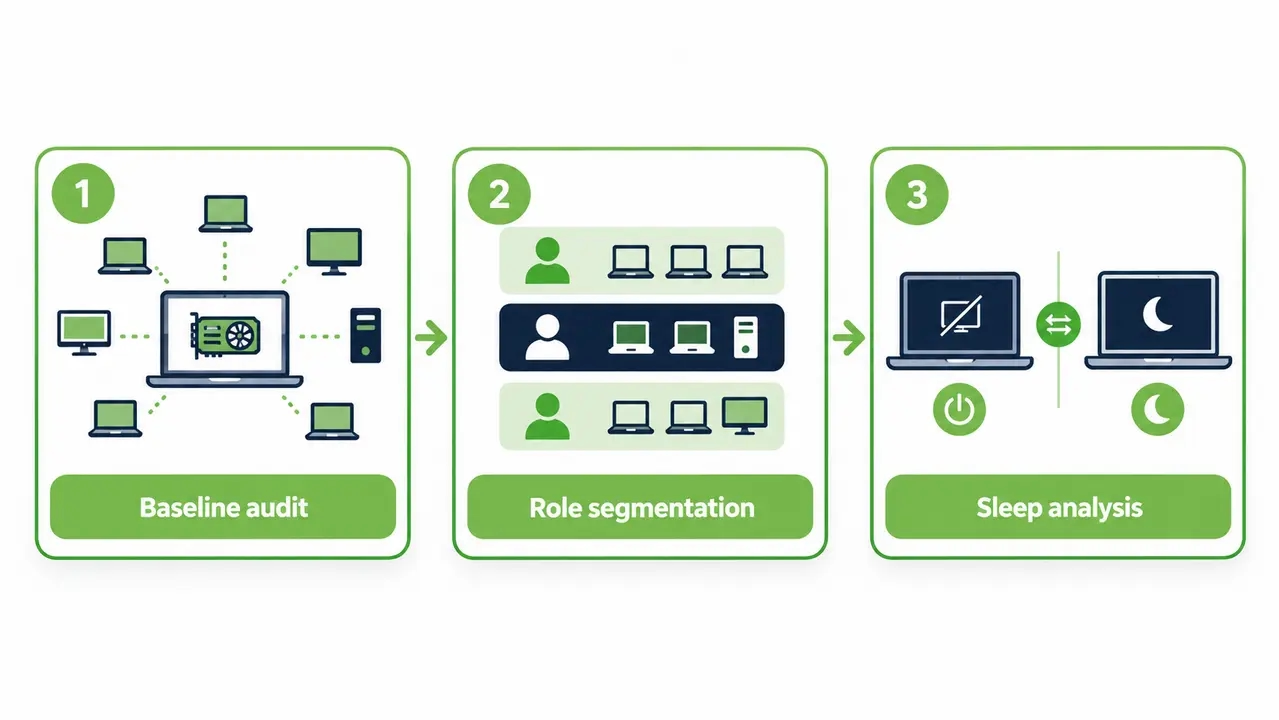
Accurate fleet measurement separates actual energy waste from theoretical assumptions. Desktop engineering teams must gather hardware-level telemetry and operational state data concurrently. Hardware telemetry captures instantaneous board wattage and performance tiers through driver interfaces. Operational telemetry tracks user presence along with display states and off-hours system runtimes.
A structured audit protocol operates in three distinct phases. First, IT teams establish an unmanaged baseline by recording off-hours consumption across a 14-day discovery window without enforcing sleep policies. Next, administrators segment machines by departmental roles to identify baseline variance between CAD engineers and administrative staff. Finally, the team compares display-off consumption against full system sleep consumption to isolate the exact energy contribution of the discrete graphics card.
Data collection must account for transient workload spikes. Automated vulnerability scans and scheduled backups periodically elevate system activity during off-hours. Sound workstation GPU management isolates these planned maintenance windows to avoid skewing long-term baseline idle metrics.
Essential metrics and KPIs for IT sustainability reporting
Tracking the right operational indicators enables IT managers to demonstrate financial return and regulatory compliance. Operations teams must monitor the off-hours active runtime percentage, which reveals how many hours machines remain powered on without user interaction. Teams must also track average baseline idle wattage across distinct hardware models, distinguishing entry-level cards from high-power computational boards.
Sustainability executives require aggregate metrics that feed directly into corporate ESG scorecards. Key performance indicators include fleet-wide avoided kilowatt-hours and avoided metric tons of carbon emissions calculated against regional grid factors. Operations teams must also audit wake-up reliability rates to ensure automated power policies do not impede overnight maintenance or system updates.
Enterprise financial models and graphics card power savings
Calculating the return on investment for endpoint power governance relies on straightforward operational arithmetic. Annual financial savings equal total workstations multiplied by reduced idle wattage divided by one thousand, multiplied by total unmanaged off-hours and local electricity rates. Professional workstations that remain powered overnight create substantial unnecessary expenses.
Consider an engineering division operating 2,500 workstations equipped with professional-grade graphics hardware. In an unmanaged environment each machine sits idle 16 hours per weekday and 48 hours over the weekend, which adds up to roughly 128 idle hours weekly or 6,656 unmanaged hours annually. Reducing unmanaged idle draw by an average of 50 watts per machine saves 832,000 kilowatt-hours across the fleet every year. At a commercial utility rate of $0.18 per kilowatt-hour, that single operational adjustment yields over $149,000 in direct annual utility savings.
Platforms like PowerPlug Pro automate this policy enforcement while recording precise energy reductions for corporate finance teams. Lawrence Berkeley National Laboratory research on workstation plug loads shows that structured power policies capture major energy savings without compromising system utility. Automated governance turns theoretical graphics card power savings into verified operational capital.
| Workstation Fleet Size | Average Idle Wattage Reduction | Annual Kilowatt-Hours Avoided | Annual Cost Reduction ($0.18/kWh) | Annual CO2 Avoidance (Metric Tons) |
|---|---|---|---|---|
| 500 Workstations | 45 Watts | 149,760 kWh | $26,956 | 60.2 MT |
| 1,000 Workstations | 50 Watts | 332,800 kWh | $59,904 | 133.8 MT |
| 2,500 Workstations | 50 Watts | 832,000 kWh | $149,760 | 334.5 MT |
| 5,000 Workstations | 55 Watts | 1,830,400 kWh | $329,472 | 735.8 MT |
Operational differences between display sleep, system sleep, and hibernation
Power states differ significantly in their hardware behavior and resume characteristics. Configuring display power-off turns off video transmission, prompting attached monitors to enter standby. The workstation motherboard and discrete graphics card remain fully energized. The graphics card drops memory clocks slightly, but core logic rails remain powered, leaving idle consumption between 20 and 50 watts.
System sleep can significantly reduce workstation electricity consumption, but its behavior depends on the supported sleep architecture. Traditional S3 sleep suspends most processing while preserving system memory. Modern Standby (S0 Low Power Idle) uses a different mechanism that may permit limited background activity and network connectivity. Actual power consumption and resume times vary by hardware and configuration.
Hibernation (ACPI S4) saves the system session to storage and powers down most components. It generally consumes less electricity than sleep, although a small amount of standby power may remain available for functions such as network wake-up. Hibernation provides maximum energy conservation, but resume times are slower and legacy enterprise software may occasionally drop domain sessions. Effective workstation GPU management balances these states across operational schedules.
| Power State | GPU Power Behavior | Typical Platform Draw | Wake Latency | Enterprise Workflow Impact |
|---|---|---|---|---|
| Display Sleep | GPU remains active but may enter lower power states; consumption varies by hardware and display configuration | 20W to 50W | Instantaneous | Zero disruption, but baseline power savings remain limited |
| System Sleep (S3) | Low power consumption; resume time and total draw vary by system | 2W to 5W | Under 3 seconds | Excellent balance because sessions stay intact in system memory |
| Hibernation (S4) | Minimal standby consumption, potentially above 0 W; resume time varies | 0W to 1W | 15 to 30 seconds | Total conservation, but slower resume and potential network reconnect delays |
Platform configurations and Windows settings affecting GPU power
Standard Windows power schemes often fail to optimize workstation graphics performance. Many desktop support teams assign the Windows High Performance profile to engineering systems under the assumption that it prevents rendering bottlenecks. This configuration permanently disables PCIe link power savings and forces graphics drivers into aggressive performance profiles. Clocks stay pinned at maximum frequencies even when users leave their desks for hours.
Driver configuration options exert substantial influence over baseline electrical draw. Enterprise graphics control panels provide distinct power settings, including modes for maximum performance or dynamic power scaling. Setting drivers to Prefer Maximum Performance prevents the graphics processor from entering low-power states during application pauses. Deploying base images configured for Optimal Power allows hardware frequencies to scale dynamically with rendering demand while permitting immediate drop-down during idle periods.
Operating system graphics enhancements also influence endpoint efficiency. Hardware-Accelerated GPU Scheduling reorganizes memory management tasks, shifting scheduling responsibilities from the CPU to a dedicated processor on the GPU. Variable refresh rate settings alter display synchronization timing. IT administrators must validate both settings across standard hardware profiles to ensure background services do not lock graphics pipelines at high frequencies. Proactive workstation GPU management requires aligning driver defaults with operating system power schemes.
Role of PCIe link states and Active State Power Management
Active State Power Management controls the physical PCIe bus connecting the system processor to the discrete graphics board. During periods of low data transmission, this protocol throttles high-speed data lanes into power-saving link states known as L0s and L1. The L0 state maintains full communication bandwidth, whereas the L1 state trades modest wake latency for substantial power reductions across the interface.
Disabling PCIe power management at the operating system or firmware level leaves the bus running at full speed indefinitely. Enterprise engineering teams must verify motherboard BIOS compatibility before rolling out aggressive bus throttling so they avoid rare interface lockups during state transitions.
Policy-based idle governance without operational disruption
Productivity policies must respect active workloads before cutting system power.
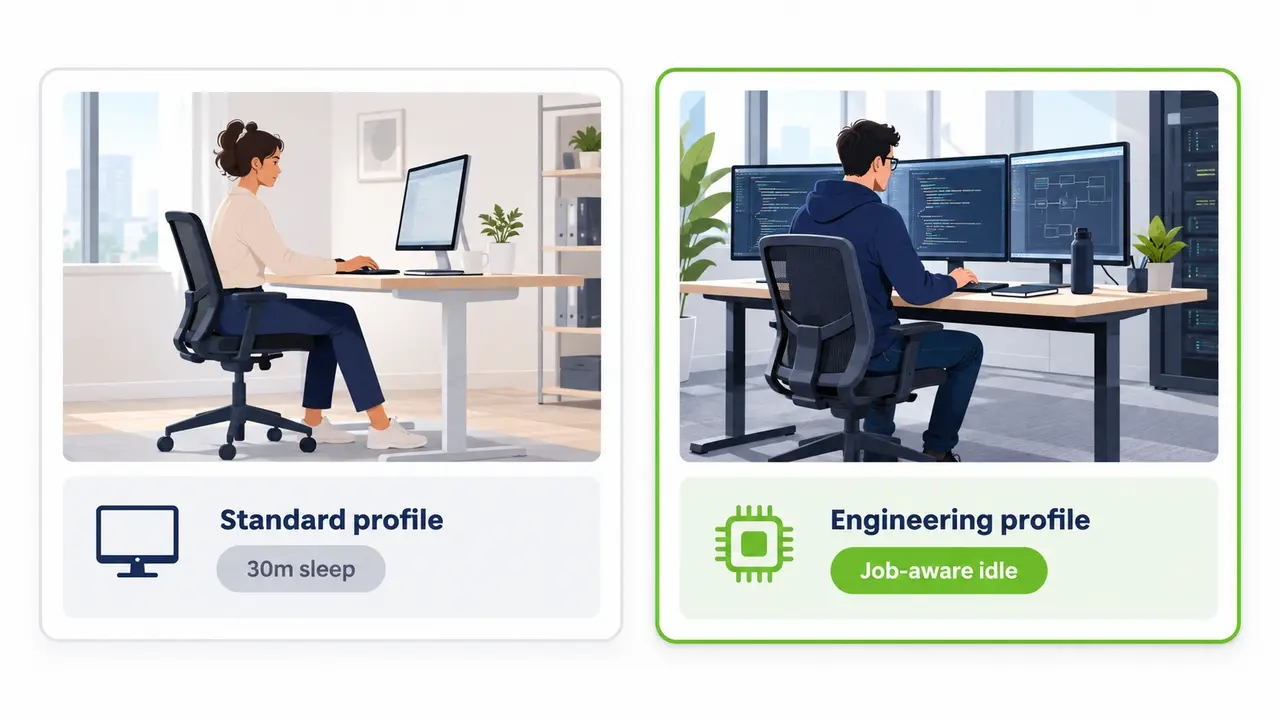
Successful energy initiatives avoid uniform policies that treat every employee identically. Desktop engineering teams must segment workstation fleets by user persona and operational demand. General knowledge workers can run aggressive power profiles with a 15-minute display turn-off and a 30-minute system sleep timer.
Engineering teams require nuanced rules that accommodate interactive workflows. Software developers and CAD technicians frequently pause keyboard input while reviewing complex architectural drawings or code structures. Power policies applied to these systems should use extended idle windows paired with input validation heuristics. Workstation GPU management programs succeed when energy policies support actual work routines rather than causing unexpected interruptions.
Background software hygiene plays a major role in keeping idle power low. Unmonitored utility trays and unapproved background software often engage graphics acceleration, preventing hardware from sleeping. Group policies should configure enterprise web browsers to throttle inactive tabs and release graphics handles during system idle. Removing unneeded graphics hooks ensures workstations enter sleep states reliably.
Preventing job interruptions during long simulations and overnight renders
Standard operating system sleep timers present a significant operational hazard for technical organizations. Windows idle detection measures physical mouse and keyboard activity. When a simulation engineer initiates a twelve-hour finite element analysis and leaves the office, the system registers no user input. An unmanaged operating system sleep policy will force the machine into standby mid-computation, corrupting simulation data and destroying hours of work.
Preventing interruptions to long-running simulations requires power policies that account for active computational workloads. IT administrators should identify workstations running critical applications and configure appropriate sleep exceptions or maintenance schedules to ensure that active jobs are not interrupted.
Where supported, workload-aware monitoring can provide additional protection by evaluating application activity or resource utilization before allowing a workstation to sleep. These capabilities should be validated against the power management tools deployed in the organization.
Exception governance and temporary overrides
Specialized project cycles occasionally require temporary exemptions from corporate power governance. Technical professionals need self-service mechanisms to keep workstations awake for specific overnight tasks without filing formal helpdesk tickets. A secure management agent allows approved users to declare temporary keep-awake periods for project runs.
Governance rules must prevent these temporary overrides from becoming permanent operational leaks. Every user-declared exception must include an automated expiration schedule that reverts the endpoint to standard corporate power policies. Centralized reporting provides departmental leaders with auditable visibility into active exceptions, showing the direct utility cost of keeping hardware energized overnight.
Fleet management of GPU power policies across distributed networks
Silent hardware waste accumulates fast.
Managing power behavior across thousands of distributed workstations requires centralized orchestration rather than disconnected configuration scripts. Standard Active Directory Group Policy Objects lack operational feedback mechanisms. A GPO can distribute a power scheme, but it cannot confirm whether endpoints entered sleep or diagnose stuck graphics clocks.
Deploying a dedicated, centralized PC power management platform enables IT administrators to define hardware-aware policies while tracking fleet-wide kilowatt-hour reductions from a single pane of glass without relying on brittle custom scripts. Directory integration allows administrators to map dynamic policies directly to organizational units and technical personas. Deployment rings ensure that power policies undergo thorough validation in pilot cohorts before expanding into production environments.
Solutions like PowerPlug Pro help organizations reduce workstation energy consumption through centralized endpoint power policies, automated sleep and wake scheduling, and fleet-level power management reporting. These capabilities address unnecessary whole-system energy consumption, including energy used by discrete graphics hardware when workstations remain powered on unnecessarily.
Bring workstation power under one policy engine
PowerPlug Pro centralizes power policy across distributed workstation fleets, verifies sleep states continuously, and reports verified kilowatt-hour and carbon reductions for finance and sustainability teams. It is built for IT organizations running anywhere from hundreds to tens of thousands of PCs. Book a walkthrough with our team to see the platform applied to your hardware mix and usage patterns.
Workstation power capping versus policy-driven idle management
Enterprise technical teams often confuse hardware power capping with policy-based idle management. Power capping restricts the maximum wattage a graphics board can draw during peak computational load. For example, an administrator might limit a 350-watt board to 280 watts through firmware or driver configurations. In contrast, policy-based idle management focuses entirely on transitioning inactive hardware into low-power states once productive work ceases.
Power capping proves beneficial in high-density data centers or specialized design rooms facing thermal limitations or circuit breaker constraints. Modern graphics architectures operate with diminishing electrical efficiency at the extreme top of their frequency curves, meaning a 20 percent power cap often reduces rendering speed by less than 3 percent. Power capping does nothing to resolve GPU idle power waste when machines sit unattended. Organizations achieve the highest return by prioritizing idle management across workstation fleets that sit unused for 14 to 16 hours every day.
| Management Approach | Primary Operational Focus | Typical Energy Impact | Performance Trade-Off | Primary Deployment Context |
|---|---|---|---|---|
| Hardware Power Capping | Restricts peak wattage during active compute loads | 5% to 15% reduction in active load power | Minor reduction in peak rendering or simulation speed | Thermal-constrained labs, high-density visualization rooms |
| Policy-Based Idle Management | Transitions inactive workstations into deep sleep | 40% to 60% reduction in total annual endpoint power | Zero performance impact on active user workloads | Standard and specialized enterprise workstation fleets |
Safe target thresholds for hardware-level power caps
Engineering teams implementing load-level power limiting must determine appropriate hardware thresholds through rigorous benchmarking. Technicians should evaluate workstation performance using standardized benchmarks like SPECviewperf alongside actual engineering models rather than synthetic torture tests. The objective is to identify the inflection point on the voltage curve where incremental clock speeds yield diminishing performance returns.
Most professional workstation graphics cards accommodate a 10 to 15 percent power cap with negligible impact on production rendering timelines. If a 10 percent power reduction increases compute job duration by less than 2 percent, the cap delivers a net operational benefit. Desktop engineers must test stability across multiple driver updates before rolling out power caps across specialized computing groups.
Workstation GPU power monitoring and continuous audit compliance
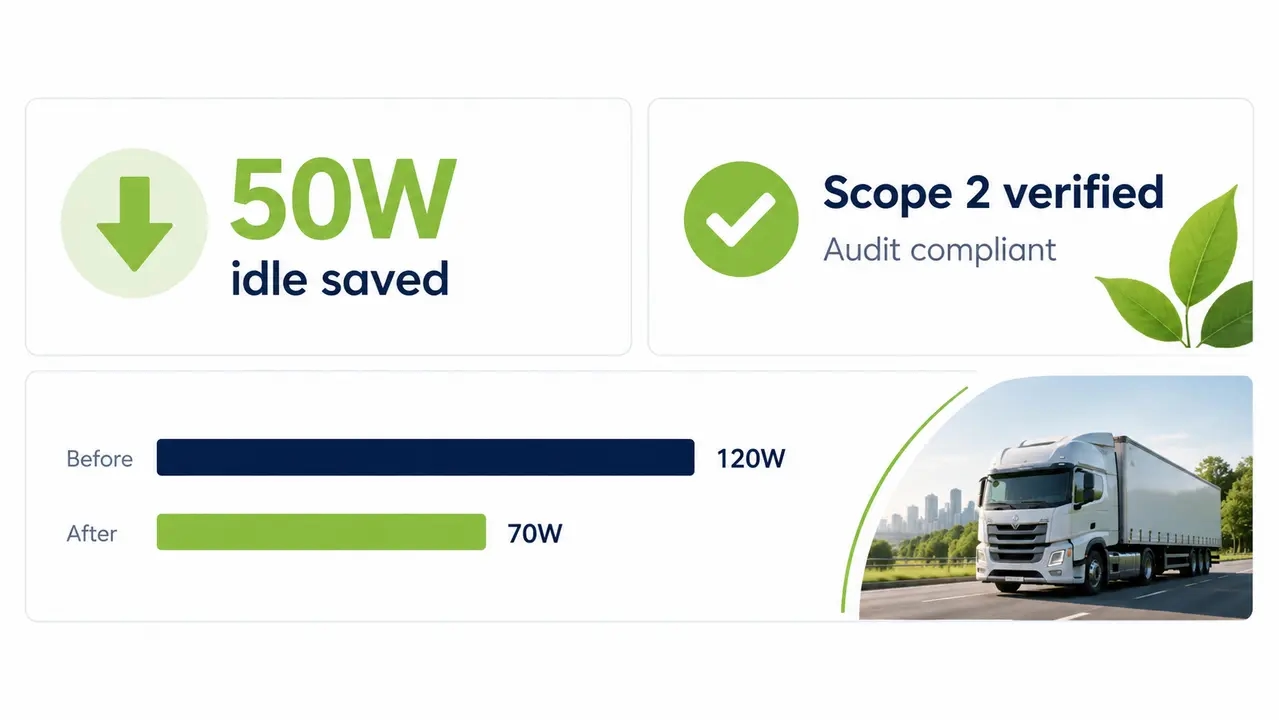
Continuous telemetry provides the empirical foundation for enterprise power governance. Unmonitored systems inevitably drift away from intended operating baselines over time. An unapproved driver update or a corrupted background service can easily prevent a workstation from entering sleep. Without persistent monitoring, these regressions go unnoticed while energy costs escalate.
Continuous monitoring identifies zombie workstations running unrestricted in vacant offices or abandoned development labs. Telemetry collectors record system uptime and power state distributions, alerting technicians when machines remain active across multiple consecutive weekends. Monitoring also flags local policy tampering, allowing administrators to restore corporate power schemes automatically.
Auditable telemetry bridges the gap between technical operations and executive governance. Specialized management platforms translate hardware-level measurements into financial savings and Scope 2 carbon reductions. These verified figures feed directly into corporate sustainability reports and compliance filings, demonstrating measurable environmental progress to corporate stakeholders.
Remote access protocols and always-on workstation demands
Hybrid work arrangements introduce significant complications for enterprise power strategies. Many IT organizations abandon power management entirely for hybrid workers, leaving thousands of office workstations powered continuously so staff can connect remotely from home at any hour. This always-on practice generates immense electrical waste and keeps endpoints unnecessarily exposed to network threats.
Remote display protocols like HP Anyware and Microsoft Remote Desktop directly affect graphics card power draw. Active remote connections keep display buffers initialized and video encoding engines active. The graphics processor interprets this remote stream as an active user session, pinning memory clocks at elevated frequencies even when the remote employee steps away from their laptop for hours.
Enterprises resolve this challenge by combining on-demand wake portals with automated session disconnect policies. Remote employees wake their dedicated physical workstations via a secure web portal when starting their workday, bringing the machine online within seconds. Power policies detect idle remote connections and terminate abandoned sessions before returning the workstation to system sleep. This architecture provides reliable remote availability without tolerating continuous off-hours power waste.
Common implementation errors in enterprise power programs
The most frequent mistake in enterprise power management is the all-or-nothing rollout. IT teams frequently push an aggressive 15-minute sleep policy across all endpoints simultaneously without auditing active background workloads. When overnight simulations fail and compile jobs terminate prematurely, user backlash forces leadership to rescind the policy entirely. Tiered policies and process-aware exceptions are essential for sustainable deployment.
Ignoring physical display configurations represents another common operational failure. IT managers often assume that standard sleep timers resolve all endpoint waste while overlooking multi-monitor setups that consume elevated idle wattage. Failing to standardize refresh rates or enforce rapid display power-off policies allows graphics hardware to draw unmanaged power throughout the workday.
Relying on unverified Group Policy Objects creates a false sense of compliance. A GPO can broadcast power configurations, but it cannot verify whether workstations actually enter sleep or detect background processes that block transitions.
Permanent exemptions quietly erode program savings over time.
Organizations must subject all power policy exceptions to automated expiration dates and departmental cost reporting.
Phased rollout framework for enterprise workstation power policies
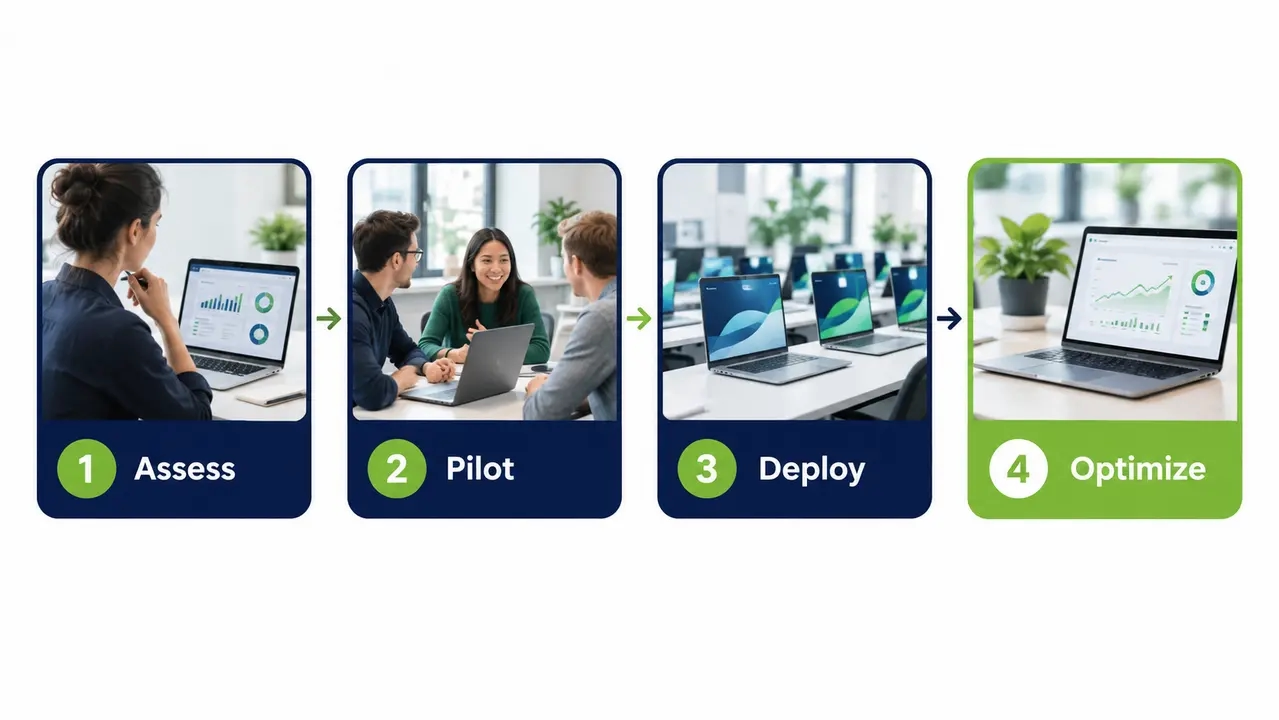
A successful GPU power management program for enterprise workstations requires a structured rollout framework. Phase one focuses on baseline assessment and telemetry across a two-week period. IT administrators deploy non-intrusive monitoring agents across all target workstations without altering existing power settings. This discovery window establishes baseline off-hours runtimes and quantifies existing energy waste across hardware models and user roles.
Phase two introduces pilot group deployments across 100 to 250 workstations representing diverse technical workflows. Desktop engineers test tiered display sleep timers while validating process-aware exception lists during scheduled patch cycles. Refining policies in a controlled pilot cohort eliminates potential disruptions before expanding across the broader organization.
Phase three expands verified policies across the enterprise in planned deployment rings. General office systems transition first, followed by standard engineering endpoints and specialized simulation labs. Clear user communications guide employees on self-service wake-up tools and temporary exception requests. Phase four establishes continuous optimization, using PowerPlug Pro to audit fleet compliance while delivering verified graphics card power savings to leadership.
Frequently asked questions
How do power policies handle off-hours security patching and maintenance windows?
Centralized power management platforms coordinate directly with deployment tools like Microsoft Configuration Manager to schedule maintenance wake events. The management platform wakes sleeping endpoints across local subnets and holds them online during the maintenance window before returning them to sleep. This automated coordination ensures vulnerability compliance without requiring machines to remain powered around the clock.
Can remote employees wake their office workstations without IT intervention?
Remote employees wake their dedicated physical workstations on demand through an enterprise web portal or secure network agent. The system issues directed wake packets across corporate network segments, bringing the target workstation online within roughly 20 seconds. This capability allows organizations to sleep workstations during off-hours while maintaining full remote productivity for hybrid staff.
Will aggressive power policies destabilize specialized CAD and simulation drivers?
Modern workstation graphics cards and certified professional drivers are engineered to support ACPI sleep and wake cycles cleanly. Destabilization typically occurs only when machines run outdated firmware or non-certified consumer graphics drivers. Organizations maintain high stability by pairing certified driver baselines with process-aware policies that prevent sleep transitions during active compute runs.
What is the typical financial payback period for enterprise power management?
The financial payback period depends on workstation power consumption, operating schedules, electricity rates, and software costs. For example, 1,000 workstations reducing consumption by an average of 50 watts for 4,000 hours annually would save approximately 200,000 kWh, equivalent to $36,000 at an electricity rate of $0.18 per kWh. Actual return on investment should be calculated using measured baseline consumption and the total cost of the power management solution.
How does endpoint GPU power telemetry support corporate CSRD and ESG audits?
Continuous power monitoring provides verified and audit-ready data on avoided kilowatt-hours and reduced Scope 2 carbon emissions. Rather than estimating energy reductions using theoretical computer averages, specialized platforms log exact device states and regional grid emissions factors. These auditable reports give companies verified environmental documentation that supports compliance under corporate sustainability frameworks.
Find out what idle hours cost your organization
A short baseline review of your fleet’s off-hours runtimes is enough to estimate the savings range for your environment, with no endpoint changes required during discovery. Talk to us and we will map the numbers to your hardware models, usage patterns, and electricity rates.
Workstation GPU power waste is a measurable and solvable operational problem. Idle draw of 45 to 90 watts per machine, multiplied across thousands of endpoints, translates into six-figure annual utility spend and avoidable Scope 2 emissions. A phased program captures those savings without disrupting engineering work, patch cycles, or remote access because it audits baseline consumption and applies persona-aware sleep policies with process-aware exceptions before verifying results through continuous telemetry.

About the author
Nimrod Yedaya
VP Customer Experience
Over 15 years of experience in customer service, technical support, and customer relationships. Nimrod joined PowerPlug in 2012 as Customer Support Manager and was promoted to VP in 2016. He holds an MBA from BIU and a BSc in Communication Systems Engineering from BGU.