
Education Sector IT Energy Management
How IT and sustainability teams can cut energy costs, reduce carbon emissions, and maintain full device control across thousands of endpoints — without disrupting users.
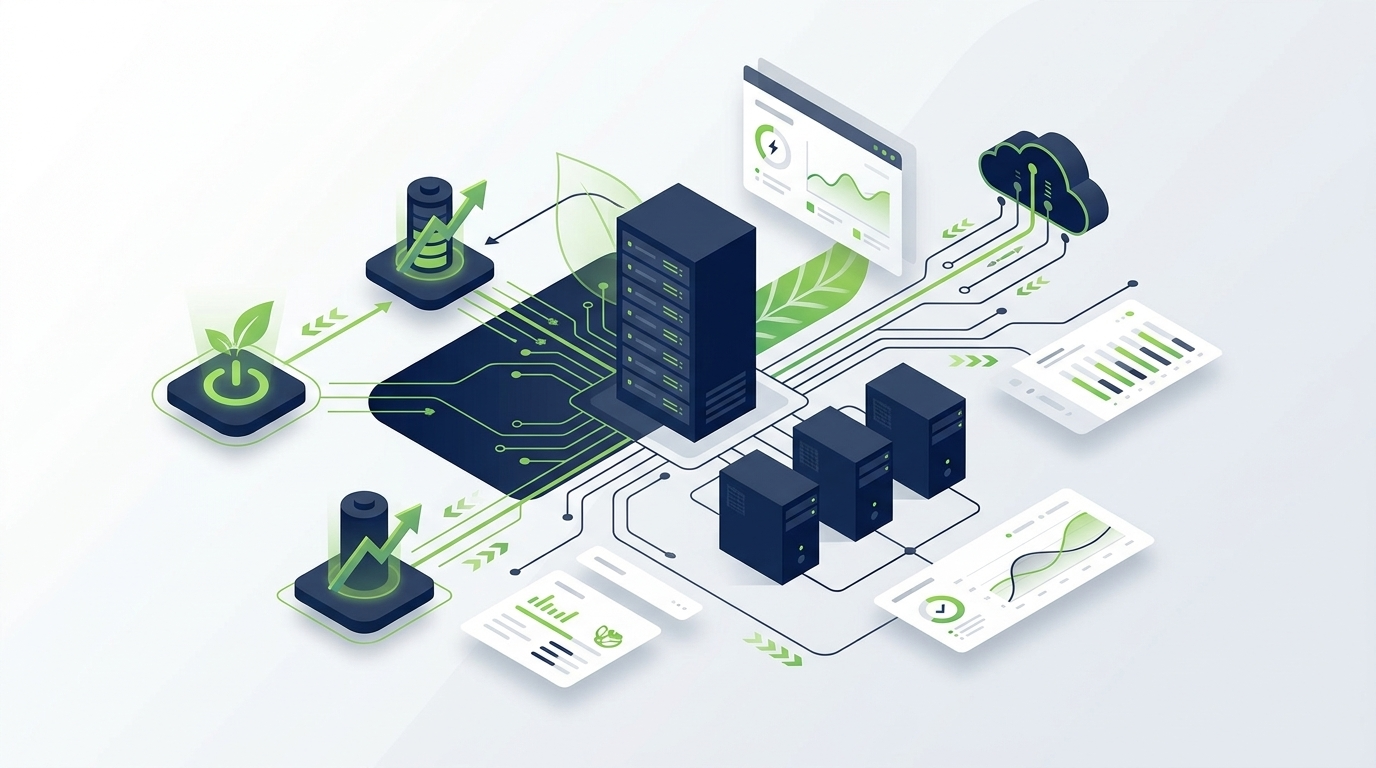
Enterprise PCs consume enormous amounts of energy — much of it wasted. Computers left on overnight, monitors never sleeping, and power settings overridden by users all add up to significant cost and carbon footprint. This guide walks IT decision-makers and sustainability leads through everything they need to know about enterprise PC power management: why it matters, how it works, what to look for in a solution, and how to deploy it effectively at scale.
Article Navigation Table of Contents
Why PC Power Management Matters for Enterprise
In a large organisation, PCs and workstations account for a substantial share of total electricity consumption. Even when users are not actively working — during lunch breaks, overnight, or over weekends — most enterprise devices remain powered on and drawing energy. This idle consumption is largely invisible and easy to overlook, yet it represents one of the highest-impact, lowest-disruption opportunities for cost reduction and carbon reduction available to IT teams.
The Hidden Cost of Always-On Devices
A desktop PC left on overnight consumes roughly the same amount of energy as printing several hundred pages. Multiply that across hundreds or thousands of devices and the financial and environmental cost becomes significant. Most organisations have little visibility into exactly how much energy their endpoint estate is wasting — and without visibility, there can be no meaningful action.
Sustainability and ESG Reporting Pressures
Environmental, Social, and Governance (ESG) reporting is now a boardroom priority for many enterprises. Regulators, investors, and customers are increasingly demanding transparency about carbon footprint. PC power management is one of the few operational levers that can demonstrably reduce Scope 2 emissions — the emissions from purchased electricity — with relatively fast implementation timelines and measurable outcomes.
Regulatory Tailwinds
Energy efficiency legislation across the EU, UK, and other markets is tightening. Organisations that proactively manage and report on device energy consumption are better positioned to meet current and future requirements, avoid compliance risk, and demonstrate responsible operations to stakeholders.
How Enterprise PC Power Management Works
Enterprise PC power management uses software agents or policies to monitor device activity, enforce power settings, and automate transitions between active, sleep, and powered-off states — across the entire endpoint fleet, from a central management console.
Policy-Based Power Control
At the core of any enterprise power management solution is policy management. IT administrators define rules that govern how and when devices should transition to lower-power states. These policies can be granular: different settings for different departments, device types, locations, or working hours. A financial trader’s workstation may need different treatment than a hot-desking laptop in a shared office.
Agent-Based Monitoring and Enforcement
A lightweight software agent runs on each managed endpoint. It continuously monitors device usage signals — keyboard activity, mouse movement, running processes, network sessions — and applies the appropriate power state. The agent also reports back to the central management platform, providing real-time and historical visibility into device status and energy consumption.
Scheduled Power Actions
Beyond reactive power state management, scheduled actions allow IT teams to push power-on, restart, or shutdown commands at specified times — for example, waking devices before the working day for patch deployment, or shutting them down at a consistent time in the evening. This ensures that power savings are systematic rather than dependent on individual user behaviour.
Wake-on-LAN and Remote Management
Enterprise power management should not prevent IT teams from maintaining devices. Wake-on-LAN capabilities allow administrators to remotely wake sleeping or powered-off machines when maintenance, patching, or remote access is required — without requiring the device to remain on indefinitely.
See How PowerPlug Manages Power Across Your Entire Fleet
PowerPlug’s enterprise platform gives IT teams centralised visibility and control over PC power consumption — with intelligent automation that saves energy without disrupting users.
Key Challenges at Enterprise Scale
Deploying power management effectively across thousands of endpoints introduces challenges that do not exist in smaller environments. Understanding these challenges is the first step to solving them.
Common Enterprise Power Management Challenges
- User override and resistance: End users frequently change power settings or complain when devices sleep during active work sessions.
- Diverse device estate: A mix of desktops, laptops, workstations, and virtual machines requires different policies and agents.
- 24/7 operational requirements: Some devices or roles genuinely need to remain active outside standard hours — power policies must accommodate exceptions without undermining overall savings.
- Patch and maintenance windows: Devices need to be reachable for overnight patching even when power management is active.
- Reporting and auditability: Finance and sustainability teams need granular, reliable data — not estimates — on actual energy consumption and savings.
- Integration with existing IT infrastructure: Power management must work alongside endpoint management, SIEM, and Active Directory without creating conflicts.
Balancing Savings with Operational Continuity
The most common reason enterprise power management initiatives fail or are rolled back is that they disrupt users or interrupt critical processes. A well-designed solution anticipates these scenarios and provides the flexibility to exempt specific users, devices, or time windows — while still delivering meaningful savings across the broader estate.
Core Capabilities to Look For in a Power Management Solution
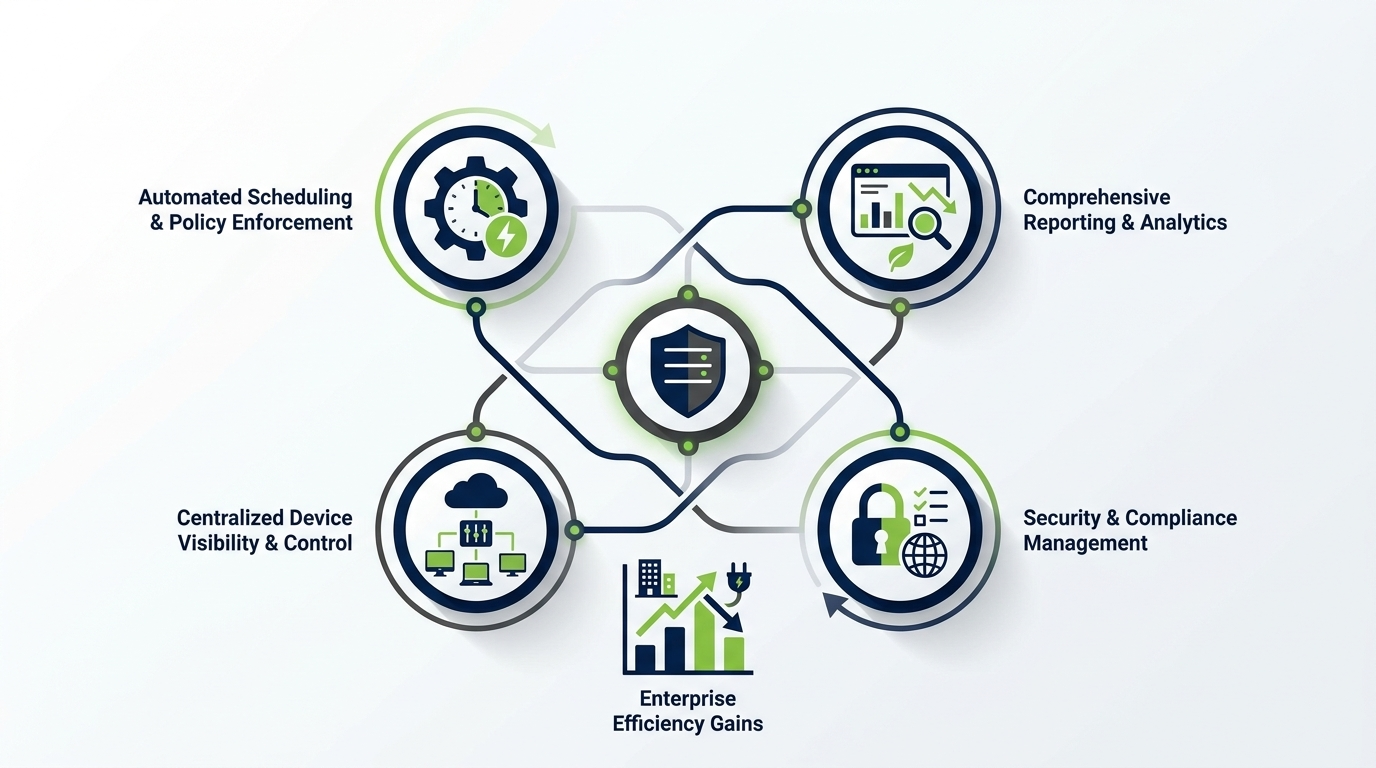
Not all power management solutions are built for enterprise environments. When evaluating options, IT teams should assess the following capabilities:
| Capability | What It Enables | Why It Matters at Scale |
|---|---|---|
| Centralised policy management | Define and deploy power policies across all endpoints from one console | Eliminates the need to configure devices individually; ensures consistency |
| Granular policy segmentation | Different rules for different user groups, OUs, or device types | Accommodates diverse operational needs without blanket overrides |
| Real-time device monitoring | See the current power state of every managed endpoint | Enables rapid troubleshooting and confirms policy compliance |
| Energy consumption reporting | Quantify actual kWh saved and CO₂ avoided, by department or location | Supports ESG reporting and internal cost-allocation |
| Wake-on-LAN | Remotely wake powered-off or sleeping devices for maintenance | Ensures patching and IT management are never blocked by power savings |
| Scheduled power actions | Automate shutdown, restart, or wake at defined times | Systematises savings without relying on user behaviour |
| User exemption management | Allow specific users or processes to override policies where justified | Reduces user friction and support tickets while protecting savings overall |
| Active Directory / LDAP integration | Sync with existing user and device directories | Simplifies deployment and policy inheritance at scale |
| Multi-site support | Manage offices across geographies, time zones, and network segments | Essential for global or multi-location enterprises |
Security and Compliance Considerations
Power management agents must be deployed and managed in a way that does not introduce security vulnerabilities. Look for solutions that support encrypted communications, role-based access control, and audit logging. In regulated industries, the ability to demonstrate what power policies are applied and when is not just useful — it may be required.
Deployment Strategy and Best Practices
Even the best power management solution will underdeliver if it is deployed poorly. A phased, policy-led approach consistently produces better outcomes than a big-bang rollout.
Phase 1: Baseline Assessment
Before deploying any policies, establish a baseline. Deploy the monitoring agent in read-only mode to understand current device behaviour — how many machines are on overnight, which departments have the highest idle time, and what the estimated energy cost of the status quo actually is. This baseline data is valuable both for sizing the business case and for measuring the impact of interventions later.
Phase 2: Pilot Group Deployment
Select a representative pilot group covering different departments and device types. Apply initial power policies to this group and monitor the results over two to four weeks. Collect feedback from users and helpdesk staff. Refine policies before wider rollout.
Phase 3: Phased Enterprise Rollout
Roll out to the broader estate in waves — by business unit, location, or device type. This limits the blast radius of any unforeseen issues and allows IT to manage change communications in manageable batches. Ensure helpdesk teams are briefed and that exemption processes are clearly communicated to end users.
Phase 4: Ongoing Optimisation
Power management is not a set-and-forget exercise. Review policy effectiveness quarterly. Adjust settings as the device estate evolves, new business units are onboarded, or working patterns change. Use reporting data to communicate savings to finance and sustainability stakeholders.
Reporting, Compliance, and ESG
One of the most significant advantages of a dedicated enterprise power management solution over native OS tools is reporting capability. Finance teams need cost data. Sustainability teams need carbon data. IT teams need compliance and operational data. A mature power management platform delivers all three from a single source of truth.
Energy and Cost Reporting
Good reporting should tell you, in concrete terms, how much electricity each managed device consumes — and how much has been saved by applying power policies. This data should be segmentable by department, location, device type, and time period, so that internal cost allocations can be made and business cases can be validated.
Carbon Emissions Reporting
For ESG and net-zero commitments, organisations need to translate energy savings into CO₂ equivalent reductions. This requires the power management platform to apply appropriate carbon intensity factors — which may vary by country or grid region — to the measured energy data. The resulting figures should be exportable in formats compatible with ESG reporting frameworks.
Policy Compliance Reporting
IT and security teams need to know which devices are compliant with deployed power policies and which are not. Devices with non-compliant configurations — whether due to user override, technical issues, or missed deployment — represent both a cost risk and, in some regulatory environments, a compliance risk. Automated compliance reports and alerts help teams stay on top of policy adherence without manual auditing.
Comparing Approaches: Native OS Tools vs. Dedicated Solutions
Organisations new to enterprise power management often start with native operating system tools — Group Policy Objects (GPOs) in Windows environments being the most common. While GPOs can enforce basic power settings, they have significant limitations at enterprise scale.
| Feature | Native GPO / OS Tools | Dedicated Power Management Platform |
|---|---|---|
| Central policy management | Limited; requires Group Policy expertise | Purpose-built console with intuitive interface |
| Real-time device monitoring | Not available | Live dashboard with device-level status |
| Energy consumption reporting | Not available | Granular kWh and CO₂ reporting by device/department |
| Scheduled power actions | Limited scheduling capability | Flexible, policy-driven scheduling with exceptions |
| Wake-on-LAN integration | Manual or separate tooling required | Integrated and managed from single console |
| User exemption workflows | Requires manual GPO exceptions | Self-service or IT-managed exemption process |
| ESG and audit reporting | Not available | Pre-built reports aligned to reporting frameworks |
| Multi-site / global management | Complex; requires careful GPO architecture | Native multi-site and time-zone support |
The conclusion for most enterprises with more than a few hundred endpoints is clear: native tools can manage basic power settings, but they cannot deliver the visibility, reporting, and operational flexibility that a mature enterprise power management programme requires.
Understanding the ROI of Enterprise Power Management
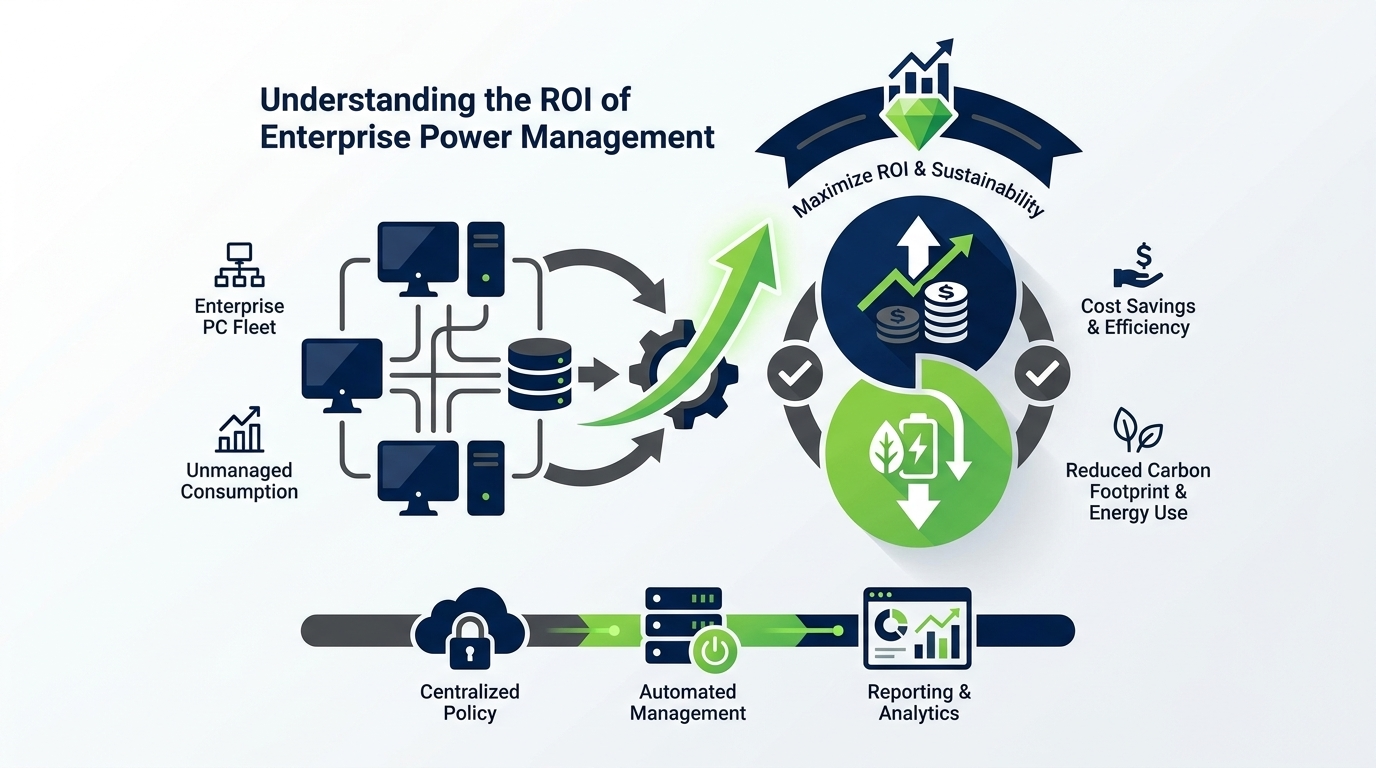
The return on investment from enterprise PC power management is typically strong and relatively rapid. The core driver is straightforward: energy that is not consumed is money not spent, and the savings compound across large device estates.
Direct Energy Cost Savings
The most immediate financial benefit is reduced electricity consumption. The size of the saving depends on the current baseline (how many devices are left on unnecessarily, and for how long), local electricity prices, and the effectiveness of the power policies deployed. Organisations that have done little or no power management previously tend to see the largest gains.
Hardware Lifespan Extension
Devices that are powered off or in deep sleep states when not in use experience less thermal cycling and component wear. This can extend the operational lifespan of PCs and reduce hardware refresh costs — a benefit that, while harder to quantify precisely, adds to the overall ROI case.
Reduced Carbon Costs and Risk
As carbon pricing mechanisms become more prevalent and ESG reporting obligations grow, the financial value of verified carbon reductions increases. Organisations that can demonstrate measurable, auditable reductions in Scope 2 emissions are better positioned commercially and reputationally.
IT Operational Efficiency
Centralised power management, combined with Wake-on-LAN and scheduled power actions, can streamline patch deployment, overnight maintenance, and device auditing — reducing the manual effort and out-of-hours work required from IT staff.
Ready to Take Control of Your Enterprise PC Energy Consumption?
PowerPlug gives IT and sustainability teams a single platform to monitor, manage, and report on PC power consumption across thousands of endpoints — with intelligent automation that delivers real savings without disrupting operations.
Frequently Asked Questions
What is enterprise PC power management?
Enterprise PC power management is the practice of using software to monitor, control, and optimise the power states of PCs and workstations across an organisation’s endpoint fleet. It involves deploying policies that automatically transition devices to lower-power states when not in use, scheduling power actions such as shutdown and wake, and reporting on energy consumption and savings — all managed centrally by IT teams.
Will power management policies disrupt my users?
When implemented thoughtfully, power management should have minimal impact on end users. Modern enterprise solutions monitor actual user activity before triggering sleep or shutdown states, and allow exceptions for users or roles that have legitimate reasons to keep devices active outside standard hours. A phased rollout with clear user communication significantly reduces friction.
How does enterprise power management interact with overnight patching?
A key capability in enterprise power management platforms is Wake-on-LAN integration, which allows IT teams to remotely wake devices that are powered off or sleeping — for example, to apply patches or run maintenance tasks overnight. Power management and patch management can and should work together, with power policies designed to accommodate maintenance windows without leaving devices on unnecessarily at all other times.
How long does it take to see a return on investment?
The timeline varies depending on the size of the estate, current baseline energy consumption, and local electricity costs. Organisations deploying across large fleets with little or no existing power management in place typically see measurable cost reductions within the first few months of deployment. A baseline assessment before rollout allows a realistic projection to be made for your specific environment.
Can power management data be used for ESG reporting?
Yes. Dedicated enterprise power management platforms provide reporting on energy saved (in kWh) and the corresponding carbon emissions avoided, using appropriate carbon intensity factors for the relevant electricity grid. This data can be used to support Scope 2 emissions reporting under frameworks such as GHG Protocol and to contribute to net-zero and sustainability disclosures.
Does PowerPlug support mixed device environments?
PowerPlug is designed to manage diverse endpoint estates, including desktops, laptops, and workstations across multiple sites and time zones. Policies can be tailored by device type, organisational unit, department, or location — ensuring that the solution fits your environment rather than requiring you to standardise around it.