
Endpoint Power Management in VDI Environments
By Nimrod Yedaya, VP Customer Experience
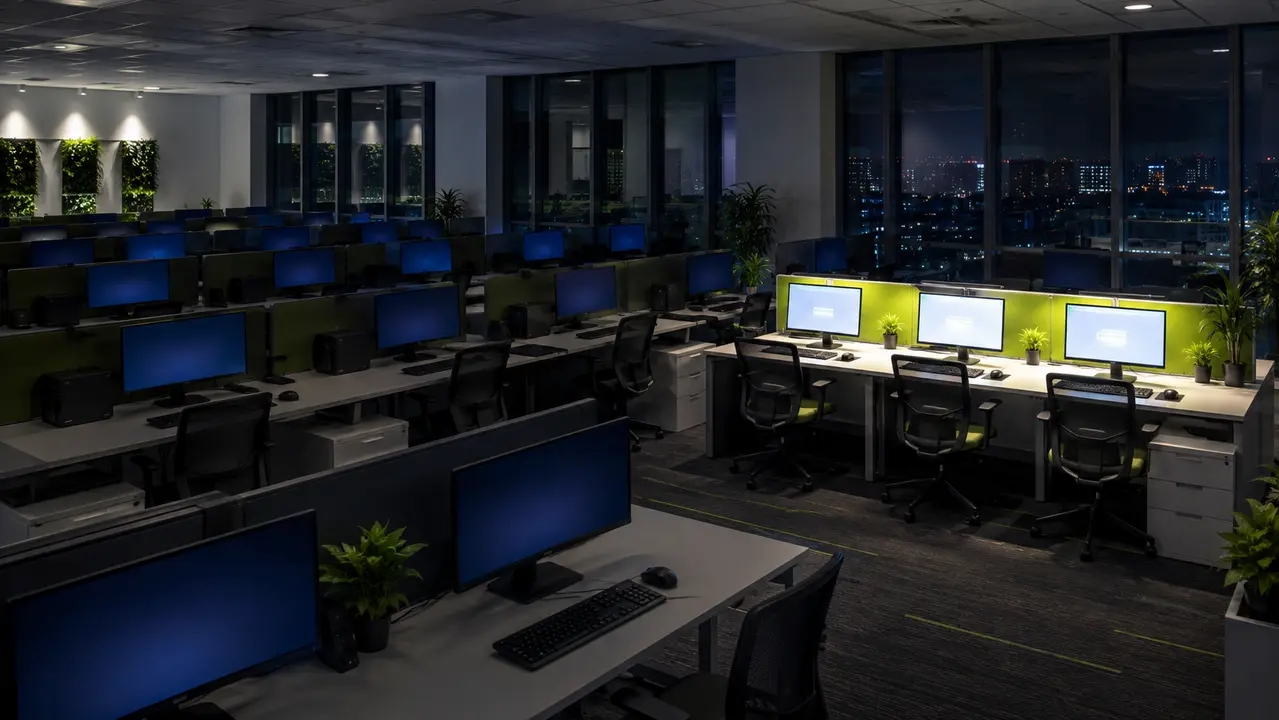
The desktops are virtual now. The hardware on the desk is still fully powered at 11 p.m.
You spent two years and seven figures on the VDI program. Host pools right-sized, storage tiered, profiles tuned, licensing negotiated. Then you walk the floors after hours and see rows of thin clients and repurposed PCs glowing in empty offices, drawing power for nobody. The compute moved to the data center. The waste stayed on the desk.
Endpoint power management in VDI environments is the half of the savings most virtualization projects never budget for. This article covers what actually burns power after hours, how to fix it without breaking logins, badge readers, or patch windows, and how to present the results to finance in a form that survives scrutiny.
The short version: put endpoints in the deepest power state that still meets your readiness requirement, wake machines on a schedule instead of leaving them on, measure before and after, and pilot before you scale.
Reading time: 5 minutes
Your VDI project moved the compute, not the waste
Endpoint power management in VDI environments means centralized, policy-based control of the physical devices people use to reach their virtual desktops. That includes thin clients, repurposed PCs running a connection client, laptops doubling as terminals, and shared kiosk stations. It does not mean managing the VDI backend.
Virtual desktop power management is a different layer entirely. It governs session logoff behavior, host pool autoscaling, and image maintenance in the data center or cloud. Endpoint power management governs the box on the desk: screen off, sleep, hibernate, shutdown, and wake. Two levers, two sets of savings, and usually two different teams.
Here is the gap. The VDI team scales host pools down at night and reports the savings. Desktop engineering owns the endpoint image but rarely owns endpoint power policy, so nobody’s dashboard shows the thin client running 24/7 in an empty classroom. The EPA’s guidance on power management for computers and monitors is blunt about this: efficient hardware only pays off if power management stays enabled. Platforms like PowerPlug Pro exist to enforce exactly that across large fleets, but the principle holds regardless of tooling. If no one is assigned to the endpoint, no one is saving it.
Why endpoints stay powered on after hours
Nobody decided to leave everything on. It happened by default.
Shift handoffs in hospitals mean the next nurse needs a station at 7 p.m. Remote workers expect to reach their desktop from home. Patch teams want endpoints reachable overnight. And underneath all of it sits a fear that is rarely spoken aloud: a device that fails to wake before a morning shift creates a login delay, a help desk ticket, and an angry phone call.
Then there is the visibility problem. Most teams have no data on true idle time per device, so “leave it on” feels like the safe answer. Peripherals deepen the hesitation. Badge readers, smart card middleware, USB redirection for scanners and dictation devices, all of it makes admins reluctant to touch power settings at all.
The result is a blanket policy instead of a targeted one. One kiosk that must stay awake becomes a reason for 4,000 machines to stay awake. That is where the money goes.
The right power state depends on the device, not a default
Use the deepest power state that still meets your readiness requirement. Screen off first, sleep for short idle windows, shutdown with scheduled wake for long off-hours stretches. Microsoft’s documentation on system power states is the authoritative reference for what each state actually does to memory, disk, and the network stack.
| Power state | What happens | Typical draw | Resume time | Where it fits |
|---|---|---|---|---|
| Screen off (DPMS) | Display signaled into low power, system stays idle | Display near zero, system draw unchanged | Instant | First 10 to 15 minutes of any idle window |
| Sleep (S3) | RAM stays powered, session state held | Roughly 1 to 5 watts | A few seconds | Short idle windows, shared stations |
| Hibernate | RAM written to disk, machine powers off | Under 1 watt | 20 to 40 seconds | Laptops, long idle, unreliable power feeds |
| Shutdown with scheduled wake | Full off, wake event brings it back for maintenance or users | Under 1 watt, NIC listening if WoL is enabled | 45 to 90 seconds | Overnight and weekends on assigned devices |
Device class matters more than most policies admit. Thin clients often expose simple firmware-level power settings and behave predictably. Repurposed PCs carry full OS power plans but also driver quirks, smart card middleware, and USB redirection edge cases that can break wake or sleep on specific models. Test each hardware model before you trust it.
Idle, defined properly, is where the savings live
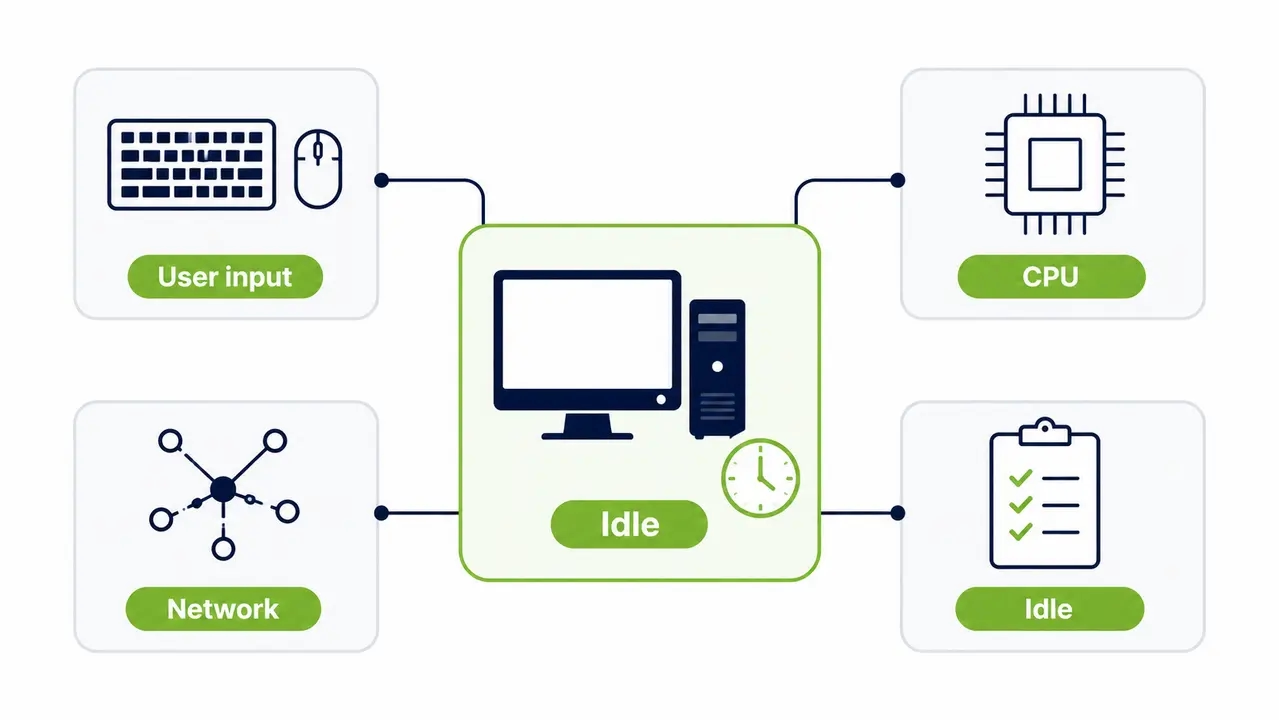
No keyboard input is not the same as idle.
A device in the middle of a software distribution looks idle to a naive policy. So does a machine with a stuck browser tab hammering the network. Define idle with multiple signals: user input, CPU and disk thresholds, network activity, and process allow lists. A practical rule is to keep a device awake while Configuration Manager is actively distributing to it, and allow sleep only after network activity drops below a threshold and stays there for a sustained period.
Then segment by role. Shared clinical and kiosk stations need conservative timeouts, a manual override, and usually screen-off rather than deep sleep, because the next user needs instant access. Assigned single-user devices can run aggressive policies since usage is predictable. Always warn the user on screen a few minutes before any sleep or shutdown, with a one-click postpone. That single prompt eliminates most complaints before they reach the service desk.
For a concrete example of how these exceptions shape real policy, a large healthcare campus rollout shows how shift-based access at nursing stations drove which devices got conservative treatment and which got full shutdown schedules.
Wake scheduling replaces the leave-everything-on patch window
Here is the mistake that costs the most. Teams keep the entire fleet powered 365 nights a year so SCCM can reach endpoints on maybe four of those nights. That is paying a nightly energy bill for a monthly maintenance task.
The fix is to schedule wake events ahead of the maintenance window, enforce a “must-on” period, and return devices to power-saving mode afterward. The operational pattern looks like this: wake at 2:45 a.m., patches start at 3:00 a.m., reboots at 3:40 a.m., completion verified, devices powered down by 4:15 a.m. The maintenance window succeeds, the endpoints sleep the other 11 hours, and nobody notices anything except a smaller utility bill.
Coordinate the wake schedule with your existing deployment tooling. Random or redundant wake events from uncoordinated systems undermine the whole model, so treat wake orchestration as part of patch management, not a separate project.
Wake-on-LAN alone is not a wake strategy
Wake-on-LAN (WoL) sends a “magic packet,” a specific broadcast frame the NIC recognizes, to power a machine on remotely. On a flat network it works beautifully. Across routed subnets and VLANs, broadcast frames do not forward by default, and wake attempts silently fail.
The wake reliability checklist
Confirm the NIC’s “wake on magic packet” option is enabled in both BIOS and the operating system, because a single disabled checkbox kills the whole chain. Confirm the device is in a power state where the NIC still listens, since shutdown behavior varies by model and some configurations cut power to the adapter entirely. Then test wake success rate per site and per subnet before you depend on it operationally. A 95 percent wake rate sounds fine until it means 50 machines dark at 3 a.m. on patch night.
Some platforms close the cross-subnet gap with reliable Wake-on-LAN orchestration that routes wake requests across networks without manual relay configuration. That is the problem PowerPlug Pro’s Wake-Up Portal was built to solve, and it adds a second benefit people underestimate: end users can wake their own PC from home on demand, which removes the “leave it on in case I need it” reflex that no policy ever fully eliminated.
The honest math on VDI energy savings
The formula is simple: endpoint count, times watts avoided, times hours saved per night, times your electricity rate. The honesty comes from the assumptions.
Take 1,000 repurposed PCs at 60 watts idle draw including the monitor, 14 idle hours per night, 260 nights a year, and $0.15 per kWh. Run the three strategies side by side.
| Strategy | After-hours draw | Annual cost, 1,000 endpoints | Maintenance access | After-hours attack surface |
|---|---|---|---|---|
| Leave on 24/7 | 60 W | About $33,000 | Always reachable | Highest |
| Sleep after 30 min idle | 3 W | About $1,600 | WoL wake in seconds | Reduced |
| Managed shutdown with scheduled wake | 1 W standby | About $550 | Wake on schedule or on demand | Lowest |
Those numbers are illustrative, and thin clients draw less than repurposed PCs, so per-device savings shrink even though the fleet-wide total still matters at scale. The IEA’s analysis in More Data, Less Energy documented how networked devices keep drawing meaningful power in off and standby modes, which is precisely the failure mode you are engineering away. Measure your own baseline. Generic percentage claims are not a plan.
Find out what your fleet costs you overnight
A pilot in one department gives you measured before-and-after numbers for your own endpoints, not generic percentages. Tell us your fleet size and your electricity rate, and we will walk you through the math for your environment.
Proving ROI to finance without inflating the story
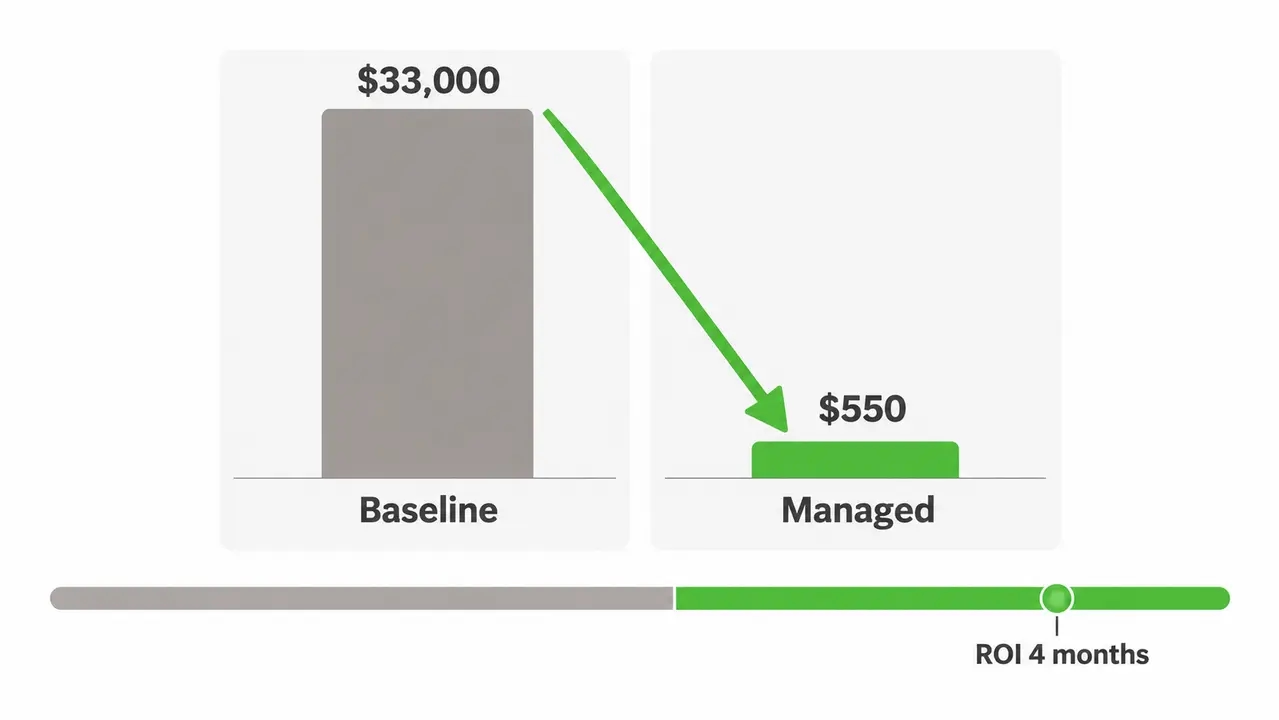
Finance does not distrust power savings in principle. Finance distrusts power savings reports. Earn the credibility with a baseline period, a managed period, and identical assumptions across both.
Track runtime by power state, policy compliance rate, wake success rate, and the savings you deliberately left on the table for exception populations. Excluding 150 kiosk devices from the math is not a weakness in the report. It is the detail that makes the other 850 believable.
The common pitfalls are predictable. Double-counting host pool savings that belong to the VDI team. Inflating baseline wattage by using nameplate ratings instead of measured idle draw. Ignoring seasonal variance in campus schedules. Each one hands an auditor a reason to discount the entire number.
For context on what disciplined programs achieve, PowerPlug customers have seen ROI in as little as 4 months, and our customer base has collectively saved over $50 million in energy costs and eliminated more than 200,000 tons of CO2. Treat those as proof the ceiling exists, then go measure your own floor.
Powered-down endpoints shrink the attack surface
A powered-off endpoint cannot be exploited at 3 a.m.
Every endpoint that stays on after hours runs a full operating system, a live network stack, and sometimes cached credentials, whether anyone is sitting there or not. Shared devices in hospitals and campus labs are the worst case, because multiple profiles have touched them. Cutting always-on runtime from 24 hours to 10 cuts the exposure window by more than half, and it does so without a single new security tool in the stack.
Controlled wake windows close the loop. Machines power down nightly but wake on schedule so patches actually land, which means the security benefit never competes with the patching benefit. Your security team will like this once you explain it. Your sustainability team will like the same kWh and CO2 data feeding ESG and CSRD-style reporting. One dataset, three audiences.
Rollouts fail for predictable reasons
Thin client power optimization rarely fails on technology. It fails on sequencing, communication, and the mistakes everyone makes the first time.
| Mistake | Fix |
|---|---|
| Aggressive sleep timers on shared stations | Longer timeout plus an on-screen warning with a postpone option |
| Blanket leave-on for patching | Scheduled wake windows aligned to your maintenance calendar |
| Wake tested on one subnet only | Per-site wake testing before policy goes live |
| No reporting after go-live | Monthly compliance and savings review with finance in the room |
Run the rollout in phases. Start with discovery: inventory the fleet, identify device roles, and capture a baseline. Pilot with one department per role type, a call center group alongside a nursing unit alongside standard office users. Define success criteria up front, meaning wake success percentage, ticket volume, and morning login readiness. Expand only after the pilot proves wake reliability and exception handling.
That phased approach mirrors how a fleet-wide power management rollout in a healthcare network moved from pilot to full deployment while protecting clinical workflows, and it is the pattern I would use again anywhere. Support it with clear user messaging, a self-service wake option, and an escalation path the service desk actually knows about.
Six months in, mature endpoint power management in VDI environments looks like this: high policy compliance by site and organizational unit, a wake success rate you can state from memory, maintenance completion rates that went up rather than down, and a monthly energy trendline finance now asks about on its own. Platforms like PowerPlug Pro surface those KPIs in dashboards for both IT and finance stakeholders, but the KPIs matter more than the tool. Get the policy right, measure it honestly, and the endpoints stop being the part of your VDI project that quietly bleeds money every single night.
Frequently asked questions
Does putting endpoints to sleep affect VDI session performance?
No. Endpoint sleep does not touch the virtual desktop itself. A disconnected session continues running on the host if your broker policy keeps it alive, and the endpoint wakes in a few seconds. The one thing to align carefully is endpoint sleep with session disconnect and logoff policies, so sleeping endpoints do not hold host resources or licenses that should have been released.
Can Wake-on-LAN work across different office or hospital sites?
Yes, with conditions. Magic packets are broadcast frames, and routers do not forward broadcasts between subnets by default, so multi-site environments need directed broadcasts, local relays, or a wake service that can reach each subnet directly. Confirm BIOS and NIC settings per hardware model and test wake success per site before you rely on it. Where WoL cannot be made reliable, scheduled stay-on windows are a legitimate fallback.
How do I calculate ROI for endpoint power management software?
Multiply endpoint count by watts avoided, hours saved per night, and your electricity rate, then set that against software licensing and admin time. Use a measured baseline rather than nameplate ratings, and exclude exception populations from the calculation. Programs like PowerPlug’s commonly reach payback in as little as 4 months, but run the numbers on your own fleet through a pilot first.
Do shared or kiosk-style workstations need different power settings?
Yes. Shared stations need conservative timeouts, screen-off rather than deep sleep where instant access matters, an easy manual override, and role-based exception policies. Assigned single-user devices have predictable usage patterns and can run far more aggressive shutdown schedules. Trying to apply one policy to both is the single most common cause of rollout complaints.
How do I avoid help desk complaints when rolling out power policies?
Warn users on screen a few minutes before sleep or shutdown, give them a one-click postpone, and provide a self-service way to wake their machine remotely. Pilot with a friendly department first, brief the service desk before go-live so they have an escalation path, and track ticket volume as a formal rollout KPI. If tickets spike in week one, slow the expansion rather than defending the policy.
Endpoint power management closes the gap the VDI project left open. Put endpoints in the deepest power state that still meets your readiness requirement, schedule wake around maintenance instead of paying for blanket uptime, define idle with real signals, and measure before and after with identical assumptions. Get those four things right and the desks stop quietly costing you money every night.
Plan the rollout with people who have run it before
We deploy PC power management for organizations running 100 to 50,000 endpoints, including hospitals, universities, municipalities, and government agencies. Book a conversation and we will map the wake scheduling, exception handling, and reporting approach to your environment, or call us directly at +1 646 751 7797.

About the author
Nimrod Yedaya
VP Customer Experience
Over 15 years of experience in customer service, technical support, and customer relationships. Nimrod joined PowerPlug in 2012 as Customer Support Manager and was promoted to VP in 2016. He holds an MBA from BIU and a BSc in Communication Systems Engineering from BGU.