
IT Security Power Management Enterprise
How forward-thinking IT and sustainability teams are cutting PC energy costs by up to 50%, eliminating idle waste, and meeting ESG targets — without disrupting users or operations.
Enterprise fleets of thousands of PCs left on overnight, over weekends, and through holidays represent one of the most significant — and most overlooked — sources of avoidable energy spend. PC power management gives IT and operations teams the policy controls, real-time visibility, and automated enforcement needed to eliminate that waste at scale. This guide covers everything: what enterprise PC power management is, why it matters, how to deploy it, and what results leading organizations actually achieve.
Article Navigation Table of Contents
Key Takeaways
- Idle and unmanaged PCs are a major source of avoidable electricity spend in enterprise environments.
- Effective PC power management combines automated sleep/shutdown policies, real-time monitoring, and granular exceptions for legitimate business workflows.
- Savings of up to 50% on PC energy consumption are achievable without disrupting end users or operations.
- Power management data feeds directly into sustainability reporting, ESG disclosures, and net-zero programs.
- Centralized platforms eliminate the limitations of Windows native settings and Group Policy applied in isolation.
- The ROI case is typically compelling within months — making power management one of the fastest-payback IT investments available.
What Is Enterprise PC Power Management?
Enterprise PC power management is the practice of centrally controlling the power states of desktop computers, laptops, and workstations across an organization’s entire fleet. Rather than relying on individual users to configure their own sleep settings — or on basic Group Policy templates that lack real-time enforcement — a dedicated PC power management platform allows IT teams to define, deploy, monitor, and refine energy policies at scale.
The core idea is straightforward: a PC that is asleep or powered off consumes a fraction of the energy of one left running idle. Multiply that difference across thousands of endpoints running 24 hours a day, and the financial and environmental impact becomes significant. PC power management platforms close this gap by ensuring that policies are actually applied, verified, and continuously maintained — even as hardware changes, users push back, and business requirements evolve.
How It Differs from Windows Native Power Settings
Windows includes built-in power plans and Group Policy settings that can configure sleep timeouts. However, these tools have well-documented limitations at enterprise scale:
- Native settings can be overridden by users or applications, with no enforcement or alerting.
- Group Policy power settings apply at login but are not continuously enforced if changed afterwards.
- There is no centralized reporting on what power states endpoints are actually in at any given time.
- Exceptions for shift workers, on-call teams, or specific workloads require manual workarounds.
- Real-time visibility into energy consumption and potential savings is entirely absent.
A dedicated enterprise PC power management solution addresses every one of these gaps, providing a closed-loop system of policy definition, deployment, monitoring, and continuous correction.
Scope: What Gets Managed
Modern PC power management platforms typically manage the full range of endpoint power states: active use, idle, monitor sleep, system sleep (S3/modern standby), and complete shutdown or hibernate. Some platforms also manage wake events — ensuring that PCs can be reliably woken for patch windows, backup jobs, or software deployments without leaving machines permanently powered on.
Why It Matters: The Scale of the Problem
The energy consumed by unmanaged enterprise PCs is easy to underestimate because each individual device seems small. But the aggregate picture is substantial. A desktop PC left running overnight consumes roughly 60–200 watts depending on its components and workload. A fleet of 10,000 such machines running unnecessarily for 14 hours overnight, every weekday, represents millions of kilowatt-hours annually — and millions in electricity costs.
The Idle PC Problem
Research and real-world deployments consistently show that a significant proportion of enterprise PCs are left powered on — and idle — for the majority of the hours they are technically “on.” Overnight and weekend waste is the most visible form, but idle waste during working hours (PCs left on while employees are in meetings, traveling, or away from their desks) is also material.
The challenge is not that organizations are unaware of this waste — most IT and finance leaders understand it intellectually. The challenge is that without a dedicated enforcement mechanism, the gap between policy intent and actual device behavior is wide. Users disable sleep settings because they find them inconvenient. Applications block sleep states without IT’s knowledge. Laptops in meeting rooms stay powered on indefinitely. The aggregate result is sustained, avoidable energy spend.
Financial and Operational Impact
The financial case for PC power management is direct. Electricity costs vary by region, but even at conservative rates, the savings from properly managed enterprise endpoints are significant. Organizations that have deployed structured power management programs report reductions in PC energy consumption of 30–50%, translating to meaningful reductions in annual electricity bills and associated operational costs.
Beyond direct cost savings, there are secondary operational benefits: reduced hardware wear from fewer thermal cycles, lower cooling load in office environments, and reduced risk from devices left unattended and powered on in unmanned spaces.
The Environmental Dimension
Every kilowatt-hour of electricity consumed by an idle enterprise PC has a carbon footprint determined by the energy mix of the grid supplying it. At the scale of thousands of endpoints, the cumulative carbon impact of unmanaged PC fleets is measurable and material to corporate sustainability commitments. As ESG reporting requirements tighten globally, the ability to demonstrate quantified reductions in Scope 2 emissions from enterprise IT operations is increasingly valuable — and PC power management is one of the most direct levers available to IT and sustainability teams.
See What PowerPlug Can Save Your Organization
PowerPlug’s platform gives enterprise IT teams the visibility, automation, and reporting needed to eliminate PC energy waste — without disrupting users or operations. Explore the platform or speak with an expert today.
Key Capabilities to Look For
Not all PC power management solutions are created equal. When evaluating platforms for enterprise deployment, IT teams should assess a specific set of capabilities that determine whether the solution will deliver sustained results at scale.
Centralized Policy Management
The foundation of any enterprise-grade solution is the ability to define power policies centrally and deploy them consistently across the entire fleet. This includes setting sleep and shutdown timeouts, defining monitor-off behaviors, and managing hibernate vs. sleep preferences — all from a single administrative console. Policies should be applicable at the organizational unit, group, or individual device level to accommodate different business needs.
Real-Time Monitoring and Reporting
Visibility is essential. A capable platform provides real-time dashboards showing the current power state of every managed endpoint, historical trends, and quantified savings data. This information serves multiple purposes: it allows IT teams to identify endpoints that are not complying with policies, provides data for internal reporting, and generates the evidence needed to demonstrate ROI to finance and leadership.
Policy Enforcement and Drift Prevention
The most common failure mode in enterprise power management is policy drift — endpoints that initially comply but gradually revert as users adjust settings, applications override configurations, or hardware changes invalidate previous settings. An effective platform continuously monitors for drift and automatically reapplies correct policies, without requiring manual IT intervention.
Intelligent Exceptions and Scheduling
Rigid policies that ignore legitimate business workflows generate user complaints, helpdesk tickets, and eventually policy disablement. A mature power management platform provides granular exception handling: the ability to exempt specific devices, users, or groups from certain policies; to apply different policies at different times of day or week; and to recognize when a device is actively in use (even without keyboard/mouse activity, such as during a presentation or a long-running computation) and defer sleep accordingly.
Wake-on-LAN and Scheduled Wake
Many enterprise IT operations — patch deployment, backup jobs, asset management scans — require endpoints to be reachable outside business hours. A well-designed power management platform integrates with wake-on-LAN capabilities or provides its own scheduled wake functionality, ensuring that devices can be brought online for maintenance windows and then returned to a low-power state afterwards. This eliminates the common workaround of leaving all machines powered on overnight to ensure availability for automated tasks.
Integration with IT Ecosystem
Enterprise-grade solutions integrate with existing IT infrastructure: Active Directory or Azure AD for identity and group assignment, SCCM or Intune for device management, SIEM or monitoring platforms for alerting, and sustainability or energy management systems for data export. Integration reduces administrative overhead and ensures that power management data flows into broader operational and reporting workflows.
Scalability and Performance
A platform designed for enterprise use must operate reliably across tens of thousands of endpoints, in distributed environments spanning multiple sites, time zones, and network segments, without creating performance bottlenecks or requiring significant infrastructure investment. Cloud-based or hybrid architectures are increasingly common for this reason.
Deployment Strategy and Best Practices
Successful enterprise PC power management deployments share a common pattern: they begin with discovery, move through policy design and piloting, and scale to full deployment with ongoing monitoring and refinement. Skipping steps — particularly the piloting and stakeholder communication phases — is the most common cause of deployment friction and suboptimal outcomes.
Phase 1: Discovery and Baseline Assessment
Before deploying any policies, establish a clear picture of the current state. How many endpoints exist? What are their current power settings? What proportion are left on overnight and over weekends? What is the current estimated energy consumption? A good platform will assist with this baseline assessment, providing the data needed to build a compelling internal business case and to measure results post-deployment.
Phase 2: Stakeholder Alignment
PC power management touches end users directly. Policies that cause unexpected machine sleep during working hours, or that prevent machines from being available when users expect them, will generate resistance. Engage key stakeholder groups — end users, department heads, the helpdesk team — before rolling out policies. Communicate the organizational goals, explain what will change, and establish a clear feedback channel. This step is frequently underweighted and is consistently cited by experienced practitioners as a key determinant of deployment success.
Phase 3: Policy Design
Design policies based on actual usage patterns, not generic defaults. Consider different policy profiles for different device types and user groups: knowledge workers with standard business hours, shift workers, on-call staff, lab workstations, shared devices in common areas, and executive users may all warrant different configurations. Err on the side of caution in the initial policy set — it is easier to tighten policies over time than to recover from a wave of helpdesk complaints caused by overly aggressive initial settings.
Phase 4: Pilot Deployment
Before full rollout, deploy policies to a representative pilot group spanning different departments, device types, and usage patterns. Monitor for issues, gather user feedback, and refine policies based on what you learn. A well-structured pilot typically runs for two to four weeks and provides the confidence and policy refinement needed for a smooth full-scale deployment.
Phase 5: Full Rollout and Ongoing Management
Roll out policies to the full fleet in waves if possible, to manage any residual support load. After initial rollout, shift focus to ongoing monitoring: tracking policy compliance, investigating non-compliant devices, reviewing savings data, and periodically reassessing policies as the fleet and business needs evolve. Power management is not a one-time project — it is an ongoing operational practice.
ROI and Business Case
The business case for enterprise PC power management is typically one of the most straightforward in IT. The investment is modest, the savings are direct and quantifiable, and the payback period is often measured in months rather than years. Understanding how to frame the ROI argument — and what data to present — helps IT leaders secure the organizational support needed to move forward.
Direct Energy Cost Savings
The primary financial benefit is reduced electricity consumption. To estimate savings, multiply the number of managed endpoints by the average idle power draw, by the number of hours per year those devices would have been left on unnecessarily, by the local electricity rate. Even conservative assumptions typically produce compelling numbers at enterprise scale. Organizations with large fleets and higher electricity costs (notably in Europe) see the most dramatic financial returns.
Quantifying the Baseline Gap
A critical element of the ROI case is demonstrating the gap between current reality and optimized state. Without real data showing how many machines are left on unnecessarily and for how long, the savings potential remains an estimate. Deploying the monitoring capabilities of a power management platform — even before enforcing policies — provides the concrete baseline data that transforms the ROI case from theoretical to evidenced.
Secondary Benefits
Beyond direct energy savings, the business case may also incorporate: reduced cooling costs in offices (devices generating less heat means less air conditioning demand); extended hardware life from reduced thermal cycling; lower carbon-related costs or liabilities in jurisdictions with carbon pricing; and avoidance of future capital expenditure associated with energy capacity constraints. These secondary factors vary by organization but can meaningfully strengthen the financial case.
Payback Period
For most enterprise deployments, the payback period on a PC power management platform investment is short — often within the first year of full deployment, and sometimes within the first few months for larger fleets with higher electricity costs. This makes PC power management one of the fastest-returning investments available to enterprise IT teams, with ongoing annual savings providing a strong return for the life of the platform relationship.
| Fleet Size | Estimated Annual Waste (unmanaged) | Potential Annual Saving | Typical Payback Period |
|---|---|---|---|
| 1,000 endpoints | Significant idle energy spend | Tens of thousands of dollars/euros | Under 12 months |
| 5,000 endpoints | Very substantial idle energy spend | Hundreds of thousands of dollars/euros | Months |
| 10,000+ endpoints | Enterprise-scale waste | Seven-figure annual savings potential | Rapid — often within first year |
Illustrative estimates only. Actual results depend on fleet composition, electricity rates, existing power settings, and deployment quality.
ESG, Sustainability, and Compliance
Environmental, Social, and Governance (ESG) reporting has moved from a voluntary practice to a near-mandatory expectation for large enterprises in many markets. Regulatory frameworks — including the EU Corporate Sustainability Reporting Directive (CSRD) and equivalent requirements in other jurisdictions — are expanding the scope and rigor of required disclosures. Against this backdrop, the ability to demonstrate quantified, verifiable reductions in energy consumption and associated carbon emissions is increasingly valuable.
Scope 2 Emissions and IT Operations
Enterprise PC energy consumption falls under Scope 2 emissions — indirect emissions from purchased electricity. PC power management provides one of the most direct and measurable levers for reducing Scope 2 emissions from IT operations. Unlike initiatives that require significant capital investment or multi-year timelines, power management can deliver measurable Scope 2 reductions within weeks of deployment, with ongoing reporting that meets the audit trail requirements of formal ESG disclosures.
Data Quality and Auditability
For sustainability reporting purposes, the quality of the underlying data matters as much as the headline numbers. A capable PC power management platform provides granular, time-stamped records of device power states, policy compliance rates, and calculated energy and carbon savings — data that is auditable, reproducible, and defensible in the context of formal ESG reporting. This is significantly more robust than estimates derived from general industry benchmarks or manual surveys.
Supporting Net-Zero Commitments
Many enterprises have made public net-zero or carbon neutrality commitments with specific target dates. IT operations represent a material share of the organizational carbon footprint, and demonstrating genuine, quantified progress in reducing IT energy consumption is an important part of meeting those commitments credibly. PC power management provides the operational mechanism and the reporting infrastructure to make IT’s contribution to net-zero goals visible and verifiable.
Energy Efficiency Regulations
Beyond voluntary ESG commitments, some jurisdictions impose or are developing mandatory energy efficiency requirements for large organizations. PC power management helps organizations stay ahead of these requirements by establishing robust energy management practices and generating the data needed to demonstrate compliance or prepare for future regulatory reporting.
Common Mistakes to Avoid
Enterprise power management deployments that underdeliver on their potential almost always trace the shortfall to a predictable set of avoidable mistakes. Understanding these pitfalls in advance significantly improves the likelihood of a successful, high-impact deployment.
Relying Solely on Native Windows Settings
The most common mistake is believing that Group Policy power settings are sufficient. They address the policy definition problem but not the enforcement, monitoring, exception management, or reporting problems. Organizations that have “had power management in place for years” via Group Policy frequently discover — when they instrument their fleet — that actual device behavior diverges substantially from policy intent.
Setting Policies Too Aggressively Without Piloting
Deploying aggressive sleep timeouts (such as 5-minute idle sleep) to the entire fleet without piloting predictably generates a wave of user complaints and helpdesk tickets. It also produces organizational resistance that can undermine the entire power management program. Piloting is not optional — it is the mechanism by which policy parameters are calibrated to actual business workflows.
Ignoring Legitimate Use Cases
Every organization has users and workflows for which standard sleep policies are genuinely problematic: overnight batch jobs, video rendering workstations, on-call engineers who need instant machine availability, kiosk or public-facing devices, and so on. Failing to identify and accommodate these use cases before deployment leads to exceptions being requested en masse after deployment — undermining policy integrity and creating administrative overhead.
Deploying Without Stakeholder Communication
End users who discover that their machines are behaving differently without explanation will escalate to IT support, to their managers, and sometimes to senior leadership. A brief, clear communication explaining the organizational goal, what will change, and how users can raise concerns removes most of this friction before it occurs.
Treating Deployment as a One-Time Project
Power management requires ongoing attention. Fleet composition changes as devices are added, replaced, or repurposed. Business workflows evolve. Seasonal patterns alter usage. Without periodic review and policy adjustment, the effectiveness of the program gradually degrades. Build ongoing management into the operating model from the start.
Failing to Track and Report Results
Organizations that do not systematically track and report savings data lose the ability to demonstrate ROI internally, justify continued investment, and feed sustainability reporting with credible numbers. Reporting should be configured and reviewed from the first week of deployment, not treated as an afterthought.
Feature Comparison: What to Evaluate
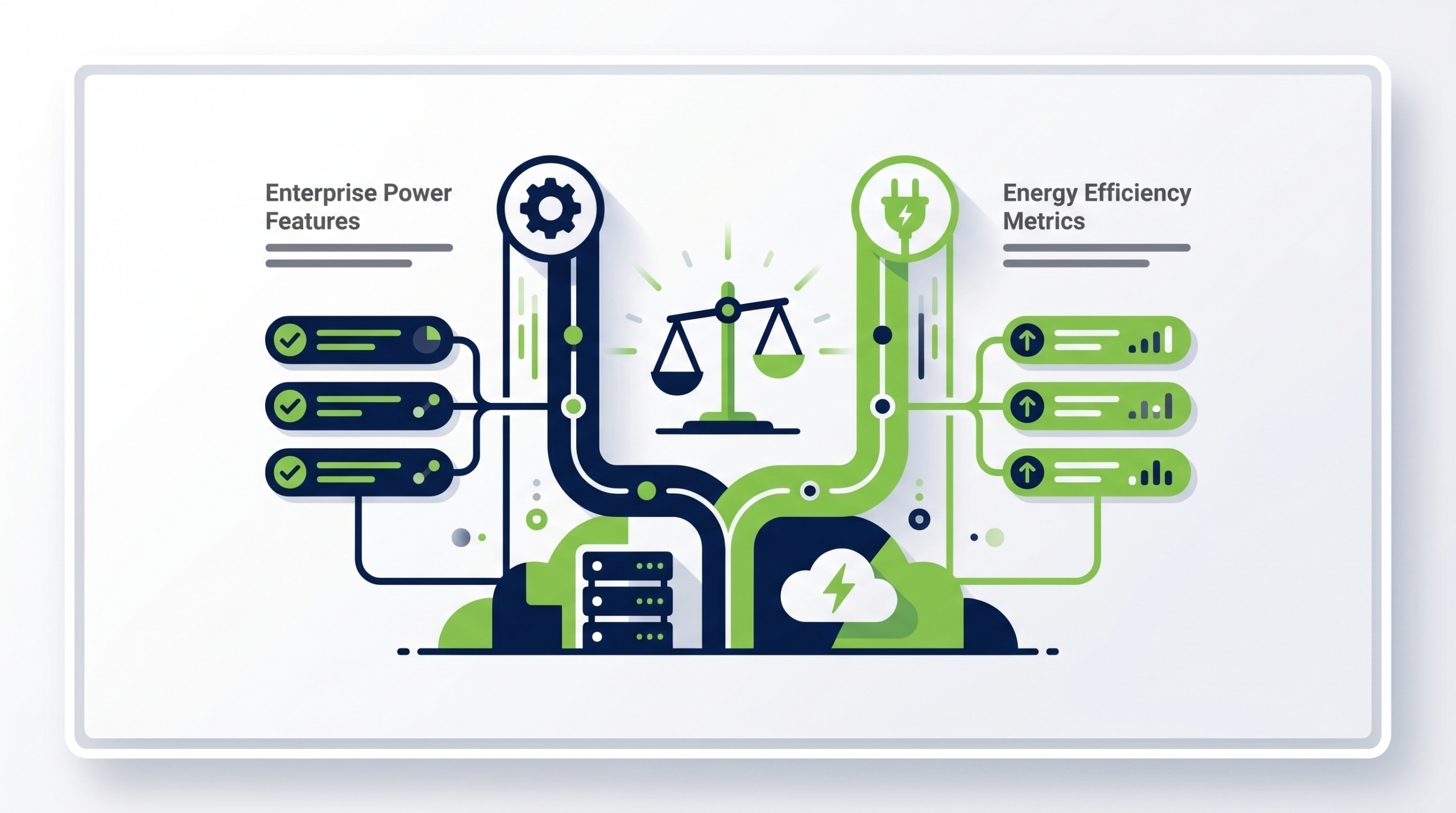
When assessing PC power management platforms for enterprise deployment, use a structured evaluation framework that covers the capabilities that matter most at scale. The table below outlines the key dimensions to compare across solutions.
| Capability | Why It Matters | What to Look For |
|---|---|---|
| Centralized policy console | Enables consistent fleet-wide control | Intuitive UI; group/OU-level policy assignment |
| Real-time monitoring | Provides visibility into actual device states | Live dashboards; historical trend data |
| Policy enforcement | Prevents drift and user overrides | Continuous enforcement; alerting on non-compliance |
| Exception management | Accommodates legitimate workflow needs | Granular device/user/group exceptions; time-based rules |
| Wake-on-LAN / scheduled wake | Enables IT operations without keeping machines on | Reliable wake capabilities; integration with patch/backup tools |
| Savings reporting | Quantifies ROI and supports ESG reporting | kWh, cost, and CO₂ metrics; exportable reports |
| Active Directory / Azure AD integration | Simplifies group management and assignment | Native AD/AAD sync; no manual device lists required |
| Scalability | Must perform reliably at enterprise scale | Proven deployments at 10,000+ endpoints |
| Vendor support and expertise | Deployment quality depends on vendor engagement | Dedicated onboarding; ongoing success management |
Ready to Eliminate PC Energy Waste Across Your Fleet?
PowerPlug helps enterprise IT and sustainability teams deploy proven PC power management policies, achieve measurable energy savings, and generate the reporting needed for ESG disclosures — all without disrupting users or operations. See how PowerPlug’s platform can work for your organization.
Frequently Asked Questions
How quickly can an enterprise see results from PC power management?
Most organizations see measurable energy savings within the first weeks of full policy deployment. The speed of results depends on fleet size, the gap between current and optimized power states, and how aggressively policies are configured. Reporting dashboards typically show savings from day one of enforcement, with full-fleet impact becoming visible within the first month.
Will power management policies disrupt end users?
When designed and deployed correctly, power management policies should be largely invisible to users during active working hours. The primary impact is on devices left idle for extended periods — overnight, over weekends, and during prolonged inactivity. A well-designed exception framework ensures that legitimate workflows, such as long-running processes, are not interrupted. User communication before deployment significantly reduces friction.
Can power management coexist with IT operations that need machines on overnight?
Yes. Enterprise PC power management platforms include wake-on-LAN and scheduled wake capabilities that allow IT operations — patch deployment, backup jobs, software distribution — to bring devices online at scheduled times, perform their tasks, and return devices to a low-power state. This eliminates the need to leave machines permanently powered on to ensure availability for automated tasks.
How does PC power management support ESG and sustainability reporting?
A capable platform generates granular, time-stamped records of energy consumption reductions expressed in kilowatt-hours, cost savings, and CO₂ equivalent reductions. This data is auditable, reproducible, and directly applicable to Scope 2 emissions reporting under frameworks such as GHG Protocol, CDP, and emerging regulatory requirements including the EU CSRD. It provides IT teams with a concrete, quantified contribution to corporate sustainability commitments.
Is cloud-based or on-premises deployment better for enterprise PC power management?
Both deployment models are viable, and the right choice depends on organizational policy, IT infrastructure, and data governance requirements. Cloud-based deployment typically reduces infrastructure overhead and simplifies scaling; on-premises deployment may be preferred by organizations with strict data residency or network security requirements. Many modern platforms support hybrid architectures that accommodate both scenarios.
How does PowerPlug differ from using Windows Group Policy for power management?
PowerPlug provides capabilities that Windows Group Policy alone cannot: continuous policy enforcement with drift detection, real-time monitoring of device power states across the fleet, granular exception management, quantified savings reporting for ROI and ESG purposes, and wake scheduling integrated with IT operations workflows. Group Policy can define power settings at login; PowerPlug ensures those settings are maintained, monitored, and measured continuously.