
Enterprise Wake-on-lan Solutions
How organisations worldwide are using intelligent PC power management to reduce electricity bills, shrink carbon footprints, and meet sustainability targets — without disrupting end users.
Every night, thousands of enterprise PCs sit idle — monitors glowing, processors ticking, electricity meters running. Across a large organisation, the cumulative cost of unmanaged PC power can reach hundreds of thousands of dollars annually. PC power management transforms this silent drain into measurable savings, helping IT and sustainability teams simultaneously reduce operational costs and carbon emissions.
Key Takeaways
- Unmanaged PCs consume significant energy outside working hours — PC power management addresses this directly.
- Intelligent policy engines apply sleep, hibernate, and shutdown rules without disrupting active users or critical processes.
- Real-time reporting and dashboards give IT teams and sustainability officers verifiable emissions and savings data.
- Modern solutions integrate with existing IT infrastructure — SCCM, Active Directory, and endpoint management platforms.
- Organisations can typically achieve positive ROI within months of deployment, not years.
- PC power management supports ESG reporting, net-zero commitments, and regulatory compliance requirements.
Article Navigation Table of Contents
- What Is PC Power Management?
- Why It Matters for Enterprise IT
- How PC Power Management Works
- Calculating Savings and ROI
- Carbon Reduction and ESG Impact
- Deployment and Integration
- Designing Effective Power Policies
- Reporting, Analytics, and Compliance
- Common Challenges and How to Overcome Them
- The PowerPlug Approach
- Frequently Asked Questions
What Is PC Power Management?
PC power management refers to the set of technologies, policies, and processes used to control and reduce the electricity consumed by desktop computers, laptops, and workstations across an organisation’s IT estate. At its core, it involves automatically transitioning devices into lower-power states — such as sleep, hibernate, or shutdown — when they are not actively in use, and waking them when they are needed again.
While operating systems like Windows have built-in power settings, these basic controls are insufficient for enterprise environments. Group Policy Objects (GPOs) can be overridden by local users, lack centralised reporting, and cannot account for the complexity of managed IT environments where machines must remain available for software deployments, patching windows, and backup jobs.
Beyond Basic OS Settings
Enterprise PC power management solutions go far beyond the native OS capabilities. They provide:
- Centralised policy management across thousands of endpoints from a single console
- User-awareness logic that detects active sessions before triggering power transitions
- Scheduled IT maintenance windows that keep machines available when needed
- Wake-on-LAN capabilities for remote access and software distribution
- Granular reporting on per-machine, per-department, and estate-wide energy consumption
Why PC Power Management Matters for Enterprise IT
The business case for PC power management has strengthened considerably over the past decade. Rising energy prices, increasing regulatory scrutiny of corporate carbon emissions, and growing investor focus on ESG performance have all elevated what was once a niche IT concern to a board-level priority.
The Scale of the Problem
A typical desktop PC left on outside working hours consumes between 60 and 200 watts depending on its specification and load state. Across a fleet of 5,000 PCs, even conservative estimates suggest that hundreds of megawatt-hours of electricity are wasted annually — electricity that is paid for and generates CO₂ emissions with no business benefit.
IT Cost Reduction
Energy is a direct operational expenditure. Reducing PC power consumption lowers electricity bills and, in some cases, reduces cooling requirements in data centres and office environments. For IT leaders under budget pressure, PC power management delivers demonstrable cost reduction with a clearly measurable payback period.
Sustainability and Corporate Responsibility
Scope 2 greenhouse gas emissions — those arising from purchased electricity — are increasingly subject to mandatory reporting in many jurisdictions. PC estates represent a meaningful and controllable source of Scope 2 emissions. Organisations committed to science-based carbon reduction targets find that PC power management is one of the fastest and most cost-effective decarbonisation levers available to them.
End-User Experience
A common concern is that power management will disrupt productive employees. Modern enterprise solutions address this by monitoring user activity and deferring power transitions when sessions are active. Well-configured policies are effectively invisible to end users while delivering substantial savings during genuinely idle periods.
How PC Power Management Works
Enterprise PC power management operates through a lightweight software agent deployed to each managed endpoint. This agent communicates with a centralised management server, receives policy instructions, monitors local activity, and executes power state transitions at the appropriate time.
The Agent-Server Architecture
The agent runs silently in the background on each PC, collecting data on usage patterns, active sessions, running processes, and network activity. It reports this data to the management platform, which aggregates information across the entire estate. IT administrators configure policies through a central interface, and the server pushes those policies to agents across the network.
Activity Detection and User Awareness
A critical capability of any enterprise power management solution is accurate activity detection. Before triggering a sleep or shutdown action, the agent checks for:
- Active keyboard or mouse input within a defined recent period
- Running foreground or background processes that should not be interrupted
- Active network connections, such as VPN sessions or video calls
- Scheduled IT tasks including patch installations, backups, and software deployments
- Explicit user-initiated overrides or IT-designated maintenance windows
Power States and Transitions
Modern enterprise solutions support the full spectrum of PC power states:
| Power State | Typical Power Draw | Wake Time | Best Use Case |
|---|---|---|---|
| Active (Full On) | 60–200W | Instant | User actively working |
| Monitor Off / Display Sleep | 40–160W | Instant | Short idle periods (5–15 min) |
| Sleep (S3) | 1–5W | 2–5 seconds | Medium idle periods (15–60 min) |
| Hibernate (S4) | 0W | 15–45 seconds | Longer idle periods (1–4 hours) |
| Shutdown | 0–1W (standby) | 45–120 seconds | End of day / overnight |
Wake-on-LAN and Remote Management
A key enterprise requirement is the ability to wake managed PCs remotely for IT maintenance tasks. Wake-on-LAN (WoL) functionality, configured and managed through the power management platform, allows administrators to bring machines out of sleep or hibernate states on a schedule or on demand — ensuring that out-of-hours patching, software distribution, and backup jobs can run without requiring PCs to remain fully powered throughout the night.
See How PowerPlug Manages Your PC Estate
PowerPlug’s enterprise platform gives IT and sustainability teams complete visibility and control over PC power consumption — with policies that protect end-user productivity and IT processes.
Calculating Savings and ROI
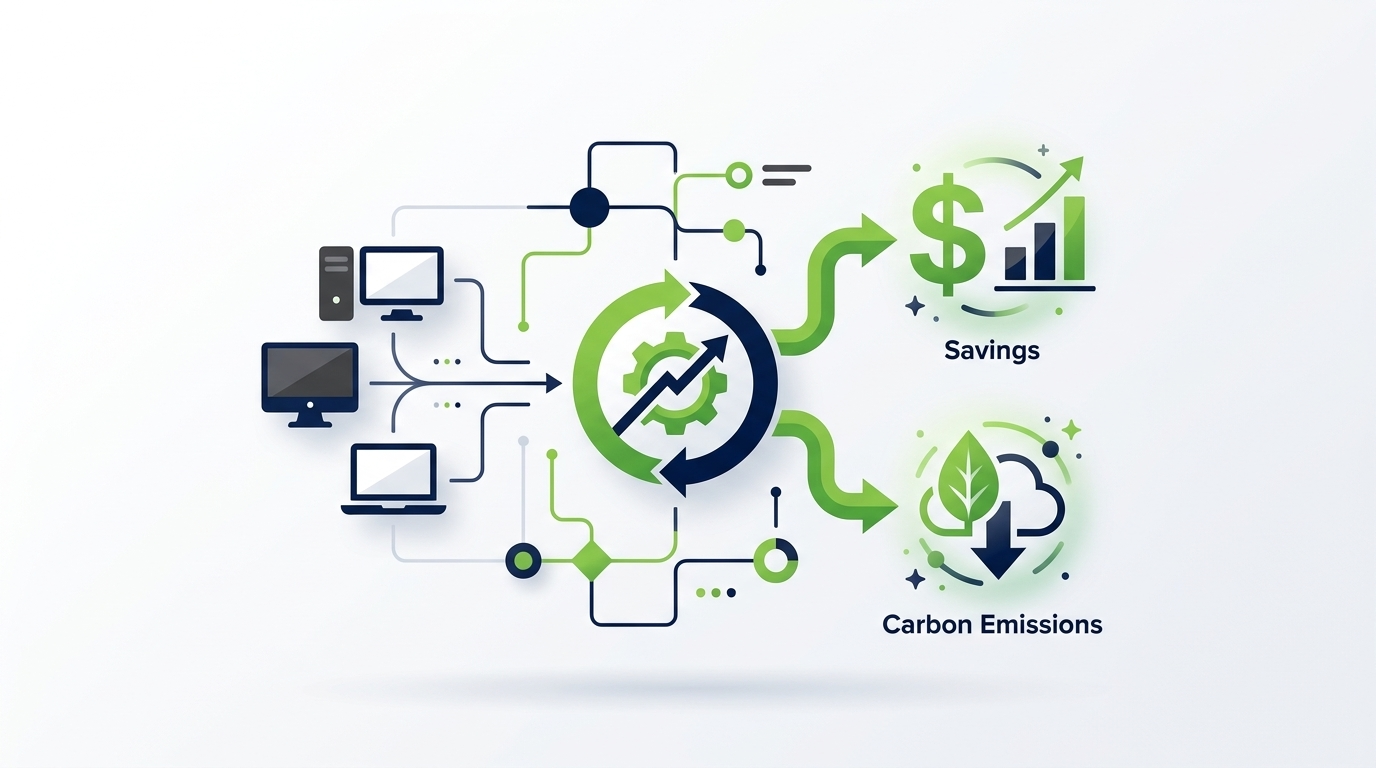
One of the strengths of PC power management as an IT investment is the clarity of its financial case. Unlike many technology initiatives, the savings are directly measurable in kilowatt-hours and local electricity tariffs, and the return on investment can often be demonstrated within the first financial year of deployment.
Baseline Energy Consumption
To calculate potential savings, organisations first need to understand their current baseline — how much energy their PC estate consumes today. This requires metering or estimation based on device specifications, working hours, and observed idle behaviour. Enterprise power management platforms typically provide automated baseline measurement during an initial monitoring phase before any power policies are activated.
The Savings Calculation Framework
Savings arise from two primary sources: reducing energy consumption during idle periods in the working day, and eliminating consumption during overnight and weekend periods. The total saving per PC depends on:
- The number of hours per day the PC is genuinely idle but currently powered on
- The average power draw of devices in the fleet
- The local cost of electricity per kilowatt-hour
- The effectiveness of the deployed power policies at capturing those idle hours
ROI Considerations
The investment required includes software licensing, deployment effort, and ongoing management. For most enterprise deployments, the licensing cost per PC is modest relative to the energy cost of a single unmanaged endpoint. Organisations typically find that deployment and configuration effort is recouped within weeks of the policies going live, and that the platform continues to generate savings indefinitely.
Beyond Direct Energy Savings
Additional financial benefits can include reduced hardware replacement frequency (PCs in sleep consume less heat and experience less wear), lower data centre cooling costs, and potential reductions in carbon credits or offset purchases required to meet emissions targets.
Carbon Reduction and ESG Impact
For sustainability officers and ESG leads, PC power management represents a compelling and credible decarbonisation action. Unlike many emissions reduction initiatives that require significant capital expenditure or long lead times, power management can be deployed across thousands of endpoints relatively quickly and begins generating measurable carbon reductions almost immediately.
Scope 2 Emissions Reduction
Electricity consumed by enterprise PCs generates Scope 2 greenhouse gas emissions — indirect emissions arising from the generation of purchased energy. These are reportable under the GHG Protocol, the most widely adopted greenhouse gas accounting framework, and are increasingly subject to mandatory disclosure requirements under frameworks including TCFD, GRI, and emerging SEC climate disclosure rules.
Reducing PC energy consumption directly reduces Scope 2 emissions. The carbon intensity of each kilowatt-hour saved depends on the local electricity grid’s emission factor, but in most markets the reduction is substantial and verifiable.
Supporting Science-Based Targets
Organisations that have committed to science-based emissions reduction targets (SBTs) require reductions across their entire operational footprint. PC power management is frequently identified in energy audits as one of the highest-impact, lowest-cost interventions available for office-based organisations, making it a natural priority action within a broader decarbonisation roadmap.
ESG Reporting and Verification
Credible ESG reporting requires verifiable data. Enterprise power management platforms provide the audit-trail data needed to substantiate reported emissions reductions — with granular records of energy consumption before and after policy deployment, enabling accurate year-on-year comparisons and third-party verification.
Stakeholder Communication
PC power management achievements are easy to communicate in stakeholder reports: quantified emissions reductions, energy saved in megawatt-hours, and equivalent metrics such as equivalent car miles or household electricity equivalents all resonate with non-technical audiences and demonstrate concrete progress against sustainability commitments.
Deployment and Integration
A frequently raised concern about introducing new IT management tools is the complexity and disruption of deployment. Enterprise PC power management solutions are designed to integrate with existing IT infrastructure and management workflows, minimising the burden on IT teams and avoiding any impact on end users during rollout.
Agent Deployment Methods
The lightweight software agent can typically be deployed through existing endpoint management tooling that the organisation already uses, including:
- Microsoft System Center Configuration Manager (SCCM / MECM)
- Microsoft Intune and other MDM/UEM platforms
- Active Directory Group Policy for MSI-based installations
- Third-party endpoint management tools such as Ivanti, Tanium, or Jamf
- Manual or scripted installation for smaller deployments or pilot phases
Network and Firewall Considerations
The management platform communicates with agents over standard network protocols. Deployment teams will need to configure appropriate firewall rules and network access controls to allow agent-server communication, but the requirements are straightforward and well-documented by enterprise solution vendors.
Phased Rollout and Pilot Programs
Best practice is to begin with a pilot deployment covering a representative subset of the PC estate — typically a few hundred endpoints across different business units and geographies. The pilot phase allows the organisation to validate savings estimates, refine policy configurations, and address any integration issues before full-scale rollout.
Coexistence with Existing Management Tools
Enterprise power management solutions are designed to coexist with other endpoint management tools. They do not conflict with antivirus, EDR, DLP, or other security agents, and they respect IT-defined maintenance windows and patching schedules rather than overriding them.
Designing Effective Power Policies
The effectiveness of a PC power management deployment is ultimately determined by the quality of the power policies deployed. Poorly designed policies either fail to capture available savings (by being too permissive) or disrupt users and IT processes (by being too aggressive). Effective policy design balances energy savings against operational requirements.
Policy Segmentation by User Group
Different categories of users have different power management requirements. A one-size-fits-all policy is rarely optimal. Common segmentation approaches include:
- Standard office workers: Aggressive sleep policies during working hours; shutdown overnight and weekends
- Shift workers and extended-hours users: Policies aligned to shift patterns rather than standard 9–5 assumptions
- Developers and power users: More permissive idle detection to avoid interrupting long-running processes
- Kiosk and shared workstations: Rapid display sleep with delayed PC sleep to ensure availability
- Servers masquerading as desktops: Excluded from power policies entirely
IT Maintenance Windows
Power policies must be coordinated with IT maintenance schedules. PCs that need to receive software updates, patches, or configuration changes outside working hours should be woken via Wake-on-LAN before the maintenance window opens and allowed to complete their tasks before being returned to a powered-down state. The power management platform should handle this orchestration automatically.
Weekend and Holiday Policies
Some of the largest savings opportunities arise during weekends and public holidays, when large proportions of the PC estate are entirely unused. A well-configured platform can identify these periods automatically and apply stricter power policies, then return to standard working-hours policies when the organisation resumes operation.
Policy Iteration and Optimisation
Effective power management is not a set-and-forget exercise. Policies should be reviewed periodically using reporting data to identify opportunities for further optimisation — for example, identifying departments where savings are lower than expected, suggesting that policies may not be triggering as intended, or that user behaviour requires additional communication.
Reporting, Analytics, and Compliance
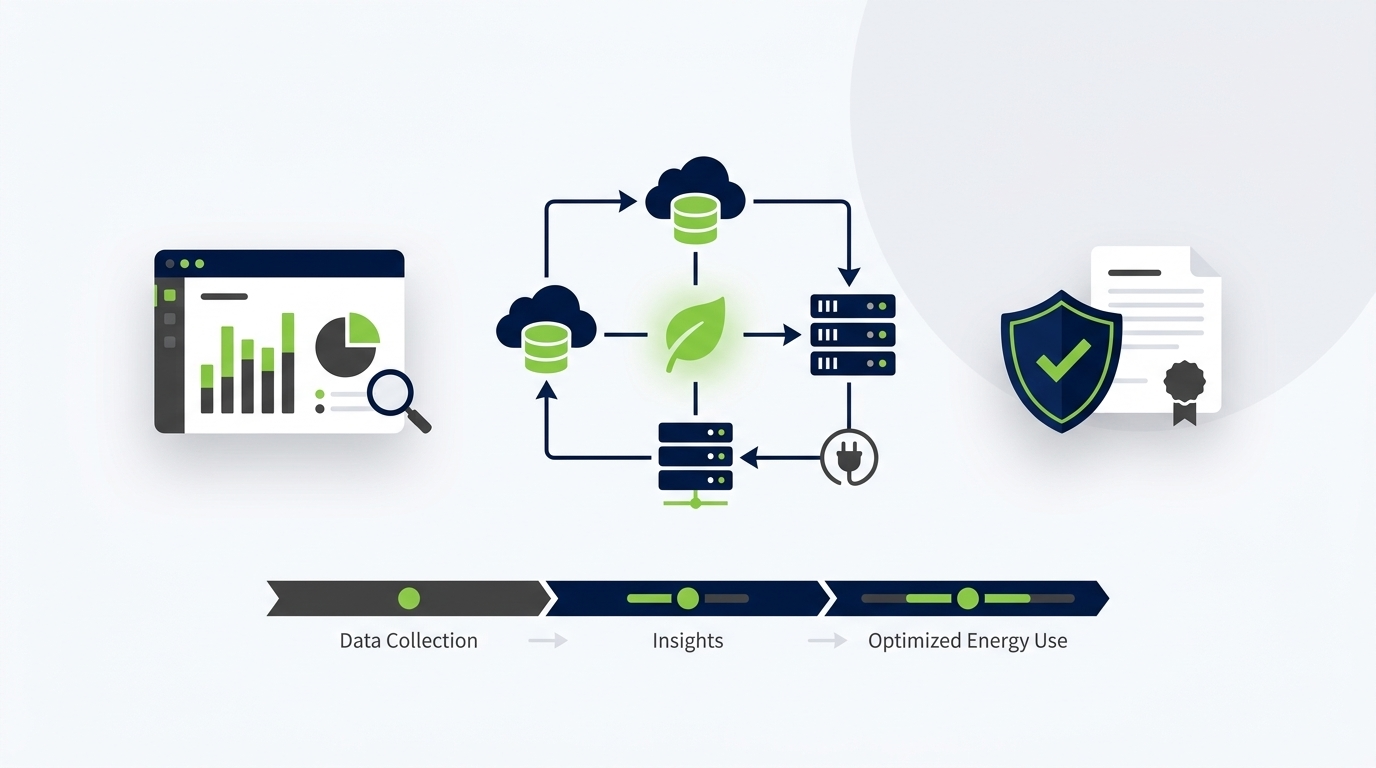
Visibility is a cornerstone of effective PC power management. Without accurate, timely data, organisations cannot verify that policies are working as intended, cannot demonstrate savings to stakeholders, and cannot satisfy the evidential requirements of ESG reporting frameworks.
Real-Time Dashboards
Enterprise power management platforms provide real-time dashboards giving IT administrators and sustainability officers a live view of the managed PC estate — including current power states across all endpoints, live energy consumption estimates, and alerts for devices that are not complying with their assigned policies.
Historical Reporting and Trend Analysis
Historical reports allow organisations to track energy consumption and savings over time — comparing performance against the pre-deployment baseline, monitoring the impact of policy changes, and demonstrating year-on-year improvement. Trend analysis can reveal seasonal patterns, department-level variances, and the ongoing benefit of the investment.
Carbon Emissions Reporting
Leading platforms translate energy consumption data into carbon emissions figures using configurable grid emission factors, enabling direct integration with corporate carbon accounting processes. Reports can be formatted to align with GHG Protocol categories and common ESG disclosure frameworks.
Audit Trails and Compliance Evidence
For organisations subject to regulatory energy reporting requirements or third-party ESG audits, the ability to export detailed, timestamped records of energy consumption, policy compliance, and savings calculations is essential. Enterprise platforms maintain comprehensive audit logs that can withstand scrutiny from external auditors and sustainability assurance providers.
Executive and Board-Level Reporting
Beyond technical reporting for IT teams, effective platforms generate executive-level summaries that communicate the business impact of the power management programme in financial and emissions terms — giving sustainability officers the material they need for board packs, annual reports, and investor communications.
Common Challenges and How to Overcome Them
Despite the compelling business case, organisations sometimes encounter obstacles in deploying or optimising PC power management. Understanding these challenges in advance allows IT and sustainability teams to plan mitigations and avoid common pitfalls.
Challenge 1: End-User Resistance
Some users resist power management tools due to concerns about losing unsaved work or experiencing disruptions during important tasks. The most effective mitigation is a combination of well-configured activity detection (ensuring the system never interrupts active users), clear internal communication about the programme and its goals, and visible management endorsement of the initiative.
Challenge 2: IT Process Conflicts
Power management can conflict with overnight IT processes if not properly coordinated. The solution is to use the platform’s built-in scheduling capabilities to define maintenance windows during which power policies are suspended, and to use Wake-on-LAN to ensure machines are available when needed. This requires close collaboration between power management administrators and the teams responsible for patching, backup, and software distribution.
Challenge 3: Policy Compliance Gaps
In large, distributed IT estates, some machines may not receive or apply their assigned policies due to network issues, agent failures, or local configuration overrides. Regular compliance reporting and alerting features within the platform allow administrators to identify and remediate non-compliant devices before they create significant savings gaps.
Challenge 4: Heterogeneous Hardware
Large organisations often have diverse PC fleets spanning multiple hardware generations, manufacturers, and operating system versions. Enterprise power management solutions are designed to handle this heterogeneity, but thorough hardware compatibility testing during the pilot phase is important to avoid unexpected behaviour on specific device types.
Challenge 5: Measuring True Savings
Demonstrating savings requires an accurate baseline. If the pre-deployment energy consumption is not properly measured, it is difficult to quantify what has been saved. Best practice is to run the monitoring agent in report-only mode before activating power policies, establishing a verified baseline period of at least four to six weeks across a representative population of devices.
The PowerPlug Approach to Enterprise PC Power Management
PowerPlug is an enterprise PC power management platform built specifically for large-scale, complex IT environments. Designed by a team with deep experience in enterprise IT management and sustainability, PowerPlug delivers the policy flexibility, integration depth, and reporting sophistication that enterprise organisations require — while remaining straightforward to deploy and manage.
Intelligent Policy Engine
PowerPlug’s policy engine goes beyond simple timer-based rules. It incorporates user activity monitoring, process awareness, network state detection, and IT schedule integration to ensure that power transitions happen at precisely the right moments — maximising savings without disrupting users or IT operations.
Seamless IT Integration
PowerPlug integrates natively with the IT management tools that enterprise organisations already use. Agent deployment through SCCM, Intune, or Active Directory is straightforward, and the platform respects existing WSUS patching schedules, SCCM deployment windows, and backup job timings.
Comprehensive Sustainability Reporting
The PowerPlug platform provides energy and carbon reporting aligned to the needs of modern ESG programmes — with configurable emission factors, GHG Protocol-compatible outputs, and executive dashboards that communicate programme impact in the language of sustainability strategy.
Rapid Time to Value
PowerPlug is designed for rapid deployment. Pilot programmes can be operational within days of licensing agreement, and organisations typically see measurable energy savings within the first weeks of policy activation. The platform’s automation capabilities minimise ongoing management overhead, allowing IT teams to focus on higher-value activities.
Ready to Take Control of Your PC Energy Costs?
PowerPlug helps enterprise IT and sustainability teams cut PC energy consumption, reduce carbon emissions, and generate verifiable ESG data — all without disrupting end users or IT operations. Talk to our team to find out how PowerPlug can work in your environment.
Frequently Asked Questions
What is the difference between PC power management and standard Windows power settings?
Windows built-in power settings provide basic timer-based controls that can easily be overridden by local users and lack centralised management or reporting. Enterprise PC power management solutions provide centralised policy control across thousands of endpoints, user activity awareness, IT process integration, Wake-on-LAN management, and comprehensive energy and carbon reporting — capabilities that are not available through native OS settings alone.
Will PC power management disrupt my end users?
When properly configured, enterprise PC power management is effectively invisible to active users. Modern solutions monitor keyboard and mouse activity, running processes, and network connections before triggering any power state transition. Well-designed policies defer sleep or shutdown actions until the device has been genuinely idle for the defined period, ensuring users working on important tasks are never interrupted.
How quickly can we expect to see a return on investment?
The speed of ROI depends on the size of your PC estate, local electricity costs, and the effectiveness of deployed policies. Many organisations see positive financial returns within the first few months of full deployment. Enterprise platforms like PowerPlug provide savings dashboards that make it straightforward to track and report the financial return from day one of policy activation.
How does PC power management support our ESG and sustainability reporting?
PC power management reduces Scope 2 greenhouse gas emissions by lowering electricity consumption. Enterprise platforms translate energy savings into carbon emissions reductions using configurable grid emission factors, and provide the audit-trail reporting needed to substantiate these reductions under GHG Protocol accounting, TCFD disclosures, GRI standards, and other ESG reporting frameworks. This data can also support science-based target reporting and third-party assurance processes.
Can PC power management coexist with our existing IT management tools?
Yes. Enterprise PC power management solutions are designed to integrate with the tools already in use — including SCCM, Intune, Active Directory, and third-party endpoint management platforms. The power management agent is a lightweight, non-conflicting addition to the endpoint software stack. Power policies are coordinated with existing patching, backup, and software deployment schedules to avoid any conflicts with IT maintenance operations.
What happens to machines that need to be available overnight for IT maintenance?
Enterprise power management platforms include built-in scheduling and Wake-on-LAN capabilities specifically to address this requirement. IT administrators can define maintenance windows during which power policies are suspended, and configure Wake-on-LAN to bring machines out of sleep or hibernate states before maintenance tasks begin. After maintenance is complete, machines can be returned to their configured power state automatically.
How large does our PC estate need to be to justify PC power management?
While there is no hard minimum, enterprise PC power management typically delivers its strongest ROI in organisations with 500 or more managed PC endpoints. Below this threshold, the management and licensing overhead may reduce the net financial benefit, although sustainability and ESG reporting value may still justify deployment. Organisations with thousands of endpoints consistently find that the investment case is compelling and the payback period is short.