
Wake-on-LAN ROI for Enterprise IT
By Nimrod Yedaya, VP Customer Experience
Enterprise IT teams are under constant pressure to cut operating costs and energy spend without disrupting patching, maintenance, or remote support. You need a practical guide to calculating and defending wake on LAN ROI enterprise IT teams can actually trust. Wake-on-LAN (WoL) only delivers real financial return when paired with enforceable power policies and reliable remote wake capabilities. The feature alone means nothing if your endpoints stay awake just in case the wake fails. PowerPlug Pro is built specifically to combine power policy enforcement with reliable remote wake and audit-ready reporting. We will cover how to calculate the ROI, why WoL often underdelivers in real enterprise networks, and how to build a CFO-ready business case.
Reading time: 4 minutes
What is Wake-on-LAN ROI for enterprise IT teams?
Wake-on-LAN ROI is the measurable financial return from reducing unnecessary endpoint runtime while retaining the ability to power devices on for patching, maintenance, and remote support. The basic framing is simple. You take your annual benefits, subtract your annual costs, and divide by those same annual costs. The benefits typically fall into two buckets. The first is energy savings measured in kWh reduced. The second is operational savings, which includes labor hours saved and avoided failed maintenance cycles. Wake on LAN ROI enterprise IT teams can defend to finance always depends on enforceable power policies and reporting. WoL alone is just a feature. The mechanism relies on a magic packet sent to a device network interface to power it from a low-power state. The savings only appear when that mechanism works reliably across your entire fleet.
How do you calculate Wake-on-LAN ROI for a managed PC fleet?
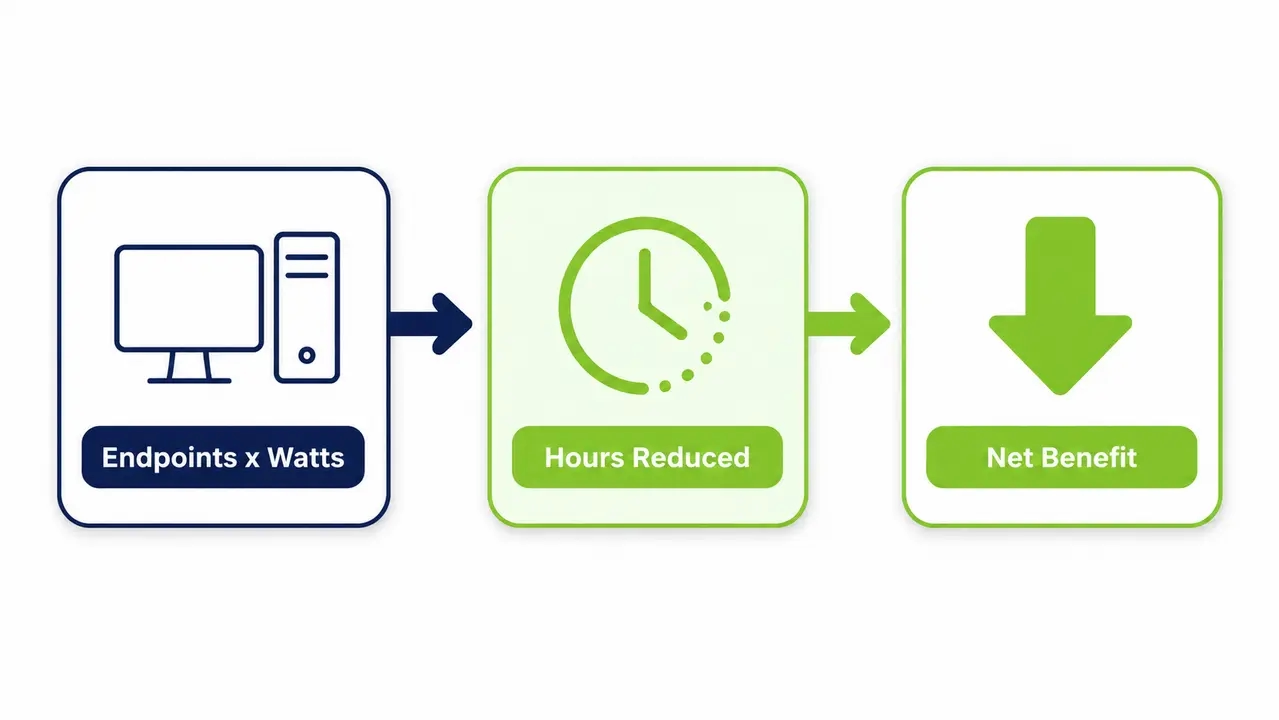
You calculate ROI by modeling baseline after-hours runtime, reduced runtime after policy enforcement, electricity cost per kWh, and labor time saved from reliable remote wake workflows. The formula set is straightforward. Annual energy savings equals endpoints multiplied by after-hours watts reduced, multiplied by hours reduced per night, multiplied by 365, divided by 1000, and then multiplied by your electricity rate per kWh. Annual labor savings equals hours saved on maintenance coordination multiplied by your loaded labor rate. Net annual benefit is energy savings plus labor savings, minus software licensing and deployment costs. Payback period is total implementation cost divided by average monthly net benefit. The variables with highest sensitivity are wake success rate, hours of runtime actually reduced, and exception rate. Overestimating wake reliability is the single most common modeling error IT teams make. You should run two scenarios side by side. Present the conservative case with lower hours and higher exceptions to finance. Use a higher wake-success scenario only as an upside case, based on results validated during your pilot.
How much can Wake-on-LAN and endpoint power policies save per PC per year?
Savings vary by device power draw, hours reduced, and electricity rates. Finance prefers a per-PC per-year figure because it scales linearly and is easy to defend in budget conversations. You should present a low, medium, and high range built from typical active power draw and hours reduced overnight, multiplied by a blended commercial electricity rate. Government energy programs recognize proper sleep and shutdown settings as established efficiency levers for office equipment. You can replace assumptions with measured results after a pilot. The savings depend heavily on whether devices can reliably wake when needed.
Why does Wake-on-LAN ROI often fail in real enterprise networks?
ROI fails when wake reliability is low. IT teams then keep devices powered on just in case, eliminating the after-hours runtime reduction that drives savings. Every unreliable wake event trains your IT staff to leave more machines on. This directly erodes the savings side of your ROI formula. Common technical blockers include broadcast restrictions across VLANs, network interface cards that lose wake capability once asleep, inconsistent driver behavior, docking station quirks, and mixed power states. You can review documented Wake-on-LAN behavior and known limitations to understand why WoL is so inconsistent across hardware and network configurations.
Network segmentation and VLAN boundaries
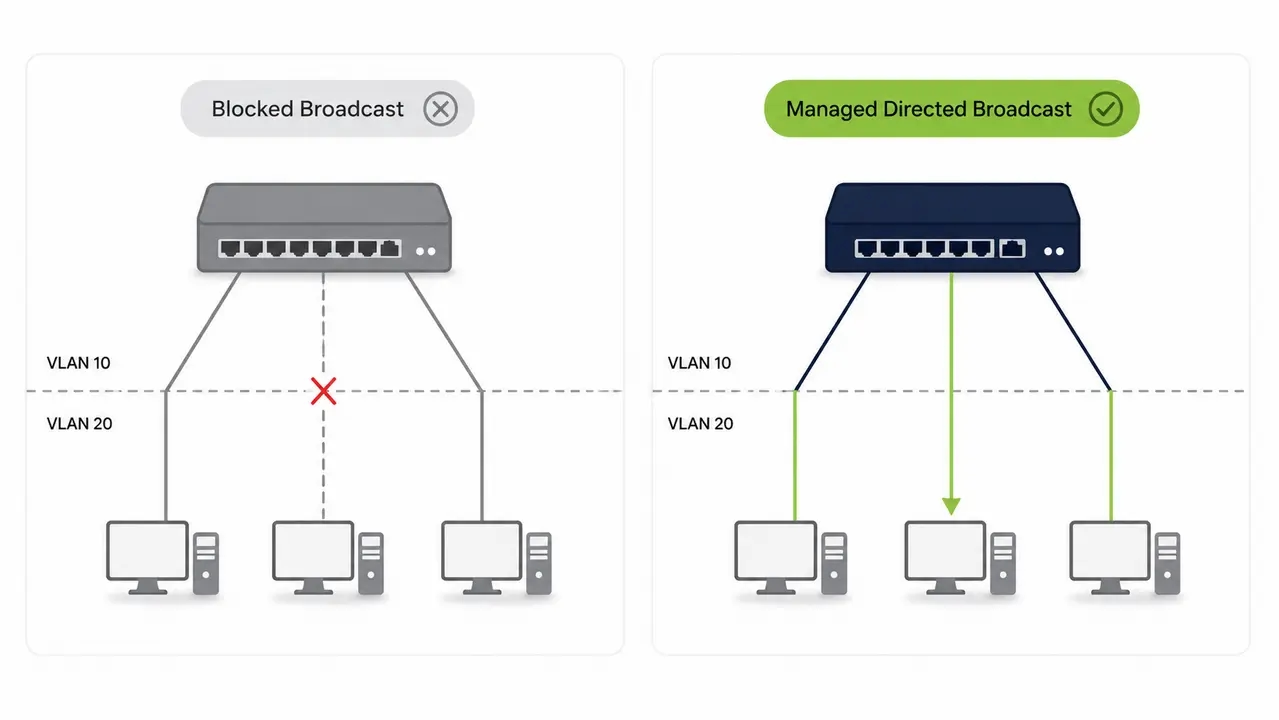
WoL magic packets are typically sent as broadcast traffic. Routers do not forward broadcast traffic between subnets by default. This is why cross-VLAN wake often fails without specific directed broadcast configuration.
Endpoint power states and why they matter
Different sleep, hibernate, and shutdown states have different wake requirements. Mismatched configurations are a common cause of failed wake attempts. Modern Standby platforms behave differently from classic sleep states and affect both energy draw and wake behavior.
Remote users and off-network devices
Laptops off the corporate LAN cannot receive a standard local-network magic packet. Home Wi-Fi and disconnected VPN sessions limit WoL effectiveness for hybrid fleets.
What is the business value of remote wake beyond energy savings?
Remote wake creates operational value by enabling after-hours patching, faster remote support, reduced downtime, and fewer daytime interruptions for end users. Instead of asking users to leave their laptops on tonight, IT can wake devices on-demand for a maintenance window and return them to a low-power state afterward. Measurable business outcomes include fewer failed patch cycles, fewer rescheduled maintenance tasks, improved service desk SLA performance, and reduced end-user disruption. This is where purpose-built wake-up technology differs from basic OS-level Wake-on-LAN. It is designed to overcome the reliability gaps described above. To make this value credible to finance, IT needs a benefits model that finance will accept.
What costs should be included in a Wake-on-LAN ROI model?
Include licensing costs, deployment effort, ongoing administration, reporting time, and any network configuration work required to achieve reliable wake at scale.
One-time versus recurring costs
One-time costs include pilot setup, rollout, configuration, and change management. Recurring costs include subscription licensing, policy tuning, reporting overhead, and ongoing support.
The exception handling cost most models miss
Every device excluded from policy requires manual tracking. Unmanaged exception growth silently erodes ROI over time. Treat exception rate as a tracked cost driver, not a one-time decision.
Does sleep versus shutdown change the ROI math for enterprise endpoints?
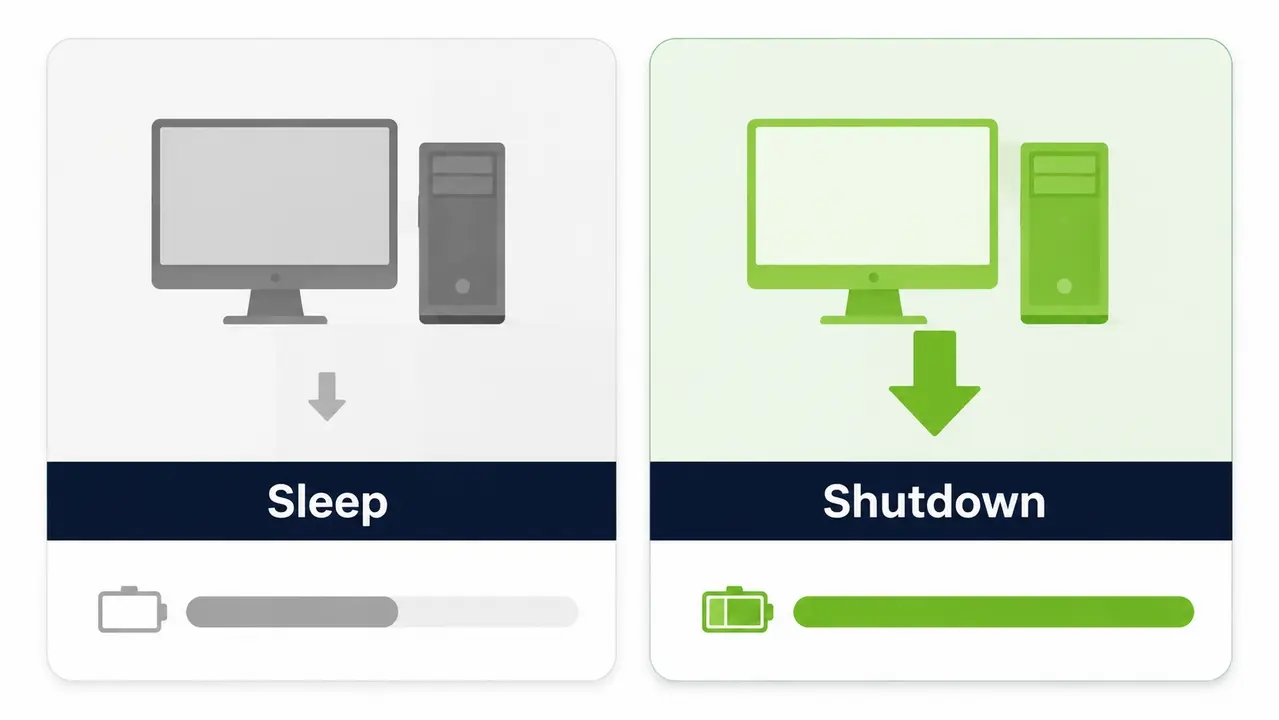
Sleep typically saves less energy than full shutdown but can improve wake reliability and user experience. The best ROI often comes from a policy mix by persona and device type. ROI is driven by hours in a lower-power state multiplied by watts saved. The delta between active-state draw and sleep or shutdown draw is what matters. Established guidance on sleep-mode energy behavior shows significant waste in idle office equipment. You should segment policies by device type. Measure actual power states achieved via reporting rather than assuming policy intent equals policy outcome.
| Approach | Best for | Energy savings potential | Wake reliability risk | IT effort | User impact | Reporting strength | Typical ROI confidence |
|---|---|---|---|---|---|---|---|
| Always-on endpoints | Critical kiosks | Low | Low | Low | None | None | Low |
| OS-native power settings only | Small offices | Medium | High | Low | Medium | Weak | Low |
| Power policies plus scheduled wake | Routine patch cycles | High | Medium | Medium | Low | Medium | Medium |
| Power policies plus on-demand wake | Ad hoc support | High | Low | Medium | Low | Strong | High |
| Full endpoint power management workflow | Large enterprises | High | Low | Medium | Low | Strong | High |
How do maintenance windows affect power-on efficiency savings?
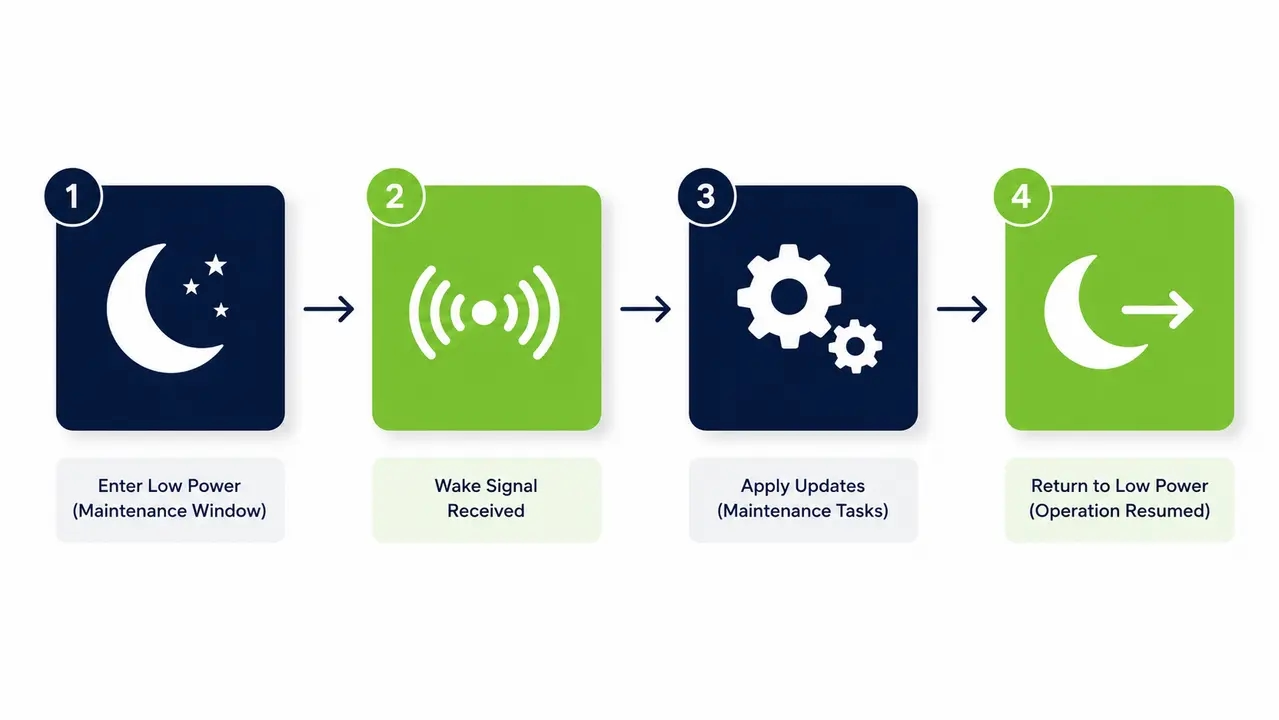
Maintenance windows protect productivity by shifting patching and heavy tasks off-hours. They only preserve savings if endpoints can wake reliably, stay awake long enough, then return to a low-power state. The ideal workflow is sequential. Enforce shutdown or sleep after hours. Wake a subset or all endpoints at a defined time. Run updates. Verify completion. Return devices to low power automatically. The failure mode is predictable. When wake fails for a meaningful percentage of devices, IT creates always-on exceptions to guarantee patch compliance. This directly cancels out the savings the policy was meant to create.
Scheduled wake versus on-demand wake
Scheduled wake is best for routine patch cycles and predictable maintenance windows. On-demand wake is best for urgent remote support, ad hoc troubleshooting, or unscheduled remediation.
Avoiding wake storms and network spikes
Waking large numbers of devices simultaneously creates network and infrastructure load spikes. Use staggered or batched wake sequencing to avoid these bottlenecks.
What KPIs prove Wake-on-LAN cost savings to finance and sustainability teams?
The most persuasive KPIs connect device power-state compliance to kWh, dollars, and avoided emissions, backed by before and after baselines and audit-friendly reporting. Core KPIs include after-hours runtime hours per endpoint, percentage of endpoints in low-power state at midnight, successful wake rate, patch completion rate during maintenance windows, kWh saved, dollars saved, CO2e avoided, and exception rate. Report monthly for IT operations review and quarterly for finance and sustainability reporting. The EPA greenhouse gas equivalencies methodology translates kWh savings into CO2e avoided. The GHG Protocol Scope 2 guidance is the standard framework organizations use to report energy-related emissions. Regional and hourly emission factors can refine estimates by location.
How do you measure baseline after-hours runtime before rolling out remote wake?
Measure current endpoint uptime and power states during defined off-hours. Segment by device group and establish a 2 to 4 week baseline to account for cycles like patch Tuesday and travel patterns. Capture active hours, sleep and hibernate and shutdown distribution, and devices that never enter a low-power state. Segment the baseline by geography, department, and hardware model because electricity rates vary. Baseline quality determines ROI credibility. Without a real baseline, any savings figure is an assumption, not a result finance can trust.
What security and compliance concerns come with enabling Wake-on-LAN?
Wake-on-LAN can expand the reachable footprint of endpoints. It should be paired with network controls, least-privilege access, logging, and clear operational ownership. Wake capability is not the same as remote access, but it can enable subsequent access, so governance matters.
Practical controls IT teams can implement quickly
Limit which systems or roles can trigger a wake command. Scope wake capability to managed tooling only. Monitor for unusual wake patterns outside scheduled windows.
Audit and logging considerations
Log every wake event including who triggered it, the target device, and the outcome. This supports both security review and ROI reporting.
Does Wake-on-LAN work for remote and hybrid employees?
Standard WoL is primarily a local-network mechanism. Hybrid scenarios require a plan for off-network devices, VPN timing, and device states. Common realities include laptops asleep at home, Wi-Fi-only connectivity, home routers blocking broadcast traffic, and devices simply not being on the corporate subnet at the scheduled wake time. Networking power management behavior differs for Modern Standby devices, which affects whether a network adapter remains responsive enough to receive a wake signal. Prioritize office-based and on-network fleets first for guaranteed ROI. Define a separate, more conservative plan for hybrid and remote devices.
What is power on efficiency savings and how is it different from energy savings?
Power on efficiency savings refers to reducing wasted on but idle time while still ensuring devices are powered on exactly when needed for IT tasks and user productivity. It is an operational efficiency metric distinct from pure kWh energy savings. It means fewer hours powered on unnecessarily, fewer manual interventions, and fewer failed maintenance cycles. Higher successful maintenance completion rates paired with fewer always-on exceptions is the clearest sign this efficiency is being realized.
How do IT teams build a CFO-ready Wake-on-LAN business case?
A CFO-ready case uses conservative assumptions, shows sensitivity ranges, includes implementation costs, and commits to a measurement plan that validates savings post-rollout. Use a one-page summary structure covering fleet size, baseline off-hours behavior, target policy, expected wake success rate, annual dollar savings range, payback period, and risks and mitigations. Recommend a pilot-to-proof plan with a 30 to 60 day pilot on a representative segment, followed by a phased scale-up once wake reliability and savings are confirmed. Organizations that have taken this pilot-to-proof approach, such as the Ben Gurion University case study, show how a phased rollout builds finance confidence before full-scale deployment.
What is the fastest path to realizing ROI from enterprise remote wake?
Start with a pilot in a representative segment, prioritize wake reliability, then scale policies and reporting in phases to avoid exception sprawl. The phases are baseline and pilot, policy segmentation, maintenance window automation, reporting and finance sign-off, and fleet-wide expansion. Emphasize change management with proactive user communication, clear opt-out and exception governance, and service desk readiness before scaling. Teams looking to operationalize this phased approach without building it manually often turn to a dedicated endpoint power management platform to handle policy enforcement, wake reliability, and reporting together. PowerPlug Pro is designed exactly for this operational reality.
See how much you could save
Calculate the exact energy and operational savings for your fleet size. Talk to us about setting up a 30 to 60 day pilot to validate wake reliability and cost reductions.
What is the ROI checklist for rolling out Wake-on-LAN at scale?
The checklist is to define use cases, validate wake reliability, quantify baseline, model savings conservatively, implement segmented policies, and prove results with reporting.
| Readiness Category | Required Validation |
|---|---|
| Device readiness | BIOS and UEFI wake settings and NIC configuration confirmed |
| Network readiness | VLAN and subnet strategy for wake traffic defined |
| Policy readiness | Sleep versus shutdown rules segmented by device persona |
| Operational readiness | Maintenance windows and wake sequencing planned to avoid storms |
| Measurement readiness | KPIs and baseline defined before rollout |
| Governance | Exception handling and security controls documented |
Credible wake on LAN ROI enterprise IT teams can defend to finance depends on reliability, measurement, and governance, not just enabling a feature.
Frequently asked questions
Does Wake-on-LAN across subnets or separate sites require special network configuration?
Yes. Standard Wake-on-LAN relies on broadcast traffic, and routers do not forward broadcasts across subnets by default. You must configure directed broadcasts or use a managed endpoint agent that can trigger the wake locally to ensure reliable cross-site performance.
How does Wake-on-LAN impact security and compliance postures?
Wake capability expands the reachable footprint of your endpoints, so it must be governed with least-privilege access and full audit logging. Wake capability itself does not grant remote access, but it enables subsequent connections, making operational ownership and event monitoring critical.
What happens if a machine is needed off-hours and the wake fails?
If a wake event fails, the machine remains offline and unavailable for that specific maintenance or support task. This failure is exactly why IT teams create always-on exceptions, which is why reliable wake technology and on-demand user wake portals are essential to protect both productivity and savings.
How does this software support CSRD or ESG reporting requirements?
The platform translates measured kWh reductions into dollars and CO2e avoided using established EPA equivalencies and GHG Protocol Scope 2 guidance. This provides audit-ready reporting that directly feeds into your corporate sustainability disclosures and ESG metrics.
What is the typical payback period for an endpoint power management deployment?
PowerPlug deployments have achieved payback in as little as four months, depending on fleet size, electricity rates, after-hours usage, and policy effectiveness.

About the author
Nimrod Yedaya
VP Customer Experience
Over 15 years of experience in customer service, technical support, and customer relationships. Nimrod joined PowerPlug in 2012 as Customer Support Manager and was promoted to VP in 2016. He holds an MBA from BIU and a BSc in Communication Systems Engineering from BGU.