
Financial Services IT Energy Management
How IT and sustainability teams are using intelligent PC power policies to cut electricity bills, meet ESG targets, and future-proof their infrastructure — without disrupting users.
Enterprise endpoints are quietly draining energy budgets. Across thousands of PCs left on overnight, sleeping inefficiently, or running at full power during idle hours, organisations are spending far more on electricity than necessary — and emitting far more carbon than they realise. PC power management is the structured approach to solving this, and it has become a strategic priority for IT leaders, sustainability officers, and CFOs alike. This guide explains everything you need to know to implement it effectively.
Article Navigation Table of Contents
What Is PC Power Management?
PC power management refers to the set of policies, software controls, and operational practices that govern how endpoint devices — desktops, laptops, and workstations — consume electricity across their working and non-working hours. At its core, it is about ensuring that computers draw only as much power as their current task requires, and that they enter low-power states whenever they are idle or unused.
In a home environment, power management is a personal setting adjusted in the operating system. In an enterprise environment with hundreds or thousands of endpoints, it becomes an IT-administered function requiring centralised tools, consistent policy enforcement, reporting, and override controls that respect both user productivity and organisational energy targets.
Key Power States Explained
Modern PCs support several power states defined by the ACPI (Advanced Configuration and Power Interface) standard. Understanding these helps IT teams design appropriate policies:
| Power State | Description | Typical Power Draw | Resume Time |
|---|---|---|---|
| S0 — Active | Full operation; CPU and display running | 60–250 W | Instant |
| S1 — Standby | CPU clock stopped; memory retained | ~30 W | < 1 second |
| S3 — Sleep | System context saved to RAM; most components off | 1–5 W | 2–5 seconds |
| S4 — Hibernate | State saved to disk; no power consumed | 0 W | 15–45 seconds |
| S5 — Shutdown | Powered off; only standby power for wake-on-LAN | < 1 W | Full boot cycle |
Why PC Power Management Matters for Enterprise
PC power management is no longer simply an IT housekeeping task. It sits at the intersection of three major organisational priorities: cost reduction, carbon accountability, and operational resilience. Each of these priorities is intensifying under current market, regulatory, and stakeholder conditions.
Financial Pressure on IT Budgets
Energy costs have risen significantly across most major economies in recent years. IT infrastructure — servers, network equipment, and endpoint devices — represents a substantial share of corporate energy consumption. Unlike data centre power, which is often centrally managed and metered precisely, endpoint PC consumption is frequently untracked and unoptimised. This creates a significant and addressable cost opportunity.
Regulatory and ESG Accountability
Organisations across Europe, the United States, and other major markets are increasingly subject to mandatory or voluntary ESG disclosure requirements. Scope 2 greenhouse gas emissions — which include electricity consumption — are a primary reporting metric. PC fleets contribute to Scope 2 emissions, and demonstrating active management of these emissions is becoming a baseline expectation from investors, regulators, and enterprise procurement teams.
Board-Level Visibility
Sustainability has moved from corporate communications to board-level governance. Chief Sustainability Officers now have direct reporting lines to CEOs and boards, and net-zero commitments are being embedded into corporate strategy. PC power management, with its measurable and attributable energy savings, provides a tangible mechanism for delivering against these commitments.
Key Organisational Drivers
- Rising energy costs creating direct budget pressure on IT and facilities
- Mandatory Scope 2 emissions reporting under frameworks such as GRI, CDP, and CSRD
- Net-zero commitments requiring quantifiable operational reductions
- ESG ratings influencing investor decisions and procurement qualification
- Internal sustainability targets cascaded from board to operational teams
- Employee and stakeholder expectations around corporate environmental responsibility
Energy Cost & Carbon Impact of Unmanaged PC Fleets
To understand the financial and environmental scale of the opportunity, it is useful to examine what unmanaged PC fleets typically cost — and what optimised management can recover.
The Problem of Always-On Endpoints
In many organisations, a significant proportion of PCs are left powered on outside of working hours — either because users forget to shut down, because IT policies require availability for overnight maintenance tasks, or simply because no policy exists to enforce a different behaviour. Research consistently shows that unmanaged endpoints across large fleets can be powered on for 16–20 hours per day, even when actively used for only 8–10 hours.
The energy consumed during those unused hours — at active or near-active power states — represents pure waste. It generates electricity costs with no associated productive output, and it generates carbon emissions that contribute to the organisation’s Scope 2 footprint without any corresponding business value.
Calculating the Baseline Cost
The energy cost of a PC fleet can be estimated using a straightforward formula based on average power draw, hours of operation, fleet size, and local electricity tariff. What this calculation typically reveals is that the overnight and weekend hours — during which devices are on but unoccupied — account for a disproportionately large share of total energy consumption.
Note: The above is an illustrative calculation. Actual savings will depend on fleet composition, local energy tariffs, and specific policy configuration. PowerPlug provides detailed modelling based on your actual environment.
Carbon Emission Reductions
The same reduction in energy consumption translates directly into lower carbon emissions. The precise carbon intensity depends on the local electricity grid and its generation mix, but in most markets, reducing endpoint energy consumption by tens of thousands of kWh annually equates to measurable reductions in tonnes of CO₂ equivalent — figures that are meaningful at the organisational level and reportable under standard ESG frameworks.
See How Much Your PC Fleet Could Save
PowerPlug’s platform delivers intelligent, centralised PC power management across enterprise fleets — with real-time energy dashboards, automated policy enforcement, and ESG-ready reporting built in.
Designing Effective Power Policies
Effective PC power management is built on well-designed policies that balance energy savings with operational requirements. A policy that is too aggressive disrupts users and generates support tickets. A policy that is too permissive fails to deliver meaningful savings. The goal is precision: delivering the right power state at the right time for the right device.
Policy Segmentation by User Group
Not all users or devices have the same requirements. A call centre agent who needs their PC available immediately at shift start has different needs from a developer whose machine runs scheduled builds overnight. Effective power management requires segmentation — applying different policies to different groups based on their operational role, working pattern, and technical requirements.
Common segmentation dimensions include: department or function, working hours and shift patterns, device type (desktop vs laptop), geographic location and time zone, and whether the device participates in overnight patching or backup workflows.
Core Policy Elements
- Display sleep timeout — the period of inactivity before the monitor enters a low-power state
- System sleep or hibernate timeout — the period before the PC itself enters a low-power state
- Wake-on-LAN configuration — enabling remote wake for scheduled tasks without requiring manual user action
- Scheduled shutdown — enforcing device shutdown at defined times outside core working hours
- Scheduled wake — automatically bringing devices online before the working day begins
- User override permissions — defining whether and how users can temporarily modify their device’s power state
- Maintenance window exceptions — ensuring devices remain available or can be woken for patching, updates, and backups
Balancing Savings and Usability
The most effective power policies are those that users experience as invisible — the PC sleeps when they step away and is ready when they return, without any perceptible penalty. Achieving this requires careful tuning of sleep timeouts, responsive wake configurations, and clear user communication about what to expect. IT teams that deploy power management without user communication tend to generate disproportionate support workload from users confused by new device behaviour.
Centralised vs Manual Power Management Approaches
There are fundamentally two approaches to PC power management in enterprise environments: manual, device-level configuration and centralised, policy-driven management. Understanding the limitations of the former explains why the latter has become the standard for organisations with significant endpoint estates.
Manual Configuration Limitations
Manual power management relies on individual users or local IT administrators to configure power settings on each device. This approach has several inherent weaknesses at enterprise scale. Settings configured manually can be overridden by users, reverted by OS updates, or simply inconsistent across the fleet. There is no centralised visibility into what settings are in place across thousands of endpoints, no mechanism to enforce policy changes uniformly, and no reporting on actual energy consumption or savings achieved.
In practice, organisations relying on manual approaches typically have highly variable power configurations across their fleet, with a significant proportion of devices defaulting to high-consumption settings that ship with the operating system.
Centralised Management Advantages
Centralised PC power management platforms address each of these limitations. They allow IT administrators to define, deploy, and enforce power policies across the entire endpoint fleet from a single management console. Policy changes can be applied instantly to thousands of devices. User overrides can be permitted within defined parameters or blocked entirely. Reporting provides real-time and historical visibility into energy consumption, policy compliance, and savings achieved.
| Capability | Manual Approach | Centralised Platform |
|---|---|---|
| Policy consistency across fleet | Low — highly variable | High — enforced uniformly |
| Policy deployment speed | Slow — device by device | Immediate — fleet-wide |
| Energy consumption reporting | None | Real-time dashboards & exports |
| ESG / carbon reporting | Not available | Built-in reporting modules |
| User override control | Uncontrolled | Configurable per group |
| Integration with patch/backup windows | Manual coordination | Automated scheduling |
| IT administrative overhead | High at scale | Low — policy-driven |
Managing User Disruption
One of the most common objections to PC power management programmes is the concern that sleep policies will disrupt user workflows — interrupting long-running processes, requiring inconvenient logins, or triggering complaints to the helpdesk. These concerns are legitimate, and they explain why many organisations have historically applied permissive power settings that sacrifice savings for the avoidance of friction. However, with thoughtful policy design and the right platform capabilities, user disruption can be minimised to the point of being negligible.
Common Disruption Scenarios and Mitigations
The most frequently cited disruption concerns fall into a handful of categories. For each, there is a corresponding mitigation that well-designed power management platforms support:
- Long-running processes interrupted by sleep: Platforms can detect active processes and defer sleep transitions until the process completes, or allow users to set temporary overrides for defined periods.
- Slow resume from sleep causing perceived latency: Modern S3 sleep resume times of 2–5 seconds are typically imperceptible in the context of normal work patterns. Hibernate (S4) resumes in 15–45 seconds, which may be preferable to accept for the energy savings it delivers.
- Overnight tasks not completing due to shutdown: Scheduled wake-on-LAN and maintenance windows ensure devices are available for patching, backups, and updates at defined times, then shut down afterwards.
- Users in different time zones affected by uniform policies: Policy segmentation by location and working pattern allows time-zone-appropriate schedules for global fleets.
- VoIP or collaboration tools requiring persistent availability: Specific device groups or roles can be excluded from aggressive sleep policies where genuine 24-hour availability is operationally required.
Communication as a Change Management Tool
Beyond technical mitigation, user communication significantly reduces the perception of disruption. When users understand why power policies are changing, what they will experience, and how to request a temporary override if needed, support ticket volumes typically remain low. Organisations that deploy power management transparently, as part of a wider sustainability or cost-efficiency programme, often find that employee response is positive.
ESG Reporting & Compliance
For organisations with ESG disclosure obligations — whether mandatory under regulation or voluntary under frameworks such as GRI, CDP, or TCFD — the ability to measure, attribute, and report on PC energy consumption and carbon savings is increasingly important. PC power management platforms that provide structured reporting capabilities can directly support this disclosure process.
What Good ESG Reporting Requires
ESG reporting on energy and emissions is not simply a matter of providing high-level estimates. Credible disclosure requires baseline measurement, documented methodology, auditable data, and clear attribution of savings to specific initiatives. For PC power management, this means capturing actual energy consumption data at the device or group level, calculating associated carbon emissions using appropriate grid emission factors, and demonstrating the delta between unmanaged and managed states over defined reporting periods.
Scope 2 Emissions and PC Fleets
PC electricity consumption falls within Scope 2 of the GHG Protocol — indirect emissions from purchased electricity. As Scope 2 reporting becomes more rigorous and subject to third-party assurance, the quality of underlying data becomes more important. Organisations that can provide device-level consumption data, rather than fleet-level estimates, will be better positioned to meet the expectations of auditors, raters, and regulators.
Internal Sustainability Targets
Many organisations have set internal net-zero or carbon reduction targets ahead of regulatory requirements, often as part of commitments to the Science Based Targets initiative (SBTi) or similar programmes. PC power management delivers the kind of quantifiable, operational carbon reduction that can be counted towards these targets — with the added advantage that savings are ongoing and compound year over year as the programme matures.
Platform Capabilities to Look For
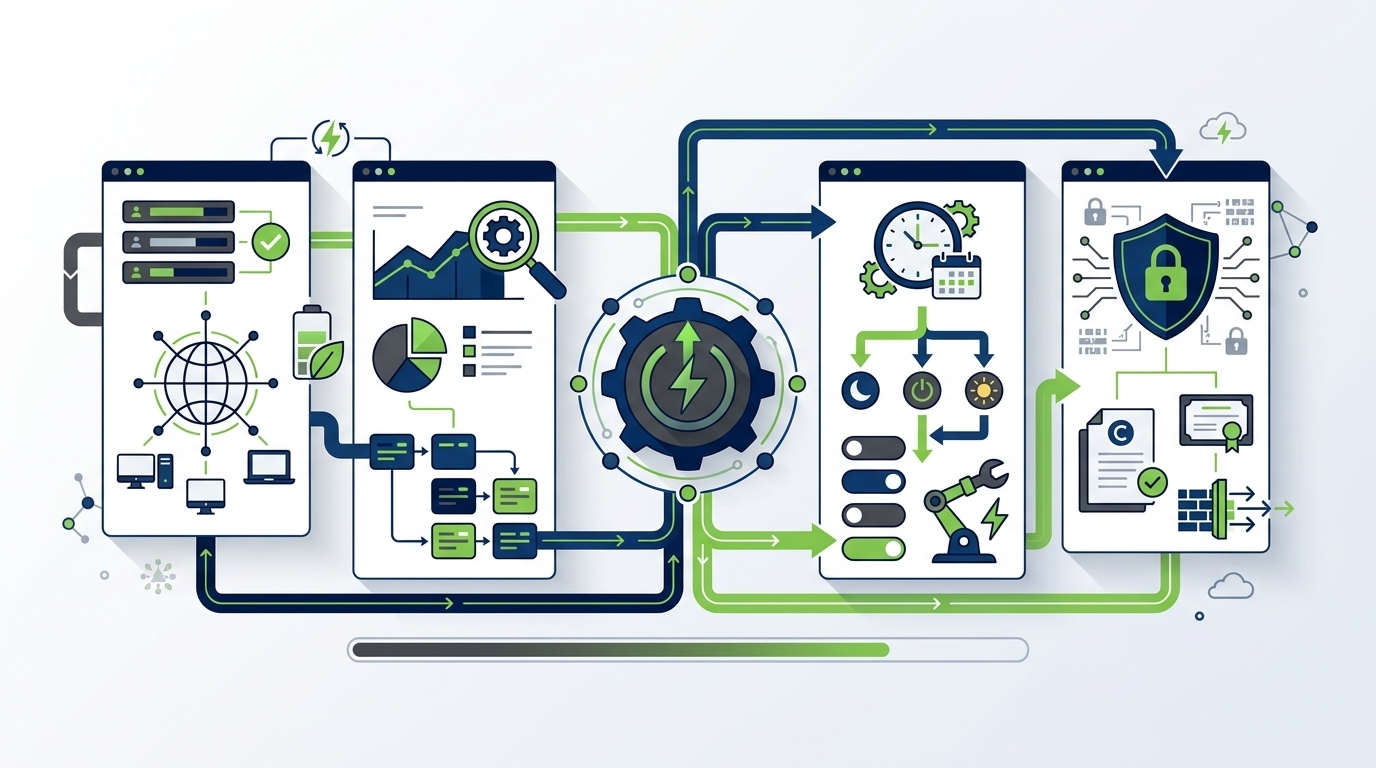
When evaluating PC power management solutions for enterprise deployment, the range of capabilities on offer varies considerably. The following criteria reflect what organisations with serious energy and sustainability objectives should expect from a mature platform.
Essential Capabilities
- Centralised policy management: Define, deploy, and modify power policies across the full endpoint fleet from a single console, with role-based access for IT administrators.
- Granular policy segmentation: Apply different policies to different user groups, departments, locations, device types, or working patterns without manual per-device configuration.
- Scheduled actions: Automate shutdown, wake, sleep, and hibernate events on configurable schedules aligned to working hours and maintenance windows.
- Wake-on-LAN support: Enable remote wake of devices for patching, updates, and backups without requiring manual user intervention or keeping devices continuously powered on.
- Real-time energy dashboards: Monitor actual energy consumption across the fleet in real time, with drill-down to device, group, or location level.
- Savings and carbon reporting: Quantify energy and cost savings against a defined baseline, and calculate associated carbon emission reductions using configurable grid factors.
- ESG export and audit trail: Export structured data suitable for ESG disclosure reporting, with an auditable record of policy changes and compliance status.
- User override management: Configure the extent to which users can modify their device’s power state, with logging of override events.
- Integration with ITSM and endpoint management: Connect with existing IT service management and endpoint management platforms to coordinate power actions with patching, imaging, and asset management workflows.
Advanced Capabilities
More sophisticated platforms also offer capabilities such as machine-learning-based policy optimisation that adapts to actual usage patterns, predictive analytics for energy spend forecasting, and API access for integration with broader sustainability management platforms. For organisations with complex fleets or demanding reporting requirements, these advanced features can significantly reduce administrative overhead and improve the quality of reporting outputs.
Implementation Roadmap
Deploying PC power management across an enterprise fleet is a structured programme, not a one-time configuration task. Organisations that treat it as a programme — with defined phases, stakeholder engagement, measurement, and continuous improvement — consistently achieve better outcomes than those that treat it as a one-off IT project.
Phase 1: Discovery and Baseline
Begin by establishing a clear picture of the current state. This means auditing the existing power settings across the fleet, identifying the proportion of devices with no effective power policy, measuring or estimating current energy consumption, and establishing a baseline against which future savings will be calculated. This baseline is essential for demonstrating ROI and for ESG reporting purposes.
Phase 2: Policy Design and Segmentation
Working with IT, facilities, and business unit representatives, design the power policy framework. Define the user segments and the appropriate policy for each. Identify devices or roles that require exceptions, and document the rationale. Engage with user communities early — explain the programme, its objectives, and what users will experience.
Phase 3: Pilot Deployment
Deploy the policy framework to a representative pilot group before fleet-wide rollout. The pilot should include users from different segments, working patterns, and locations. Monitor energy consumption, support ticket volumes, and user feedback. Use the pilot period to tune policies and resolve any unexpected edge cases before scaling.
Phase 4: Fleet-Wide Rollout
Roll out policies across the full endpoint fleet, using the centralised platform to enforce settings uniformly. Communicate the rollout to users with clear guidance on what to expect and how to seek support. Monitor compliance and consumption metrics closely in the weeks following rollout.
Phase 5: Ongoing Optimisation and Reporting
PC power management is not a set-and-forget activity. Fleet composition changes as devices are added and retired. Working patterns evolve. Energy tariffs and grid carbon factors change. An effective programme includes regular review of policy performance, reporting of savings to stakeholders, and continuous adjustment to maintain optimal outcomes.
Implementation Success Factors
- Executive sponsorship — ideally from both IT and sustainability leadership
- Cross-functional stakeholder engagement including IT, HR, facilities, and business units
- Clear baseline measurement to demonstrate savings credibly
- User communication programme aligned to change management best practice
- Phased rollout with a representative pilot before fleet-wide deployment
- Dedicated platform with centralised visibility, enforcement, and reporting
- Regular review cycle to optimise policies and report on programme performance
Ready to Transform Your PC Fleet’s Energy Performance?
PowerPlug’s enterprise PC power management platform gives IT and sustainability teams the tools to reduce endpoint energy consumption, cut costs, and deliver measurable ESG impact — all from a single, centralised solution.
Frequently Asked Questions
How quickly can an enterprise see ROI from PC power management?
Most organisations begin seeing measurable energy savings within the first full billing cycle after fleet-wide policy deployment — typically within 30 to 60 days. The precise ROI timeline depends on fleet size, current energy tariffs, and the gap between existing and optimised power settings. Organisations with large fleets and currently unmanaged endpoints typically see the fastest and most significant returns.
Will PC power management interfere with overnight patching and software updates?
No — this is a common concern that well-designed platforms specifically address. Centralised power management platforms include maintenance window scheduling and Wake-on-LAN support, allowing devices to be automatically woken for patching at defined times and shut down again afterwards. This ensures patch compliance is maintained without keeping devices powered on continuously outside working hours.
Can power management policies be applied differently to different departments or locations?
Yes. Effective enterprise power management requires policy segmentation. Mature platforms allow granular policy assignment based on user group, department, device type, geographic location, and working pattern. This means a call centre in one time zone can have a different policy to a development team in another, with no manual configuration required at the device level.
How does PC power management contribute to ESG and net-zero reporting?
PC electricity consumption falls within Scope 2 greenhouse gas emissions under the GHG Protocol. Centralised power management platforms capture actual energy consumption data at the device and group level, calculate associated carbon emissions using appropriate grid emission factors, and quantify savings against a documented baseline. This data can be exported in formats suitable for ESG disclosure reports and used to demonstrate progress against net-zero commitments.
What happens if users need their PC on outside of policy hours?
Power management platforms include configurable user override capabilities. IT administrators can define whether users are permitted to defer or cancel power actions, for how long, and whether these events are logged. This provides flexibility for legitimate exceptions without undermining overall policy compliance or energy savings targets.
Is PC power management relevant for organisations with hybrid or remote working models?
Yes — in fact, hybrid working patterns can make power management more complex and more important simultaneously. Devices may be in office on some days and at home on others, with working hours varying across the week. Centralised platforms that can deliver and enforce policies over the internet — not just on the corporate network — are essential for hybrid and remote environments. PowerPlug supports policy management for both on-premises and remote endpoints.