
Measuring IT Carbon Reduction From PC Power Policies
How IT and sustainability teams can use intelligent power management to cut PC energy consumption, reduce costs, and meet corporate environmental goals — without disrupting end users.
Enterprise PC fleets consume enormous amounts of electricity — most of it wasted while machines sit idle overnight, during meetings, or over weekends. Intelligent PC power management addresses this problem systematically, giving IT teams granular control over sleep, wake, shutdown, and usage policies across thousands of endpoints simultaneously. This guide explains how modern power management works, why it matters for enterprise operations, and how to build a deployment strategy that delivers measurable savings without compromising productivity or security.
Article Navigation Table of Contents
- Why PC Power Waste Is a Business Problem
- How Enterprise Power Management Works
- Key Platform Capabilities to Look For
- Calculating Real-World Energy Savings
- ESG Reporting & Compliance Benefits
- Protecting the End-User Experience
- Deployment Strategy & Best Practices
- Integration with IT Ecosystems
- Building the Business Case & ROI
- Frequently Asked Questions
Why PC Power Waste Is a Business Problem
Most enterprise PCs are powered on for far longer than they are actively used. A typical knowledge worker’s machine may be switched on for ten or more hours per day, yet actively engaged for only a fraction of that time. Outside working hours — evenings, nights, weekends, and holidays — large proportions of the fleet remain energised with no user present.
This pattern translates directly into unnecessary electricity expenditure. For organisations operating hundreds or thousands of endpoints, the cumulative cost across a year is substantial. Beyond direct energy bills, excess heat generation from always-on machines increases cooling loads in offices and data centres, adding a secondary cost layer that is often overlooked in initial budget analyses.
The Scale Problem
Manual approaches to power management — asking employees to shut down machines, distributing policy guidance, or relying on default operating system settings — rarely achieve consistent results at enterprise scale. Individual behaviour varies, default OS sleep timers are frequently overridden by applications, and there is no centralised visibility into whether policies are actually being followed.
Without a systematic, technology-driven approach, the gap between policy intent and real-world energy consumption remains wide. This gap is where dedicated power management platforms operate.
Environmental and Regulatory Pressure
Beyond direct cost, organisations face growing external pressure to account for and reduce their carbon footprints. Regulatory frameworks across multiple jurisdictions are expanding disclosure requirements for corporate emissions, and investor scrutiny of ESG performance continues to intensify. PC energy consumption, while sometimes treated as a minor operational detail, feeds directly into Scope 2 emissions calculations — making it a legitimate subject for sustainability programmes.
How Enterprise Power Management Works
Modern enterprise power management platforms operate by deploying lightweight agent software to each managed endpoint. These agents communicate with a central management console, receiving policy instructions and transmitting usage and status data back to the platform.
Policy-Driven Control
Administrators define power policies that specify how machines should behave under different conditions: how long to wait before entering sleep or hibernate states during inactivity, what should happen at a specific time of night, whether machines should be fully shut down or remain available for remote management, and how to handle scheduled maintenance windows that require endpoints to be awake.
Policies can be applied uniformly across the fleet or differentiated by user group, department, location, device type, or any other organisational segmentation that aligns with operational requirements. A call centre floor with round-the-clock shift patterns will have different optimal settings than a head office environment where the building empties at 18:00.
Wake-on-LAN and Remote Management Compatibility
A common concern about aggressive power-down policies is that they may interfere with IT operations that require machines to be reachable out-of-hours — patch deployment, software distribution, backup jobs, or remote support sessions. Mature power management platforms address this by incorporating Wake-on-LAN (WoL) scheduling and integration, allowing IT to wake specific machines or groups of machines before a maintenance window and return them to their energy-saving state afterwards.
Real-Time Monitoring and Reporting
The management console provides visibility into the power state of every managed endpoint in real time, alongside historical reporting on energy consumption, policy compliance, and estimated cost savings. This data is essential both for validating ROI and for producing the audit trails that corporate sustainability and finance teams require.
Key Platform Capabilities to Look For
Not all power management solutions are equal in their depth of functionality. When evaluating platforms for enterprise deployment, the following capabilities distinguish mature, production-ready solutions from basic utilities.
- Granular policy engine — Ability to create and assign multiple named policies with fine-grained control over all sleep, hibernate, and shutdown parameters.
- Endpoint agent scalability — Lightweight, low-overhead agents that operate reliably across diverse hardware configurations and OS versions at fleet scale.
- Scheduled wake and sleep — Time-based rules for waking machines ahead of maintenance windows and returning them to low-power states immediately after.
- Wake-on-LAN integration — Native support for WoL to ensure patching and management workflows are uninterrupted by power-saving policies.
- Centralised reporting dashboard — Real-time and historical visibility into power states, policy compliance, energy estimates, and cost savings across the entire fleet.
- Role-based access control — Differentiated access for IT administrators, site managers, sustainability officers, and finance reviewers without compromising policy security.
- Active-session detection — Intelligence to defer sleep or shutdown when a user is actively engaged, preventing disruptive interruptions during work.
- Integration APIs — Connectivity with endpoint management platforms, ITSM tools, and sustainability reporting systems for seamless data flow.
Advanced Analytics and Carbon Reporting
Leading platforms go beyond energy kilowatt-hour reporting to translate consumption data into carbon emissions equivalents, using regional electricity grid carbon intensity factors. This allows sustainability teams to incorporate PC power management data directly into corporate carbon accounting without manual conversion processes.
Anomaly Detection and Policy Enforcement Alerting
Enterprise environments evolve continuously — new software deployments may inadvertently override power settings, hardware changes may affect agent behaviour, or user configuration changes may circumvent policies. Platforms that include alerting when endpoints deviate from their assigned policy baselines allow IT teams to maintain policy integrity across a dynamic fleet without constant manual auditing.
Calculating Real-World Energy Savings
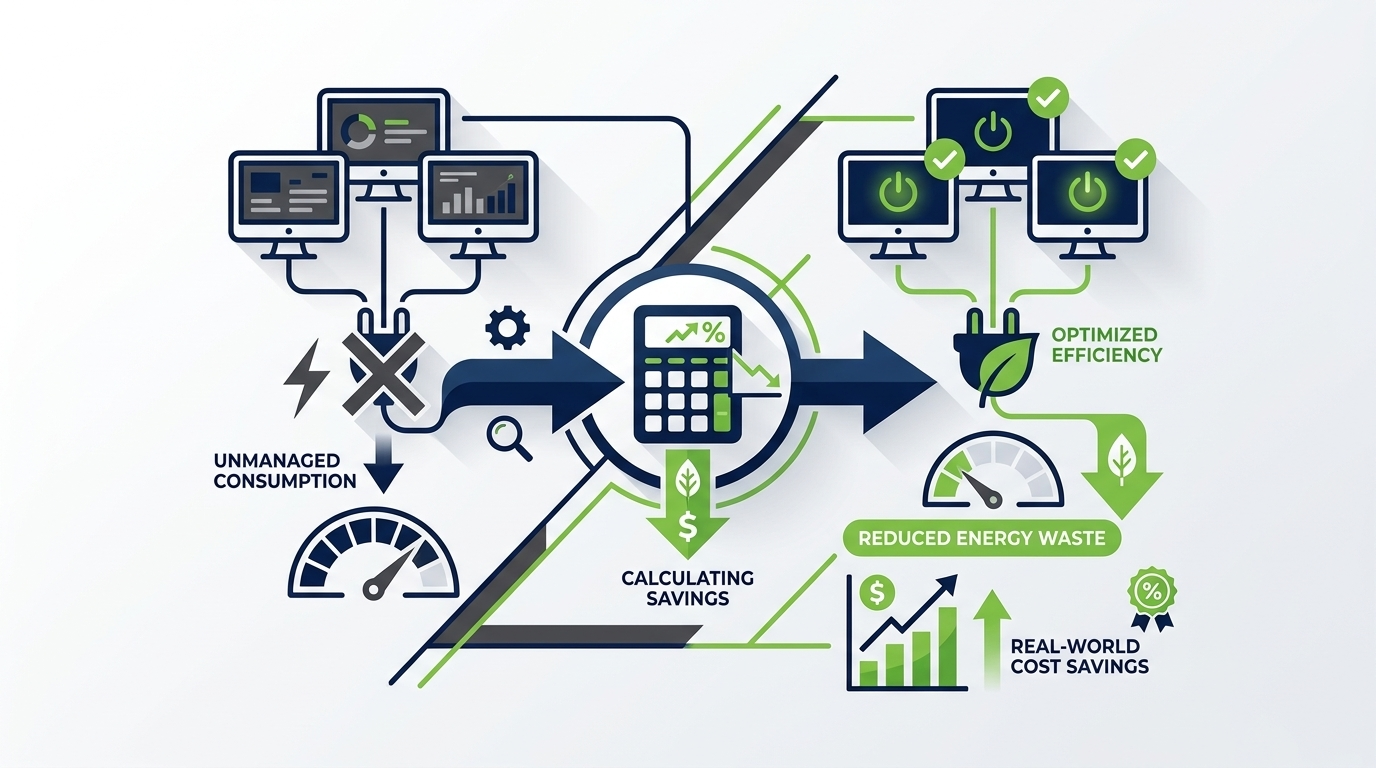
Quantifying the energy savings from a power management deployment requires understanding both the current baseline energy profile of the fleet and the expected profile after policies are applied. The difference between these two states, multiplied by electricity cost per kWh, yields the financial saving.
Baseline Assessment
An accurate baseline requires visibility into how long machines are currently powered on versus actively used. Many organisations discover, during initial data collection, that a significant proportion of their fleet is running continuously through nights and weekends with no active sessions occurring. This idle-time energy is the primary target for reduction.
| Machine State | Typical Power Draw | Relative to Active Use | Reduction Opportunity |
|---|---|---|---|
| Active (user working) | 60–150 W | Baseline | Not targeted |
| Idle (no active session) | 40–120 W | High | High — schedule sleep |
| Sleep / Suspend | 1–5 W | Very low | Primary target state |
| Hibernate | 0.5–2 W | Minimal | Deep-sleep target state |
| Shutdown (WoL enabled) | 0.1–1 W | Near-zero | Overnight / weekend target |
Modelling the Saving
A straightforward model compares hours spent in each power state before and after policy deployment, multiplied by the corresponding power draw and the local electricity tariff. For a fleet of 1,000 machines where overnight idle time is reduced from eight hours to near-zero five nights per week, the annual saving in electricity consumption can be substantial — even before factoring in secondary cooling load reductions.
See How PowerPlug Manages Energy Across Your Fleet
PowerPlug’s enterprise PC power management platform gives IT and sustainability teams the visibility, control, and reporting they need to reduce energy waste — without disrupting operations.
ESG Reporting & Compliance Benefits
Corporate sustainability programmes increasingly require quantified data on energy consumption and emissions reductions across all areas of operations. PC power management provides a comparatively straightforward opportunity to generate verifiable, measurable reductions that can be reported against environmental targets.
Scope 2 Emissions Contribution
Electricity consumption in owned or leased facilities contributes to an organisation’s Scope 2 greenhouse gas emissions under the GHG Protocol framework. Reducing PC idle-state energy draw translates directly into a lower Scope 2 footprint. Power management platforms that provide granular energy consumption data — broken down by site, department, or device group — simplify the process of attributing this reduction accurately within corporate carbon accounting systems.
Audit-Ready Reporting
Regulatory and voluntary reporting frameworks, including those aligned with TCFD, CDP, and national energy efficiency directives, increasingly require organisations to provide methodologically sound evidence for their reported reductions. Power management platforms that maintain continuous time-series data on fleet energy consumption provide the audit trail necessary to support credible external reporting.
Supporting Net Zero and Science-Based Targets
Organisations committed to net zero or science-based emissions reduction targets need to identify and deliver reductions across all material emission sources. While individual PC energy savings may appear modest in isolation, at fleet scale and over multi-year commitment periods they contribute meaningfully to progress against absolute reduction targets. They also demonstrate operational credibility — that the organisation is taking action throughout its infrastructure, not only in headline initiatives.
Protecting the End-User Experience
The most common objection to implementing power management policies in enterprise environments is the concern that aggressive sleep or shutdown settings will disrupt employee productivity. This concern is legitimate and must be addressed in both platform design and deployment strategy.
Active-Session Intelligence
A well-designed power management platform distinguishes between genuine user inactivity and apparent inactivity caused by tasks running in the background — video calls, data processing jobs, presentations, or remote sessions. Policies that trigger sleep actions while a user is actively engaged in any of these activities will generate immediate negative feedback and risk undermining the entire programme.
Modern platforms incorporate detection logic that identifies active processes and defers power state changes until genuine inactivity is confirmed. The thresholds and detection logic should be configurable to match the specific application landscape of the organisation.
Wake Latency Management
When machines do enter sleep states, the time required to resume to a fully operational state affects user experience. Most modern hardware supports fast resume from sleep states (S3 or connected standby) in a matter of seconds. Platforms should allow IT teams to select the appropriate sleep depth based on the balance between energy saving and acceptable resume latency for different user groups.
User Override Capabilities
Providing users with a defined, limited ability to temporarily override power settings — for example, to prevent a machine sleeping during an extended download or a time-sensitive task — reduces friction and support requests without materially undermining energy savings. Effective platforms offer this capability with IT-defined parameters around override duration and logging of override usage.
Communication and Change Management
Technical policy excellence must be matched by clear internal communication. Employees who understand why power management is being introduced, what changes they will experience, and how they can request support are far less likely to attempt to circumvent policies or submit unnecessary helpdesk tickets. Change management investment at the outset pays dividends in adoption quality and sustained savings.
Deployment Strategy & Best Practices
A structured deployment approach reduces risk, accelerates time to value, and ensures that the savings achieved are sustainable rather than temporary. The following sequence reflects best practices for enterprise-scale rollouts.
- Phase 1 — Discovery and baseline: Deploy agents in monitoring-only mode to collect data on current power states, idle periods, and usage patterns across a representative sample of the fleet.
- Phase 2 — Policy design: Use baseline data to define initial policy sets for different user segments, incorporating input from IT operations, facilities, and end-user representatives.
- Phase 3 — Pilot deployment: Apply policies to a controlled pilot group, monitor for user experience issues, support ticket volumes, and WoL compatibility, and iterate on settings before wider rollout.
- Phase 4 — Staged fleet rollout: Deploy to the full fleet in manageable tranches, maintaining close monitoring during each stage and preserving the ability to roll back specific policy groups if issues arise.
- Phase 5 — Steady-state management: Establish a cadence for reviewing policy performance, updating settings as the fleet and work patterns evolve, and producing regular savings reports for stakeholders.
Handling Edge Cases and Exceptions
Every enterprise environment contains machines that operate differently from the standard fleet — kiosk devices, shared workstations, always-on servers masquerading as desktop hardware, or machines used by roles that operate genuinely unpredictable hours. A robust deployment strategy identifies these categories during the discovery phase and creates appropriate exception policies rather than attempting to force them into a standard policy set.
Keeping Policies Current
Work patterns change. Hybrid working arrangements, office relocations, departmental reorganisations, and new software deployments all have the potential to affect the optimal policy for different parts of the fleet. Building a regular review cycle into the ongoing management process — typically quarterly or semi-annually — ensures that policies remain aligned with operational reality and that savings are maintained over time.
Integration with IT Ecosystems
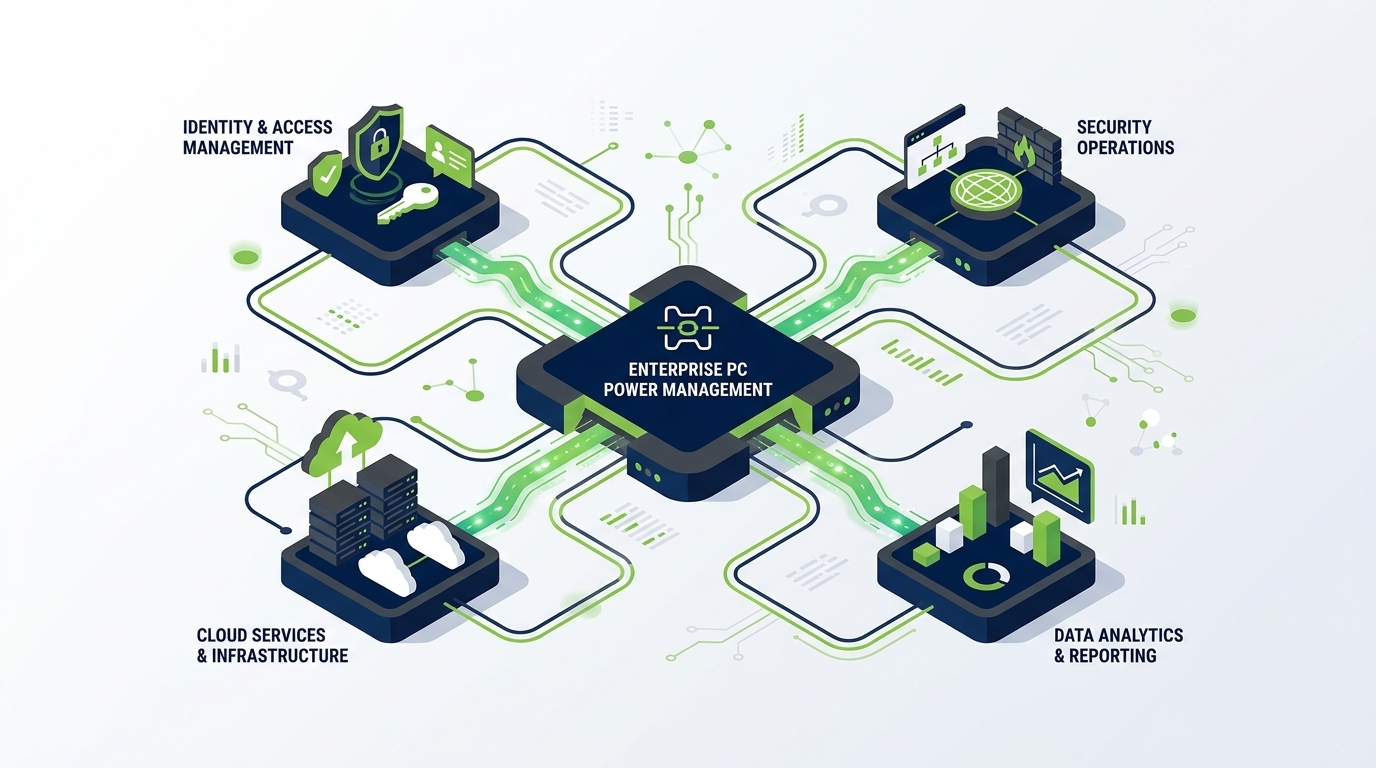
Power management cannot operate as an isolated silo within enterprise IT. Effective platforms are designed to integrate with the broader ecosystem of tools and processes that govern endpoint management, security, and service delivery.
Endpoint Management Platform Integration
Integration with endpoint management platforms — whether Microsoft Endpoint Configuration Manager, Microsoft Intune, or comparable solutions — allows power management policies to be aligned with software deployment schedules. Patch windows can automatically wake relevant machines, apply updates, and return them to their energy-saving state, without requiring separate manual coordination between teams.
ITSM and Service Desk Integration
Connecting power management data with ITSM platforms enables automated alerting when devices deviate from policy, incident creation for persistent non-compliant endpoints, and enriched context for service desk agents handling user queries about machine behaviour. This integration reduces the manual overhead of managing exceptions at scale.
Sustainability Reporting Systems
For organisations with dedicated sustainability management platforms or those producing reports aligned with GRI, CDP, or CSRD requirements, integration between power management and sustainability data systems reduces the manual data export and transformation effort required to incorporate PC energy data into corporate reporting. API-based connectivity is the most flexible approach for organisations with complex reporting architectures.
Active Directory and Identity Integration
Policy assignment based on Active Directory group membership or Azure AD attributes allows power management policies to remain aligned with organisational structure automatically. When users move between departments or roles, their device policies update without requiring manual IT intervention — reducing administrative overhead and the risk of stale, suboptimal policy assignments.
Building the Business Case & ROI
Securing organisational approval for a power management investment requires a credible business case that quantifies expected benefits, identifies all relevant costs, and presents an honest risk assessment. The financial case for PC power management is typically among the more straightforward in enterprise IT because the primary benefit — reduced electricity consumption — is directly measurable and translates immediately into cost.
Direct Financial Benefits
The primary financial benefit is reduced electricity expenditure. The magnitude depends on fleet size, current idle-time patterns, local electricity tariffs, and the aggressiveness of policies deployed. Secondary financial benefits include potential reductions in cooling costs where facilities management can correlate reduced heat generation with HVAC savings.
Hardware Longevity
Machines that are powered down or in low-power states accumulate fewer operating hours and thermal cycles. Over a multi-year asset lifecycle, this can translate into modestly extended hardware longevity — a benefit that is harder to quantify precisely but is directionally positive for total cost of ownership analyses.
ESG and Reputational Value
For organisations where ESG performance influences investor relations, customer procurement criteria, or talent acquisition, demonstrable progress on energy reduction contributes value beyond direct financial saving. While this is harder to quantify, it is increasingly cited by sustainability and corporate affairs teams as a genuine business benefit of operational efficiency programmes.
Presenting to Decision Makers
A well-structured business case for power management should include: a clearly stated problem (quantified energy waste and cost); a description of the proposed solution and its implementation approach; a financial model showing expected savings against total cost of ownership over a defined period; a summary of non-financial benefits; and a risk register addressing the key objections decision-makers are likely to raise. Pilot data, where available, significantly strengthens the case by replacing modelled assumptions with observed results.
Ready to Reduce Your Enterprise PC Energy Costs?
PowerPlug helps IT and sustainability leaders take control of PC power consumption across the entire endpoint fleet — with measurable results, clean reporting, and zero disruption to end users.
Frequently Asked Questions
Will power management policies prevent overnight patching and software updates from running?
No — mature power management platforms include Wake-on-LAN scheduling that wakes endpoints ahead of defined maintenance windows, allows IT operations to run normally, and returns machines to their energy-saving state when the window closes. This integration is a standard capability in enterprise-grade platforms and should be validated during vendor evaluation.
How long does it take to see energy savings after deployment?
Savings begin accruing as soon as policies are active on managed endpoints. The time to complete fleet coverage depends on the size and complexity of the environment and the chosen rollout pace. Many organisations see measurable savings within the first weeks of a pilot deployment, with full-fleet savings visible within the first few months of a phased rollout.
Can power management be applied to laptops as well as desktops?
Yes, though laptop policies typically require additional nuance. Laptops used in docking stations in office environments behave similarly to desktops for policy purposes. Laptops used in mobile or home-working contexts may require policies adapted to battery management considerations and more variable usage patterns. Most enterprise platforms support policy differentiation based on device type and connection state.
How does the platform handle machines running automated background tasks?
Active-session and process detection logic in enterprise platforms can be configured to identify specific processes or task types that should prevent sleep actions from triggering. IT administrators can define process-aware rules to ensure that scheduled data jobs, backup processes, or other automated tasks are not interrupted by power management policies.
Is the energy saving data from the platform suitable for formal ESG or regulatory reporting?
Power management platforms that maintain continuous time-series data on endpoint power states and estimated consumption provide a solid data foundation for ESG reporting. Organisations with formal third-party assurance requirements should review the methodology used by the platform to estimate energy consumption and assess whether it aligns with the standards required by their specific reporting framework. Consulting with your sustainability reporting team early in the evaluation process is advisable.
What is the typical total cost of ownership for an enterprise power management platform?
TCO for enterprise power management includes the platform licence fee (typically per-endpoint per-year), implementation and configuration effort, change management and communication costs, and ongoing administration time. Because the primary financial benefit — reduced electricity cost — is directly measurable, it is straightforward to model payback periods and net present value. Platform vendors should be able to provide reference data from comparable deployments to support your financial modelling.