
Enterprise PC Power Management Guide
By Nimrod Yedaya, VP Customer Experience

Walk through an office tower at two in the morning, and thousands of monitor status lights blink across dark, empty floors. Capturing quick green IT wins PC power management delivers immediate operational savings while providing a measurable mechanism for fast IT carbon reduction.
Most organizations run desktop fleets as if shifts never end. Office computers stay powered through nights and weekends, pulling continuous wattage from the grid for users who logged off hours ago.
This guide explains how enterprise infrastructure teams eliminate off-hours desktop waste while maintaining strict patch compliance and remote worker access.
Without central policy automation, sustainability targets turn into frustrating user awareness campaigns that yield negligible financial return.
Reading time: 11 minutes
Immediate Green IT Wins Through Endpoint Power Automation
Desktop and laptop fleets represent the fastest sustainability win in corporate IT because they exist in massive volume and require zero capital expenditure to optimize. Unlike multi-year data center migrations or hardware refreshes, endpoint power policies apply immediately to equipment your organization already owns.
Asking employees to shut down computers manually fails within weeks. People forget, leave machines locked for overnight remote desktop access, or fear losing open browser tabs.
Centralized software enforcement changes that dynamic overnight.
According to US EPA guidelines on computer and monitor power management, automated sleep policies cut operational energy without interrupting office productivity. The savings begin as soon as the policy pushes across the network.
Enterprise PC Power Management Architecture and System States
Enterprise PC power management is the centralized orchestration of hardware power states across an entire computing inventory. It replaces unmanaged local operating system timers with dynamic policies driven by telemetry and active process detection.
Standard PC architectures rely on Advanced Configuration and Power Interface specifications to regulate hardware activity. Microsoft’s system power states documentation defines the active working state as S0, sleep as S3 and hibernation as S4. Complete system shutdown operates under the S5 state. On current Windows laptops, Modern Standby replaces traditional S3 sleep, maintaining background connectivity while managing components at low power.
Peripheral management operates alongside these core system transitions. Effective policies power down external displays after short idle periods, drop monitor backlights into standby, and suspend unused USB controller rails. Enterprise power management systems can use supported activity signals, scheduling rules, and policy exceptions to reduce the risk of interrupting important workloads. Administrators should verify which CPU, network, and application activity conditions their deployed solution can detect before enforcing automatic sleep or shutdown.
Overnight Endpoint Electricity Waste and Fleet Consumption Math
An office computer operates for roughly forty hours during a standard business week. When left running continuously, that machine remains active for 168 hours, wasting electricity for 128 of them every single week. More than seventy-five percent of an unmanaged computer’s active runtime occurs when nobody is sitting in front of the keyboard.
ENERGY STAR data for commercial computers shows that standard enterprise desktop systems consume thirty to eighty watts while sitting idle. High-performance engineering workstations draw between ninety and two hundred watts, while dual desktop displays add another thirty when their internal panels remain awake.
IT directors can estimate annual after-hours electricity consumption by multiplying the number of workstations by their average idle power consumption in kilowatts, the number of unattended operating hours, and the applicable electricity rate. For example, 2,500 computers drawing 50 watts each over 6,000 unattended hours annually would consume 750,000 kWh, costing approximately $112,500 at $0.15/kWh. Actual recoverable savings depend on the difference between active idle and the selected low-power state, as well as policy compliance and maintenance requirements.
| Fleet Size | Idle Draw | Annual unattended hours | Estimated idle electricity cost | Potential CO₂e reduction* |
|---|---|---|---|---|
| 500 | 50 Watts | 6,000 | $22,500 | Up to 60 t |
| 1,000 | 50 Watts | 6,000 | $45,000 | Up to 120 t |
| 2,500 | 60 Watts | 6,000 | $135,000 | Up to 360 t |
| 5,000 | 60 Watts | 6,000 | $270,000 | Up to 720 t |
Illustrative assumptions: $0.15/kWh, 0.4 kg CO₂e/kWh, and elimination of all modeled active-idle electricity consumption. Actual reductions will be lower where computers continue consuming electricity in sleep, standby, or maintenance states.
Sleep Mode Versus Full Shutdown Tradeoffs for Enterprise Fleets
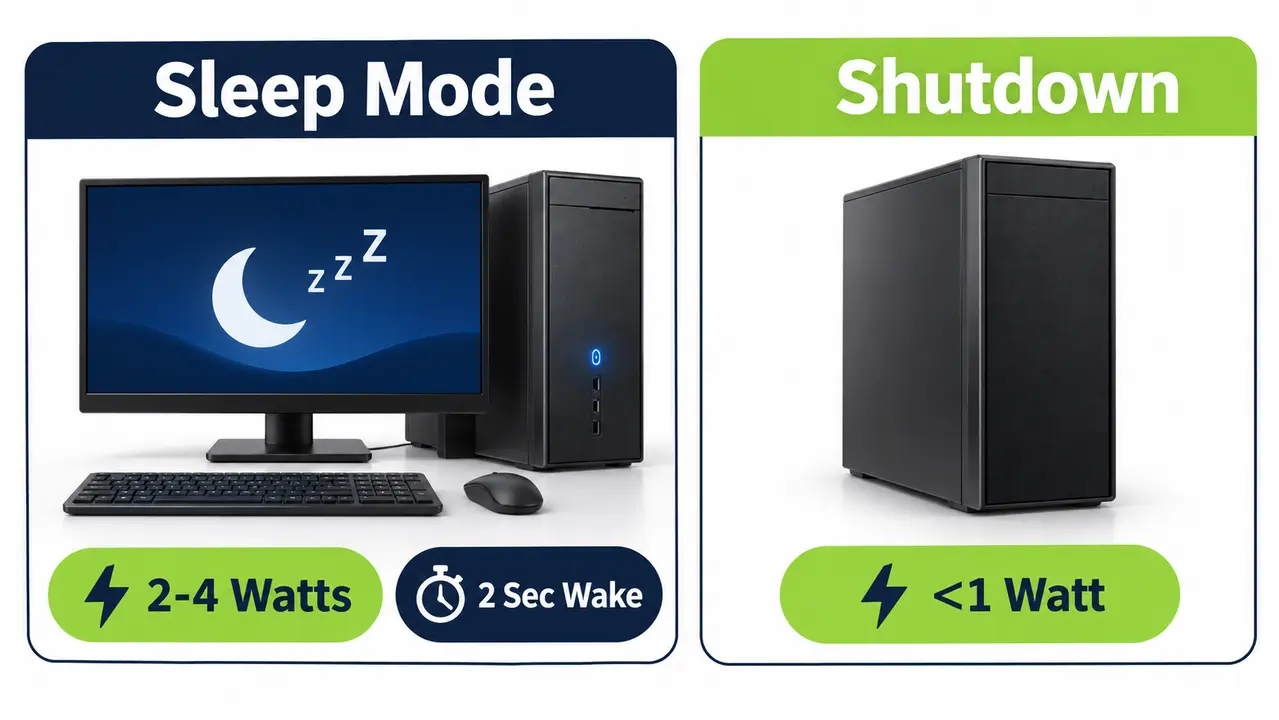
System administrators frequently debate whether to push machines into sleep mode or enforce complete nightly shutdowns. Both approaches deliver massive efficiency gains compared to active idle states, but their operational impacts differ significantly.
Sleep reduces desktop power draw from sixty watts down to roughly two to four watts, capturing ninety percent of potential energy savings. Modern standby allows employees to resume work in under two seconds without losing active application sessions. Helpdesk tickets regarding lost documents drop toward zero when machines sleep rather than shut down.
Full shutdown drops consumption to less than one watt of phantom power, but cold boots take time and flush system memory. A tiered hybrid policy provides the ideal balance. Send workstations into display sleep after ten minutes of inactivity, transition to system sleep after twenty minutes, and execute automated shutdowns or hibernation during deep off-hours after midnight.
Configuring Low-Friction Power Policies Without Disrupting User Workflows
Employee pushback ruins power management initiatives when aggressive timers disrupt daily work. A policy that cuts power during a client presentation or terminates an overnight data query creates friction that reaches executive leadership within days.
Building employee acceptance requires transparent policy tiers. Begin with display power timeouts, which save meaningful energy without suspending underlying application threads. Schedule deeper system sleep states only after confirming that no critical user tasks remain active.
Remote desktop connectivity presents another common obstacle. Hybrid workers who connect to physical office workstations from home will abandon corporate power initiatives if their target machine is unreachable. Policy engines must detect active inbound network sessions and preserve operational availability until the session terminates.
Inactivity Signals Beyond Keyboard and Mouse Inputs
Relying purely on keyboard and mouse timers is a structural mistake. Windows Human Interface Device timers cannot determine whether an employee is watching a training video, compiling code, or rendering a three-dimensional model.
Enterprise power policies should account for critical background workloads rather than relying exclusively on keyboard and mouse inactivity. Depending on the management platform, supported safeguards may include application exclusions, activity detection, scheduling rules, and maintenance exceptions. CPU utilization and network throughput thresholds should only be used where the deployed software explicitly supports and reliably evaluates those conditions.
Coordinating Endpoint Power Policies With Patch Windows and Maintenance Rings
Security leaders and patch administrators often oppose desktop power policies because sleeping computers miss scheduled maintenance windows. When endpoint management tools push security definitions or operating system updates at three in the morning, sleeping devices show up as failed deployments.
Turning off endpoints without orchestration damages patch compliance across Microsoft Configuration Manager and Microsoft Intune environments. Vulnerability scanners fail to evaluate offline hardware, leaving devices exposed to known security flaws when workers power them back on the following morning.
Coordinating scheduled wake operations with maintenance windows helps reduce conflicts between endpoint energy savings and IT availability.
PowerPlug Pro can schedule wake operations before planned maintenance, helping compatible computers become available for software deployment and vulnerability scanning. The patch management platform remains responsible for executing updates, monitoring installation results, and managing reboots. Administrators must ensure that power policies do not interrupt unfinished maintenance operations. Wake reliability and maintenance completion should be validated during deployment.
Waking Enterprise PCs for After-Hours IT Maintenance
Wake-on-LAN operates by transmitting a specific network broadcast packet to target network interface cards. This Magic Packet contains six bytes of hexadecimal 0xFF followed by sixteen consecutive repetitions of the target network adapter Media Access Control address.
Standard broadcasts hit severe obstacles when traversing modern corporate networks. Enterprise core switches and routers block subnet-directed broadcasts by default to stop network storms from degrading bandwidth. While native Magic Packets struggle across complex enterprise routing, implementing specialized automated wake-up technology allows organizations to reliably power on distributed fleets across multiple VLANs and subnets without reconfiguring network firewalls.
Reliable wake capabilities transform maintenance operations. Because systems wake on schedule for automated inventory scans, administrative software deployments and firmware updates, the traditional excuse for leaving corporate endpoints powered on around the clock disappears.
Common Wake-On-LAN Rollout Problems and Remediation
Motherboard firmware energy settings frequently disable network adapter standby power rails when systems shut down. Admins must audit Unified Extensible Firmware Interface profiles to disable deep ErP energy savings modes that kill interface power.
Windows Fast Startup also creates wake failures by placing network adapters into un-wakeable hybrid sleep states during normal shutdowns. Disabling Fast Startup through endpoint policy restores normal network wake responsiveness across enterprise desktop lines. Wireless laptops require localized wake agents or scheduled hardware timers because Wi-Fi adapters lose radio connectivity during deep sleep.
A Realistic 30-Day Endpoint Power Management Rollout Framework
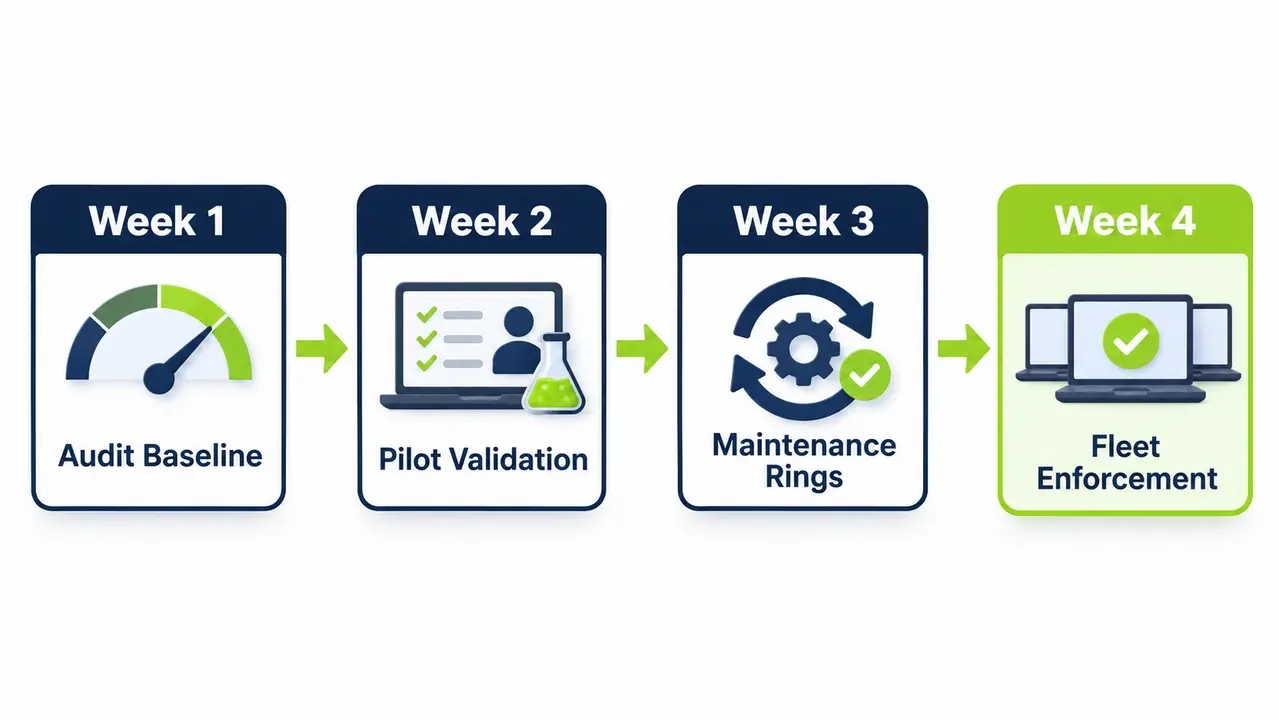
Rolling out automated power controls across thousands of machines requires a methodical schedule that prevents helpdesk spikes and validates infrastructure assumptions. A four-week deployment plan builds operational trust while establishing verifiable energy baselines.
Week one focuses on inventory discovery and passive telemetry. Deploy lightweight monitoring agents to collect baseline power draw, record after-hours idle counts, and segment devices into departmental policy groups without enforcing any power changes.
Week two introduces conservative display and sleep policies to selected pilot groups. Week three validates scheduled wake operations, maintenance compatibility, and policy compliance before expanding deployment. Week four may extend the rollout to additional departments, depending on pilot results and infrastructure readiness. Initial reporting compares recorded endpoint activity before and after policy deployment to estimate electricity savings using documented hardware power assumptions.
| Implementation Phase | Target Scope | Primary Operational Focus | Key Milestone |
|---|---|---|---|
| Week 1: Audit and Baseline | 100% of Fleet | Silent inventory profiling and idle tracking | Initial power-state baseline established; representative wattage assumptions documented |
| Week 2: Pilot Validation | 10% to 15% of Fleet | Conservative display and sleep timeouts | Helpdesk impact measured and reviewed |
| Week 3: Maintenance Rings | 50% of Fleet | Cross-subnet wake testing and patch verification | Wake reliability and maintenance completion evaluated |
| Week 4: Fleet Enforcement | Entire Inventory | Granular policy enforcement and ESG metrics | Initial estimated savings report produced |
Easy Green IT Steps for Baseline Windows Power Configurations
Organizations beginning their efficiency journey can capture easy green IT steps by standardizing core Windows power settings. Basic configuration profiles establish an immediate efficiency floor that costs nothing in software licensing while curbing runaway desktop idle hours.
Baseline enterprise profiles should configure display timeouts to ten or fifteen minutes on alternating current and five minutes on battery power. System sleep timeouts should trigger after thirty minutes of idle time on main power and fifteen minutes on battery.
Administrators should also configure Peripheral Component Interconnect Express Link State Power Management to moderate power savings. Directing storage drives to enter low-power states and setting hibernation timers for ninety minutes of uninterrupted sleep prevents machines from draining backup batteries during facility power interruptions.
Divergent Settings for Enterprise Laptops Versus Fixed Desktops
Mobile laptops require different configuration profiles than stationary desktop towers. Policies must regulate lid-close behavior to prevent laptops from overheating inside commuter backpacks while avoiding unexpected sleep states when users connect machines to external desktop docks.
Desktop systems operate on permanent alternating current, meaning policies can focus on aggressive overnight shutdown routines and automated morning wake schedules. Configure office towers to power on at 7:45 AM on weekdays, ensuring operating systems complete initial boot cycles before staff members reach their chairs.
Defining Critical Endpoint Policy Exceptions Across Complex Environments
A standardized power policy will fail if deployed as a crude rule. Attempting to force identical sleep schedules across clinical environments, public kiosks, and engineering laboratories creates immediate operational chaos.
Contact centers running continuous three-shift operations cannot tolerate rigid five o’clock shutdown timers. Digital retail displays, building security consoles, and shared educational testing computers all require distinct role-based scheduling profiles.
Healthcare facilities demand extreme care with point-of-care terminals and intensive care monitors that must remain available instantly. To see how complex environments maintain high availability while achieving major sustainability targets, review our healthcare case study on power optimization across thousands of hospital endpoints. Manage all exception groups through dynamic directory groups rather than ad-hoc user requests.
Diagnosing and Eliminating Enterprise PC Insomnia at Scale
PC insomnia occurs when an endpoint configured to sleep refuses to enter low-power states due to hidden software wake-locks or misconfigured hardware drivers. In unmanaged enterprise fleets, insomnia silently affects a significant share of endpoints and erodes projected carbon reductions.
Misbehaving external docking stations, optical mouse sensors detecting desk vibrations, and outdated audio drivers frequently block Windows power transitions. Unoptimized corporate agents, backup tools, and continuous disk indexing services also issue active power requests that keep motherboards awake all night.
System engineers can diagnose Windows power management issues using tools such as powercfg /requests to identify active power requests and powercfg /devicequery wake_armed to identify devices configured to wake the computer. Centralized management platforms can help identify inconsistent endpoint behavior and apply supported power policies. However, processes, drivers, and applications that prevent sleep may require investigation and remediation. Automatically overriding these conditions without understanding their purpose could interrupt critical operations.
Calculating Verifiable Scope 2 Carbon Reductions From Endpoint Fleets
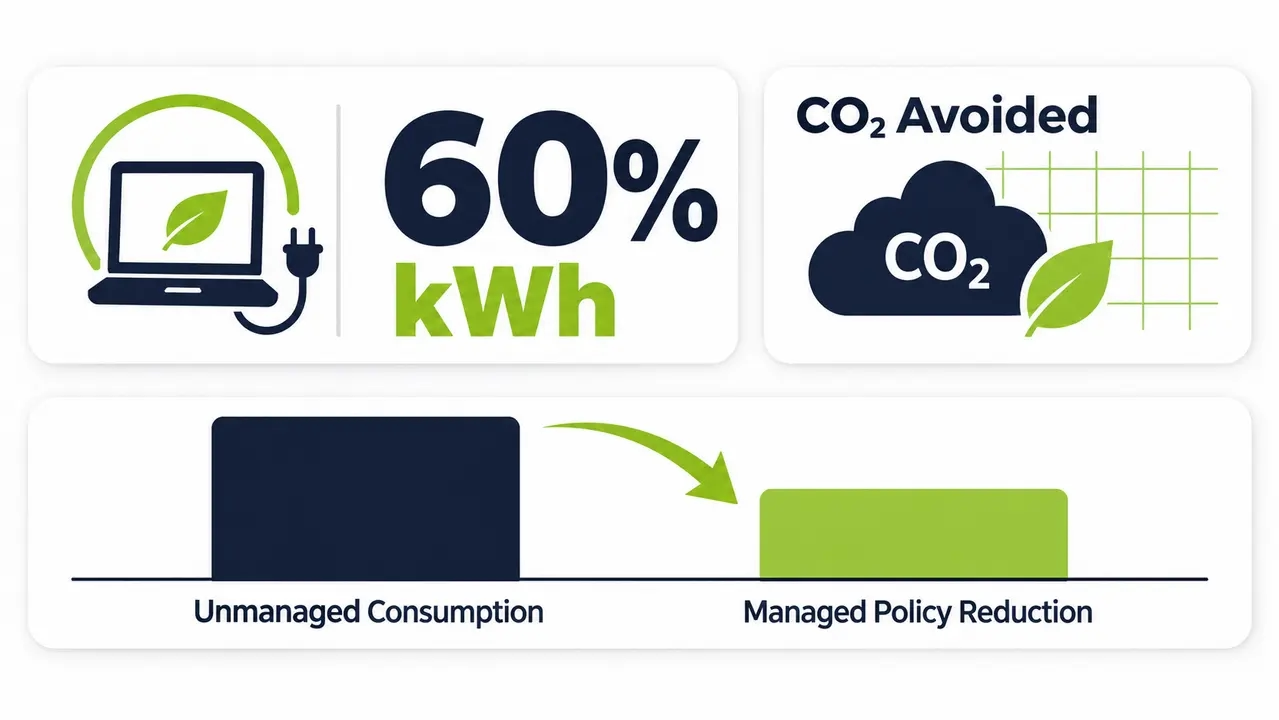
Corporate sustainability officers must produce auditable greenhouse gas figures for regulatory disclosures rather than vague environmental claims. Endpoint power reduction directly addresses Scope 2 indirect emissions, which stem from purchased facility electricity.
Calculating greenhouse gas reductions requires multiplying audited kilowatt-hours saved by your regional electric grid emissions factor. Saving one hundred kilowatt-hours on a fossil-fuel-dominated regional grid prevents far more carbon emissions than saving that same energy on a grid powered primarily by hydroelectric generators.
Executive leadership judges power initiatives on four metrics. It wants verified utility bill reductions and auditable metric tons of avoided carbon dioxide equivalents, along with stable software deployment compliance rates and flat helpdesk ticket volumes. Providing clear reporting bridges the gap between infrastructure engineering and corporate sustainability objectives.
Commercial ROI and Hardware Lifecycle Benefits of Fleet Power Controls
Enterprise power management software can deliver a relatively short financial payback period in organizations with substantial unnecessary workstation runtime. Annual electricity savings per device depend on hardware power consumption, operating schedules, electricity rates, and the effectiveness of deployed policies. Return on investment should be calculated using documented baseline assumptions, implementation costs, and recurring software expenses.
Beyond direct electricity savings, reducing unnecessary computer runtime may lower operating temperatures, fan operating hours, and overall component wear. However, the effect on hardware lifespan depends on device design, operating conditions, and component characteristics. A specific increase in equipment lifespan cannot be guaranteed solely through power management.
Sleeping computers also reduce corporate cybersecurity exposure. Powered-down systems eliminate active memory footprints and remove network endpoints from lateral attacker scans during off-hours. Facilities teams find that curtailing heat dissipation from thousands of idling workstations reduces building cooling loads during summer months.
See the numbers for your own fleet
When you send us your workstation count, average idle draw and commercial electricity rate, we will model your annual off-hours waste and projected payback period. The review also covers patch window coordination and wake-up coverage across your subnets.
Why Endpoint Power Optimization Is Low Hanging Fruit for Sustainability
Corporate sustainability roadmaps often prioritize massive infrastructure overhauls such as on-site solar installations or extensive data center consolidations. Those capital projects are valuable, but they cost millions of dollars, take years to complete and bring complex engineering disruptions.
Endpoint efficiency represents genuine low hanging fruit sustainability because it operates entirely through software controls applied to deployed assets. Infrastructure teams can deploy policies this quarter and record auditable energy drops on the very next utility statement.
Because workstation fleets touch every corner of the enterprise, desktop energy reduction provides a visible win that engages internal stakeholders. It proves that sustainability targets can be achieved through operational intelligence rather than painful corporate budget cuts.
Evaluating an Enterprise PC Power Management Platform Versus Native OS Controls
Native operating system tools provide basic policy distribution.
Active Directory Group Policy and Microsoft Intune can configure and enforce supported Windows power settings, while Windows provides diagnostic information about sleep and wake behavior. However, obtaining centralized, fleet-wide power-state reporting and coordinating Wake-on-LAN across multiple network segments may require additional management tools, integrations, or custom configurations. Dedicated endpoint power management platforms can simplify these operations through centralized policies, wake scheduling, and consolidated reporting.
When organizations scale beyond a few hundred devices, a dedicated power management platform such as PowerPlug Pro becomes essential because it automates wake-up schedules, prevents insomnia and generates verified audit reports.
Purpose-built platforms convert passive policy administration into active endpoint orchestration. Dedicated software combines dynamic process monitoring, automated maintenance wake rings and self-service portals, so it protects both the enterprise budget and IT operational standards.
Core Platform Capabilities Required for Enterprise Fleets
A modern power platform must provide granular scheduling engines mapped to organizational units and device hardware profiles. It requires cross-VLAN wake orchestration that bypasses broadcast blocks without complex network configuration changes.
Automated insomnia remediation is equally essential. Platforms must actively identify and terminate rogue wake-locks while providing self-service wake portals so remote employees can power on their office workstations securely from home.
Questions about your environment
PowerPlug Pro runs in organizations from 100 to 50,000 PCs, including hospitals and universities as well as municipalities and government agencies. Call us for a direct conversation about policy tiers, maintenance wake rings and reporting for your fleet, or request a guided walkthrough.
Frequently asked questions
Will automated PC power management break overnight patch compliance or software updates?
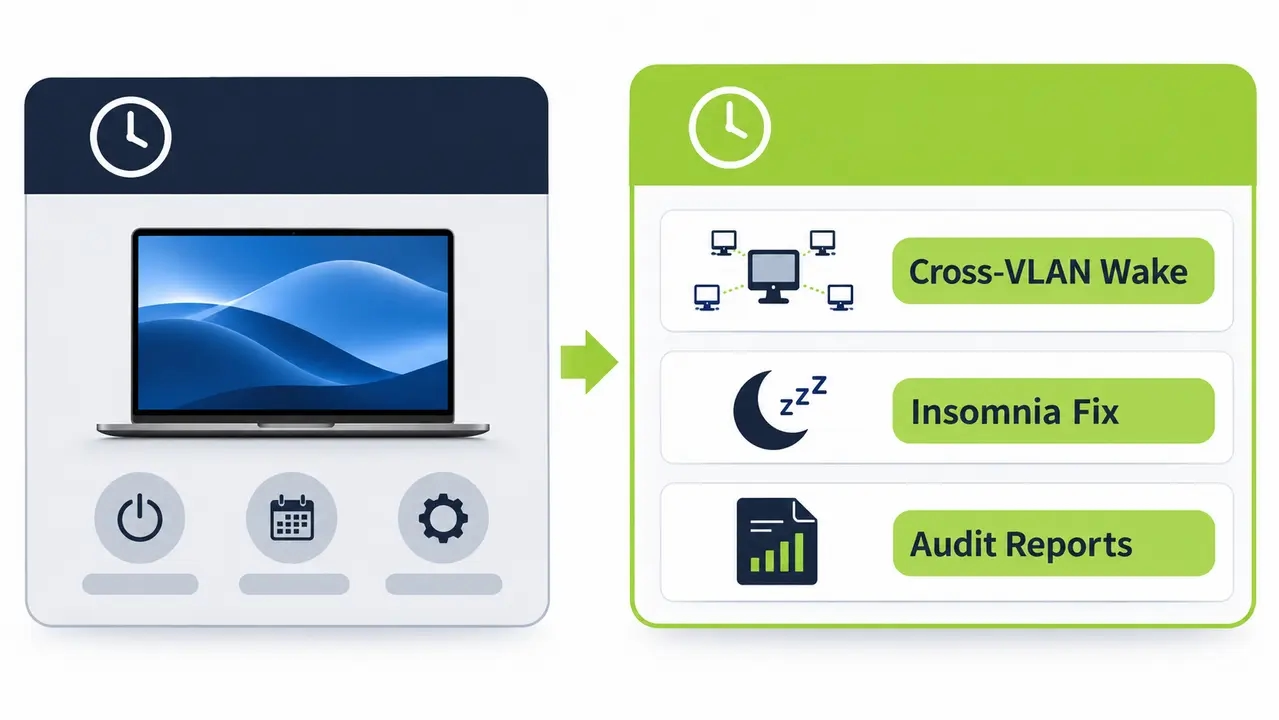
Coordinated platforms schedule automated wake events immediately prior to maintenance windows. Computers power on reliably across all subnets, execute operating system patches and vulnerability scans, and return to sleep once installations succeed. This automated cycle often improves patch compliance rates compared to unmanaged fleets.
How does Wake-on-LAN function across enterprise networks with multiple subnets?
Standard Magic Packets cannot cross enterprise routers because network infrastructure blocks broadcast traffic between subnets. Enterprise power management platforms resolve this by deploying distributed software agents or directed proxies within local network segments. These local relays generate wake broadcasts directly on the target subnet without requiring changes to corporate core switches.
Can remote employees access office workstations if computers are sleeping?
Modern power platforms include web-based self-service portals that allow hybrid workers to wake their assigned office computer on demand. A remote worker signs into the corporate portal from home and triggers an instant wake command. The physical desktop powers up within seconds, enabling standard remote desktop connections without keeping the machine running continuously.
What is the typical financial payback period for enterprise power management software?
Most commercial organizations achieve complete return on investment within four to six months of deployment. Because an optimized policy saves between $20 and $60 per workstation annually, a deployment across two thousand machines generates tens of thousands of dollars in net utility savings during its first operating year.
Enterprise PC power management helps organizations reduce unnecessary workstation electricity consumption while maintaining operational availability through appropriate policies and scheduled wake operations. PowerPlug Pro provides centralized endpoint management and reporting that can support estimates of electricity savings, financial cost avoidance, and associated carbon emissions reductions. Actual results depend on hardware capabilities, operating conditions, policy compliance, and electricity rates. These estimates can contribute to sustainability reporting when supported by documented assumptions and appropriate validation.

About the author
Nimrod Yedaya
VP Customer Experience
Over 15 years of experience in customer service, technical support, and customer relationships. Nimrod joined PowerPlug in 2012 as Customer Support Manager and was promoted to VP in 2016. He holds an MBA from BIU and a BSc in Communication Systems Engineering from BGU.