
Automating Cost Savings in IT Operations
How enterprise IT teams are using intelligent power management and automation to turn idle PC energy waste into measurable, recurring savings — without disrupting productivity.
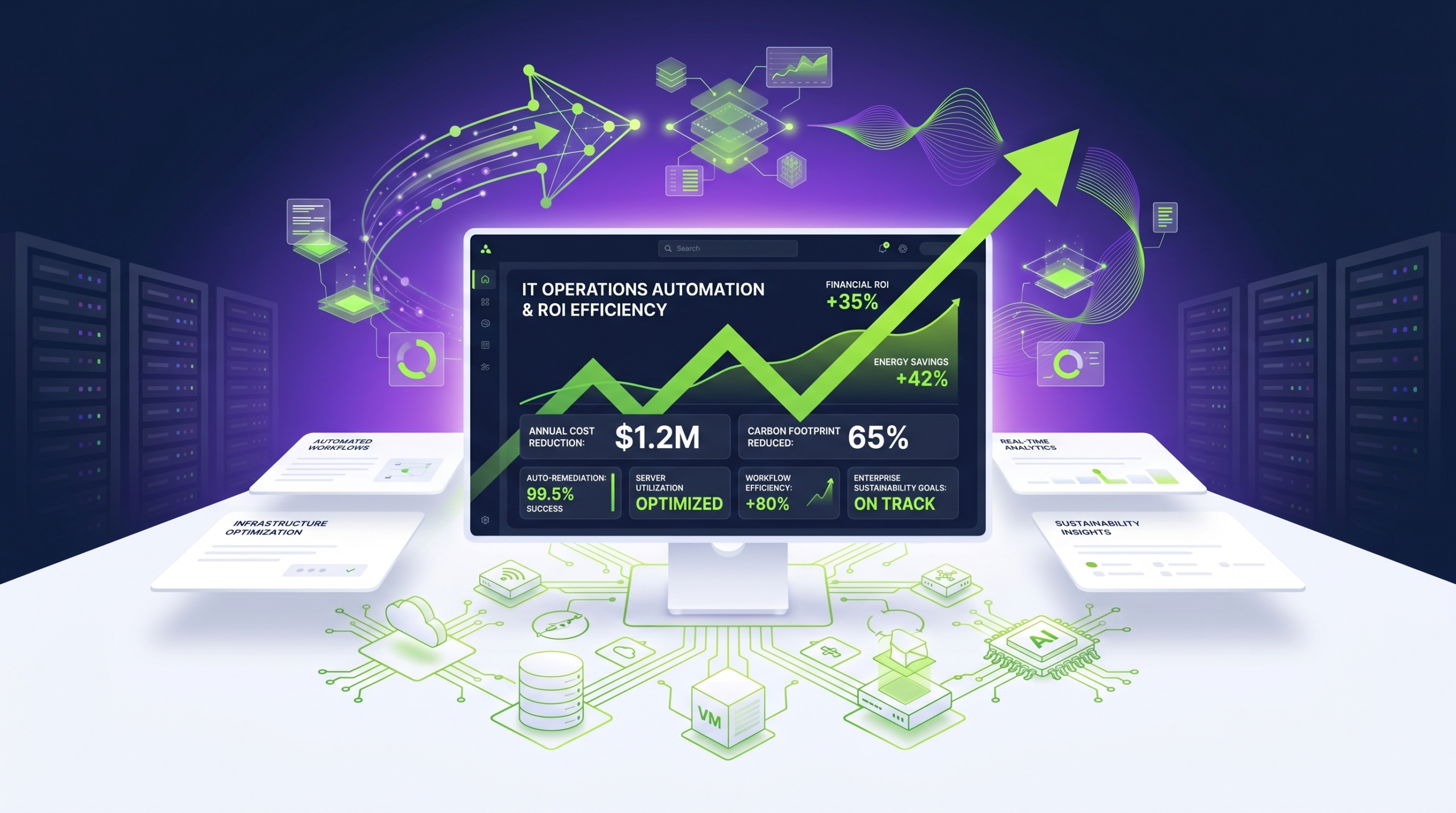
IT cost optimization rarely requires ripping out infrastructure. In most enterprise environments, significant savings are already present — locked inside the energy consumed by PCs left running overnight, over weekends, and during extended idle periods. Intelligent power management automation unlocks those savings systematically, with full policy control, real-time reporting, and an ROI that compounds over time.
- Unmanaged PC power consumption is one of the largest controllable costs in enterprise IT budgets.
- Automated power policies eliminate the reliance on manual behavior change across thousands of endpoints.
- Granular scheduling, wake-on-LAN, and reporting enable savings without impacting operations.
- ROI from PC power management is typically achieved within weeks, not years.
- Integration with existing IT management infrastructure requires minimal overhead.
- Sustainability goals and cost targets are addressed simultaneously through energy reduction.
Article Navigation Table of Contents
The Hidden Cost of Idle PCs in Enterprise IT
In most organizations, PC endpoints represent a significant but underexamined line item in operational expenditure. A typical enterprise desktop consumes between 60 and 250 watts during active use — and while that may seem modest per machine, scale it across thousands of endpoints running continuously, and the cumulative cost becomes substantial.
The problem is compounded by behavior. Studies consistently show that a large proportion of workplace PCs are left powered on outside of working hours: overnight, during weekends, and across public holidays. Without centralized enforcement of power policies, IT teams have no reliable mechanism to ensure machines enter low-power states when not in active use.
This is not simply an energy cost issue. Continuously running endpoints also accumulate wear, increase hardware refresh cycles, and generate unnecessary heat loads in office environments — all of which carry indirect cost implications. The opportunity, therefore, is not just to save electricity but to reduce total cost of ownership across the endpoint estate.
What IT Leaders Are Actually Paying For
When IT departments audit their endpoint energy footprint, the findings are typically consistent: a significant percentage of machines are running during hours when no work is being done. The cost of this waste is not theoretical — it appears directly in energy bills and can be calculated with precision once consumption data is gathered. The challenge has historically been both measurement and remediation. Modern power management platforms address both.
A Real-World Scenario: The Organization That Stopped Paying for Idle PCs
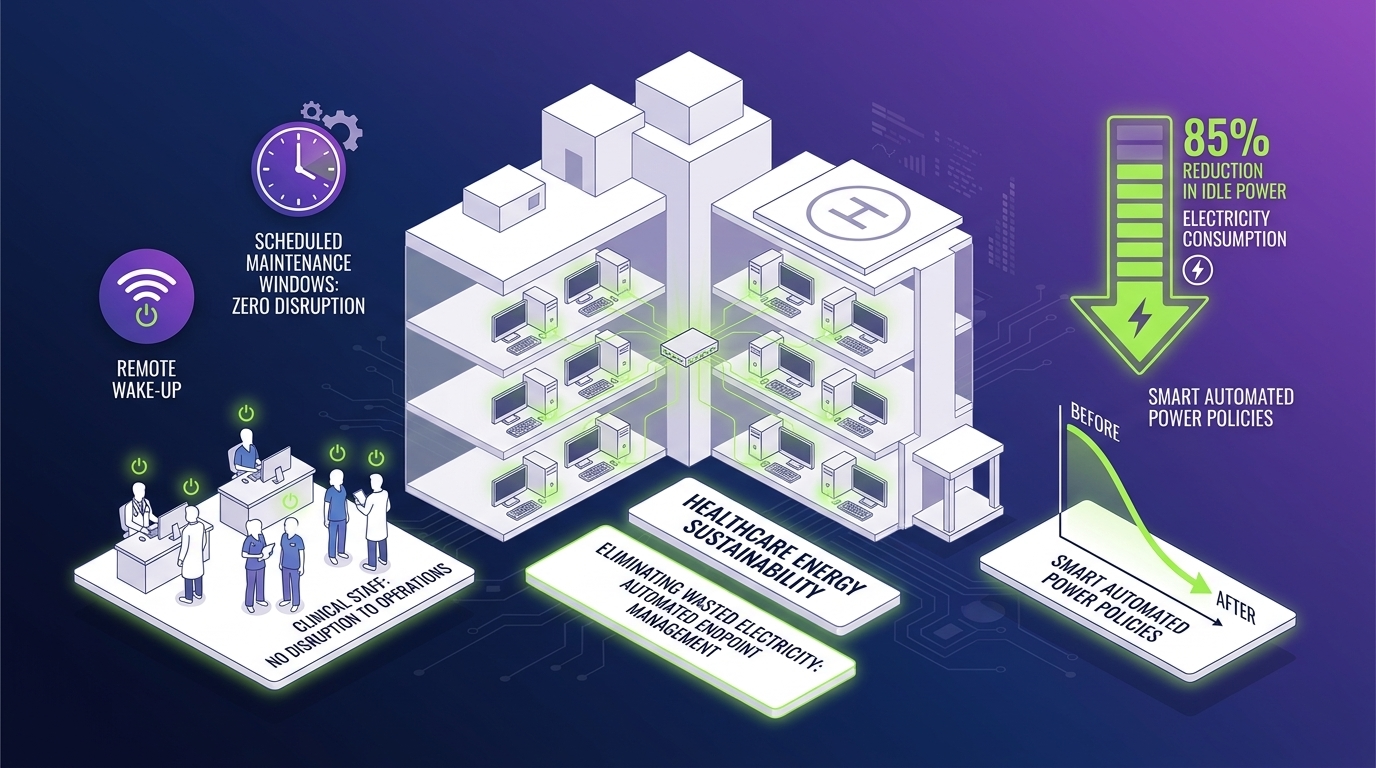
Consider a mid-size enterprise operating 3,000 desktop PCs across multiple sites. Prior to deploying a power management platform, the organization had no visibility into after-hours endpoint activity and no mechanism to enforce shutdown or sleep schedules centrally.
After deployment, policy enforcement ensured that all non-critical endpoints entered sleep mode within 15 minutes of inactivity and were powered off completely outside of defined working hours. Wake-on-LAN capabilities were configured for machines requiring overnight patch deployment, so no operational workflow was compromised.
What Changed After Deployment
The organization gained real-time reporting on consumption across its entire endpoint estate. Policy exceptions were tracked and addressed without requiring site visits. Within the first billing cycle, measurable reductions appeared in energy expenditure — and the cumulative annual saving justified the platform investment many times over.
This pattern is not unusual. Organizations that move from unmanaged to centrally automated power policies consistently report rapid, sustained savings because the behavioral inconsistency that previously undermined manual approaches is eliminated entirely.
How Automation Delivers ROI: The Mechanics
Achieving consistent ROI from PC power management requires more than setting a single global sleep policy. Enterprise environments have complex operational requirements — shift workers, after-hours processing jobs, remote management windows, and user populations with varying working patterns. Effective automation accounts for all of these without requiring IT teams to manually manage exceptions.
Scheduled Power Policies
The foundation of any power management deployment is scheduled policy enforcement. IT teams define working hours per site, department, or individual machine group. Outside those windows, policies enforce sleep, hibernate, or full shutdown states. The precision of this scheduling — including handling of public holidays and organizational calendars — directly affects the volume of savings captured.
Wake-on-LAN for Operational Continuity
A common concern when deploying power-down policies is impact on after-hours processes: software deployments, security scans, backup jobs, and patch management cycles. Wake-on-LAN capabilities allow IT teams to wake specific endpoints or groups on demand or on schedule, perform required operations, and allow the power policy to return the machine to its low-power state afterward. This eliminates the operational trade-off that previously led IT teams to leave machines running permanently.
Granular Reporting and Auditability
Without data, cost reduction claims are estimates. A mature power management platform provides granular reporting on consumption, policy compliance, savings realized, and carbon equivalent reductions. This reporting serves multiple audiences: IT operations teams managing endpoint fleets, finance teams requiring evidence of cost reduction, and sustainability officers tracking organizational carbon metrics.
Policy Exception Management
Not all endpoints should be treated equally. Kiosk machines, medical devices attached to PCs, manufacturing control terminals, and executive devices may require different power profiles. Effective automation supports exception management without requiring the IT team to maintain manual overrides or shadow lists of special-case machines.
See How PowerPlug Works in Your Environment
PowerPlug’s enterprise power management platform delivers automated policy enforcement, real-time reporting, and measurable ROI — configured around your operational requirements.
Mapping Business Needs to Power Management Capabilities
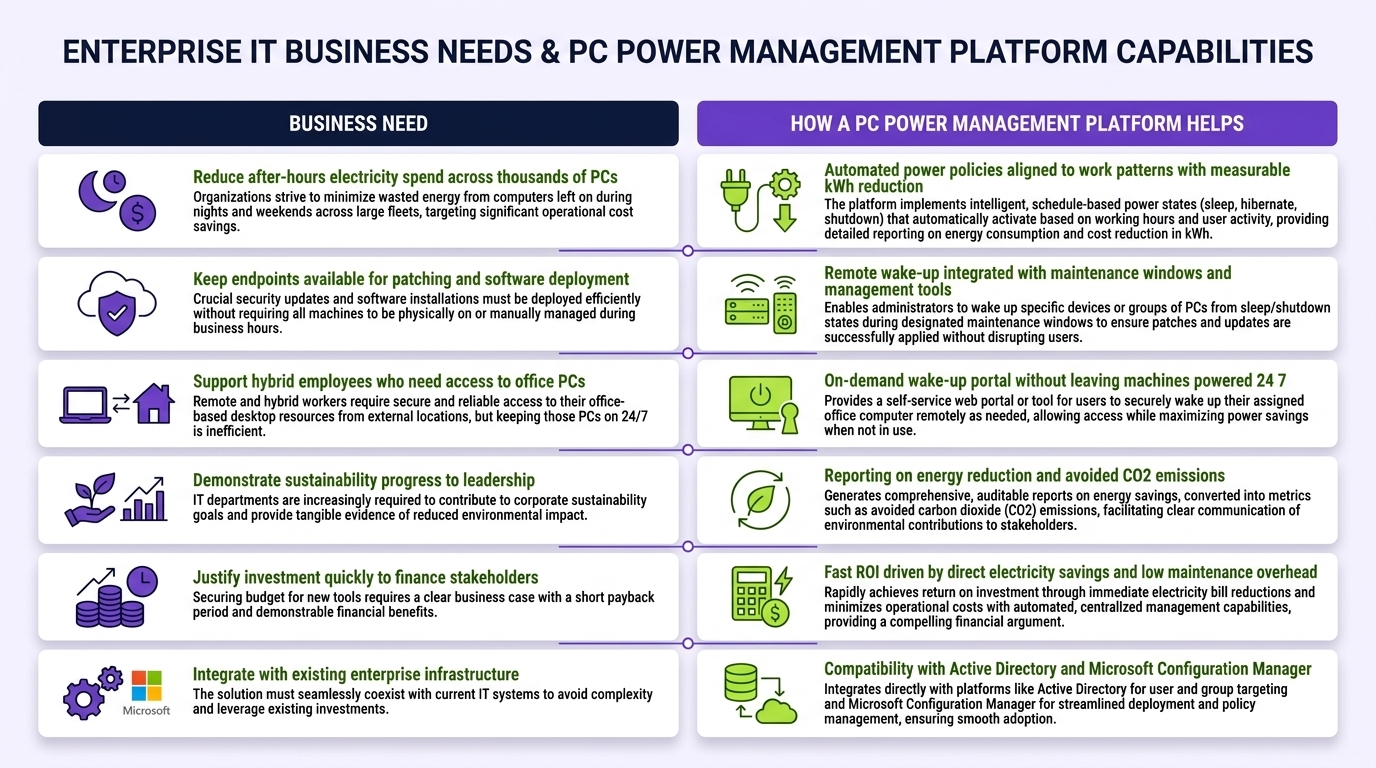
Different organizations have different primary drivers for adopting power management automation. Understanding which capabilities address which business needs helps IT and procurement teams build a compelling internal case for investment.
| Business Need | Relevant Capability | Expected Outcome |
|---|---|---|
| Reduce energy expenditure | Scheduled shutdown and sleep policies | Direct reduction in electricity costs |
| Maintain after-hours IT operations | Wake-on-LAN and maintenance windows | Zero disruption to patch and update cycles |
| Demonstrate sustainability progress | CO₂ equivalent reporting | Quantified carbon reduction for ESG reporting |
| Enforce policy across distributed sites | Centralized policy management | Consistent compliance without on-site IT presence |
| Justify IT investment to finance | Financial savings dashboards | Auditable, recurring ROI documentation |
| Extend hardware lifespan | Reduced runtime and thermal stress | Lower hardware refresh frequency and costs |
| Support flexible and hybrid work | User-aware and schedule-aware policies | Policies that adapt to actual usage patterns |
Enterprise vs. Departmental Deployment Considerations
Organizations deploying power management across a full enterprise endpoint estate benefit from centralized governance: uniform policy frameworks, aggregated reporting, and consolidated savings visibility. Departmental deployments — where a single business unit or facility adopts the platform ahead of broader rollout — can generate localized ROI data that strengthens the case for enterprise expansion. Both deployment models are valid starting points.
Comparing Automation Maturity Levels
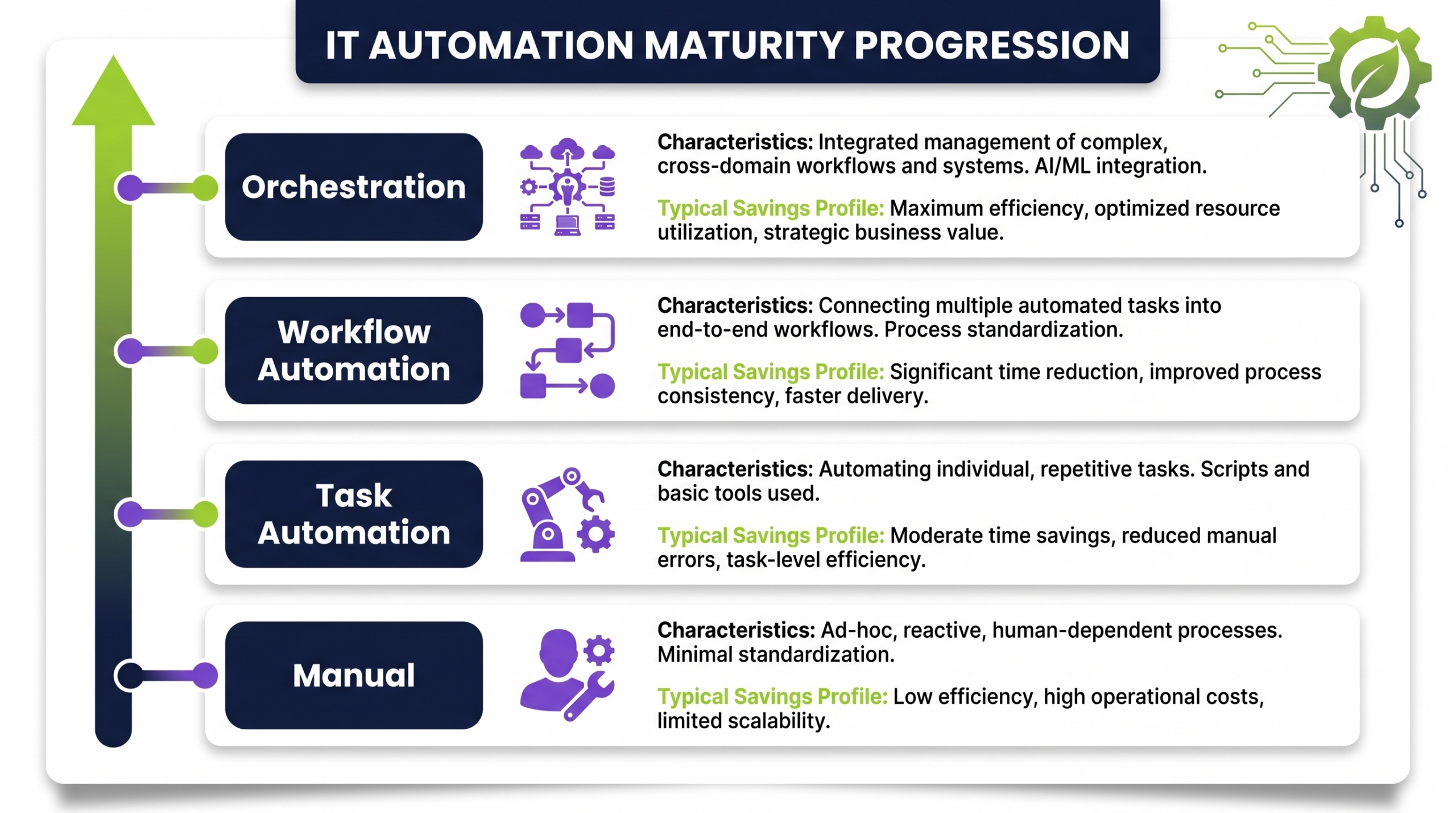
Organizations approach IT automation with varying levels of maturity. Understanding where your current environment sits helps set realistic expectations for the deployment process and timeline to measurable ROI.
Level 1: Unmanaged
At this level, power state management is entirely dependent on individual user behavior. There are no centrally enforced policies, no consumption visibility, and no mechanism to ensure machines enter low-power states outside working hours. Waste is highest and ROI opportunity is greatest. Organizations at this level typically see the fastest payback from automation deployment.
Level 2: Policy Defined but Unenforced
Some organizations have IT policies that specify expected user behavior around PC power management, but lack the technical means to enforce these policies centrally. Compliance is inconsistent and difficult to audit. Moving from this level to centralized automation closes the gap between policy intent and operational reality.
Level 3: Basic Enforcement
Basic Windows Group Policy or operating system-level sleep settings have been deployed. These provide some reduction in waste but lack the granularity, reporting, and exception management that a dedicated power management platform provides. Machines may enter sleep states but are not shut down completely. Wake-on-LAN is typically not configured. Savings are partial.
Level 4: Centralized and Automated
A dedicated power management platform is deployed, enforcing schedules based on organizational calendars, site profiles, and endpoint classifications. Wake-on-LAN supports after-hours IT operations. Reporting provides consumption, savings, and carbon data in real time. Exceptions are managed systematically. This is the level at which maximum ROI is achieved consistently.
Calculating Your ROI: A Practical Framework
ROI from PC power management is one of the more straightforward calculations in enterprise IT investment. The inputs are knowable, the savings are recurring, and the timeline to positive return is typically short. The following framework provides a starting structure for internal business case development.
Inputs Required
- Number of managed endpoints — desktops, workstations, and laptops under policy control.
- Average power consumption per device — typically 80–200W for desktops; 15–45W for laptops.
- Estimated idle hours per device per year — hours outside working schedules when machines currently remain powered on.
- Local energy cost per kWh — from current utility billing.
- Expected policy compliance rate — realistic percentage of endpoints that will comply with enforced policies.
The Core Calculation
Annual saving (£ or local currency) = Number of endpoints × Average power (kW) × Estimated idle hours saved per year × Energy cost per kWh × Expected compliance rate.
For a 2,000-endpoint estate with average 150W consumption, 2,000 idle hours per year, £0.30/kWh energy cost, and 85% policy compliance, the annual saving approximates £153,000 — before accounting for any hardware lifespan or cooling benefits.
What the ROI Calculation Understates
The straightforward energy calculation is the most visible component of ROI but not the only one. Reduced hardware wear, extended refresh cycles, lower cooling loads in office environments, and the staff time savings from automated compliance reporting all contribute to total return. Organizations tracking total cost of ownership across their endpoint estate typically find that the full ROI picture is more favorable than the energy calculation alone suggests.
Implementation Considerations for IT Teams
Successful deployment of a power management platform requires planning, but not complexity. Organizations that have completed the process consistently identify the same set of considerations as important to a smooth rollout.
Stakeholder Alignment Before Deployment
The IT team is rarely the only stakeholder in a power management deployment. Facilities teams, finance, HR, and departmental managers all have an interest in how policies affect their operations. Engaging these stakeholders early — explaining the savings case, addressing concerns about operational impact, and agreeing on policy parameters — reduces friction during rollout and accelerates adoption.
Baseline Measurement
Establishing a consumption baseline before policy enforcement begins is critical for demonstrating ROI after deployment. Without a pre-deployment baseline, post-deployment savings can be estimated but not precisely attributed. A platform with built-in baselining capabilities simplifies this process significantly.
Phased Rollout Strategy
Rolling out to a pilot group — one site, one department, or one endpoint classification — before full-estate deployment allows IT teams to identify exceptions, refine policies, and build confidence in the platform before broad enforcement. Pilot results also provide concrete savings data that supports internal communication about the program.
User Communication
Employees whose machines will be subject to power policies benefit from clear communication about what will change, why it is happening, and what to do if they have specific operational needs that require an exception. Proactive communication reduces support ticket volume and resistance to the program.
Integration with Existing IT Management Tools
A mature power management platform integrates with the IT management infrastructure already in place — patch management tools, endpoint management systems, and ITSM platforms. Assessing integration requirements before deployment prevents post-deployment rework and ensures the power management data feeds into the broader IT reporting ecosystem where appropriate.
Sustainability as a Business Outcome, Not a Side Effect
For a growing number of enterprise organizations, sustainability reporting is no longer optional. ESG frameworks, investor expectations, and regulatory requirements are driving demand for quantified evidence of progress against environmental targets. PC power management automation is one of the few IT initiatives that generates sustainability outcomes that are simultaneously measurable, attributable, and financially positive.
Carbon Reduction That Can Be Reported
Every kilowatt-hour of electricity saved through power management automation represents a measurable reduction in carbon emissions. The conversion from kWh to CO₂ equivalent uses published grid emission factors and is an accepted methodology in corporate carbon accounting frameworks. This means the savings generated by endpoint power management can be reported in sustainability disclosures with credibility and precision.
Aligning IT and ESG Teams
When IT operations and sustainability teams work from the same data — generated by the same power management platform — the reporting process is streamlined and the figures are consistent across internal and external communications. Organizations that have established this alignment report that it simplifies audit preparation and reduces the time required to produce ESG disclosures.
The Business Case for Green IT Investment
Power management automation sits at an unusual intersection: it reduces costs, reduces carbon, requires minimal capital investment, and delivers ROI on a short timeline. For organizations evaluating green IT initiatives under budget pressure, this combination of financial and sustainability outcomes makes it a compelling early investment — one that generates the returns needed to fund broader sustainability programs.
Start Reducing IT Costs with PowerPlug
PowerPlug delivers enterprise PC power management built for operational complexity — automated policies, wake-on-LAN, real-time savings reporting, and integration with your existing IT environment. Measurable ROI, from the first billing cycle.
Frequently Asked Questions
How quickly can organizations expect to see ROI from PC power management automation?
Most organizations begin to see measurable reductions in energy expenditure within the first billing cycle after policy enforcement begins. Full payback on platform investment — including deployment and configuration costs — is typically achieved within weeks to a few months depending on estate size, energy costs, and the volume of idle hours being captured. The ROI compounds over time as savings repeat monthly and annually.
Will power management policies disrupt employees or after-hours IT processes?
When configured correctly, power management policies operate without impacting productive work hours. Policies are applied based on schedules that reflect actual working patterns. After-hours IT processes — patch deployments, security scans, backups — are supported through wake-on-LAN capabilities that bring machines online for required operations and allow them to return to a low-power state afterward.
How does power management automation handle exceptions and special-case endpoints?
A mature platform supports exception management at the endpoint, group, or classification level. Machines that require different treatment — kiosk terminals, lab computers, devices attached to medical or industrial equipment — can be assigned separate power profiles or excluded from standard policies entirely. Exception handling is centrally managed and auditable, removing the need for manual workarounds.
Can power management data be used for sustainability and ESG reporting?
Yes. The energy savings generated by power management automation translate directly to CO₂ equivalent reductions using published grid emission factors. A platform with CO₂ reporting built in provides data that can be incorporated into corporate carbon accounting, ESG disclosures, and regulatory energy reporting. Organizations should review the specific requirements of any applicable framework with their compliance teams.
Does PowerPlug integrate with existing IT management and endpoint tools?
PowerPlug is designed to operate within the IT management infrastructure already present in enterprise environments. Integration with endpoint management systems, patch management tools, and IT service management platforms ensures that power management data and operations fit into existing workflows rather than creating a parallel process.
Is power management only relevant for desktop PCs, or does it cover laptops too?
Power management policies apply to both desktop and laptop endpoints. While desktop PCs typically offer the highest per-unit savings due to higher power consumption, laptops — particularly those left plugged in and running overnight — also represent a meaningful savings opportunity at scale. A platform that covers the full endpoint estate captures the maximum available ROI.