
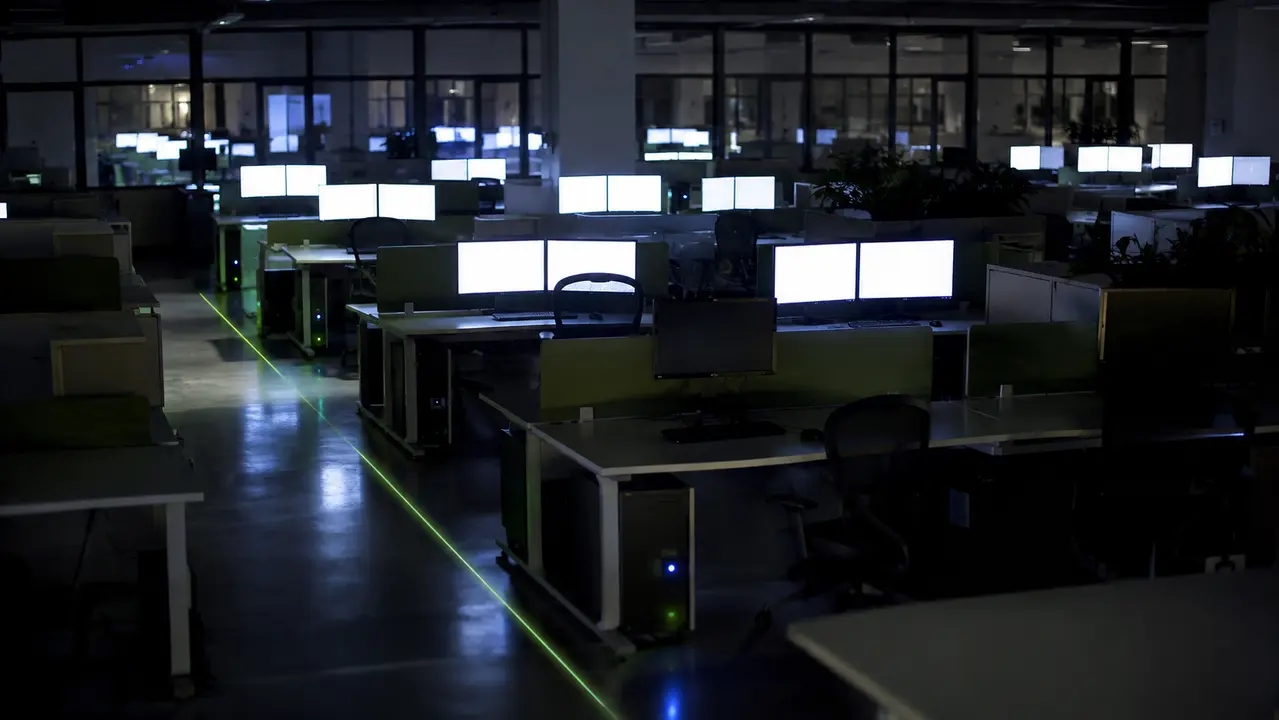
Walk through any enterprise office at 2:00 a.m. and count the glowing power buttons. You are looking at real money burning. A PC energy cost calculator for business is the exact tool finance and IT teams need to quantify that waste, translating idle wattage and overnight runtime into hard dollar figures. Estimating enterprise PC electricity consumption requires more than multiplying a generic wattage by a utility rate. You need a methodology that accounts for real office computer power usage, mixed device fleets, and after-hours behavior. This guide breaks down the inputs, formulas, and fleet-scale math required to build an accurate model. Organizations using solutions like PowerPlug Pro always start with this measurement phase before enforcing power policies. Every fleet varies by device type, local electricity rate, and work schedule, so consider this a practical framework rather than a single fixed number.
Reading time: 4 minutes
Key takeaways
- A PC energy cost calculator for business translates idle wattage and overnight runtime into hard dollar figures.
- Accurate estimates require segmenting device types and using actual blended electricity rates, not generic averages.
- After-hours energy waste is the primary target for IT cost reduction, often solved with scheduled wake strategies.
- Fleet-wide energy savings shift from an IT problem to a board-level financial opportunity.
Table of contents
- What is a PC energy cost calculator for business?
- What inputs do I need to calculate office computer power usage accurately?
- How much electricity does a typical office PC use during real work?
- How much electricity does a PC use when idle, asleep, or shut down?
- How do I calculate the cost to run one office PC per day, month, and year?
- How do I calculate enterprise PC electricity consumption for large fleets?
- What electricity rate should a business use in a PC cost calculator?
- Does leaving office computers on overnight waste a lot of electricity?
- How much do monitors and peripherals add to office computer power usage?
- Why is my enterprise PC electricity consumption estimate different from the utility bill?
- How can IT reduce PC energy costs without breaking patching or updates?
- What is enterprise PC power management in practice?
- How do I calculate carbon emissions from office PC electricity consumption?
- What is a practical checklist to build a business-ready PC energy cost model?
- Frequently asked questions
What is a PC energy cost calculator for business?
A PC energy cost calculator for business is a method for estimating organizational spend on computing devices. It combines average wattage, hours per power state, electricity rate, and endpoint count to project true costs. This is endpoint energy management at its core. A small per-PC cost becomes highly material at fleet scale. Fifty dollars of wasted power per machine annually is a rounding error on a single department budget. Multiply that by 1,000 machines and it becomes a real line item. Any accurate calculation of office PC electricity consumption remains an estimate until validated with actual measurement or endpoint telemetry. The real business drivers are after-hours waste, patch window requirements, remote access needs, and sustainability reporting. You must understand the variables before you can change the outcome.
What inputs do I need to calculate office computer power usage accurately?
Calculating office computer power usage requires five specific inputs. You need average watts by power state, hours per day in each state, workdays versus weekends and holidays, your electricity rate per kWh, and the total number of PCs. If monitors are in scope, add them separately. The biggest mistake IT teams make is using the PSU wattage rating. A 650W power supply does not draw 650 watts. It usually draws far less. Segment your fleet by device type like desktop, laptop, or workstation, and by department workload. Hybrid work endpoint energy is a distinct category. An employee working from home three days a week leaves an office PC sitting idle. That machine still draws power if left on. You must account for that specific usage pattern. Use ranges first, then refine with actual data.
What counts as a PC in enterprise reporting?
Include desktops, laptops, and workstations in your baseline. You can optionally include monitors and docks if you want a total workstation figure. Exclude servers unless they are explicitly in scope for your endpoint energy audit. Servers operate on entirely different power curves and belong in a data center energy budget, not an office PC fleet calculation.
How much electricity does a typical office PC use during real work?
Many office desktops average roughly 60 to 150 watts during typical productivity use. Workstations with high-end GPUs pull more. Laptops generally pull less due to battery-optimized hardware. The variability drivers are CPU utilization, GPU presence, number of monitors, device age, OS power plan, and connected peripherals. Hardware efficiency tiers matter. The ENERGY STAR Computers Version 8.0 Specification defines measured power in different operating modes, which helps establish a baseline for your assumptions. When comparing laptop vs desktop electricity cost, laptops win on raw efficiency. A modern laptop might draw 30W while a desktop tower pulls 90W for the same task. Start with vendor datasheets and efficiency specifications, but validate those numbers against real-world testing. Device power state reporting from your endpoint management tool will give you the most accurate picture.
How much electricity does a PC use when idle, asleep, or shut down?
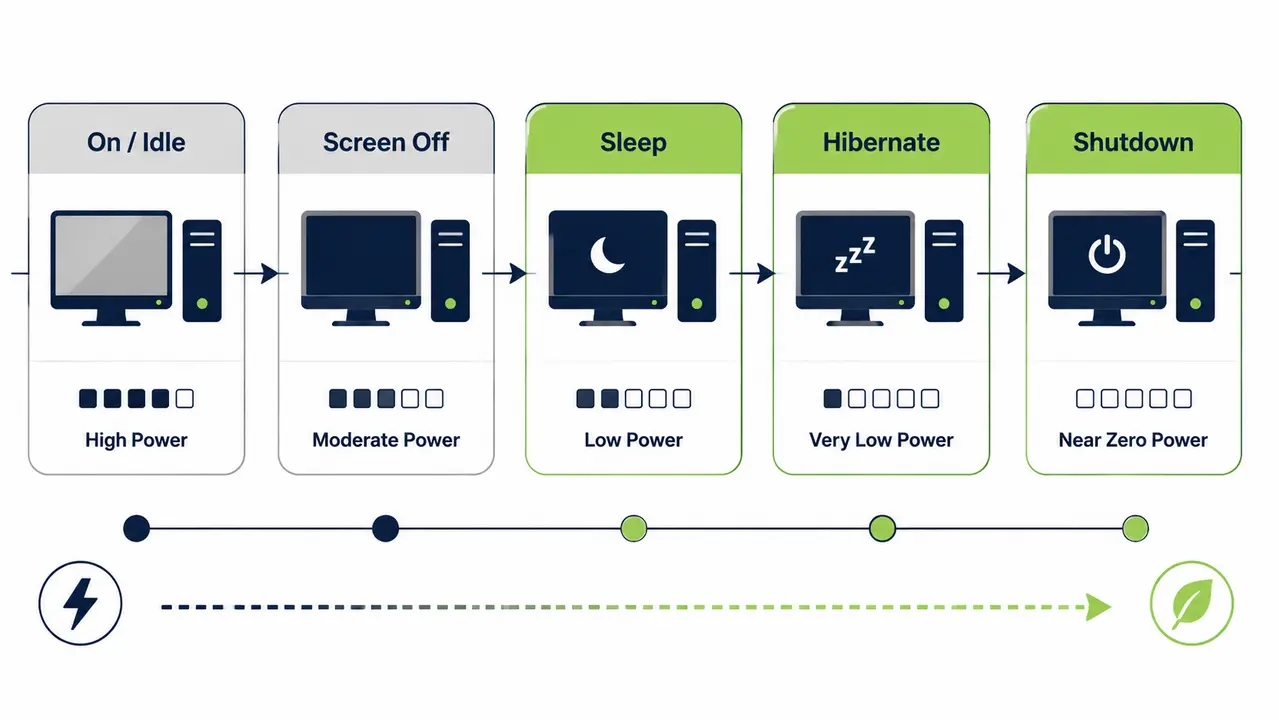
PC idle power draw is the hidden budget killer. A machine left on but idle still draws meaningful power. Sleep state is typically low. Hibernate is near-zero. Shutdown is near-zero, though a small standby draw often remains depending on BIOS configuration. The biggest waste category is machines left on outside working hours. Translating this to business impact is straightforward. The EPA outlines how power management for computers and monitors directly reduces wasted electricity, but sleep reliability can vary at scale. Wake-from-network issues and driver conflicts routinely break local sleep settings. Policies need active verification, not just a Group Policy Object pushed to an OU.
Why screen off is not the same as sleep
Screen-off often leaves the full system powered. The display goes black, but the CPU, motherboard, and hard drives remain active. This provides limited savings compared to true sleep or hibernate. Many users assume a blank monitor means a low-power state. It does not. True sleep cuts power to most components, saving significant energy.
| Power State | Typical Power Level | Resume Time | Remote Manageability | Best-Fit Scenarios | Common Failure Modes at Scale |
|---|---|---|---|---|---|
| On / Idle | Medium to High | Instant | Full | Active working hours | Left on overnight by users |
| Screen Off | Medium | Instant | Full | Brief breaks | Mistaken for sleep, wastes power |
| Sleep | Low | Fast | Wake-on-LAN required | Lunch breaks, short idle | Driver conflicts prevent sleep |
| Hibernate | Near Zero | Slow | Wake-on-LAN required | Overnight, weekends | Slow resume frustrates users |
| Shutdown | Near Zero | Very Slow | Wake-on-LAN required | Extended absence | Maintenance windows missed |
How do I calculate the cost to run one office PC per day, month, and year?
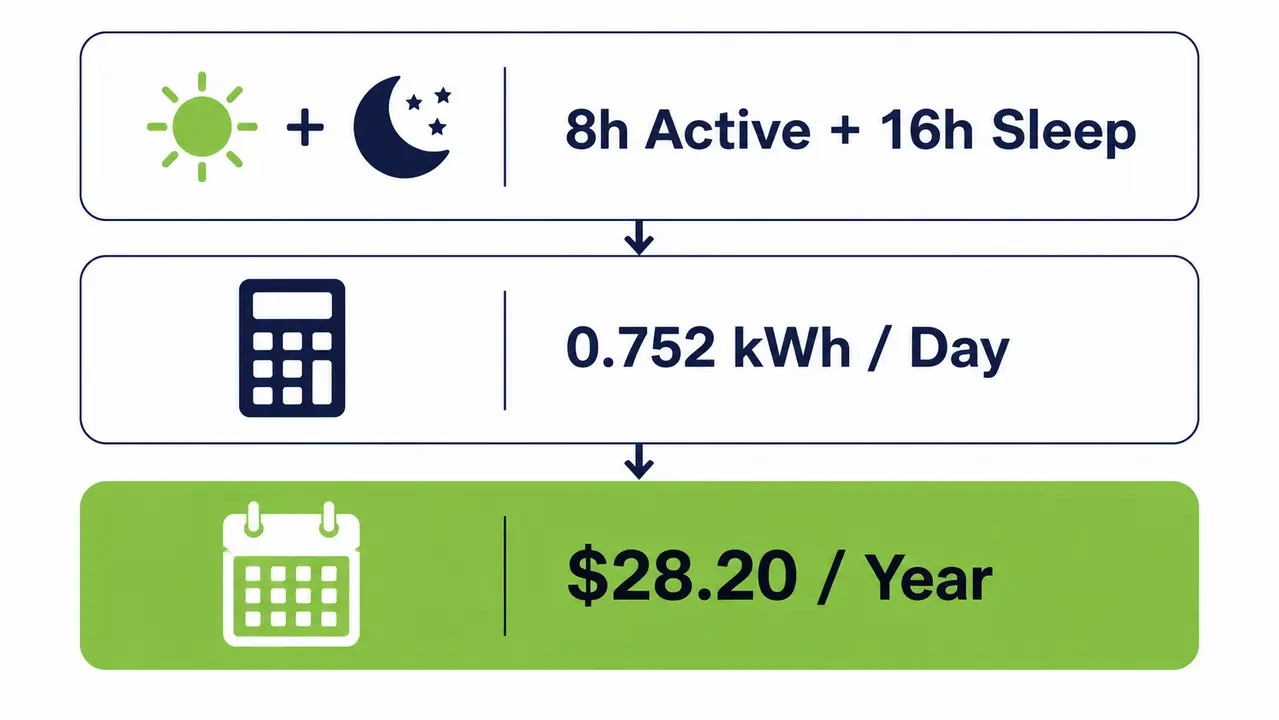
A kWh cost calculator for computers relies on a simple formula. Convert watts to kilowatts by dividing by 1,000. Multiply that by the hours in that state. Multiply the result by your cost per kWh. Repeat for each power state and sum the total. Consider an illustrative example. Assume a desktop draws 90W during 8 active work hours, and 2W during 16 sleep hours. Daily active energy equals 0.09 kW multiplied by 8 hours, which is 0.72 kWh. Daily sleep energy equals 0.002 kW multiplied by 16 hours, which is 0.032 kWh. Total daily energy is 0.752 kWh. At a commercial rate of $0.15 per kWh, the daily cost is about 11 cents. Scaling that to a month of 22 workdays yields $2.48. Over 250 workdays, the annual cost per device is $28.20. You must relabel these numbers with your organization’s real rate and real hours before using them for budgeting.
How do I calculate enterprise PC electricity consumption for large fleets?
Calculate annual kWh and annual cost per device first. Then multiply by endpoint count. Segment by device class to avoid distorted averages. A fleet of 1,000 desktops left idle overnight wastes substantial energy. If an enforced sleep or shutdown policy saves $30 per PC annually, the fleet saves $30,000. At true fleet scale, this is the kind of saving reflected in how one university reduced fleet-wide energy costs across thousands of endpoints, where policy-based automation was applied across a large campus. This is where the case for policy enforcement becomes financially visible to finance and procurement stakeholders. Fleet-wide energy savings shift from an IT problem to a board-level financial opportunity.
How to segment your fleet for better estimates
Separate desktops from laptops and workstations. Their power profiles differ wildly. Separate 24/7 stations from standard office users. A network operations center or clinical workstation cannot be treated like a marketing department PC. Segmentation gives you accurate cost per endpoint per year figures.
What electricity rate should a business use in a PC cost calculator?
Use your organization’s actual blended rate paid per kWh at the relevant sites. Source this from utility bills or energy procurement data. For multiple sites, calculate a weighted average by kWh consumed. Generic national averages distort enterprise-level estimates. A commercial rate in New England is vastly different from an industrial rate in the Pacific Northwest. Time-of-use and demand charges complicate advanced modeling. Keep the core calculator focused on flat kWh cost unless you are doing deep energy benchmarking. Accuracy here determines the validity of your entire energy savings ROI model.
How to handle multiple offices and multiple tariffs
Use a weighted average approach by site kWh volume. Recommend site-level reporting for accuracy in multi-region organizations. A global enterprise might use an aggregate rate for high-level estimates, but facility managers need site-specific numbers to track actual savings.
Does leaving office computers on overnight waste a lot of electricity?
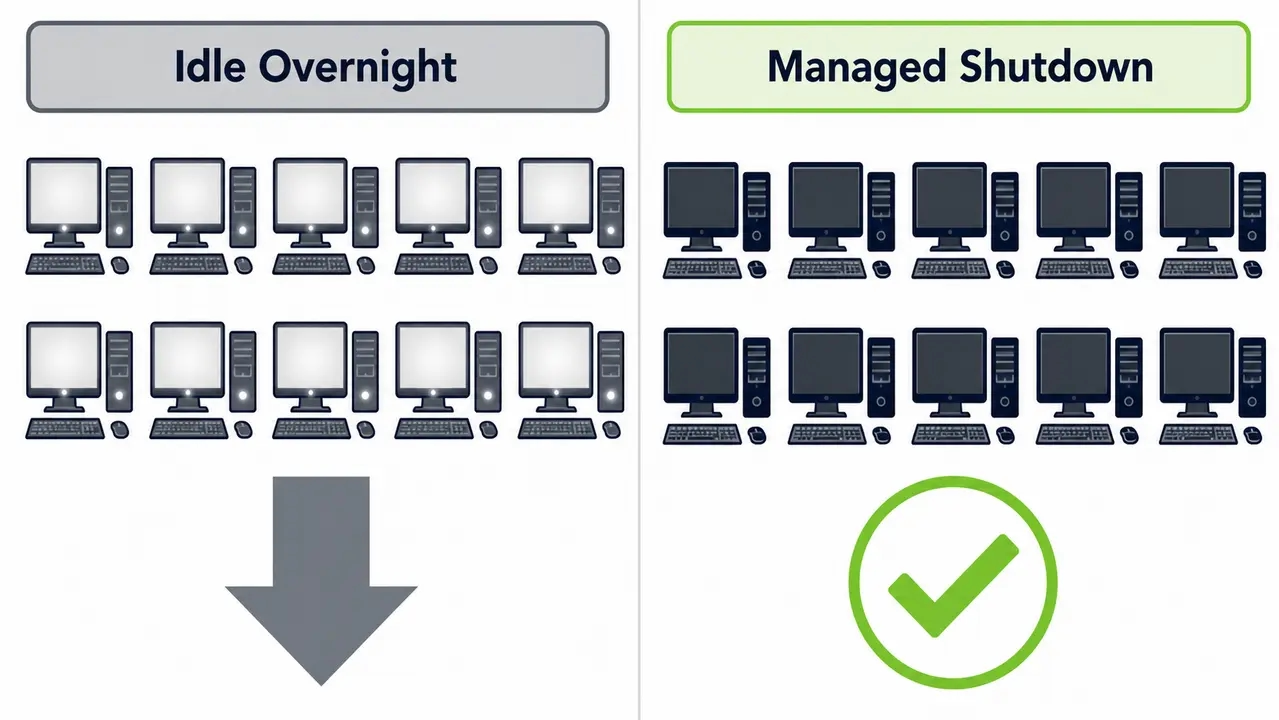
Yes. After-hours energy waste is the primary target for IT energy cost reduction. Idle-on draw across long overnight windows creates massive annual kWh at fleet scale, often without business value. Walk through an overnight window example. A PC left on for 12 hours a night over 250 work nights wastes 3,000 hours of idle runtime annually. Multiply that by 1,000 machines and the scale of the problem becomes clear. The operational counterargument is that IT needs machines on for patching and remote access. You can preserve those capabilities through scheduled wake strategies rather than leaving machines on indefinitely. A managed shutdown paired with Wake-on-LAN scheduling cuts the waste while keeping endpoints available for maintenance.
How much do monitors and peripherals add to office computer power usage?
Monitor power consumption in offices is significant. Monitors can add a meaningful share of total workstation energy use. A dual-monitor setup easily adds 30 to 60 watts to an active workstation. Brightness settings directly impact draw. Enforcing monitor sleep is a powerful lever for savings. Organizations must explicitly decide their reporting scope. A PC-only calculation misses a large chunk of the load. A PC plus displays calculation gives a truer picture of total endpoint energy cost. Peripherals like docks and external drives are typically minor. However, docks for charging laptops can add nontrivial draw when keeping a battery topped off.
Why is my enterprise PC electricity consumption estimate different from the utility bill?
Differences typically stem from wrong watt assumptions, uncounted devices, incorrect hours, or mixed device types. A building-level utility bill includes HVAC, lighting, networking, and other loads beyond endpoints. Your estimate will rarely match the bill exactly. The goal is decision-grade accuracy to support policy ROI decisions, not forensic-level precision. Reconcile the gap by estimating the endpoint share of total building load. Validate with a small sample using watt meters or endpoint telemetry. Refine your assumptions across the fleet. Research on end-use energy consumption data collection from NREL supports this metering approach. You need enough accuracy to justify the rollout, not an exact accounting of every watt.
How can IT reduce PC energy costs without breaking patching or updates?
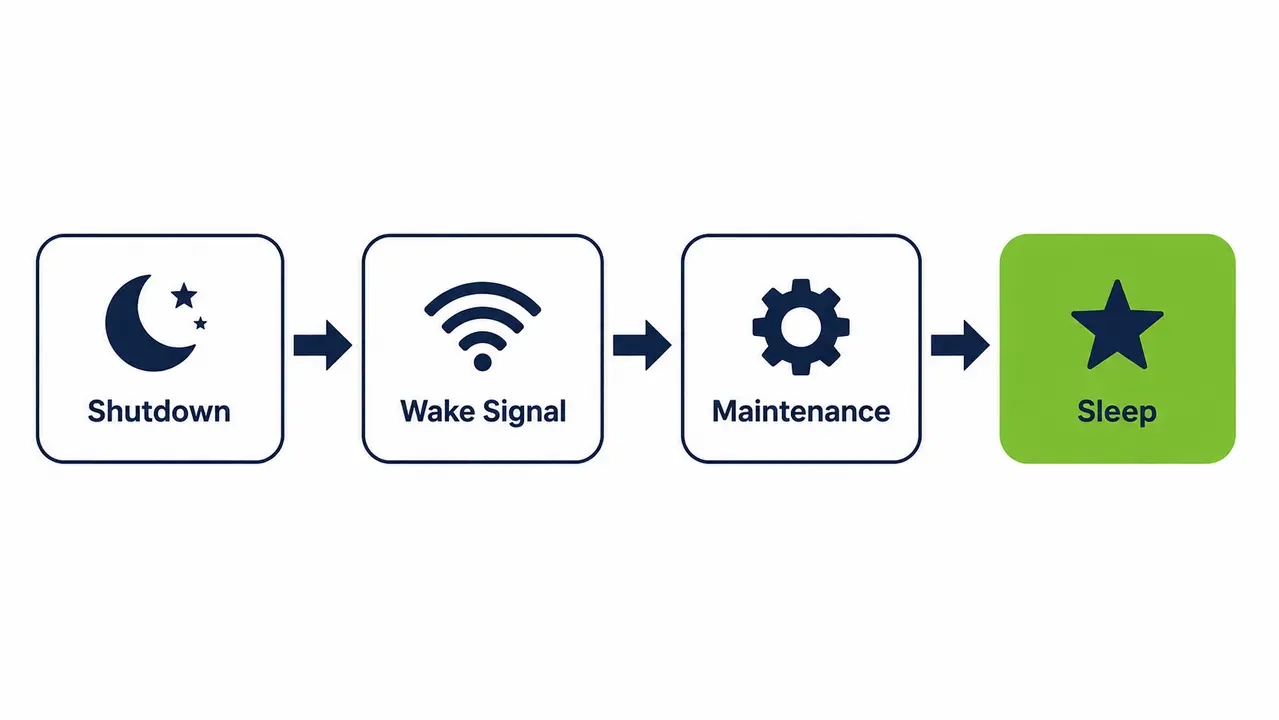
Use policy-based power state automation paired with scheduled wake and controlled exceptions. Endpoints should be available when needed but not consuming power when unused. PC power policy enforcement solves the maintenance window problem. IT teams can maintain full patch and update coverage by pairing shutdown policies with scheduled Wake-on-LAN technology that brings machines online exactly when needed. Debunk the misconception that always-on is required for updates. Microsoft Configuration Manager (SCCM) and similar tools handle wake-up events perfectly. Governance best practices include change control, pilot groups, and reporting to prove no productivity impact before full rollout.
What policies typically work best for standard office users?
Enforce after-hours shutdown with a morning scheduled wake. Implement lunch-time sleep for inactive periods. Apply weekend shutdown rules. Build a clear exception handling process for users who need to keep machines running. Hybrid work endpoint energy rules should power down office machines when employees work from home.
What about 24/7 departments and critical stations?
Maintain exemption lists for stations that must remain available. Clinical settings, NOC desks, and trading floors require partial policies or deeper fleet segmentation. You cannot force a shutdown on a machine running critical monitoring software. Tag these devices in Active Directory and exclude them from the global power policy.
What is enterprise PC power management in practice?
Enterprise PC power management centrally enforces and verifies power policies across thousands of endpoints. It provides device power state reporting and supports operational needs like scheduled wake and permission-based exceptions. This goes far beyond local OS settings. Achieving this consistently across thousands of devices typically requires a centralized power management platform rather than relying on individually configured OS settings. Policy, compliance, and reporting represent enterprise-grade control. Best-effort individual user settings represent consumer-grade control. Fewer always-on unattended endpoints also reduces the exposure window for attacks. PowerPlug Pro is the type of platform that delivers this level of control, integrating with existing infrastructure to automate sleep, hibernate, and shutdown states based on real-time usage data.
How do I calculate carbon emissions from office PC electricity consumption?
Multiply total kWh consumed by an appropriate emissions factor to estimate CO2e. Use a location-based grid factor or your organization’s chosen reporting factor. Apply consistent methodology across reporting periods. Emissions factors vary by region and grid mix. Organizations with renewable energy contracts use different market-based factors. Calculate Scope 2 emissions from IT equipment by reporting both kWh saved and CO2e avoided for ESG stakeholders. The GHG Protocol Scope 2 Guidance defines how to apply these factors correctly. Do not just report cost savings to the board. Report the carbon reduction. A CO2e per kWh calculation translates IT efficiency into environmental impact, which is increasingly a mandatory metric for enterprise reporting.
What is a practical checklist to build a business-ready PC energy cost model?
Start with a segmented inventory. Define power states and schedules. Choose a rate per site. Run a baseline estimate. Validate with a sample. Track savings with reporting after policy rollout. This checklist mirrors what mid-market to large organizations use before adopting fleet-wide automation. Gather device counts, then user hours, then after-hours behavior. Make a monitor inclusion decision. Build an exception list. Select a pilot group. Execute a phased rollout. Establish a monthly reporting cadence. Deliver stakeholder reporting to IT, finance, and sustainability teams. For organizations ready to move from estimate to enforcement, it can help to speak with a team experienced in enterprise rollouts before finalizing a pilot group.
| Maturity Level | Watt Source | Power States Included | Scheduling Detail | Multi-Site Rates | Output Metrics | Best For |
|---|---|---|---|---|---|---|
| Basic | Assumed from vendor specs | On, Sleep | Generic 9-to-5 | Single average rate | Cost, kWh | Small offices, initial estimates |
| Intermediate | Sampled with meters | On, Idle, Sleep, Hibernate | Workdays vs weekends | Weighted average by site | Cost, kWh, CO2e | Mid-market, single-region |
| Advanced | Measured via endpoint telemetry | All states plus monitor draw | Granular by department and shift | Site-specific tariff mapping | Full TCO, ROI, Carbon footprint | Large enterprises, global fleets |
Ready to translate idle wattage into hard dollar savings?
See how centralized power policies and scheduled wake events cut fleet-wide energy costs without disrupting IT maintenance.
Frequently asked questions
How much electricity does a PC use per hour in an office?
How much electricity does a PC use per hour depends on the state. An active office desktop typically uses between 60 and 150 watts. An idle PC might use 50 watts. A sleeping PC uses less than 5 watts.
How many kWh does an office computer use per month?
Assuming 90 watts for 8 hours a day over 22 workdays, a single computer uses about 16 kWh per month. This figure changes based on actual office computer power usage and overnight behavior.
How much does it cost to run a desktop computer 24/7 for a business?
Running a 90W desktop continuously for a year at $0.15 per kWh costs about $118 annually. At fleet scale, this enterprise PC electricity consumption becomes a major budget line.
Does sleep mode save electricity for office PCs?
Yes. Sleep mode drops power draw to under 5 watts. This is a significant reduction from an idle 50W draw, making it highly effective for after-hours energy waste reduction.
How much power does a PC use in hibernate vs shutdown?
Both states use near-zero power. Hibernate saves the machine state to disk and powers down. Shutdown closes everything. Hibernate allows a slightly faster resume while maintaining the same low power draw.
How do I calculate electricity cost for 1,000 computers?
Calculate the annual cost for a single machine first. Multiply that number by 1,000. If one PC costs $30 a year to run after hours, 1,000 PCs cost $30,000.
How much do dual monitors add to power consumption?
Dual monitors can add 30 to 60 watts to an active workstation. This is why monitor power consumption office settings must be included in accurate energy benchmarking endpoints calculations.
What wattage should I assume for an office desktop?
Assume 90 watts for an active office desktop and 50 watts for an idle state. Always validate these assumptions against actual device power state reporting before finalizing budgets.
How do I find my business electricity rate per kWh?
Look at your commercial utility bill. Divide the total electricity charge by the total kWh consumed. Do not use national averages for enterprise PC electricity consumption calculations.
Why doesn’t my PC energy estimate match my electric bill?
Your utility bill includes HVAC, lighting, and other building loads. Your PC estimate only covers endpoints. Use power meter validation sampling to reconcile the difference and refine your model.
How can we reduce after-hours PC power usage without disrupting IT?
Implement PC power policy enforcement. Use Wake-on-LAN scheduling to bring machines online for patch windows. This preserves maintenance availability while cutting after-hours waste.
How do I estimate CO2 emissions from office computers?
Multiply your total annual kWh by your local grid emissions factor. This provides your Scope 2 emissions from IT equipment. Report this alongside dollar savings for ESG stakeholders.
What’s the best schedule for shutting down office PCs?
The best schedule enforces a shutdown at the end of the business day with a morning scheduled wake 30 minutes before users arrive. Weekend shutdowns are also highly effective.
How do I measure PC power draw accurately at work?
Use physical watt meters on a small sample of devices. Compare the results to your endpoint agent telemetry. Use this validated data to adjust your fleet-wide energy savings calculations.
Building an accurate PC energy cost calculator for business requires segmenting your fleet, using actual blended electricity rates, and accounting for after-hours behavior. Translating idle wattage into hard dollar figures provides the decision-grade accuracy needed to justify policy enforcement. When you are ready to move from estimation to active fleet-wide savings, centralized power management delivers the automation and reporting required for success.
About PowerPlug
PowerPlug has been helping organizations cut the environmental and financial impact of PC power consumption since 2009. Its flagship platform, PowerPlug Pro, combines intelligent PC power management with an on-demand Wake-Up Portal, so IT teams can shut down idle machines without sacrificing availability for maintenance, patching, or remote access.
Customers, including leading hospitals, universities, municipalities, government agencies, and global enterprises, have together saved over $50M on electricity bills and eliminated more than 200,000 tons of CO2. Led by CEO Eyal Yechieli, PowerPlug’s mission is simple: reduce the environmental and financial impact of PC power consumption worldwide, because the most sustainable and affordable energy is the energy you never use.