
Building The Business Case For IT Energy Optimization
A practical, in-depth guide for IT and operations leaders on deploying policy-based PC power management across large fleets — covering strategy, implementation, compliance, and measurable ROI.

Enterprise PCs collectively consume enormous amounts of electricity — much of it wasted during idle periods, out-of-hours operation, and improper sleep configurations. PC power management transforms this silent cost centre into a measurable source of savings. This guide walks IT and sustainability leaders through everything needed to design, deploy, measure, and continuously improve a fleet-wide power management programme.
Article Navigation Table of Contents
- Why PC Power Management Matters at Enterprise Scale
- Understanding the Real Cost of an Idle PC Fleet
- Key Components of an Enterprise Power Policy
- Deployment Models and Integration with IT Infrastructure
- Balancing Power Savings and User Productivity
- Sustainability, ESG, and Regulatory Drivers
- Measuring, Reporting, and Proving ROI
- Common Implementation Challenges and How to Solve Them
- Frequently Asked Questions
Key Takeaways
- PC power management is one of the highest-ROI, lowest-disruption sustainability initiatives available to enterprise IT teams.
- Idle and out-of-hours energy waste is often invisible without dedicated measurement tools — making baselining the essential first step.
- Effective policies must adapt to user behaviour, device type, and business hours rather than applying a single blanket setting.
- Integration with existing IT infrastructure (SCCM, Active Directory, ITSM) is critical for scalable, maintainable deployment.
- ESG reporting, carbon accounting, and regulatory pressure are elevating PC power management from an IT concern to a board-level priority.
- Continuous monitoring and policy refinement consistently outperform set-and-forget approaches in long-term savings.
Why PC Power Management Matters at Enterprise Scale
For organisations operating hundreds or thousands of endpoint devices, energy consumption from the PC estate is a substantial and frequently underestimated operational cost. Unlike data centres, where energy efficiency has received decades of investment and scrutiny, the endpoint estate often escapes rigorous attention — despite representing a significant share of total ICT energy spend.
PC power management addresses this gap by applying intelligent, policy-driven controls that reduce energy draw during non-productive periods without interfering with active work. At scale, even modest reductions in idle consumption translate into six-figure annual savings. When multiplied across multi-site organisations, the financial and environmental case becomes compelling.
The Scale Effect: Why Individual Watts Add Up
A single desktop PC left on overnight consumes a relatively small amount of electricity. But multiply that by a thousand devices, across 250 working nights per year, and the cumulative waste becomes significant. Enterprise power management tools make these aggregated savings visible, trackable, and reportable — converting a diffuse, invisible problem into a managed programme with clear accountability.
Beyond direct energy costs, organisations also face the indirect costs of excess heat generation (increased cooling load in offices), extended hardware lifecycle impacts from unnecessary power-on hours, and reputational risk if sustainability commitments are not backed by operational evidence.
The Strategic Shift: From IT Housekeeping to Business Priority
PC power management has evolved from a niche IT configuration task into a strategic initiative aligned with corporate sustainability goals, ESG disclosure requirements, and cost reduction mandates. This shift means stakeholders now extend well beyond IT — including finance, facilities, sustainability, and senior leadership.
Organisations that treat power management as a strategic programme — with defined ownership, measurable targets, and regular reporting — consistently achieve better outcomes than those treating it as a one-time configuration exercise.
Understanding the Real Cost of an Idle PC Fleet
Quantifying the cost of an unmanaged PC fleet requires looking beyond the electricity bill line item. The true cost of idle consumption encompasses energy spend, carbon output, cooling overhead, and the opportunity cost of capital that could be deployed elsewhere.
Typical Consumption Profiles
Desktop PCs in active use typically draw between 60W and 200W depending on hardware specification and workload. In sleep or standby mode, this drops to under 5W in well-configured systems. However, many enterprise fleets — particularly those with legacy configurations or default Windows power settings — never enter low-power states, meaning devices draw near-peak power even at 3am.
Laptops generally consume less, but they represent a different challenge: users disconnecting from power management policies when working remotely or on battery, and organisations losing visibility and control over endpoint behaviour outside the network perimeter.
The Overnight and Weekend Gap
Analysis of enterprise fleets consistently reveals that a substantial proportion of total PC energy consumption occurs outside productive hours. Devices left on overnight, over weekends, or during public holidays contribute significantly to total energy spend without delivering any business value. Identifying and closing this gap — through scheduled shutdown policies, intelligent sleep enforcement, and wake-on-LAN for managed maintenance tasks — is typically the highest-impact intervention available.
| Scenario | Approximate Power Draw | Annual Energy (Single Device, 8,760 hrs) | Impact at 1,000 Devices |
|---|---|---|---|
| Always-on desktop (unmanaged) | ~120W average | ~1,051 kWh | ~1,051 MWh/year |
| Managed policy (sleep after idle) | ~40W average blended | ~350 kWh | ~350 MWh/year |
| Optimised policy (shutdown OOH) | ~25W average blended | ~219 kWh | ~219 MWh/year |
Figures are illustrative. Actual savings depend on device mix, local energy tariffs, working patterns, and baseline configuration. Conduct a site-specific assessment for precise projections.
Key Components of an Enterprise Power Policy
An effective enterprise power policy is not a single setting — it is a layered set of rules, schedules, and conditions that adapt to the operational context of each device and user group. The following components form the foundation of a well-structured policy framework.
Sleep and Hibernate Thresholds
Defining when a device transitions from active to sleep and from sleep to hibernate is the most fundamental policy decision. Aggressive thresholds (e.g. sleep after 5 minutes of inactivity) may save more energy but can frustrate users who experience frequent re-authentication prompts. Well-calibrated thresholds — typically 10–20 minutes to sleep for displays and 30–60 minutes for system sleep — balance savings with usability. Hibernate, which saves full system state to disk, is appropriate for longer idle periods and enables fast resume while consuming near-zero power.
Scheduled Shutdown and Startup
For devices in predictable usage environments (fixed-desk workers, shared workstations, call centre seats), scheduled shutdown at end-of-business and startup ahead of shift start delivers the largest sustained savings. Wake-on-LAN (WoL) enables remote wakeup for patch deployment, backup tasks, or management operations without requiring devices to remain on overnight.
User Group and Role-Based Policies
Not all users have the same operational requirements. Power users running overnight processes, developers with long compile jobs, or clinical staff needing instant system availability all require different policy configurations. Segmenting devices into policy groups — aligned with Active Directory OUs or security groups — allows differentiated rules without manual exception management.
Display and Peripheral Power Management
Monitor and display power management is often overlooked but delivers meaningful savings, particularly in environments with large external monitors. Display sleep after 5–10 minutes of inactivity is typically uncontroversial and represents immediate energy reduction. USB peripheral power management and hard drive spin-down policies provide additional incremental savings.
Policy Enforcement and Override Controls
User-initiated overrides (such as preventing sleep during a presentation or long download) are a legitimate operational requirement. However, uncontrolled overrides undermine policy effectiveness. Enterprise solutions should provide managed override capabilities — allowing temporary exceptions that automatically expire, with audit logging to identify persistent overriders for targeted follow-up.
Remote and Hybrid Worker Considerations
Devices operating outside the corporate network perimeter require policy delivery mechanisms that function over VPN or cloud management channels. Mobile Device Management (MDM) platforms and cloud-connected policy engines extend consistent power management to remote endpoints. Battery optimisation policies for laptops — distinct from mains-powered desktop policies — also belong in a comprehensive framework.
See How PowerPlug Manages Your Entire PC Fleet
PowerPlug’s platform gives you real-time visibility and granular policy control across every endpoint — whether on-premises, hybrid, or remote. Discover how organisations like yours are achieving measurable energy savings without disrupting users.
Deployment Models and Integration with IT Infrastructure
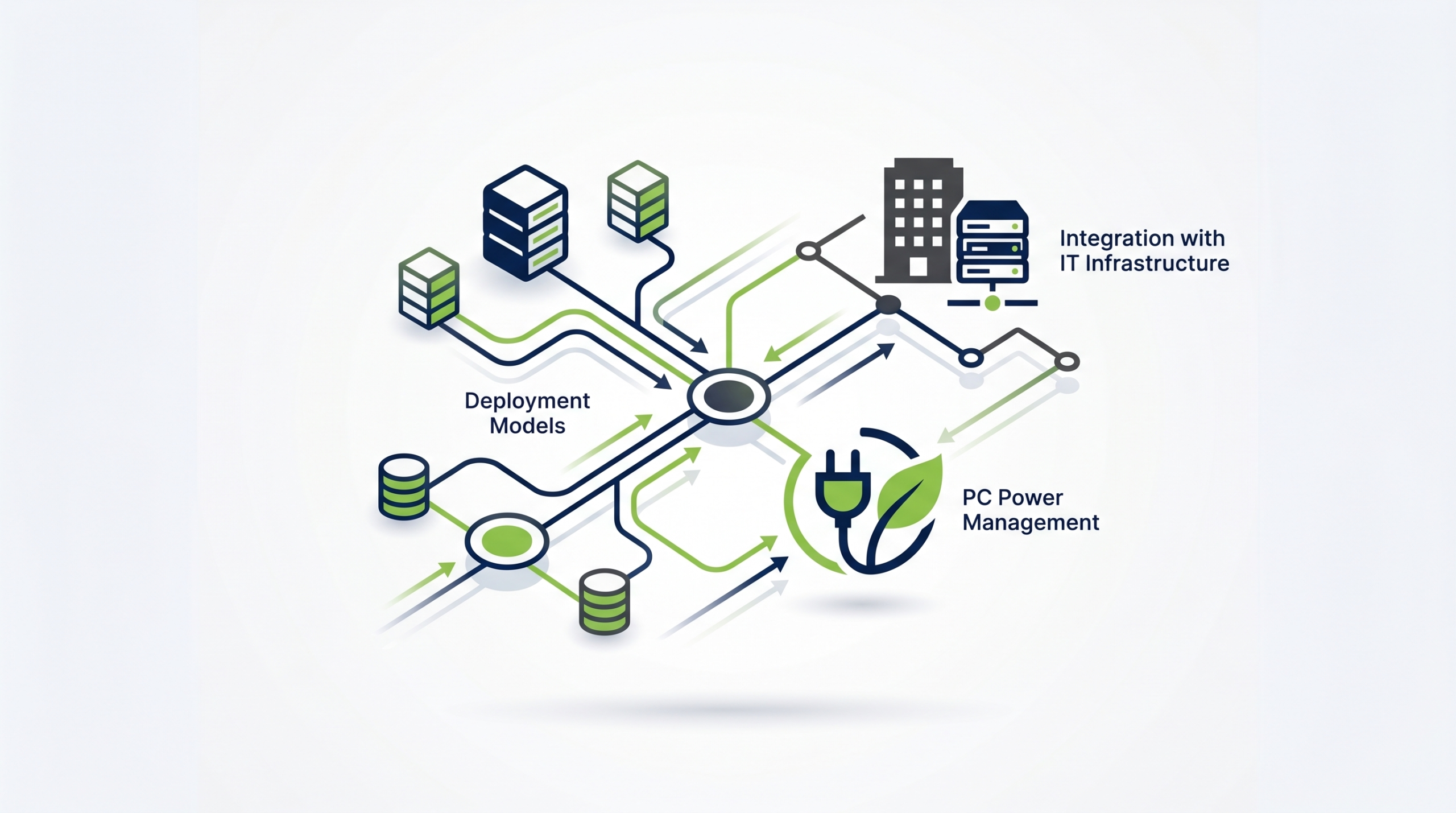
The success of an enterprise power management programme depends not just on what policies are applied, but on how they are deployed, maintained, and integrated with existing IT management systems. Choosing the right deployment model is a prerequisite for scalability and long-term sustainability.
Group Policy Objects (GPO) and Active Directory
For Windows-centric environments, Group Policy remains the foundational delivery mechanism. Power policy settings can be distributed via GPO to any domain-joined device, providing broad reach with minimal infrastructure overhead. However, native GPO power management has significant limitations: limited reporting capability, no real-time monitoring, coarse policy granularity, and no user behaviour analytics. Most enterprise deployments use GPO as a baseline layer, supplemented by dedicated power management software for advanced functionality.
Microsoft SCCM and Endpoint Configuration Manager
Microsoft Endpoint Configuration Manager (formerly SCCM) includes built-in power management features that extend GPO capabilities with reporting, compliance dashboards, and power plan deployment. For organisations already invested in SCCM, this provides a practical starting point. However, SCCM power management is primarily a monitoring and policy distribution tool — it does not provide the intelligent, adaptive policy enforcement or user engagement features that dedicated solutions offer.
Dedicated PC Power Management Platforms
Purpose-built enterprise power management platforms — such as PowerPlug — integrate with existing IT infrastructure while providing capabilities that generic tools cannot match: real-time energy monitoring at device level, intelligent policy adaptation based on actual usage patterns, user notification and engagement features, executive reporting, and carbon accounting integration. These platforms typically integrate via Active Directory, SCCM, or cloud management channels and are designed to operate at enterprise scale with minimal IT overhead.
Cloud-Based and SaaS Deployment
Modern power management solutions increasingly offer cloud-hosted management consoles and policy engines, enabling IT teams to manage global estates from a single interface without on-premises server infrastructure. Cloud deployment also supports remote and hybrid workers who may never connect to the corporate network, ensuring consistent policy coverage across the entire device estate regardless of location.
Integration with ITSM and CMDB
Connecting power management data to IT Service Management platforms (ServiceNow, Jira Service Management, BMC Remedy) and Configuration Management Databases enables automated exception handling, device lifecycle correlation, and integration into change management workflows. When a device is flagged as decommissioned in the CMDB, power policies can be automatically relaxed or terminated — eliminating orphaned configurations and ensuring policy accuracy over time.
Balancing Power Savings and User Productivity
The most common objection to aggressive power management policies is the fear of user disruption. Locked screens, unexpected sleeps during presentations, slow system wake times, and interrupted background processes all generate IT helpdesk tickets and erode user confidence in the programme. Addressing these concerns proactively — through policy design, user communication, and intelligent automation — is essential for sustainable adoption.
Understanding Where Friction Actually Occurs
User disruption from power management is rarely as widespread as feared. In most enterprise deployments, a small minority of users account for the majority of override requests and helpdesk tickets. Analytics-driven policy refinement — identifying which device groups, locations, or use cases generate the most disruption — allows targeted policy adjustment without rolling back energy savings across the entire fleet.
User Communication and Change Management
Transparent communication before and during rollout significantly reduces resistance. Users who understand why power policies are being applied, what to expect, and how to request legitimate exceptions are far more cooperative than those who experience unexplained behaviour changes. On-screen notifications, intranet announcements, and manager briefings all contribute to a smoother rollout.
Framing the initiative in terms of corporate sustainability goals — rather than cost-cutting — often generates stronger voluntary compliance, particularly in organisations where ESG commitments carry cultural weight.
Intelligent Policy Adaptation
Advanced power management platforms monitor actual usage patterns at device level and adapt policies dynamically. A device used continuously until 7pm receives different treatment than one idle since 4pm. A user who consistently overrides sleep policies on Wednesday evenings may be running a weekly reporting process — a data point that should inform policy configuration, not generate a helpdesk ticket. Intelligent adaptation reduces the manual policy maintenance burden while improving both savings and user experience.
Wake Times and Performance Impact
Modern Windows systems wake from sleep in 1–3 seconds on SSD-equipped devices — fast enough that most users experience no meaningful disruption. However, older hardware with spinning hard drives may have slower wake times, and legacy BIOS configurations can extend this further. Profiling wake performance across the fleet before deploying aggressive sleep policies identifies devices where hibernate (rather than sleep) or scheduled startup (rather than wake-from-sleep) may be more appropriate.
Sustainability, ESG, and Regulatory Drivers
PC power management has moved firmly into the sustainability mainstream. ESG disclosure requirements, net-zero commitments, and emerging regulatory frameworks are placing new demands on organisations to demonstrate measurable progress on Scope 2 emissions reduction — of which PC estate energy consumption is a direct component.
Scope 2 Emissions and the PC Estate
Scope 2 emissions cover indirect greenhouse gas emissions from purchased electricity. PC fleet energy consumption contributes directly to an organisation’s Scope 2 footprint. For organisations committed to Science Based Targets initiative (SBTi) alignment, ISO 14001 environmental management, or GRI Standards disclosure, documented PC energy reduction provides auditable evidence of progress toward stated goals.
Importantly, the PC estate is one of the few areas where emissions reductions can be achieved rapidly, at scale, and with relatively low capital investment — making it an attractive early-win component of broader net-zero programmes.
Energy Efficiency Regulations and Standards
In the European Union, the Energy Efficiency Directive and related implementation measures increasingly require large organisations to conduct energy audits and demonstrate improvement over time. PC power management data — when collected systematically — provides both the evidence base for audits and the operational mechanism for delivering required improvements. Similar frameworks exist or are developing in the UK, North America, and Asia-Pacific.
Procurement and Supply Chain Sustainability
Corporate customers increasingly assess their suppliers’ sustainability credentials as part of procurement decisions. Organisations that can demonstrate documented, monitored, and improving PC energy performance strengthen their sustainability narrative in tender processes and supplier evaluations — turning power management from an internal cost exercise into a competitive differentiator.
Board-Level Visibility and ESG Reporting Integration
The elevation of ESG to board agenda level means that the data generated by PC power management programmes needs to flow upward into executive reporting and, in some cases, into annual reports and sustainability disclosures. Solutions that produce executive-ready dashboards, carbon equivalent calculations, and year-on-year trend data eliminate the manual effort of translating raw energy data into board-appropriate metrics.
Measuring, Reporting, and Proving ROI
Demonstrating ROI from PC power management requires a structured approach to measurement, baseline establishment, and ongoing reporting. Without robust data, energy savings exist only as estimates — insufficient for financial justification, ESG disclosure, or programme expansion.
Establishing a Baseline
Effective measurement begins before any policy changes are made. A baseline period — typically 4–8 weeks — captures actual device-level energy consumption under current conditions. This baseline must account for seasonal variation (summer cooling load differs from winter), business cycle variation (month-end peak usage), and device mix (desktops, laptops, workstations have different profiles).
Device-level monitoring — rather than building-level smart metering — is essential for attributing savings specifically to the PC estate and for identifying outlier devices or locations with atypically high consumption.
Calculating Energy and Cost Savings
Post-deployment energy consumption, measured against the established baseline, provides the primary savings figure. This should be expressed in both kWh (for technical reporting) and monetary value (for financial reporting), using actual energy tariff rates. Carbon equivalent calculations — using grid emissions factors appropriate to the operating geography and reporting year — translate energy savings into CO₂e reductions for sustainability reporting.
ROI Components Beyond Energy Cost
A complete ROI model for enterprise power management should include:
- Direct energy cost savings — the primary financial benefit, directly measurable.
- Reduced cooling load — fewer active devices generating heat reduces office HVAC demand, particularly in high-density environments.
- Extended device lifespan — reduced power-on hours decrease thermal stress on components, potentially extending hardware refresh cycles.
- Carbon credits and offset avoidance — organisations purchasing voluntary carbon offsets can reduce offset volumes required as actual emissions fall.
- Compliance and audit cost avoidance — documented energy management reduces regulatory audit risk and associated management cost.
Reporting Cadence and Stakeholder Communication
Monthly operational reports — covering savings against target, policy compliance rates, and exception volumes — keep IT and operations stakeholders informed. Quarterly executive summaries — translating operational data into financial and carbon terms — maintain board and sustainability committee visibility. Annual benchmarking against industry peers and prior-year performance demonstrates sustained programme value and supports expansion investment cases.
Common Implementation Challenges and How to Solve Them

Even well-designed power management programmes encounter implementation challenges. Understanding the most common obstacles and their solutions reduces deployment risk and accelerates time to sustained savings.
Challenge: Inconsistent Policy Enforcement Across the Fleet
Root cause: Devices that are not reliably domain-joined, running outdated agents, or operating outside the network perimeter may not receive policy updates, creating unmanaged islands in the fleet.
Solution: Regular device compliance scanning — comparing the list of managed devices against the CMDB or asset register — identifies gaps. Cloud-connected policy delivery ensures remote devices receive the same policies as on-premises endpoints. Agent health monitoring flags devices that have not reported in within a defined threshold.
Challenge: User Override Erosion of Savings
Root cause: Without managed override controls, users disable power settings permanently rather than temporarily — often in response to a single frustrating experience — and forget to re-enable them.
Solution: Implement time-limited managed overrides that automatically expire and restore policy settings. Audit override usage to identify candidates for policy group re-segmentation. Provide user-facing communication explaining the purpose of policies and the correct mechanism for requesting exceptions.
Challenge: Waking Devices for Patch Management
Root cause: Sleep and shutdown policies can conflict with patch management windows if not coordinated, resulting in devices missing critical updates.
Solution: Integrate power management scheduling with patch management tooling (SCCM, WSUS, Intune) so that devices are woken before maintenance windows and allowed to sleep or shut down after completion. Wake-on-LAN, scheduled startup policies, and maintenance window awareness are standard features of enterprise power management platforms.
Challenge: Resistance from Department Heads or Business Units
Root cause: Local managers may perceive power management as IT imposing constraints on their teams’ productivity, particularly if they have experienced disruption in previous deployments.
Solution: Engage business unit stakeholders before rollout, involve them in policy design for their teams, and share savings data at departmental level so they can see the contribution their teams are making. Empowering departments as participants in the programme — rather than subjects of an IT mandate — drives sustained cooperation.
Challenge: Legacy Hardware with Unreliable Power State Management
Root cause: Older devices may not reliably enter or exit sleep states, may fail to respond to WoL commands, or may have BIOS-level power management limitations that override OS-level policies.
Solution: Hardware profiling during the baselining phase identifies legacy devices requiring different policy treatment. For hardware that cannot reliably sleep, scheduled shutdown and startup (where supported) provides an alternative. In some cases, legacy hardware replacement — justified partly on energy grounds — delivers both savings and improved manageability.
Ready to Transform Your PC Fleet into a Measurable Sustainability Asset?
PowerPlug delivers enterprise-grade PC power management with real-time monitoring, intelligent policy automation, and executive-ready reporting — all designed to work seamlessly with your existing IT infrastructure. Join the organisations already saving energy and reducing their carbon footprint at scale.
Frequently Asked Questions
How long does it typically take to deploy enterprise PC power management across a large fleet?
Deployment timescales depend on fleet size, infrastructure complexity, and the depth of integration required. Pilot deployments covering a subset of devices can typically be completed within two to four weeks. Full enterprise rollouts across thousands of devices generally take two to four months when managed through a structured programme, including stakeholder communication, policy design, and phased rollout. Organisations with well-maintained Active Directory and SCCM infrastructure tend to deploy faster.
Will power management policies interfere with overnight batch jobs or scheduled tasks?
Not when properly configured. Enterprise power management solutions are designed to be aware of scheduled tasks and can be configured to prevent sleep or shutdown while processes are running. Integration with task scheduler, SCCM maintenance windows, and backup software ensures that overnight jobs complete before power-down policies execute. Wake-on-LAN can also be used to bring devices online before scheduled tasks and return them to a low-power state afterwards.
How do you manage power policies for remote and hybrid workers whose devices are rarely on the corporate network?
Modern enterprise power management platforms support cloud-connected policy delivery via internet-facing management channels or VPN integration, ensuring remote devices receive and apply the same policies as on-premises endpoints. For organisations using Microsoft Intune or similar MDM platforms, power policies can be delivered through the same channel as other device configurations. Reporting aggregates data from all devices regardless of location, providing complete fleet visibility.
Can PC power management savings be included in corporate carbon reporting and ESG disclosures?
Yes. Energy reductions from PC power management directly reduce Scope 2 emissions (purchased electricity). When measured using device-level monitoring and converted to CO₂ equivalent using appropriate grid emissions factors, these savings can be included in GRI Standards disclosures, CDP submissions, SECR reports, and SBTi progress tracking. Enterprise power management platforms that generate auditable, methodology-documented energy reports simplify the process of incorporating PC savings into formal sustainability disclosures.
What is the difference between using native Windows power settings versus a dedicated power management platform?
Native Windows power settings and Group Policy provide basic power plan configuration but offer limited reporting, no real-time monitoring, coarse policy granularity, and no user behaviour analytics. Dedicated enterprise power management platforms add device-level energy measurement, adaptive policy intelligence, user engagement and override management, executive dashboards, carbon reporting, and integration with ITSM and CMDB systems. For small deployments, native settings may suffice. For organisations seeking measurable, reportable, and continuously improving results across large fleets, a dedicated platform delivers substantially better outcomes.
How should power management policies differ between desktops, laptops, and workstations?
Each device type has distinct characteristics and user expectations. Desktops — typically fixed-location, mains-powered — benefit most from aggressive sleep and scheduled shutdown policies. Laptops require battery-specific policies that balance power saving with user expectations around battery life and resume speed, and must account for the device being used away from managed networks. High-performance workstations running compute-intensive jobs may require significantly relaxed or role-specific policies to avoid interrupting legitimate long-running processes. A well-structured policy framework uses device type, location, and user role in combination to determine the appropriate policy profile.