
Hidden Costs of Leaving Computers on Overnight
What every business and home user should know about idle-PC energy waste — and how to stop paying for power your organisation never needed.

Leaving a computer on overnight seems harmless — but at enterprise scale, idle PCs silently drain energy, inflate utility bills, accelerate hardware wear, and undermine sustainability targets. This guide unpacks the real numbers behind overnight PC power waste and shows exactly how organisations and home users can eliminate it without losing a minute of productivity.
Key Takeaways
- A typical desktop PC left on overnight consumes between 60 W and 300 W continuously — most of it wasted on doing nothing useful.
- At fleet scale, overnight idle costs compound rapidly: a 500-seat organisation can waste tens of thousands of pounds per year.
- Sleep and hibernate modes cut standby consumption to under 5 W, but require proactive policy enforcement to be reliable.
- Scheduled shutdown and wake policies — centrally managed — are the gold standard for eliminating overnight waste without workflow disruption.
- PC power management software such as PowerPlug automates enforcement, captures audit data, and reports on energy savings in real time.
- Beyond cost, overnight runtime contributes measurably to an organisation’s Scope 2 carbon emissions — a growing board-level concern.
Article Navigation Table of Contents
- How Much Power Does an Idle PC Actually Use?
- The Cost of PCs Running 24/7 Across an Organisation
- Comparing Power States: A Quick Reference
- Beyond the Electricity Bill: Hidden Costs
- What Home Users Should Know
- How to Reduce Overnight PC Power Waste
- How PowerPlug Solves This at Enterprise Scale
- Frequently Asked Questions
How Much Power Does an Idle PC Actually Use?
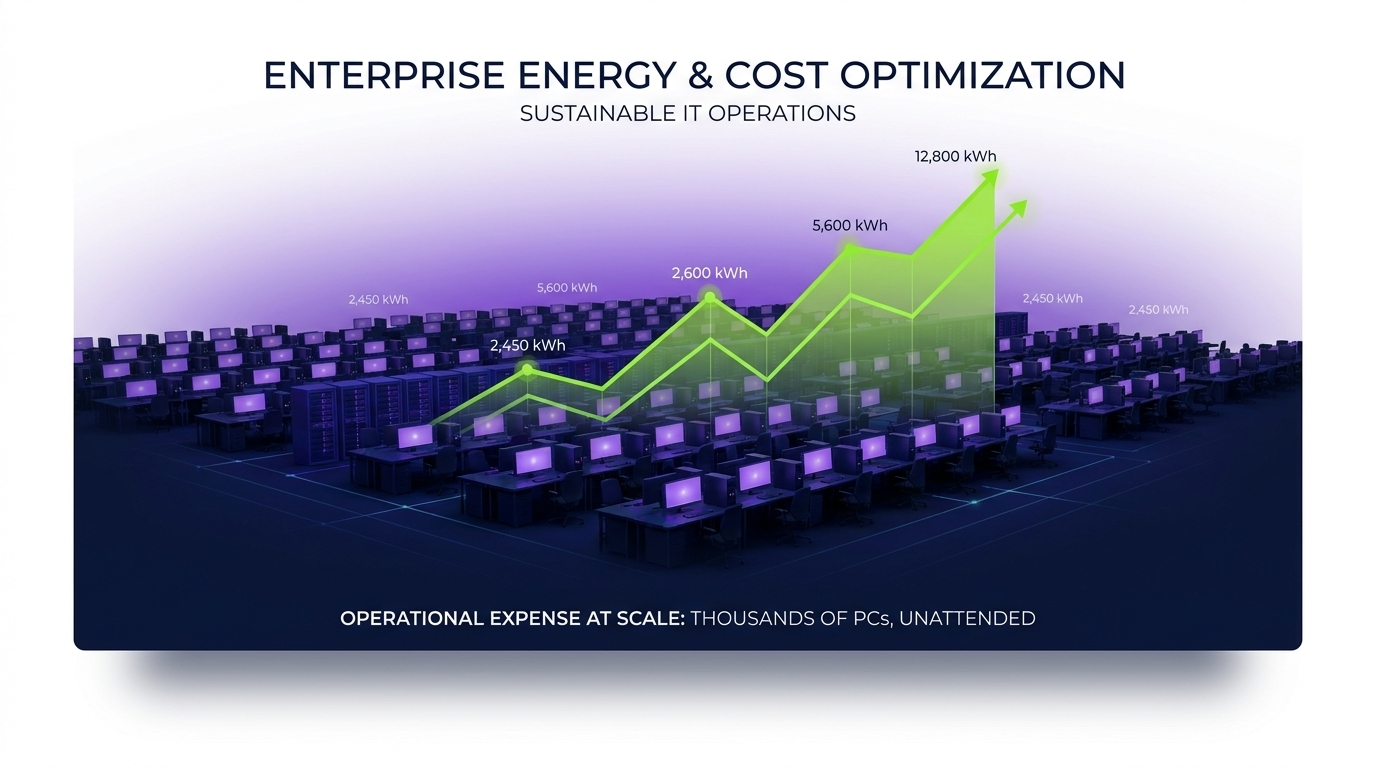
The answer depends on the hardware, but the numbers are consistently larger than most people expect. A standard office desktop — monitor excluded — sitting at an idle Windows login screen typically draws anywhere from 60 W to 150 W. High-performance workstations with discrete GPUs can exceed 200–300 W at idle.
Add a monitor left on, and consumption rises by another 20–80 W depending on panel size and brightness.
Typical Overnight Consumption Scenarios
Assume a UK electricity rate of approximately 28p per kWh (commercial tariff, 2024 estimates) and a 12-hour overnight window (7 pm – 7 am):
| Device Type | Idle Draw | 12-hr Overnight kWh | Cost per Night | Annual Cost (250 nights) |
|---|---|---|---|---|
| Budget thin client / SFF desktop | 15–30 W | 0.22 kWh | ~£0.06 | ~£15 |
| Mid-range office desktop | 60–100 W | 0.96 kWh | ~£0.27 | ~£67 |
| Performance workstation | 150–300 W | 2.70 kWh | ~£0.76 | ~£189 |
| Desktop + 24″ monitor (both on) | 100–160 W | 1.56 kWh | ~£0.44 | ~£109 |
A laptop left plugged in and fully on overnight draws considerably less — typically 10–30 W — but modern laptops are equally guilty of leaving background processes, Teams/Zoom sessions, and VPN tunnels running unnecessarily through the night.
The Cost of PCs Running 24/7 Across an Organisation
Individual overnight costs look modest. Scale them across an enterprise and the picture changes dramatically.
Fleet-Scale Cost Modelling
Using the mid-range desktop figure of ~£67 per machine per year (business nights only):
| Fleet Size | Annual Overnight Waste (mid-range desktop) | Incl. Monitor (est.) |
|---|---|---|
| 50 endpoints | ~£3,350 | ~£5,450 |
| 200 endpoints | ~£13,400 | ~£21,800 |
| 500 endpoints | ~£33,500 | ~£54,500 |
| 1,000 endpoints | ~£67,000 | ~£109,000 |
| 5,000 endpoints | ~£335,000 | ~£545,000 |
These figures represent pure waste — electricity consumed while no productive work is occurring. For most organisations, overnight power consumption is the largest single controllable line item within endpoint IT operating costs.
Find Out Exactly What Your Fleet Is Costing You Overnight
PowerPlug gives IT and facilities teams real-time visibility into endpoint energy consumption, with policy-driven automation to eliminate waste — without disrupting end users or update schedules.
Comparing Power States: A Quick Reference
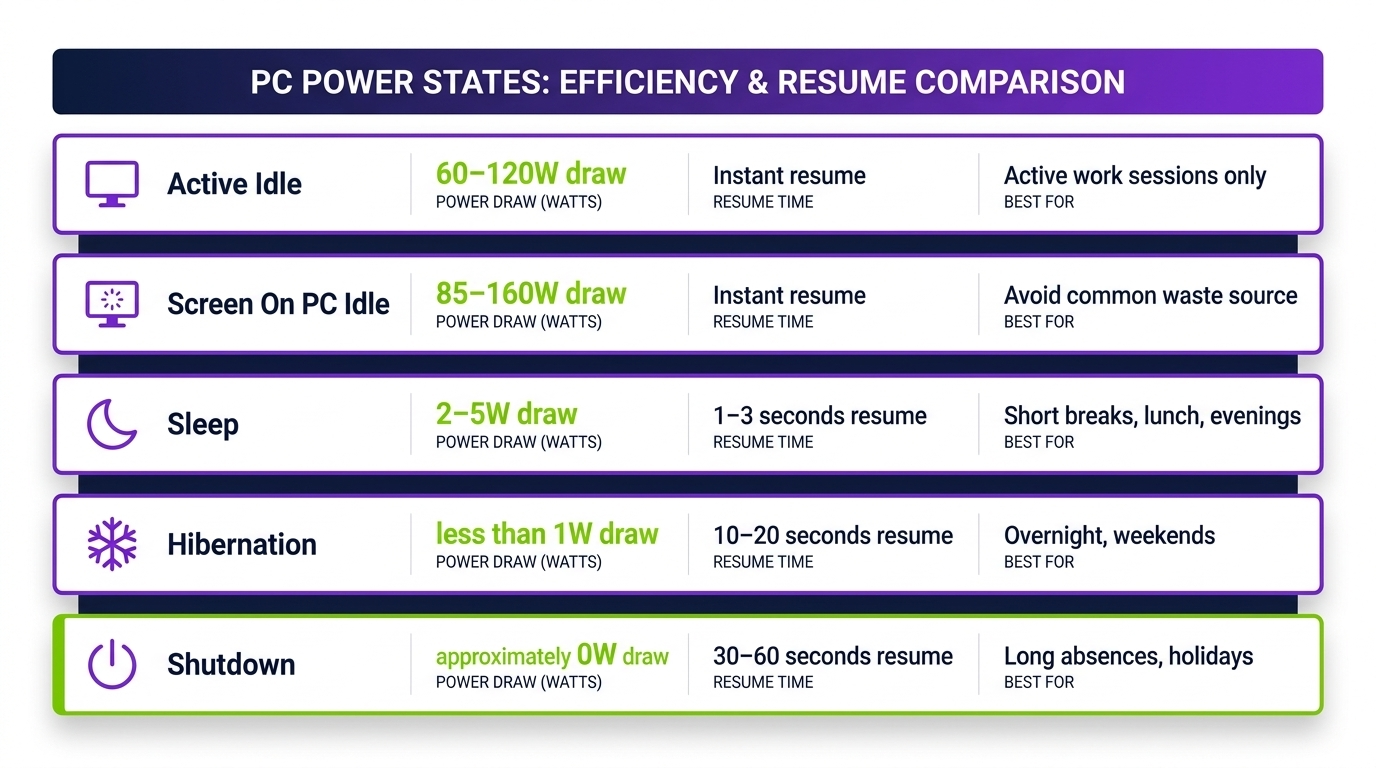
Understanding the difference between Windows power states is fundamental to designing an effective overnight policy:
| State | Typical Power Draw | Resume Time | Data Preserved? | Network Available? |
|---|---|---|---|---|
| On (idle) | 60–300 W | Instant | Yes | Yes |
| Screen off only | 55–280 W | Instant | Yes | Yes |
| Sleep (S3) | 1–5 W | 2–5 seconds | Yes (RAM) | Wake-on-LAN capable |
| Hibernate (S4) | ~0 W | 15–45 seconds | Yes (disk) | Wake-on-LAN capable |
| Shutdown | ~0 W | 60–120 seconds (cold boot) | No | Wake-on-LAN capable |
Which State Is Right for Overnight?
For enterprise fleets, scheduled shutdown with morning Wake-on-LAN is generally the optimal approach: it delivers near-zero overnight consumption, ensures machines are fully booted and patched by the time users arrive, and removes the risk of a failed sleep state leaving machines at full draw. Hibernate is a strong secondary option where cold-boot times are a concern.
Sleep alone, without a scheduled shutdown backstop, is unreliable at scale: some machines fail to enter or maintain sleep due to driver conflicts, active network sessions, or poorly written applications that hold wake locks.
Beyond the Electricity Bill: Hidden Costs
Energy cost is the most visible consequence of overnight PC runtime, but it is not the only one. Several less-obvious costs accumulate quietly alongside it.
Hardware Wear and Shortened Device Lifespan
Every hour a hard drive spins, a fan rotates, or a capacitor charges and discharges is an hour of mechanical wear. Studies of enterprise hard drive failure data consistently show a correlation between total powered-on hours and failure rates. Reducing overnight runtime by 50% can meaningfully extend the expected service life of spinning-disk devices. Even SSDs benefit: NAND flash cells have finite write endurance, and background processes running overnight contribute to unnecessary write cycles.
Security Exposure
A powered-on PC is an addressable network node. Machines left on overnight — particularly those where screen locks are not enforced — represent a larger attack surface than machines that are off or in a deep sleep state. Unpatched vulnerabilities are exploitable for longer windows when endpoints are perpetually connected. Scheduled overnight shutdown significantly reduces the window of network exposure per device.
Carbon and Sustainability Reporting
Under the GHG Protocol, electricity purchased by an organisation falls within Scope 2 emissions. As ESG reporting obligations expand — including for mid-market companies under emerging UK and EU frameworks — the carbon cost of idle IT infrastructure is increasingly visible to auditors, investors, and procurement teams. A 500-machine fleet running overnight for 250 nights at 100 W average generates approximately 15 tonnes of CO₂e annually (using a UK grid emission factor of ~0.212 kg CO₂e/kWh). That is material at board level.
Cooling and Facilities Load
Servers and desktops left on overnight heat office environments. In server rooms and densely populated open-plan offices, HVAC systems compensate — consuming additional energy. The secondary cooling cost of overnight IT load is frequently overlooked in energy audits but can add a further 20–40% to the direct device consumption figure.
What Home Users Should Know
While the enterprise case is stark, home users face the same underlying dynamics at smaller scale — and often with less structured guidance available to them.
The “It’s Easier to Leave It On” Myth
A widely cited reason for leaving PCs on overnight is the belief that powering down and restarting causes more wear than continuous operation. This was a meaningful concern with mechanical hard drives in the 1990s. With modern SSDs, and modern Windows power management, it is effectively a myth. Cold boots on SSD-equipped machines take under 30 seconds, and the thermal cycling involved in a daily shutdown-and-startup cycle causes no measurable damage to contemporary components.
Home Office Economics
At home energy rates of around 24–28p/kWh (UK 2024), a mid-range desktop left on overnight costs roughly £50–£100 per year in unnecessary electricity. A gaming PC or workstation with a high-end GPU left on overnight can cost considerably more. A simple Windows power plan that sleeps after 20 minutes of inactivity eliminates most of this with no user action required beyond initial setup.
Practical Steps for Home Users
- Set Windows Power & Sleep settings to sleep after 15–30 minutes of inactivity.
- Enable fast startup (Windows 10/11) so cold boots are nearly as fast as waking from sleep.
- Schedule a nightly shutdown via Task Scheduler if you prefer a clean state each morning.
- Turn off monitors independently — they draw significant power even when the PC is sleeping.
- Consider a smart power strip that cuts power to peripherals when the PC is off or sleeping.
How to Reduce Overnight PC Power Waste Without Losing Convenience
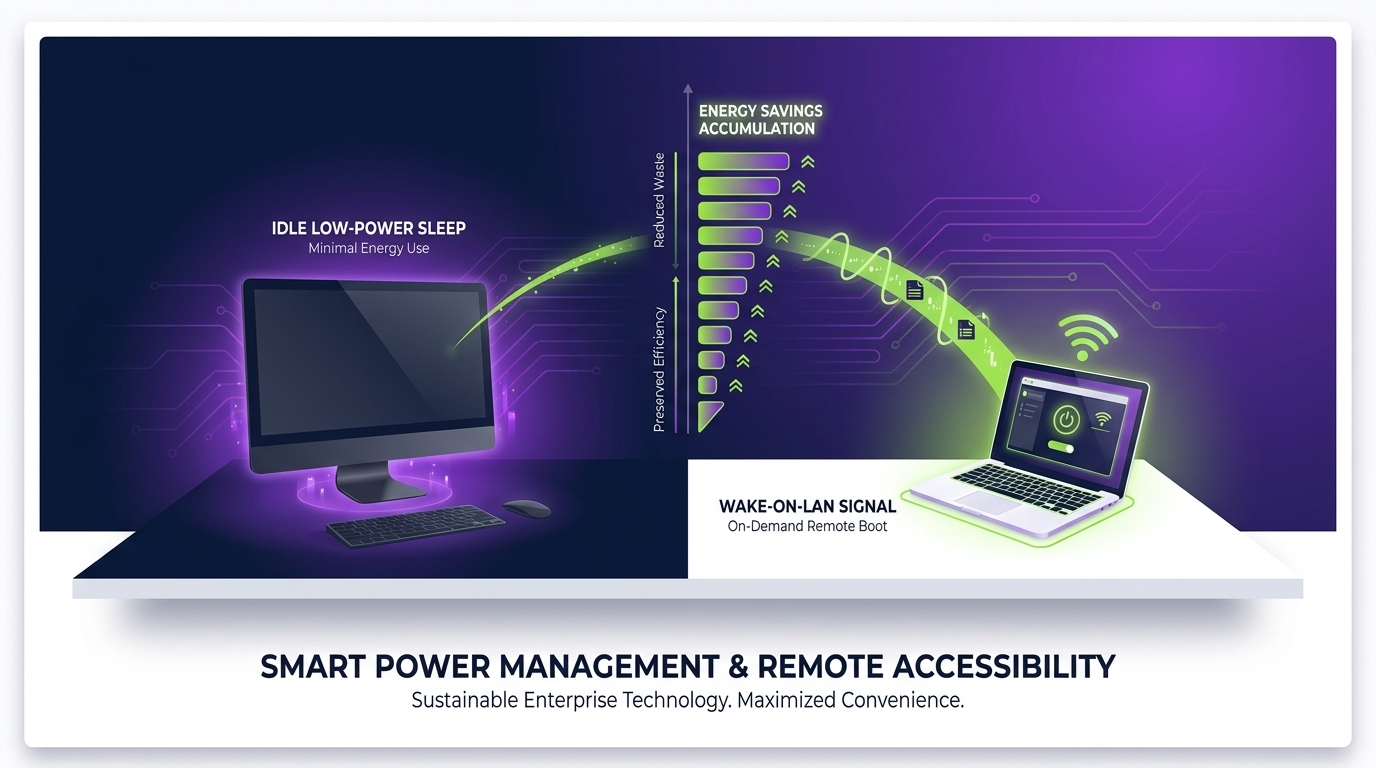
The most common objection to enforced shutdown policies is disruption: IT teams worry about blocking overnight update windows, and users worry about losing unsaved work. Both concerns are solvable with the right approach.
Scheduled Shutdown with Pre-Shutdown Notification
A well-designed policy sends users a visible on-screen warning (e.g. “Your PC will shut down in 15 minutes — please save your work”) before executing a scheduled shutdown. Users who are still working can defer or cancel. Users who have left for the day are unaffected. This approach eliminates accidental data loss while still achieving fleet-wide compliance.
Wake-on-LAN for Patch Management
Patch and update cycles can be scheduled to run during off-hours by waking machines via Wake-on-LAN, applying updates, and then returning to shutdown. This is standard practice in mature IT environments and eliminates the most common reason IT teams resist overnight shutdown enforcement.
Separating Policy by User Group
Not every endpoint has identical requirements. Machines used for overnight rendering, backup, or batch processing genuinely need to remain on. Effective power management applies differentiated policies by group, location, or role — ensuring that exceptions are documented and deliberate rather than the default.
Monitoring and Reporting
Without visibility, savings cannot be measured or justified. Organisations that deploy monitoring alongside policy enforcement can report on energy saved, carbon avoided, and policy compliance rates — data that supports budget approval for further IT sustainability initiatives.
How PowerPlug Solves This at Enterprise Scale
PowerPlug is purpose-built PC power management software for enterprise and mid-market IT environments. Rather than relying on group policy settings that users can override or that IT teams lack the capacity to audit, PowerPlug provides a centrally managed, policy-driven platform with granular controls and real-time reporting.
Core Capabilities
- Scheduled shutdown and wake policies — define when endpoints shut down, hibernate, or sleep, with user notification workflows that prevent data loss.
- Wake-on-LAN integration — power machines on for patch windows, security scans, or software deployment, then return them to the scheduled power state automatically.
- Policy exceptions by group or device — exclude servers, rendering nodes, or specific users from general policies without creating ungoverned exceptions.
- Real-time energy monitoring — see live and historical power state data for every managed endpoint, aggregated to site, department, or fleet level.
- Carbon and cost reporting — generate board-ready reports on kWh saved, CO₂e avoided, and financial savings achieved, mapped to configurable tariff and emission factor data.
- Compliance audit trail — every policy change, exception, and power event is logged, supporting internal audit and external ESG reporting requirements.
Organisations deploying PowerPlug typically see measurable results within the first billing cycle, with full ROI commonly achieved within three to six months of deployment.
Ready to Eliminate Your Organisation’s Overnight Energy Waste?
PowerPlug helps IT and sustainability teams take control of endpoint power consumption — reducing costs, cutting carbon, and freeing IT staff from manual policy management. Talk to us about a tailored assessment for your fleet.
Frequently Asked Questions
Does leaving a PC on overnight actually damage the hardware?
Modern components are designed for continuous operation, so short-term overnight runtime rarely causes acute damage. However, cumulative powered-on hours do correlate with wear on mechanical components (HDDs, fans) and thermal degradation over multi-year periods. Beyond component wear, the primary concern is unnecessary energy cost rather than immediate hardware failure risk. SSDs, in particular, face no meaningful wear penalty from a daily shutdown/startup cycle — a common misconception.
Is sleep mode sufficient, or should we enforce full shutdown?
Sleep (S3) reduces power draw to 1–5 W, which is dramatically better than fully-on idle. However, sleep states are not universally reliable across enterprise hardware and driver ecosystems — some machines fail to enter or sustain sleep due to application wake locks, driver bugs, or hardware quirks. For fleet management at scale, scheduled shutdown with Wake-on-LAN is a more robust approach: near-zero consumption is guaranteed, and machines can be woken for patch management before user arrival.
Will enforcing overnight shutdown disrupt our patch management windows?
Not if the policy is designed correctly. Best-practice enterprise power management schedules a pre-patch Wake-on-LAN event to power machines on, applies updates, verifies completion, and then returns machines to shutdown. PowerPlug supports this workflow natively, so patch compliance and overnight energy savings are not mutually exclusive goals.
How much can a typical 500-seat organisation realistically save?
Based on a mid-range desktop fleet (100 W average idle draw), 12-hour overnight windows, 250 business nights per year, and a commercial electricity tariff of 28p/kWh, the gross overnight energy waste is approximately £42,000 per year before monitors. Effective power management — even targeting 60% reduction — would save approximately £25,000 annually. Actual savings vary with tariff rates, device mix, existing baseline policies, and compliance rates achieved.
Does overnight PC energy waste count towards our carbon reporting obligations?
Yes. Electricity purchased from the grid falls under Scope 2 of the GHG Protocol, which is the most widely adopted corporate carbon accounting framework. For UK-headquartered organisations, the relevant emission factor for purchased electricity is published annually by DESNZ (Department for Energy Security and Net Zero). Reducing endpoint overnight consumption reduces your Scope 2 footprint directly and proportionally, and can be reported with high confidence given the metered nature of the data.
What is the difference between PowerPlug and Windows built-in power plans?
Windows power plans provide basic idle-timeout settings and can be deployed via Group Policy, but they offer limited flexibility, no centralised reporting, no Wake-on-LAN orchestration, no per-user exception management, and no carbon or cost reporting. They are also overrideable by users with local admin rights. PowerPlug operates as a managed agent layer that enforces policies regardless of local user settings, provides full audit trails, integrates with patch management workflows, and delivers actionable energy data to IT and sustainability stakeholders.