
PC Fleet Management Optimization Enterprise
A practical guide to deploying automated PC power management across your organisation — reducing electricity waste, supporting ESG reporting, and simplifying endpoint oversight at scale.
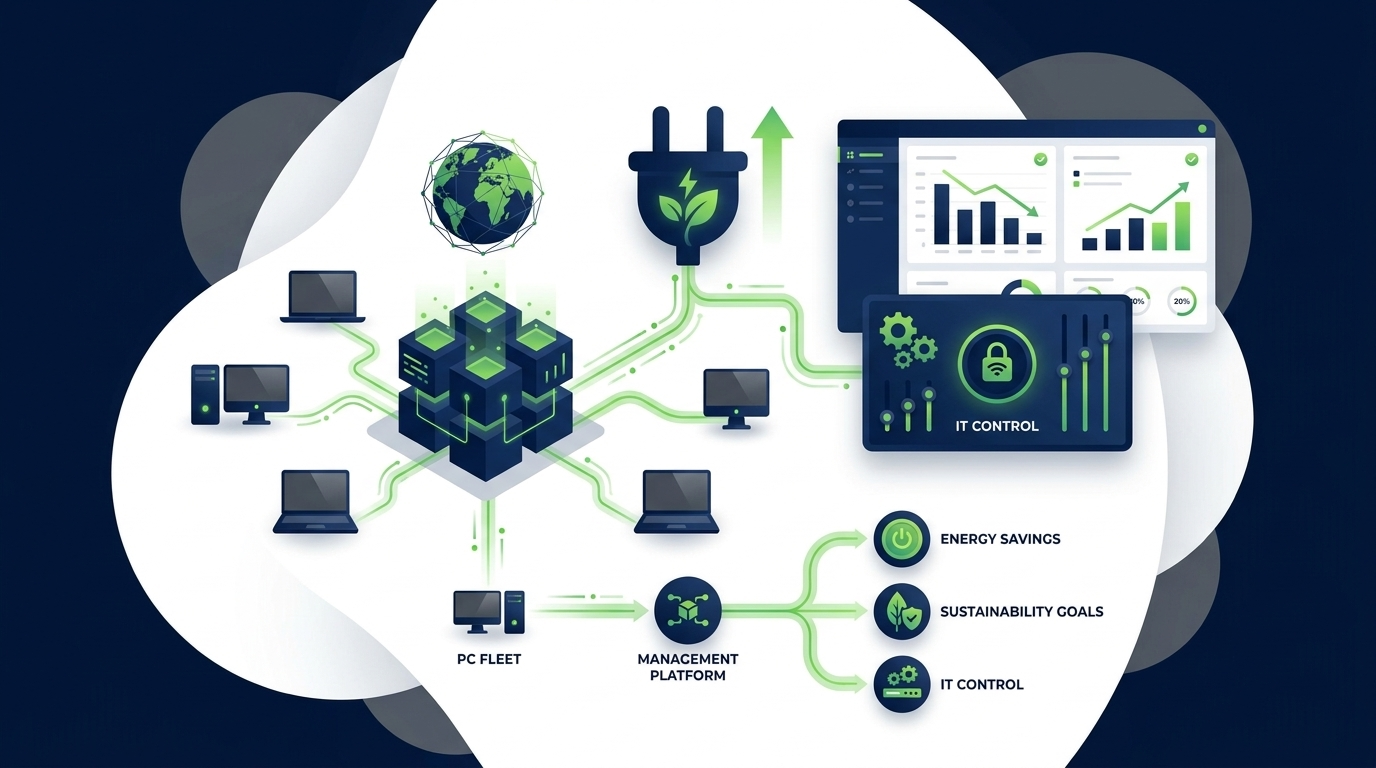
Enterprise PCs are among the largest and most overlooked sources of energy waste in corporate IT. Workstations, laptops, and monitors left running overnight, through weekends, and during idle hours collectively consume enormous amounts of electricity — and generate unnecessary carbon emissions. PowerPlug’s PC power management platform gives IT and sustainability teams the tools to change that: automated policies, real-time visibility, and the audit-ready data organisations need to meet their energy and ESG targets.
Key Takeaways
- Unmanaged PCs running outside business hours are a primary source of avoidable energy spend in enterprise environments.
- Centralised power management policies let IT enforce sleep, hibernate, and shutdown schedules without disrupting end users.
- Real-time monitoring surfaces which departments, locations, or device types consume the most power — enabling targeted action.
- Automated CO₂ and cost reporting directly supports ESG frameworks, sustainability commitments, and internal carbon accounting.
- PowerPlug integrates with existing endpoint management infrastructure, keeping deployment straightforward and non-disruptive.
- Organisations typically see measurable reductions in electricity costs within weeks of full policy rollout.
Article Navigation Table of Contents
The Hidden Cost of Idle Enterprise PCs
In most organisations, PCs are among the most consistently underutilised assets on the network. During a typical working day, a significant portion of devices sit idle for extended periods — during meetings, lunch breaks, and collaborative work away from the desk. Outside business hours, the situation is often worse: many machines remain fully powered on through evenings, nights, and entire weekends without anyone at the keyboard.
This idle consumption is rarely visible on a device-by-device basis, which makes it easy to ignore. But when aggregated across hundreds or thousands of endpoints, the financial and environmental impact becomes significant. Electricity is consumed, cooling infrastructure works harder to compensate for the heat generated, and carbon emissions accumulate — all without producing any business output.
The challenge is compounded by the distributed nature of modern enterprise IT. Devices are spread across offices, remote working locations, and hybrid environments. Without centralised visibility and control, IT teams have no reliable way to know which devices are running unnecessarily, which power settings have been overridden by users, or where the greatest opportunities for reduction exist.
What PC Power Management Actually Does
PC power management is the practice of applying automated, policy-driven controls to endpoint devices so that they consume minimal energy when they are not in active use. In an enterprise context, this means deploying software that can enforce power states — sleep, hibernate, monitor off, or full shutdown — across every managed device in the organisation, based on configurable schedules and usage conditions.
Effective power management is not simply about turning machines off. It requires a system that can distinguish between a device that is genuinely idle and one that is running a critical process, respect user activity patterns, communicate clearly with end users before enforcing a power state, and recover gracefully so that users experience minimal disruption when they return to work.
The Difference Between Basic OS Settings and Enterprise-Grade Management
Operating systems include built-in power settings, but these are designed for individual device configuration, not fleet-wide policy enforcement. In enterprise environments, users frequently adjust or disable these settings, group policies can conflict with local configurations, and there is no centralised way to verify whether power settings are actually being applied as intended.
Enterprise PC power management software addresses this gap by providing a dedicated layer of control that sits above local settings, enforces consistent policies across the fleet, and reports back on actual behaviour — not just intended configuration.
Core Platform Capabilities
PowerPlug’s platform is built around the specific requirements of enterprise IT and sustainability teams. Rather than offering a generic energy tool, the platform provides purpose-built capabilities for managing, monitoring, and reporting on PC power consumption at scale.
Policy-Based Power Scheduling
Administrators can define power policies that specify when devices should enter low-power states, when they should shut down, and when they should be available for use. Policies can be applied at the organisational, department, location, or device-group level, allowing different teams to operate under rules that reflect their actual working patterns. Shift-based workers, executives, and remote employees can each have policies that suit their schedules without requiring manual configuration on a device-by-device basis.
User Communication and Override Management
One of the most important — and often underestimated — aspects of power management is end-user communication. PowerPlug includes configurable notifications that inform users before a power action is taken, giving them the opportunity to delay or override the action if they are genuinely mid-task. This approach ensures that energy savings are achieved without disrupting legitimate work, and without generating support desk escalations from users who feel their machines are being controlled without notice.
Centralised Dashboard and Fleet Visibility
IT administrators have access to a centralised dashboard that provides real-time and historical views of device power states, policy compliance, and energy consumption across the entire managed fleet. This visibility enables proactive management — identifying devices that are consistently non-compliant, spotting unusual patterns that may indicate hardware issues, and tracking the cumulative effect of power policies over time.
Wake-on-LAN and Remote Management
Power management must not impede IT operations. PowerPlug supports Wake-on-LAN capabilities, allowing IT teams to remotely wake devices for patching, software deployment, or support tasks — even if those devices have been powered down by a scheduled policy. This ensures that energy management and endpoint management work together rather than in conflict.
See PowerPlug in Action
Discover how enterprise organisations are using PowerPlug to automate PC power policies, reduce energy costs, and generate audit-ready sustainability reports — all from a single platform.
Energy Monitoring and Reporting
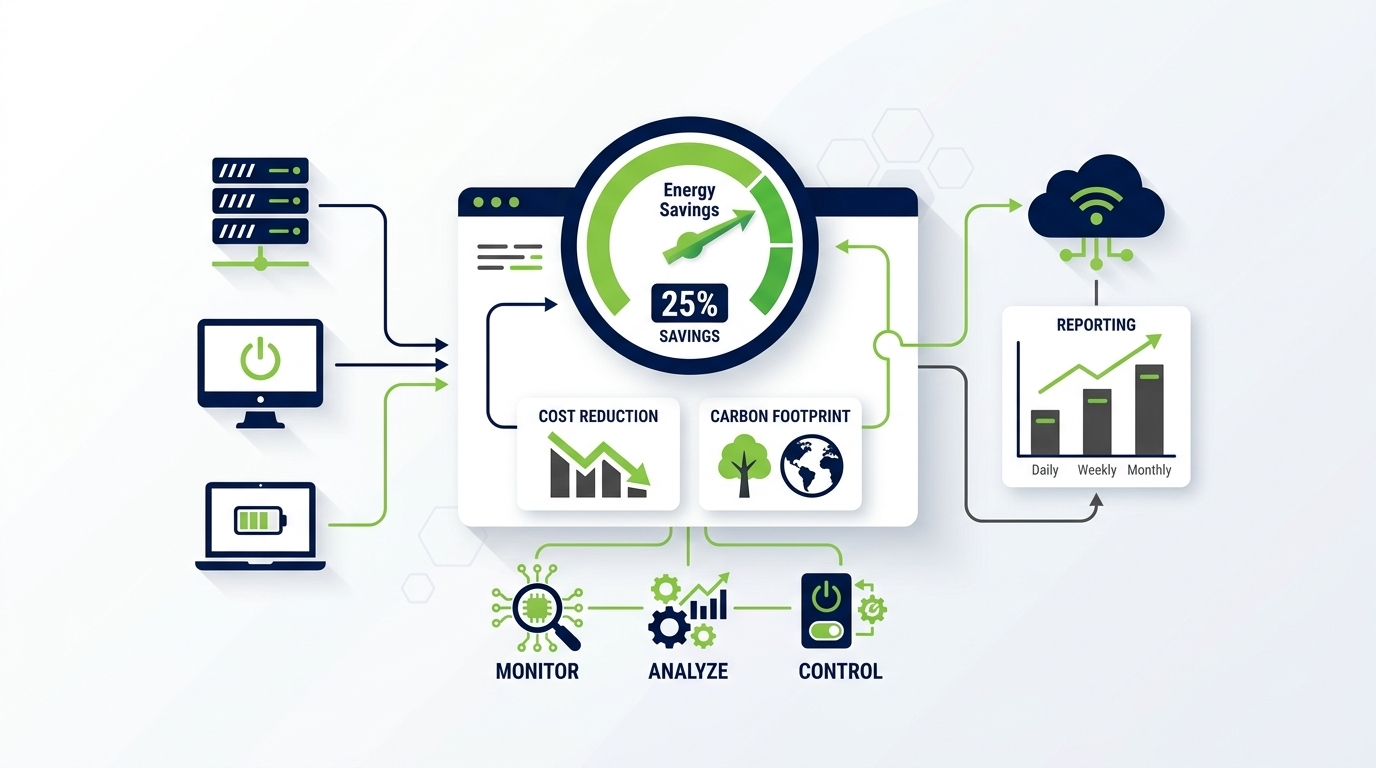
Visibility is a prerequisite for action. Before organisations can reduce PC energy consumption meaningfully, they need accurate, granular data about how much energy their devices are actually consuming, when that consumption is occurring, and where the greatest inefficiencies lie. PowerPlug’s monitoring and reporting layer provides exactly this.
Real-Time Energy Consumption Data
The platform tracks power consumption at the device level in real time, aggregating this data to provide views by department, office location, device type, and organisational unit. This granularity allows sustainability managers and IT leads to identify which parts of the business are driving the most unnecessary consumption — and to target interventions where they will have the greatest impact.
Historical Trend Analysis
In addition to real-time data, PowerPlug provides historical reporting that allows teams to track consumption trends over time. This is particularly valuable for demonstrating the impact of policy changes, quantifying savings achieved over a reporting period, and identifying seasonal or operational patterns that can inform future policy design.
Cost and CO₂ Calculations
Raw energy data becomes more actionable when it is translated into financial and environmental terms. PowerPlug automatically calculates the electricity cost associated with measured consumption, and converts that consumption into CO₂ equivalent figures based on configurable emissions factors. This allows organisations to express their PC energy footprint in terms that resonate with finance teams, sustainability committees, and board-level stakeholders.
Supporting ESG and Sustainability Goals
Environmental, Social, and Governance (ESG) reporting has moved from a voluntary differentiator to an expected practice for enterprises of scale. Investors, customers, regulators, and employees increasingly scrutinise the environmental credentials of the organisations they engage with — and energy consumption from IT infrastructure is a meaningful component of Scope 2 emissions for most businesses.
Scope 2 Emissions and IT’s Contribution
Scope 2 emissions cover indirect greenhouse gas emissions from purchased electricity. Every kilowatt-hour consumed by a corporate PC fleet that is drawing power from the grid contributes to this figure. While data centres often receive more attention in sustainability discussions, the distributed consumption of desktop PCs, laptops, and monitors across an organisation can represent a comparable or larger total when aggregated at scale.
PC power management directly reduces Scope 2 emissions by eliminating unnecessary consumption. The reductions achieved through automated power policies are measurable, attributable, and repeatable — making them well-suited for inclusion in formal ESG disclosures and carbon reduction plans.
Audit-Ready Data for Sustainability Reporting
PowerPlug generates the structured, timestamped energy data that sustainability teams need to support formal reporting. Whether an organisation is preparing disclosures aligned with GRI, CDP, or internal carbon accounting frameworks, having accurate device-level consumption data — rather than estimates based on fleet size and assumed usage — strengthens the credibility and precision of reported figures.
Supporting Broader Corporate Commitments
Many enterprises have made public commitments to carbon neutrality or net-zero targets. PC power management is a practical, near-term action that contributes to these commitments without requiring capital-intensive infrastructure change. The savings are operational, immediate, and demonstrable — providing evidence of progress that can be communicated both internally and externally.
Deployment and Integration
One of the most common concerns IT teams raise about adopting new endpoint software is the complexity of deployment. PowerPlug is designed to integrate with existing enterprise IT infrastructure, minimising the burden on IT operations teams and reducing time to value.
Integration with Existing Endpoint Management Tools
PowerPlug is compatible with established enterprise endpoint management platforms and can be deployed through existing software distribution mechanisms. Organisations that already have an endpoint management infrastructure in place can leverage it to roll out PowerPlug agents without needing to establish separate deployment workflows or introduce additional management complexity.
Scalable Architecture
The platform is architected to support large, geographically distributed organisations. Whether a business operates from a single headquarters or across dozens of office locations with remote and hybrid workers, PowerPlug’s centralised management layer provides consistent policy enforcement and reporting visibility across the entire fleet — regardless of where individual devices are located.
Minimal End-User Impact
Deployment is designed to be transparent to end users. The PowerPlug agent operates quietly in the background, enforcing policies and logging data without interfering with normal computing tasks. User-facing communications are limited to the configurable notifications that precede scheduled power actions — keeping end users informed without creating friction or generating unnecessary support requests.
| Consideration | Manual / OS-Only Approach | PowerPlug Enterprise Platform |
|---|---|---|
| Policy enforcement | Device-by-device, easily overridden | Centralised, consistent, policy-driven |
| Fleet visibility | None without custom tooling | Real-time dashboard across all endpoints |
| Energy reporting | Not available | Automated cost and CO₂ reports |
| ESG data quality | Estimated, difficult to substantiate | Measured, timestamped, audit-ready |
| Remote wake capability | Depends on local configuration | Built-in Wake-on-LAN support |
| Deployment | Manual configuration per device | Integrated with existing endpoint tooling |
Building the Business Case
Securing organisational approval for a new IT investment requires a clear and credible business case. For PC power management, this is generally straightforward to construct because the financial benefits are direct, measurable, and realised quickly — but it helps to approach the analysis systematically.
Quantifying Current Consumption
The first step is establishing a baseline understanding of current PC energy consumption. This typically involves assessing the size of the managed fleet, the mix of device types (desktops, laptops, workstations), average daily usage hours, and current power settings. Even conservative estimates of overnight and weekend idle consumption typically reveal a material cost that can be reduced through active management.
Estimating Achievable Savings
Savings potential varies depending on the current baseline — organisations with minimal power management in place will see larger absolute reductions — but the key driver is the proportion of device runtime that occurs outside productive working hours. Reducing unnecessary out-of-hours consumption is typically the single largest lever available, and automated shutdown policies are the most effective way to realise it consistently across a large fleet.
Accounting for Non-Financial Benefits
A complete business case should also capture the non-financial benefits of PC power management: the contribution to sustainability targets, the improvement in ESG reporting data quality, the reduction in cooling load for office environments, and the operational simplification that comes from having centralised visibility over endpoint power states. These benefits add weight to the financial case and are increasingly important to stakeholders beyond the IT department.
Total Cost of Ownership
As with any enterprise software investment, the business case should account for the total cost of ownership — including licensing, deployment effort, and ongoing administration. PowerPlug’s integration with existing endpoint management infrastructure typically keeps deployment costs low, and the platform’s centralised management model means that ongoing administration requires minimal dedicated resource.
Comparing Approaches: Manual vs. Automated Power Management
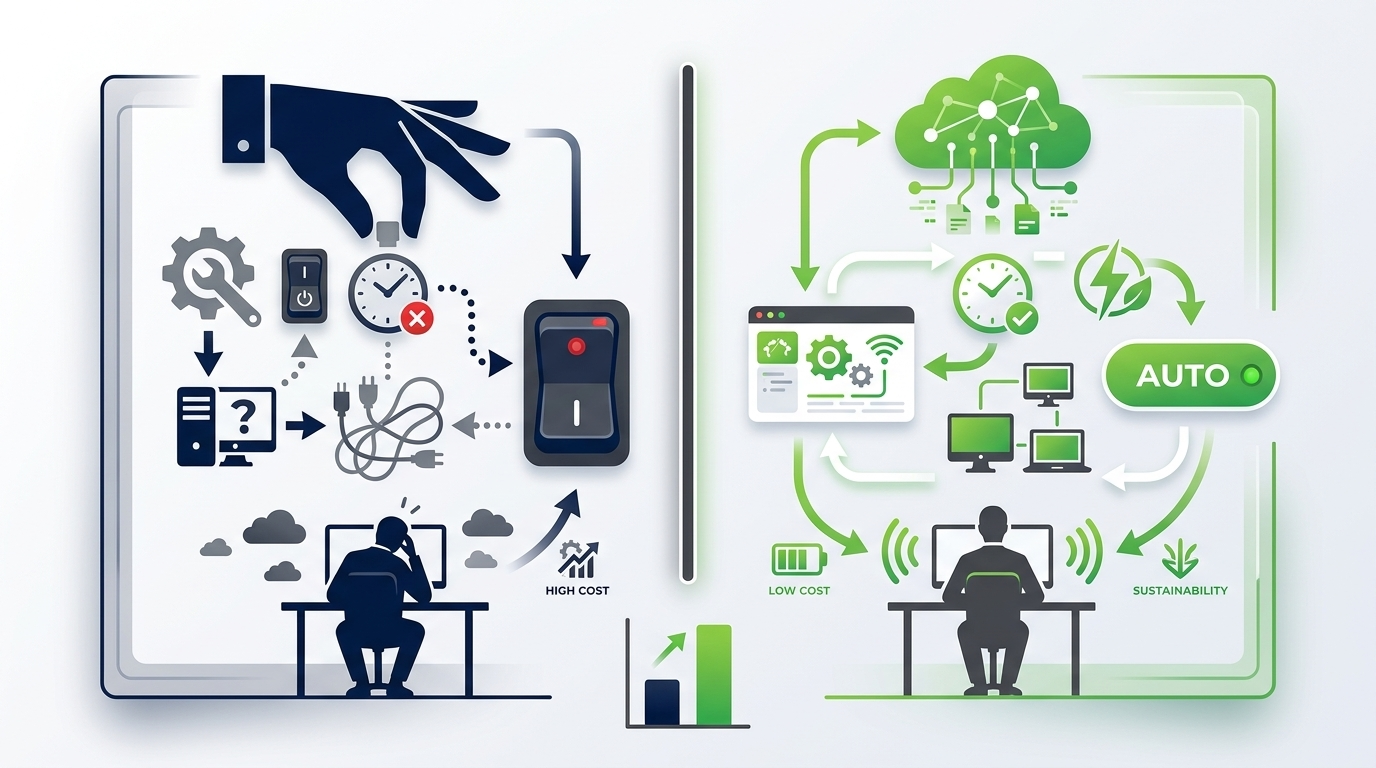
Organisations approaching PC energy reduction for the first time sometimes consider whether manual interventions — IT communications campaigns encouraging users to shut down devices, or spot checks on power settings — can achieve comparable results to automated management. In practice, the comparison is not close.
Why Manual Approaches Fall Short
Manual approaches rely on consistent user behaviour, which is inherently variable. Users forget, override settings for convenience, or simply are not present when a device needs to be powered down. Awareness campaigns produce initial behaviour change but typically see compliance degrade over time without ongoing reinforcement. There is also no feedback mechanism: without monitoring, IT teams cannot know whether manual interventions are producing the intended results.
Perhaps most importantly, manual approaches produce no data. There is nothing to report to sustainability stakeholders, no trend to track over time, and no baseline from which to measure improvement. In an environment where ESG reporting is becoming more demanding, an inability to produce evidence of managed energy consumption is a significant gap.
The Case for Automation
Automated power management removes the dependency on individual user behaviour. Policies are enforced consistently regardless of whether users remember to shut down their machines, regardless of whether a device is attended or unattended, and regardless of whether an individual has adjusted their local power settings. The result is consistent, measurable, and sustainable energy reduction — not a one-time improvement that erodes without active reinforcement.
Automation also enables scale. A manual approach that might be feasible for a team of fifty devices becomes operationally impractical for a fleet of five thousand. Enterprise-grade power management software is designed precisely for this scale, allowing a single IT administrator to enforce consistent policies across tens of thousands of endpoints from a central interface.
Ready to Reduce Your PC Energy Footprint?
PowerPlug gives enterprise IT and sustainability teams everything they need to automate PC power management, measure results, and report with confidence. Start a conversation with our team to explore what the platform can do for your organisation.
Frequently Asked Questions
How quickly can organisations see results after deploying PowerPlug?
Organisations typically observe measurable reductions in PC energy consumption within weeks of completing a full policy rollout. The speed of impact depends on the size of the fleet, the extent of power management in place prior to deployment, and which policies are activated first. Out-of-hours shutdown policies generally deliver the fastest visible reduction in consumption.
Will power management policies disrupt end users?
PowerPlug is designed to minimise end-user disruption. Configurable pre-action notifications inform users before a power state change is enforced, giving them the opportunity to delay or override the action if they are actively working. Policies can also be designed to respect usage indicators, ensuring that devices running active processes are not powered down unexpectedly.
Can IT teams still remotely access devices that have been powered down?
Yes. PowerPlug includes Wake-on-LAN support, which allows IT administrators to remotely wake powered-down devices for patching, software deployment, or support purposes. This ensures that energy management and IT operations remain fully compatible, with no loss of remote management capability.
How does PowerPlug integrate with existing IT management infrastructure?
PowerPlug is compatible with established enterprise endpoint management platforms and can be deployed through existing software distribution mechanisms. The platform is designed to complement, rather than replace, existing IT management tools — working within current infrastructure rather than requiring parallel systems.
What kind of reporting does PowerPlug provide for sustainability disclosures?
PowerPlug generates structured energy consumption reports including device-level data, cost calculations, and CO₂ equivalent figures. Reports are based on measured consumption rather than estimates, providing the data quality needed for formal sustainability disclosures and internal carbon accounting. Emissions factors are configurable to align with the organisation’s reporting methodology.
Is PowerPlug suitable for hybrid and remote working environments?
Yes. PowerPlug manages devices regardless of their physical location, making it suitable for organisations with hybrid or fully remote working arrangements. Policies can be configured to account for the different usage patterns of remote workers, and the centralised dashboard provides fleet-wide visibility across all managed endpoints irrespective of location.