
Smart Office Optimization With PC Power Management
How leading IT and sustainability teams are using automated PC power management to reduce electricity spend, meet ESG targets, and free up IT resources — without disrupting a single end user.
Enterprise endpoints are among the most overlooked sources of energy waste. Thousands of PCs and workstations left idle overnight, on weekends, and through holidays silently consume power that adds up to hundreds of thousands of dollars annually. PC power management solves this — automatically, at scale, and without burdening IT teams or interrupting business operations.
Key Takeaways
- Unmanaged enterprise PCs waste significant energy through idle overnight and weekend consumption.
- Automated power policies can reduce PC energy use by up to 60% without user disruption.
- Centralized policy management gives IT full control across thousands of distributed endpoints.
- Detailed reporting turns energy data into auditable ESG and sustainability evidence.
- PowerPlug’s platform delivers measurable ROI typically visible within the first billing cycle.
- Wake-on-LAN and scheduled patching integration ensure power savings never block IT operations.
Article Navigation Table of Contents
The True Cost of Idle Enterprise PCs
Most enterprise IT budgets track hardware procurement, software licensing, and infrastructure costs in detail. Yet one of the largest recurring operational expenses — the electricity consumed by idle PCs — rarely appears as a distinct line item. It is absorbed into general facilities costs and quietly accepted as the price of doing business.
The scale of the problem becomes clear when you do the arithmetic. A single desktop PC left on overnight and through weekends consumes a meaningful amount of electricity each year even in standby. Multiply that by a fleet of 5,000, 10,000, or 50,000 endpoints and the annual waste runs into the hundreds of thousands — or millions — of dollars.
Why PCs Are Left On
The reasons are both cultural and operational. Employees leave computers on to avoid slow boot times, to allow overnight updates and patching to complete, or simply out of habit. IT teams may discourage power-off to ensure remote access is available. The result is that the default state of an enterprise PC outside business hours is fully powered — and fully wasteful.
The Hidden Multiplier: Carbon Emissions
Beyond the direct financial cost, idle PC energy consumption carries a carbon footprint. For organizations with net-zero or science-based targets, unmanaged endpoint energy is an avoidable source of Scope 2 emissions. As regulatory pressure around ESG disclosure intensifies globally, the inability to demonstrate controlled endpoint energy use is increasingly a governance risk.
What Is PC Power Management?
PC power management refers to the centralized control and automation of power states across an organization’s endpoint fleet. Rather than relying on individual users to shut down or sleep their machines, IT administrators define policies that automatically enforce appropriate power states based on time, usage activity, and operational requirements.
Modern enterprise PC power management is far more sophisticated than the basic Windows power plans available to individual users. Enterprise-grade solutions operate at the domain or cloud management layer, apply policies to defined groups of devices, respect active user sessions and business-critical processes, and generate detailed reporting for energy and sustainability teams.
Core Capabilities of Enterprise Power Management
| Capability | What It Does | Business Benefit |
|---|---|---|
| Scheduled Shutdown / Sleep | Automatically powers down or sleeps endpoints at defined times | Eliminates overnight and weekend idle consumption |
| User Session Awareness | Detects active sessions and defers power actions until safe | Prevents disruption to active work or running processes |
| Wake-on-LAN Integration | Remotely wakes devices for patching, updates, or IT tasks | Maintains IT operational capability without leaving PCs on |
| Group Policy Granularity | Applies different power profiles to different device groups | Balances savings with the needs of shift workers, executives, or lab environments |
| Real-Time Energy Reporting | Tracks actual consumption, savings, and carbon reduction by group or site | Provides auditable data for ESG reporting and budget justification |
| Compliance Enforcement | Prevents users from overriding centrally defined power policies | Ensures consistent savings regardless of individual behavior |
How Automated Power Policies Work
The foundation of enterprise PC power management is the power policy — a centrally defined rule that determines what a device should do at any given time based on a combination of schedule, user activity, and operational context.
Policy Definition and Deployment
Administrators configure policies through a central management console. Policies specify power states — active, sleep, hibernate, or shutdown — for different time windows throughout the day and week. A typical enterprise policy might define:
- Full power during core business hours for all user-assigned devices.
- Automatic sleep after a defined idle period during business hours to reduce consumption during meetings and breaks.
- Scheduled shutdown at a defined time in the evening, with a grace period and user notification.
- Full power-off through the weekend, with scheduled wake windows for Saturday night patching.
- Exemptions for specific device groups — such as kiosks, shared workstations, or devices running overnight processes — that require different treatment.
Intelligent Session Detection
A critical differentiator between consumer-grade and enterprise power management is the intelligence applied before any power action is taken. Enterprise solutions check for active user sessions, running applications flagged as business-critical, ongoing remote connections, and in-progress software deployments before executing a shutdown or sleep command. If any of these conditions are detected, the action is deferred rather than forced — protecting both the user experience and data integrity.
Policy Enforcement and Override Management
Without enforcement, power policies become suggestions. Enterprise solutions prevent end users from reverting to always-on behavior, either by locking power settings or by periodically reapplying the centrally defined policy. Users who genuinely need an exception can request one through a managed workflow, preserving both operational flexibility and organizational control.
See PowerPlug’s Power Management Platform in Action
PowerPlug gives IT and sustainability teams a single pane of glass to define, deploy, and monitor power policies across every endpoint — with real-time reporting and full Wake-on-LAN integration.
Energy Savings: What to Realistically Expect
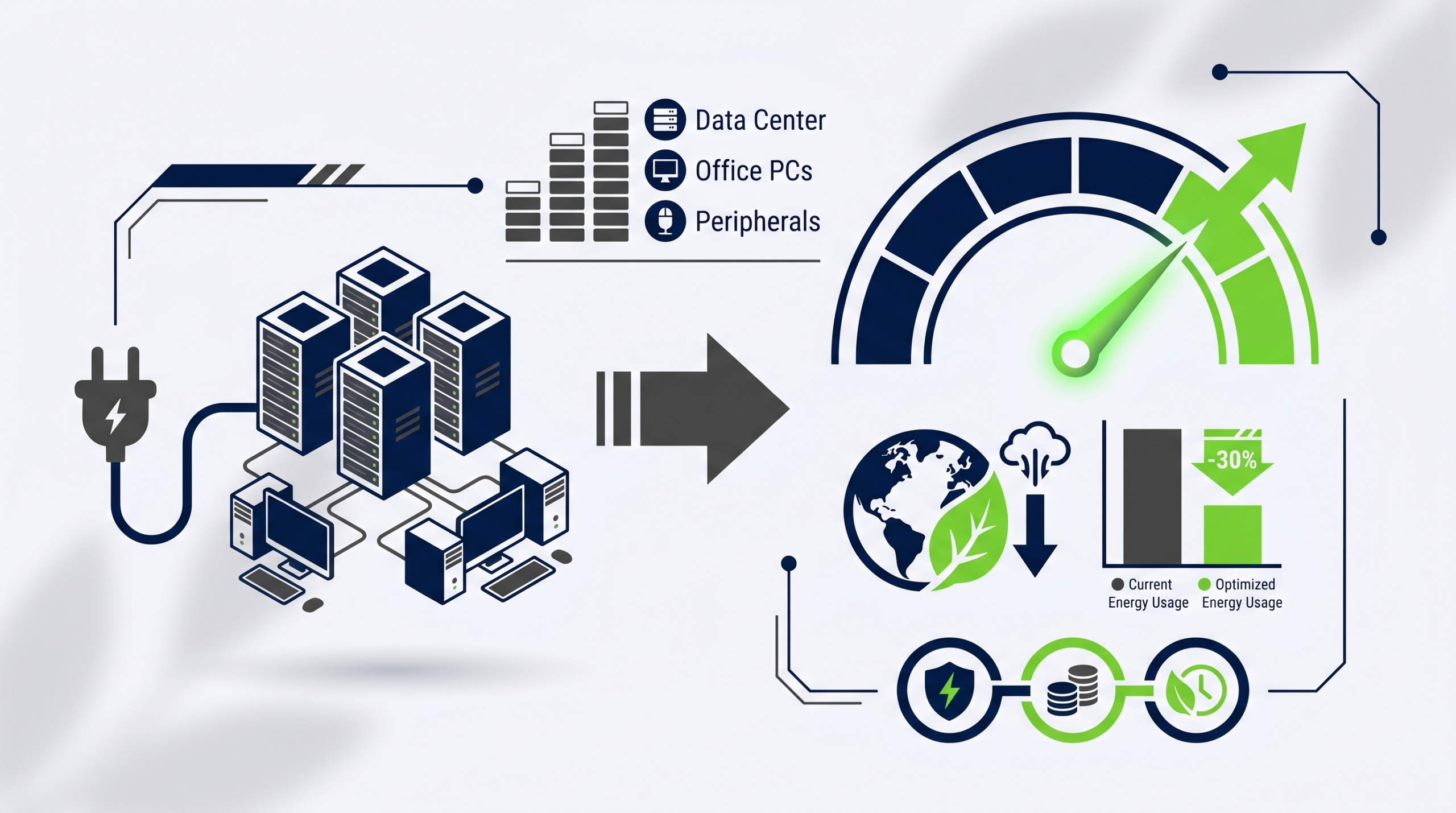
The savings potential of PC power management is substantial, but the actual results depend on the current state of endpoint energy management, fleet composition, office occupancy patterns, and how aggressively policies are configured. Organizations moving from an unmanaged baseline consistently achieve meaningful reductions.
Baseline Waste: The Starting Point
Before any power management is applied, the majority of enterprise PCs are consuming electricity for a disproportionate amount of time relative to active use. A standard office PC used from 8am to 6pm five days a week is actively used for roughly 50 hours per week. The remaining 118 hours — weekday evenings, nights, and weekends — represent idle or unattended consumption that delivers no business value.
Savings by Power State
| Power State | Typical Power Draw | Compared to Full Active |
|---|---|---|
| Full Active (in use) | 60–200 W (varies by hardware) | Baseline |
| Idle (monitor off, OS active) | 30–80 W | ~50–60% of active draw |
| Sleep / S3 | 1–5 W | ~2–5% of active draw |
| Hibernate / S4 | 0.5–2 W | ~1–2% of active draw |
| Shutdown | 0–1 W | Near zero |
Moving a device from an unmanaged idle state to sleep or shutdown during non-business hours captures the vast majority of available savings. Organizations with large fleets moving from no power management to an actively managed policy commonly achieve reductions in overall PC energy consumption in the range of 40–60%.
Fleet Size and Financial Impact
The financial impact scales directly with fleet size. For a 10,000-device fleet, even a conservative reduction in overnight and weekend consumption translates to hundreds of thousands of dollars in annual electricity savings. For global enterprises with tens of thousands of endpoints, the figure can reach into the millions. These savings are recurring — every year, without additional capital expenditure.
ESG, Sustainability & Carbon Reporting
Environmental, Social, and Governance reporting has shifted from a voluntary disclosure practice to a regulatory and investor expectation for enterprise organizations. The energy consumed by IT endpoints contributes directly to an organization’s Scope 2 greenhouse gas emissions, and the ability to demonstrate controlled, measured reductions is increasingly required by ESG frameworks, investor questionnaires, and sustainability auditors.
From Energy Data to Carbon Accounting
Enterprise power management platforms that provide detailed, site-level energy reporting give sustainability teams the raw data needed to calculate and document endpoint-related carbon reductions. When policies are applied across a fleet and the resulting consumption is measured and logged, the energy saved can be converted to CO₂-equivalent reductions using regional grid emissions factors — producing an auditable carbon accounting trail.
Meeting Reporting Frameworks
Whether an organization is aligning with the GHG Protocol, reporting under CDP, or preparing disclosures for frameworks such as TCFD or the emerging CSRD requirements in Europe, documented reductions in IT energy consumption are a concrete, defensible contribution to sustainability targets. PC power management gives organizations a lever that is entirely within their control — unlike grid carbon intensity, which varies by geography and over time.
Supporting Net-Zero and Science-Based Targets
Organizations with Science Based Targets initiative (SBTi) commitments or internal net-zero roadmaps need to demonstrate absolute reductions in emissions over time. Endpoint power management is one of the few IT-layer interventions that directly reduces absolute energy consumption rather than simply offsetting or shifting it. For sustainability teams under pressure to show tangible operational progress, it represents a practical, scalable, and demonstrable action.
Integration with IT Operations
One of the most common objections to PC power management in enterprise environments is the concern that it will interfere with IT operations — specifically, overnight patching, software deployments, and remote access requirements. A well-designed enterprise power management solution eliminates this tension rather than forcing a trade-off.
Wake-on-LAN for Scheduled IT Tasks
Wake-on-LAN (WoL) capability allows IT teams to remotely power on endpoints that are in sleep or shutdown state, bring them to a fully active state for patch deployment or configuration management tasks, and then return them to a low-power state once the task is complete. This means IT operations can maintain full patching cadence and software deployment schedules without requiring endpoints to remain powered on overnight. The two objectives — maximum energy savings and full IT operational capability — are not in conflict.
Integration with Endpoint Management Platforms
Enterprise power management solutions integrate with the endpoint management platforms IT teams already use. Compatibility with Microsoft Endpoint Configuration Manager (MECM/SCCM), Microsoft Intune, and other endpoint management toolchains means that power policies can be coordinated with deployment schedules, and that power management data flows into existing IT operations dashboards.
Remote Work and Hybrid Environments
The shift to hybrid and remote working has complicated endpoint power management for many organizations. Devices that are off-network cannot be reached by traditional WoL broadcasts, and users working from home may have different usage patterns from those in the office. Modern enterprise power management solutions address this through cloud-managed policy delivery and agent-based communication that functions regardless of whether the device is on the corporate network, connected via VPN, or operating fully remotely.
Reporting into ITSM and Operations Workflows
Power management data — device state, policy compliance, energy consumption, and savings — can be surfaced into IT Service Management platforms and operations reporting. This gives IT leadership visibility into the operational and financial impact of power management alongside other endpoint management metrics, making the business case for continued investment straightforward to maintain.
Choosing the Right PC Power Management Solution
The enterprise PC power management market includes a range of options, from basic built-in OS capabilities to dedicated platforms purpose-built for large-scale fleet management. Evaluating the right solution requires clarity on the scale of the environment, the sophistication of IT operations, sustainability reporting requirements, and the desired balance between energy savings and operational continuity.
Key Evaluation Criteria
- Fleet Scale: Can the solution manage tens of thousands of endpoints reliably and efficiently without requiring significant administrative overhead per device?
- Policy Granularity: Does the solution support group-level, site-level, and individual device policies, or does it apply a single uniform policy across all endpoints?
- Session and Process Intelligence: Does the solution check for active sessions, running processes, and in-progress deployments before applying power actions?
- Wake-on-LAN Support: Is WoL fully integrated and reliable across both on-premises and remote/VPN-connected devices?
- Reporting Depth: Does the platform provide granular, auditable energy and carbon savings data at the fleet, site, and device-group level?
- Integration Capability: Does the solution integrate with existing endpoint management, ITSM, and sustainability reporting toolchains?
- Cloud and Hybrid Support: Can the solution manage devices that are not permanently on the corporate network?
- Vendor Track Record: Does the vendor have documented experience with enterprise environments of comparable scale and complexity?
Native OS Tools vs. Dedicated Platforms
Windows and macOS both include power management settings, and Microsoft Endpoint Manager provides some policy deployment capability. However, native tools typically lack the reporting depth, policy intelligence, WoL integration, and user-exemption workflow management that large enterprise environments require. Organizations that have attempted to manage power at scale using native tools alone consistently find that enforcement gaps, reporting limitations, and operational conflicts drive them toward dedicated solutions.
Implementation Best Practices
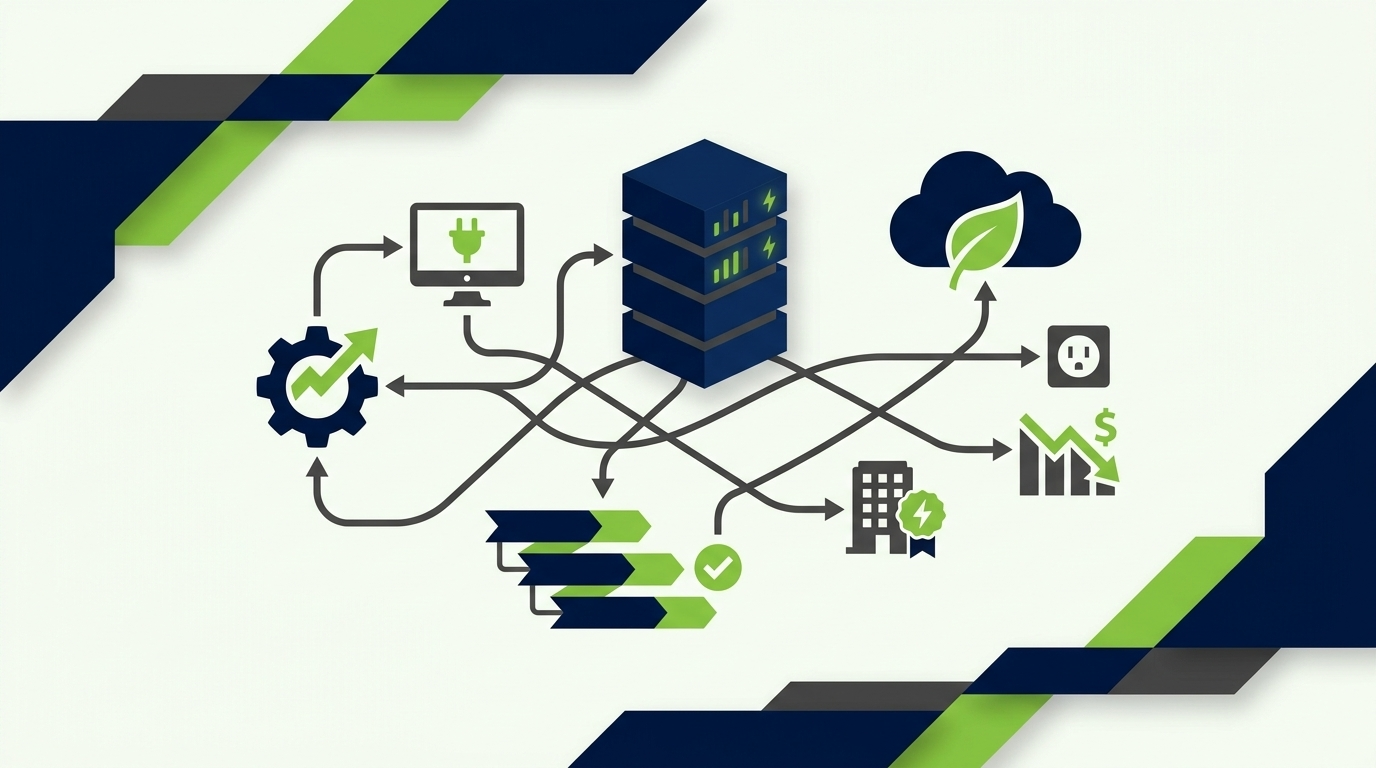
Successful enterprise power management implementation is as much an organizational change management exercise as a technical deployment. The organizations that achieve the strongest and most sustained results follow a consistent set of best practices.
1. Establish a Baseline Before Deployment
Before applying any policies, measure current consumption. A credible pre-implementation baseline is the reference point against which savings will be measured. It is also the foundation for the ROI and ESG reporting that will justify the investment to leadership. Without a documented baseline, savings are estimates rather than evidence.
2. Segment the Fleet by Operational Profile
Not all devices have the same requirements. Standard office workstations, shift-worker devices, shared kiosks, development and lab machines, and executive endpoints all have different usage patterns and operational dependencies. Segmenting the fleet before policy design ensures that power policies are appropriate to the actual use case of each device group — maximizing savings without creating operational friction.
3. Communicate with End Users in Advance
User resistance is a predictable challenge when power management is introduced without communication. Employees who find their computers unexpectedly shut down or in sleep when they expected to find them active will escalate to the helpdesk and, if the volume is high enough, create pressure to reverse the policy. A brief, clear communication explaining the purpose of the change, what will happen, and how exceptions can be requested significantly reduces this friction.
4. Pilot Before Full Deployment
A controlled pilot on a representative subset of the fleet — covering different device types, locations, and user profiles — surfaces operational issues before they affect the entire organization. It also produces early savings data that can be used to build internal momentum and justify the full rollout.
5. Monitor, Measure, and Report Continuously
Power management is not a set-and-forget deployment. Fleet composition changes, organizational structures evolve, and usage patterns shift. Continuous monitoring of policy compliance, device coverage, and energy data ensures that savings are maintained over time and that reporting remains accurate. Regular reporting to IT leadership and sustainability teams keeps power management visible as a value-delivering program rather than a background function.
Start Reducing Enterprise PC Energy Waste Today
PowerPlug’s enterprise PC power management platform gives IT and sustainability teams everything they need to enforce power policies, generate auditable savings reports, and demonstrate measurable progress toward energy and carbon targets — across any fleet, at any scale.
Frequently Asked Questions
Will PC power management disrupt employees who are actively working?
No. Enterprise power management solutions check for active user sessions before applying any power action. If a user is logged in and active, the power action is deferred. Employees are typically given a notification and a grace period before any scheduled shutdown, and managed exception processes allow users who genuinely need extended hours to request them without burdening the helpdesk.
How does power management work for remote and hybrid workers?
Modern enterprise power management platforms use cloud-managed policy delivery and agent-based communication so that policies apply to devices regardless of whether they are on the corporate network, connected via VPN, or operating fully remotely. Wake-on-LAN for remote devices is also supported through cloud relay mechanisms in leading platforms, including PowerPlug.
Can IT still patch and update devices overnight if they are shut down?
Yes. Wake-on-LAN integration allows IT teams to schedule devices to power on at defined times for patch deployment and software updates, and to return to a low-power or off state once the task is complete. Patching schedules and power management policies are coordinated rather than conflicting, and the integration with endpoint management platforms such as MECM and Intune makes this coordination straightforward to configure.
How quickly can organizations see energy savings after deployment?
Organizations typically see measurable reductions in energy consumption from the first full billing cycle after policy deployment. The speed of visible savings depends on fleet size, the aggressiveness of the policies applied, and how far the organization was from an optimized baseline. Pilot deployments often produce savings data within days that can be used to project fleet-wide impact.
How does PC power management contribute to ESG and sustainability reporting?
Enterprise power management platforms generate detailed, auditable data on energy consumption and savings at the device, group, site, and fleet level. This data can be converted to CO₂-equivalent reductions using regional grid emissions factors, producing evidence suitable for inclusion in GHG Protocol reporting, CDP submissions, TCFD disclosures, CSRD compliance documentation, and internal net-zero progress tracking. It is a measured, enforced reduction — not an estimate or an offset.
What size organization benefits most from dedicated power management software?
While any organization with multiple PCs benefits from better power policy enforcement, dedicated enterprise platforms deliver the strongest ROI for organizations with fleets of 500 or more endpoints. At this scale, the administrative overhead of managing policies manually becomes unsustainable, reporting requirements become more formal, and the absolute financial and carbon savings justify a purpose-built solution. For very large global fleets, the return on investment from a dedicated platform is typically achieved within months of deployment.