

Reading time: 10 minutes
Patch night has a quiet failure mode. The update job runs at two in the morning, and a chunk of the fleet is simply off, so those machines never get the patch. The next compliance report shows a gap, and the usual fix is the worst one: leave every PC on all night so nothing is ever missed.
Wake-on-LAN breaks that compromise. It lets you keep machines powered down for the energy saving and still bring them up on schedule so every patch lands. This guide covers the wake-patch-sleep cycle, why some endpoints miss the wake, how to reach every subnet safely, and how to prove the whole thing is working, so patching stops depending on whether people remembered to leave their PCs on.
Why patch compliance depends on machines being awake
Patch management tools are good at deploying updates, but they cannot patch a machine that is off. If the maintenance window runs overnight to avoid disrupting people, and the machines are shut down overnight to save energy, those two sensible policies collide, and the update never reaches the sleeping endpoints.
The result is a compliance gap that has nothing to do with the patch tool and everything to do with power state. A machine that misses a security update is exposed until the next cycle catches it, and in a large fleet that tail of missed machines is exactly where risk accumulates. Reliable wake is what closes it.
The wake-patch-sleep cycle
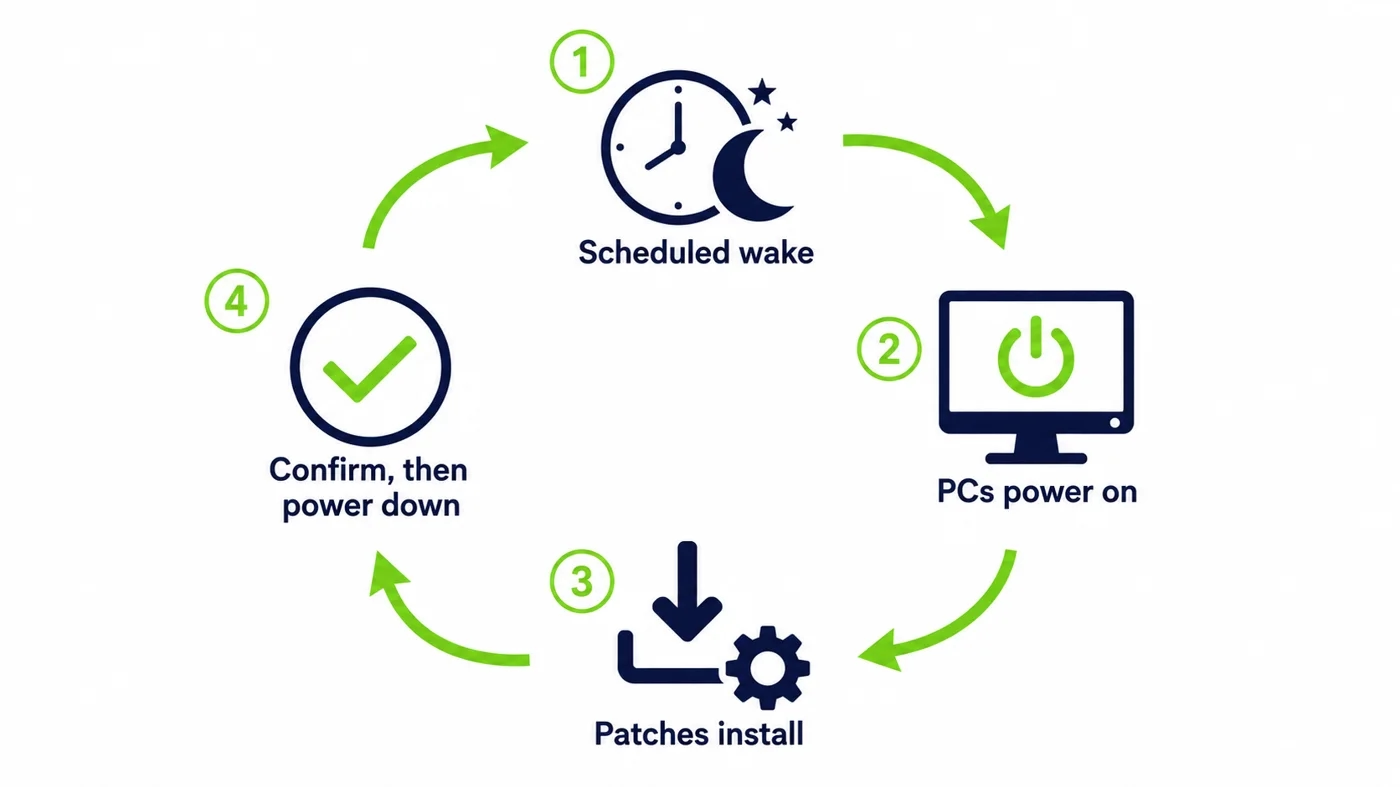
The ideal workflow is a loop. Ahead of the maintenance window, a scheduled wake brings the target machines up. The patch tool deploys the updates as it normally would, now that the endpoints are online. Once the deployment reports success, the machines can be powered back down, so they are only awake for as long as the work actually takes.
Done well, this is invisible to users, who arrive to a patched machine in the morning with no memory of leaving it on. It is also the version that captures the energy saving, because the machines are not sitting powered on for hours before and after the window, only for the window itself.
Waking for patching is not waking for support
These two use cases look similar but pull in different directions. Waking for support is a single, on-demand action, one machine, right now, because a person needs it. Waking for patching is a bulk, scheduled action, thousands of machines at once, on a timetable, with no human waiting.
The scheduled, bulk case has its own demands. It has to bring up large groups reliably, stagger them so the network and the patch servers are not overwhelmed, and confirm that each machine actually came up. A tool built only for one-off support wakes will struggle with a fleet-wide patch night, which is why the scheduling and confirmation matter as much as the wake itself.
Waking from shutdown, sleep, and hibernate
For patching to deliver the energy saving, the wake has to work from a full shutdown, not just from sleep. Sleep mode still draws power, so the real prize is a managed shutdown overnight with a reliable wake before the window. Wake-on-LAN can bring a machine back from a soft shutdown, from sleep, and from hibernate, provided the network card is set to keep listening.
That listening state is the hinge the whole thing turns on. If it is on, a shut-down machine wakes for its patch and the saving is real. If an update or a fast-startup setting has switched it off, the machine stays dark and misses the cycle. Holding that state across the fleet is therefore a core part of making patch-time wake dependable.
Why some endpoints miss the patch wake
When a patch wake reaches most machines but not all, the stragglers usually fail for one of a few predictable reasons. The most common is a network card that stopped listening after a firmware or driver update. Next is a machine in a different subnet that the wake request could not reach. Occasionally it is a device that was unplugged or genuinely offline.
The important thing is that these are visible, fixable causes rather than mysteries. A platform that reports which machines failed to wake, and why, turns the tail of missed endpoints into a short work list instead of an unexplained compliance gap. What gets measured here gets closed.
Leaving PCs on against scheduled wake
The choice most organizations actually face is between two patching strategies. The table sets them side by side.
| Dimension | Leave all PCs on | Scheduled wake for patching |
|---|---|---|
| Overnight energy use | High, every night | Only during the window |
| Patch compliance | Good, but wasteful | Good, and efficient |
| Depends on user habits | Yes, if they shut down anyway | No, wake is automatic |
| Cost over a large fleet | Six figures a year wasted | A fraction of that |
Reaching every subnet without weakening security
A patch job spans the whole estate, so the wake has to reach every VLAN, floor, and site, not just one flat network. The wrong way to achieve that is to forward broadcast across the network or open ports, because it trades a compliance gap for a security hole. The right way keeps the wake broadcast local to each segment and coordinates it centrally.
A relay inside each segment delivers the local wake on command, so the central scheduler can bring up machines anywhere without loosening segmentation. PowerPlug’s Wake-Up technology provides exactly this cross-segment reach, which is what lets a single patch schedule cover a real enterprise network safely.
Scheduling out of hours without disrupting users
The point of an out-of-hours window is that nobody notices it. A good schedule wakes the machines shortly before the patch job, staggers large groups so the wake wave does not swamp the network or the update servers, and powers the machines back down once the work is confirmed. A user who shut their PC down at six in the evening finds it patched and off again the next morning.
Time zones and shift patterns complicate this in a distributed organization, so the schedule has to respect where each machine actually is. Waking a fleet at a single absolute time can land in the middle of someone’s working day on another continent. Scheduling by local time, per group, keeps the window genuinely out of hours for everyone.
Where Windows Update and your patch tool fit
A common question is whether Windows can just wake itself for updates. It has a feature that can wake a machine for a scheduled update in some configurations, but it is inconsistent across hardware and power settings and was never designed to coordinate a fleet-wide window across a segmented network, as Microsoft’s own Wake-on-LAN guidance reflects.
A dedicated wake platform sits alongside whatever patch tool you already use rather than replacing it. It handles the one thing the patch tool cannot, getting the machines awake and reachable across the network, and then steps back and lets your existing deployment process do its job. The two are complementary, not competing.
Waking laptops in a hybrid world
Laptops are the hard case, because a machine that is closed, off the corporate network, or on a home connection cannot be reached by a local wake at all. The honest answer is that patch-time wake is strongest for the desktops and machines that are on the network overnight, and laptops need a complementary approach that patches them whenever they next connect.
In practice most organizations run both. Scheduled wake handles the large population of on-network machines cleanly, capturing the bulk of the compliance and energy benefit, while a connection-triggered policy catches the roaming laptops when they come back. Recognizing the split keeps expectations honest and the strategy effective.
The security side of patch-time wake
Because a patch wake touches the whole fleet, its security matters as much as its reach. The wake action should be authenticated and logged, the broadcast should stay local to each segment, and no inbound port should be opened to trigger it. Built that way, patch-time wake adds a governed, auditable operation rather than a broad new exposure.
There is a neat alignment here. The same secure design that a security team requires is also the one that scales cleanly for patching, because it avoids the forwarded ports and broadcast exceptions that are both risky and fragile. Doing it securely and doing it reliably turn out to be the same task.
What to measure to prove it works
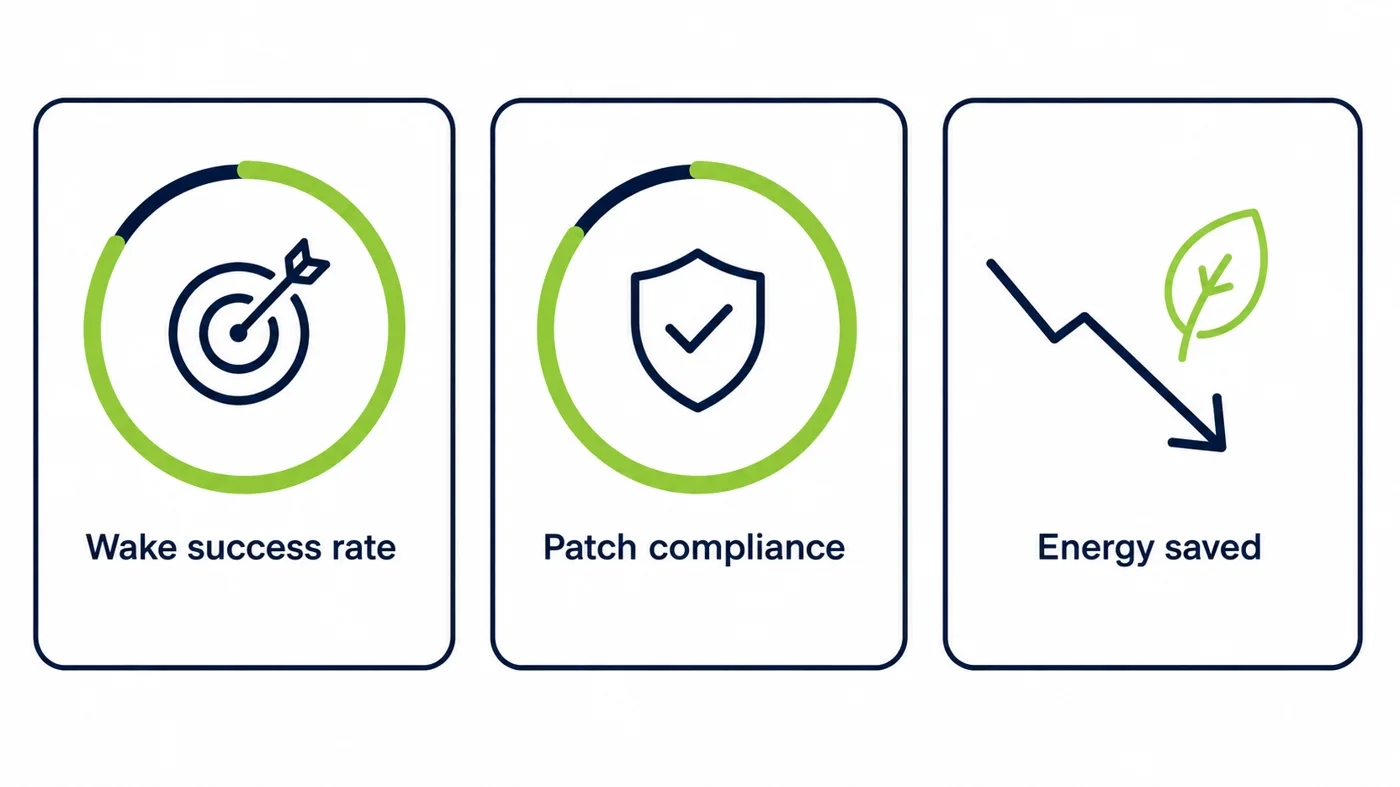
A patch-wake program should be measured, not assumed. The three numbers that matter are the wake success rate, meaning the share of targeted machines that actually came up, the resulting patch compliance rate, and the energy saved by powering machines down rather than leaving them on. Together they show whether the cycle is delivering on both compliance and cost.
These metrics also make the case to the people who fund it. A high wake success rate feeding a high compliance rate proves the operational value, and the energy figure proves the financial one. When both are visible on a dashboard, patch-time wake stops being an act of faith and becomes a reported, defensible result.
Scaling to ten thousand machines and beyond
At small scale almost anything works, and at large scale only a real design does. Ten thousand machines across dozens of subnets and several sites need a wake system that reaches every segment, staggers the wake wave so nothing is overwhelmed, and confirms results centrally so the failures surface as a manageable list. Hand-rolled scripts and forwarded ports do not survive that scale.
This is where a coordinated platform earns its place. The wider platform that manages the schedules, the relays, and the reporting is described on the platform overview, and it forms the core of PowerPlug’s enterprise Wake-on-LAN solution for exactly this fleet-scale patching job.
The energy dividend of patch-then-sleep
The reason patch-time wake pays for itself is that it removes the last excuse for leaving machines on. Once patching no longer depends on the fleet staying powered up overnight, the machines can be shut down every night, and the idle-PC energy that the US ENERGY STAR program has tracked for years stops being spent for nothing.
Across a large fleet that saving reaches six figures a year before anyone counts the cooling load or the extended hardware life. The compliance improvement and the energy saving arrive together, from the same change, which is what makes patch-time wake one of the easier wins an IT team can point to.
Getting started without a big project
A patch-wake rollout does not need a large program to begin. Start with one site or one group of machines, confirm that a scheduled wake brings them up reliably before the window, and check that your existing patch tool then completes as normal. The pilot almost always surfaces a few endpoints whose network cards were not set to keep listening, and fixing that once is most of the work.
From there, expanding is a matter of adding groups and letting the schedule and reporting scale with them. Because it sits alongside the tools you already run, there is no rip-and-replace, just a steadily growing share of the fleet that patches on time and sleeps the rest of the night.
Where patch-time wake matters most
The organizations that feel the compliance gap most sharply are the ones where a missed patch is more than untidy, it is reportable. A hospital under health-data rules, a bank under financial regulation, a government body with an accreditation to keep, and any enterprise mapped to a security framework all have to show that updates reached the fleet, not most of it. A tail of machines that were simply off overnight is exactly the kind of finding an auditor seizes on.
For these environments, scheduled wake is what turns patch compliance from a hopeful average into a number they can stand behind. The same machines that need to be off overnight for the energy target are the ones that must be patched on time, and reliable wake is the single mechanism that satisfies both obligations at once rather than forcing a choice between them.
The common patch-wake mistakes to avoid
A few missteps trip up patch-wake programs again and again. The first is waking the entire fleet at one absolute time, which floods the network and the patch servers and lands in someone’s working day across time zones. The second is treating a sent wake packet as success, so failures hide until the compliance report reveals them weeks later. The third is reaching for forwarded ports to cross subnets, which trades the compliance gap for a security exposure.
Each of these has a clean answer. Stagger the wake by local-time group, confirm each machine actually came up rather than assuming it, and cross segments with local relays instead of open ports. Get those three right and the difference between a frustrating patch night and a dependable one mostly disappears, because the remaining failures are visible and few.
Frequently asked questions
Does Wake-on-LAN work when a PC is fully shut down?
Yes, from a soft shutdown, sleep, or hibernate, as long as the network card is set to keep listening while the board is off. That is what makes the energy saving real, because the machines can be genuinely powered down overnight and still wake for the patch window. A managed platform holds that listening setting in place across the fleet.
Can Windows Update wake a PC on its own for updates?
In some configurations Windows can wake a machine for a scheduled update, but it is inconsistent across hardware and power settings and was never built to coordinate a fleet-wide window across a segmented network. A dedicated wake platform handles the fleet-scale scheduling and cross-subnet reach that Windows alone does not.
How do you wake PCs for patching across subnets securely?
Use a relay inside each segment that delivers the wake locally on command, coordinated by a central scheduler. This reaches every VLAN and site without forwarding broadcast across the network or opening ports, so you close the compliance gap without trading it for a security hole.
Won’t waking PCs at night disturb users?
No, when the schedule is set up properly. The machines wake shortly before the patch job, updates run, and they power back down once the work is confirmed, so a user who shut down in the evening finds a patched machine in the morning. Scheduling by local time per group keeps the window genuinely out of hours across time zones.
How do you wake laptops and remote machines for patching?
A laptop that is closed or off the corporate network cannot be reached by a local wake, so patch-time wake is strongest for on-network desktops. Most organizations pair scheduled wake for those with a connection-triggered policy that patches roaming laptops when they next come online, covering both populations.
See how much your organization could save
Tell us how many PCs you run and we will show you the realistic energy and cost savings, along with the payback period.
Talk to us