By Nimrod Yedaya, VP Customer Experience

Tell a hospital IT team to save energy by turning the computers off, and you will get a flat no. They are right to say it.
In healthcare, a machine that is slow to respond is not an inconvenience. It is a risk.
So the instinct to leave everything on is sound, and any honest approach to healthcare PC power management has to start by agreeing with it. The saving does not come from switching off the machines that matter. It comes from the far larger number of machines that do not need to run around the clock, and from waking the critical ones the instant anyone reaches for them. Selectivity, not sacrifice, is the whole discipline, and getting that line right is what lets a hospital cut a real cost without ever going near the machines that keep people safe.
The machine you must never turn off
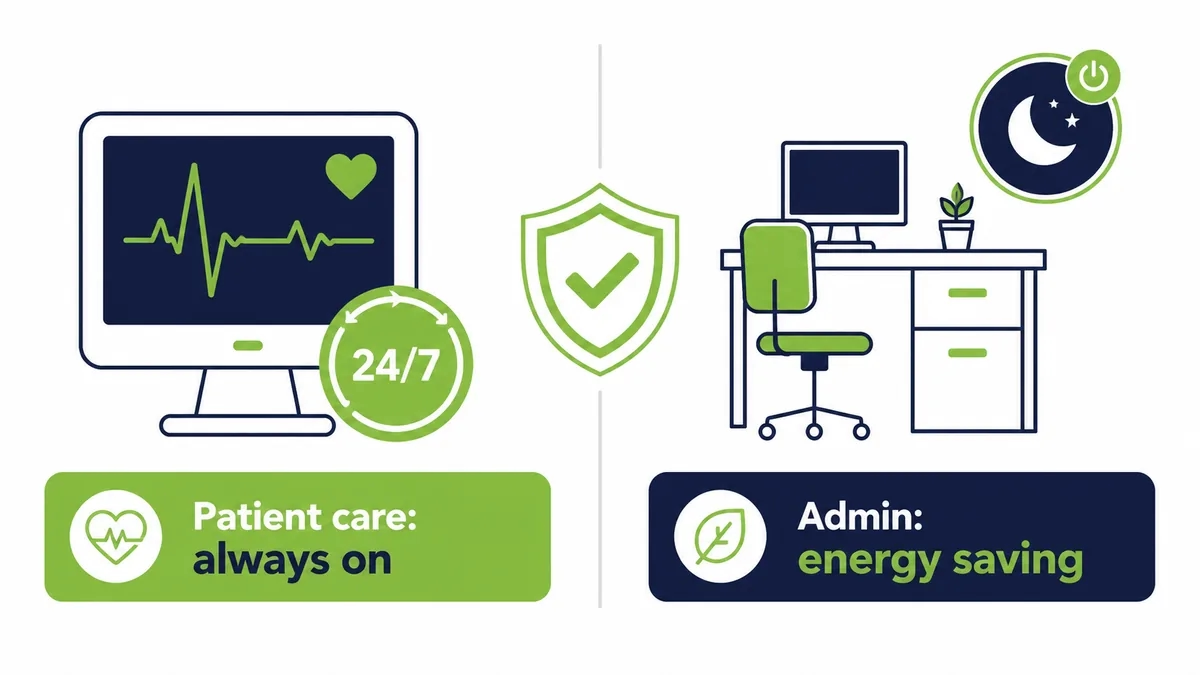
Some computers in a hospital genuinely cannot sleep. A nurses’ station, an admissions desk, a monitoring workstation, a machine tied to a live clinical process. These run every hour of every day, and they should.
Nobody is proposing to touch them.
The mistake is letting that small, essential group set the rule for everything else. Because a handful of machines must be available at three in the morning, the policy quietly becomes leave everything on, and thousands of computers that see no clinical use overnight get swept up in a caution meant for a few. The first job is to separate the two, honestly, so the machines that must run keep running and the rest stop wasting money.
The hidden majority
Walk a hospital at midnight and count the lit screens that nobody is using.
Most of a healthcare estate is not at the bedside. It is finance, scheduling, records, procurement, administration, training rooms, back offices, and staff PCs that keep strict daytime hours. That majority has no reason to be powered on overnight, and it is where almost all of the saving lives. The clinical machines are the ones everyone worries about. The administrative ones are the ones quietly running up the bill, and they are the easy, safe win a facility keeps overlooking.
What the always-on admin fleet costs
Take a hospital with 3,000 administrative PCs, setting the clinical machines aside entirely. Each draws 60 to 100 watts idle. Assume they are left on the fourteen or so hours a day the offices are closed, across 250 working days, plus weekends.
That is 3,000 machines with no clinical role, running all night, every night.
Hospital buildings are already among the most energy-intensive there are, as the US Environmental Protection Agency notes, so this idle load sits on top of a bill that is heavy before a single PC is counted. Managed power cuts PC energy consumption by up to 60 percent on exactly this kind of fleet, without going near a machine that supports patient care.
Selective policy, area by area
The answer is a policy that reads the building the way the building actually works.
Customized power plans let each area run on settings matched to its real hours and its real criticality. Patient-care machines stay on and instantly reachable. Administrative machines drop into low-power states once their offices close. The distinction is explicit and auditable, not a blunt timer applied to everyone. The table below shows the same estate holding both realities at once.
| Area | Availability need | Sensible power policy |
|---|---|---|
| Patient care and monitoring | Around the clock | Always on, always reachable |
| Emergency and on-call | Any hour, unpredictable | On, or instant on-demand wake |
| Administration and records | Weekday office hours | Wake before shift, sleep after hours |
| Training and meeting rooms | Occasional, scheduled | On by booking, off otherwise |
Consumption falls where it safely can, and nowhere it should not.
Where security and power meet
In healthcare, anything that touches the estate has to respect the rules that protect patient data. Power management is no exception, and handled well it helps.
A machine that is powered down and off the network cannot be reached by anything, which reduces the surface exposed during the hours the fewest people are watching. Policies, permissions, and wake events are logged centrally, so there is a record of who woke what and when. That is why power policy sits alongside enterprise IT security rather than against it. The controls that make the saving safe are the same controls a compliance review expects to find.
The maintenance window that only works if machines wake
Hospitals patch and back up overnight for a reason. It is the only quiet time. But that window only works if the machines are awake to use it.
Picture a security patch pushed to 3,000 administrative machines at one in the morning. If a third are switched off, a thousand miss the update and stay exposed until someone logs in the next day. Now schedule those machines to wake for the window, take the patch, and sleep again before staff arrive. The patch reaches the whole fleet, the machines are protected on time, and not one clinical system was involved. Understanding how power management works across sleep, wake, and shutdown is what lets maintenance and saving happen in the same night.
Waking the machine that has to be there now
The hard requirement in healthcare is not saving power. It is never waiting on a machine when it matters.
So the wake-up side has to be instant and certain. A patented Wake-on-LAN Mesh carries the wake signal across the subnets and buildings a hospital network is divided into, so a machine can be reached wherever it sits. A Wake-Up Portal brings a specific PC back from sleep or full shutdown with a single click, from a ward, an office, or home. The machines that were safely powered down are never more than a moment from ready, which is the only condition under which a clinical setting will accept powering anything down at all.
Turning the saving back into care
Lower electricity cost in a hospital reaches further than a tidier budget line.
Money not spent running idle machines is money that can go to patient care, to research, or to the next efficiency that pays for itself again. Reducing recurring operating cost is one of the clearest levers a facility controls, which is the whole premise of serious IT cost reduction. The environmental return rides alongside it, since cutting energy use lowers the facility’s carbon footprint and supports the public-health goals a hospital already stands for. The saving compounds in more than one column.
What healthcare power management does not fix
It would be dishonest to oversell it. This does not make a clinical system faster, and it does not replace the security or patch tooling a hospital runs. It makes those tools dependable, by ensuring the machines are present when they are needed.
And it is not effort-free on day one.
There is setup. You classify the estate into what must stay on and what can sleep, define the policies, and confirm Wake-on-LAN is enabled across the network. The work is careful and front-loaded, which is why the full return typically arrives in under four months rather than at once. Strip it back and the finding is plain. The machines that matter keep running, the ones that do not stop wasting money, and the only thing that ever blurred the line between them was the fear of not getting a machine back in time.
Idle is not the same as saving
An administrative machine left idle looks almost free. It is not.
An idle desktop draws nearly as much as a working one, because the processor rests while the power supply, memory, and fans keep running. Sleep helps, but a sleeping machine still has to be reachable for the overnight patch, or IT quietly disables sleep to be safe. That is how a hospital ends up running its back-office fleet around the clock while believing it manages power. The saving only appears when a machine can drop to a low state and still wake the instant it is needed.
The cost the clinical fear hides
The energy waste is the obvious cost. The hidden one is what the caution conceals.
Because a few machines must never be unreachable, the whole administrative fleet gets left on too, and the patch that skips a sleeping PC, the morning a scheduler waits for a slow boot, the record system exposed a day longer than it should be all get treated as the price of safety. They are not. They are the price of applying a clinical rule to non-clinical machines. Separate the two honestly and the fear protects what it should, while the waste stops.
Run the maintenance math
Picture a security update pushed to 3,000 administrative machines at one in the morning. If a third are switched off, a thousand miss it and stay exposed until someone logs in the next day.
A thousand unpatched machines, every cycle, in a building that holds patient data.
Now schedule those machines to wake for the window, take the patch, and sleep again before staff arrive. The update reaches the whole administrative fleet, the exposure closes on time, and not one clinical system was touched. The patch was never the hard part. Whether the machines were awake to receive it was.
What changes between a clinic and a hospital group
A single clinic forgives a lot. A technician can walk to the machine that did not wake.
A hospital group running tens of thousands of endpoints across many sites does not.
At that scale, a wake method that works most of the time still leaves hundreds of machines dark each morning, scattered across buildings and campuses no one can cover by hand. The manual fixes that held a clinic together stop scaling, because there is nobody free to chase exceptions across a whole network. Scale changes the task itself, from something staff handle in person into a process that must run without them.
The saving that becomes care
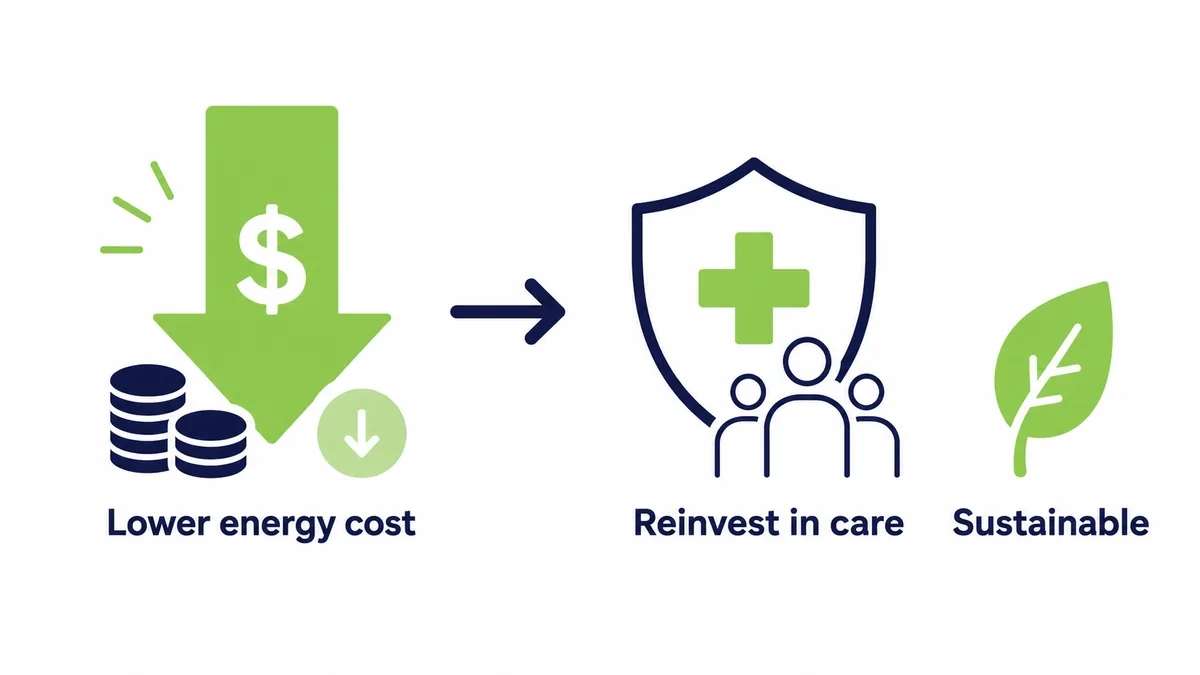
Lower electricity cost in a hospital does more than tidy a budget line.
Money not spent running idle back-office machines is money that can move to patient care, to research, or to the next efficiency that pays for itself again. Reducing recurring operating cost is one of the clearest levers a facility controls, and it compounds, since a saving realized this year funds the improvement that saves again next year. The return shows up in more than one column, and in healthcare the most important column is not the financial one.
The quiet win for hospital IT
There is a benefit for the team that keeps the estate running, alongside the budget.
Because schedules, permissions, and wake events live in one console, the daily overhead of a large, multi-site fleet drops. Fewer visits to wake a machine, fewer calls from staff who cannot reach a workstation, and a clear, auditable record of every wake, which is exactly what a compliance review wants. Hospital IT spends less time on the mechanics of access and more on the work that actually needs it.
Where large providers feel it most
The organizations that feel this hardest are the ones with the most endpoints and the longest hours.
Large hospital groups, HMOs, and networks of clinics run enormous administrative fleets on top of their clinical systems, and every one of those back-office machines left on overnight adds to a bill that is already heavy. For them the idle-PC line is a recurring, serious cost, and one of the few they can cut without going anywhere near patient care.
The estate most of a hospital forgets
Ask where a hospital’s computers are and most people picture wards. Most of them are not there.
Records, billing, scheduling, procurement, human resources, training, and back-office desks make up the bulk of the fleet, and almost none of it needs to run overnight. That forgotten majority is where the saving lives, quietly, on machines nobody worries about because nobody thinks of them as hospital computers at all.
The number that makes the case
In a hospital every budget request competes with clinical need, so a saving has to be undeniable to win attention. This one is.
Take 3,000 administrative machines wasting even a small amount each in overnight power. Across a year the total reaches six figures, and for a large hospital group running many times that number it climbs into serious money, all of it from machines with no clinical role. There is no forecast to challenge. The back-office fleet was on, nobody was using it, and the meter ran. Stated that plainly, it competes well, because the money it frees can go where the hospital actually needs it.
What the rollout actually involves
The care in a healthcare rollout goes into the classification, not the technology.
The real work is deciding, area by area, what must never sleep and what safely can, and getting clinical and IT staff to agree on that line. Once the map is set, the schedules and the wake coverage follow quickly. It is deliberately conservative, because the cost of powering down the wrong machine is unacceptable, and that caution is exactly why the classification comes first and the automation second.
Why the timing matters now
Hospitals could have managed PC power years ago. What changed is that the old objection finally has an answer.
Reliable wake across the subnets a hospital network is divided into removed the fear that a machine might not come back in time, and that fear was the only thing keeping the administrative fleet on. With it gone, the saving that was always sitting in the back offices is finally safe to take, without asking anyone in a clinical role to accept any risk at all.
Frequently asked questions
See how much your organization could save
Tell us how many PCs you run and we will show you the realistic energy and cost savings, along with the payback period.
Talk to us
About the author
Nimrod Yedaya
VP Customer Experience
Over 15 years of experience in customer service, technical support, and customer relationships. Nimrod joined PowerPlug in 2012 as Customer Support Manager and was promoted to VP in 2016. He holds an MBA from BIU and a BSc in Communication Systems Engineering from BGU.